 12eb6015de
* refactor: migrate web Avatar to @makeplane/propel Avatar

Replace @plane/ui Avatar and AvatarGroup with the published Propel
components across apps/web. 41 files, 51 Avatar sites, 4 group sites.

Propel's size scale is @plane/ui's shifted one step, so every enum maps
with no pixel change: sm(16)->2xs, md(20)->xs, base(24)->sm, lg(28)->md.
Unsized avatars took the old md default and become xs.

Notable mapping decisions:

- name -> alt plus fallback={name?.[0]?.toUpperCase()}, preserving the
  initial that @plane/ui derived internally.
- Six numeric px sizes mapped to the nearest enum step. Five are exact;
  the notification card avatar moves 42px -> xl (40px).
- Ten classNames removed, as published Propel takes no className. Seven
  were already redundant with Propel's base class (shrink-0, bg-layer-1);
  the remaining three overrode initials typography, which Propel now sets
  per size.
- shape="circle" and fallback colour props dropped; Propel is always
  circular and picks initials colours from a fixed palette.

AvatarGroup needs app chrome. @plane/ui defaulted to max={2}, rendering
two avatars plus a +N counter, while Propel's AvatarGroup renders every
child. No call site passed max explicitly, so all four relied on that
default and would have rendered entire member lists. The new
common/avatar-group-overflow.tsx restores the cap around Propel's group.
ButtonAvatars' size prop is narrowed to AvatarGroupSize accordingly;
no caller passes size.

Tooltips are intentionally not migrated. @plane/ui Avatar wrapped itself
in a Tooltip defaulting to on, and Propel has no built-in tooltip, so
roughly 29 direct sites plus the ButtonAvatars subtree lose a tooltip.
ButtonAvatars additionally inverted the flag (showTooltip={!showTooltip}),
so its callers passing false were the ones showing tooltips. Restoring
these is deliberately deferred to a follow-up.

* refactor: use Propel Avatar for AvatarGroup overflow count

Replace the custom CSS +N counter with a Propel Avatar fallback,
matching the Avatar Group overflow pattern. Size still comes from
the group context.

Modern project management for all teams
Website • Forum • X • Documentation
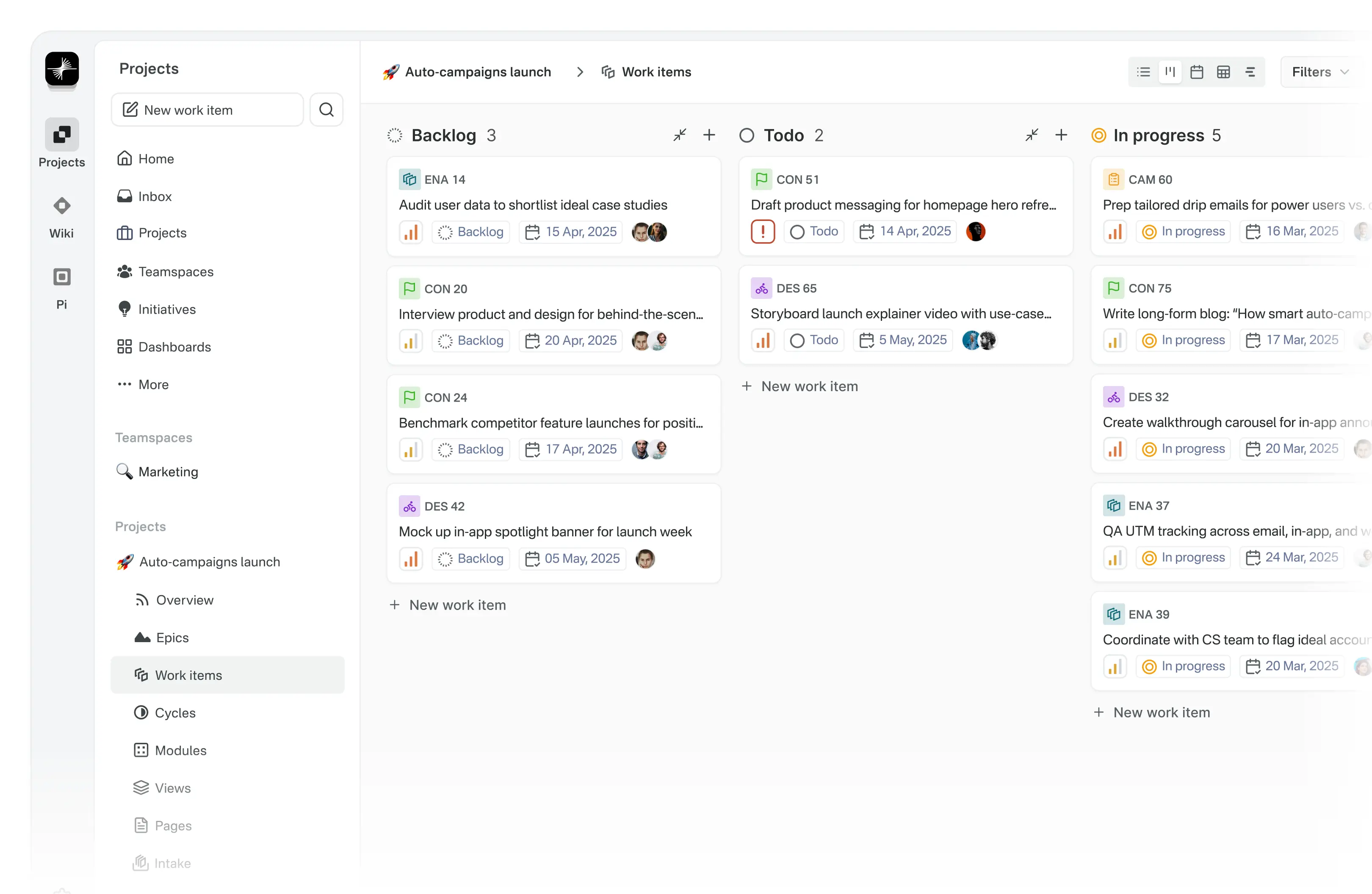
Meet Plane, an open-source project management tool to track issues, run sprints cycles, and manage product roadmaps without the chaos of managing the tool itself. 🧘♀️
Plane is evolving every day. Your suggestions, ideas, and reported bugs help us immensely. Do not hesitate to join in the conversation on Forum or raise a GitHub issue. We read everything and respond to most.
🚀 Installation
Getting started with Plane is simple. Choose the setup that works best for you:
-
Plane Cloud Sign up for a free account on Plane Cloud—it's the fastest way to get up and running without worrying about infrastructure.
-
Self-host Plane Prefer full control over your data and infrastructure? Install and run Plane on your own servers. Follow our detailed deployment guides to get started.
| Installation methods | Docs link |
|---|---|
| Docker |  |
| Kubernetes |  |
Instance admins can configure instance settings with God mode.
🌟 Features
-
Work Items Efficiently create and manage tasks with a robust rich text editor that supports file uploads. Enhance organization and tracking by adding sub-properties and referencing related issues.
-
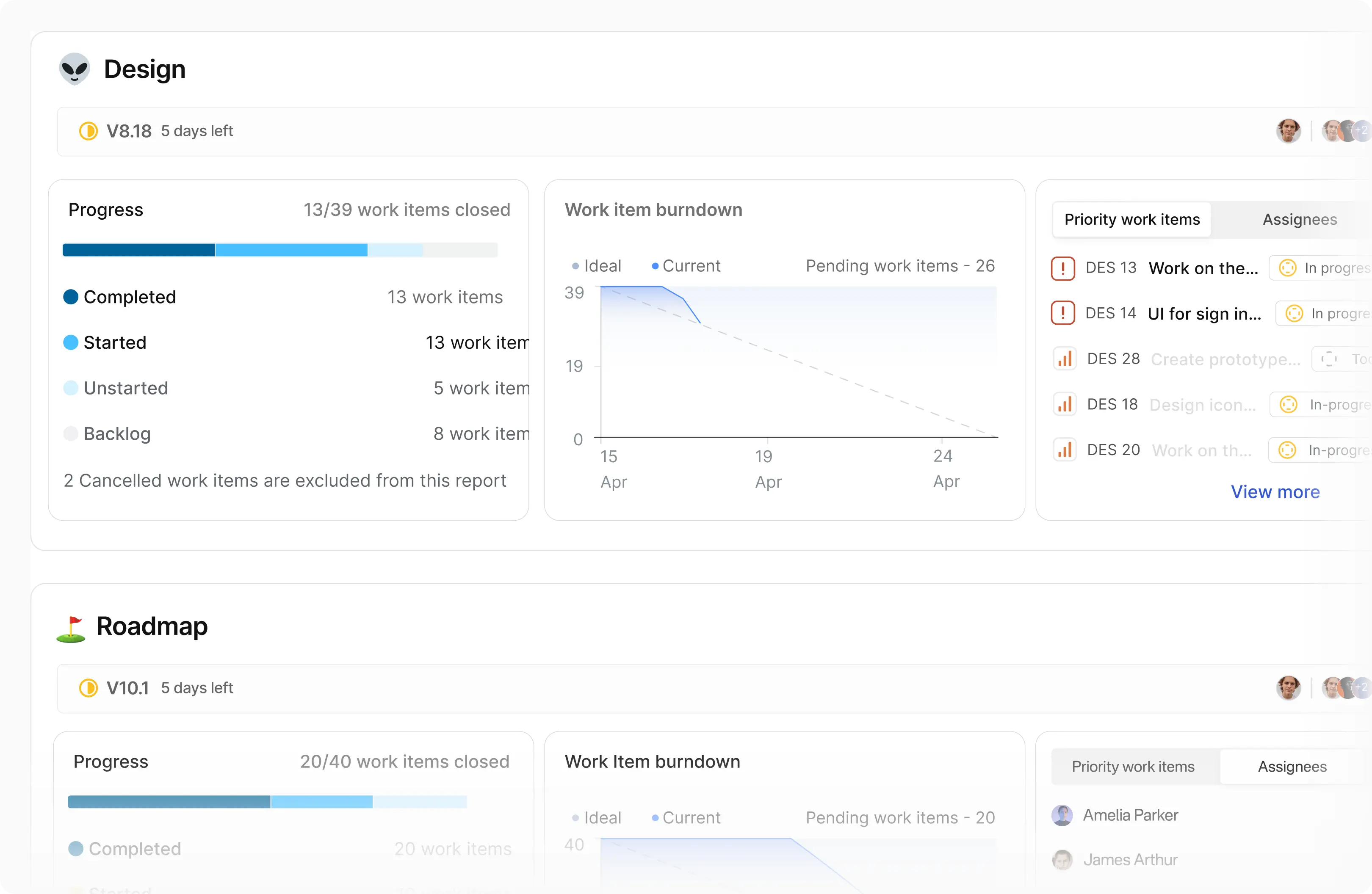
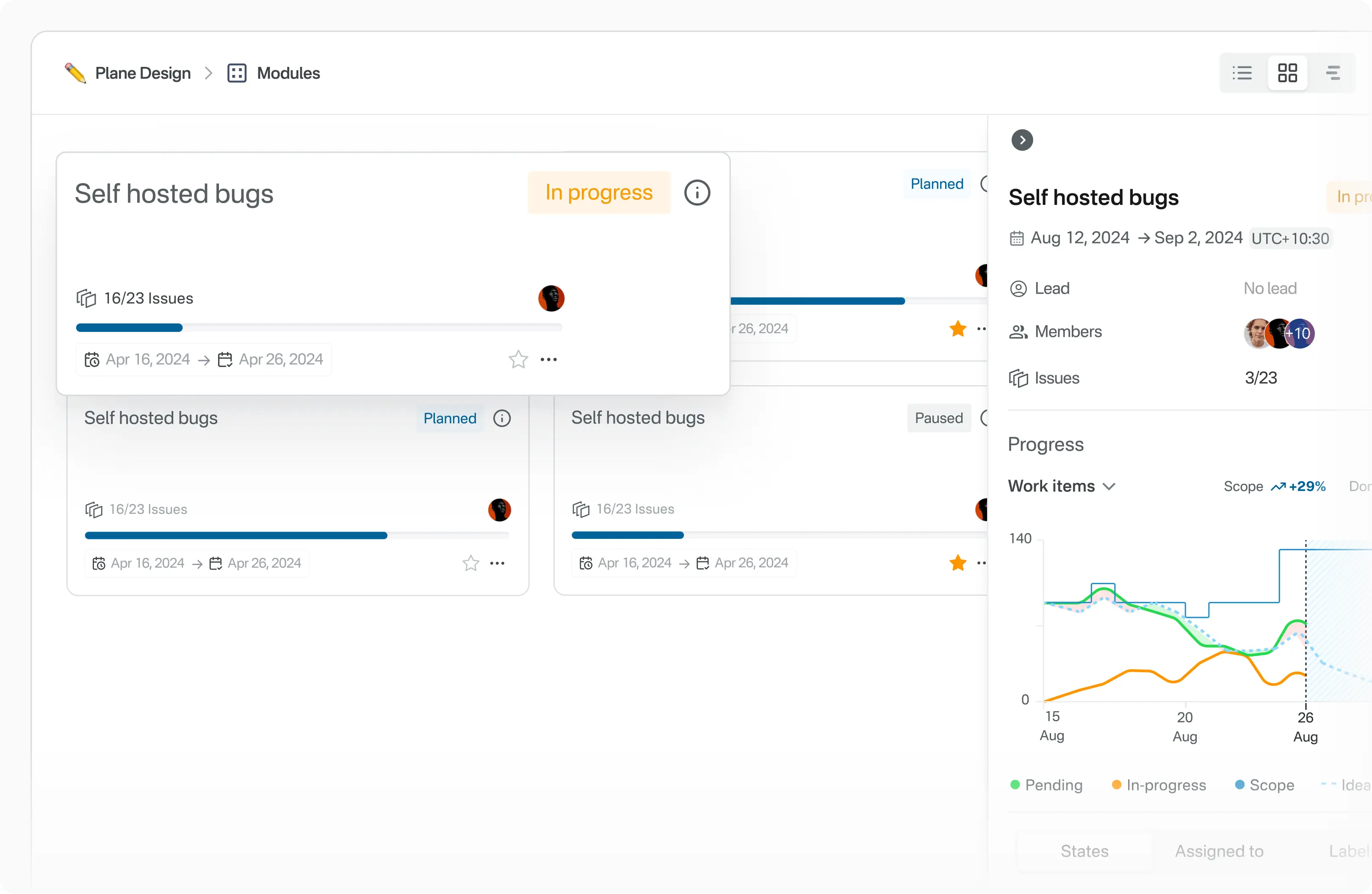
Cycles Maintain your team’s momentum with Cycles. Track progress effortlessly using burn-down charts and other insightful tools.
-
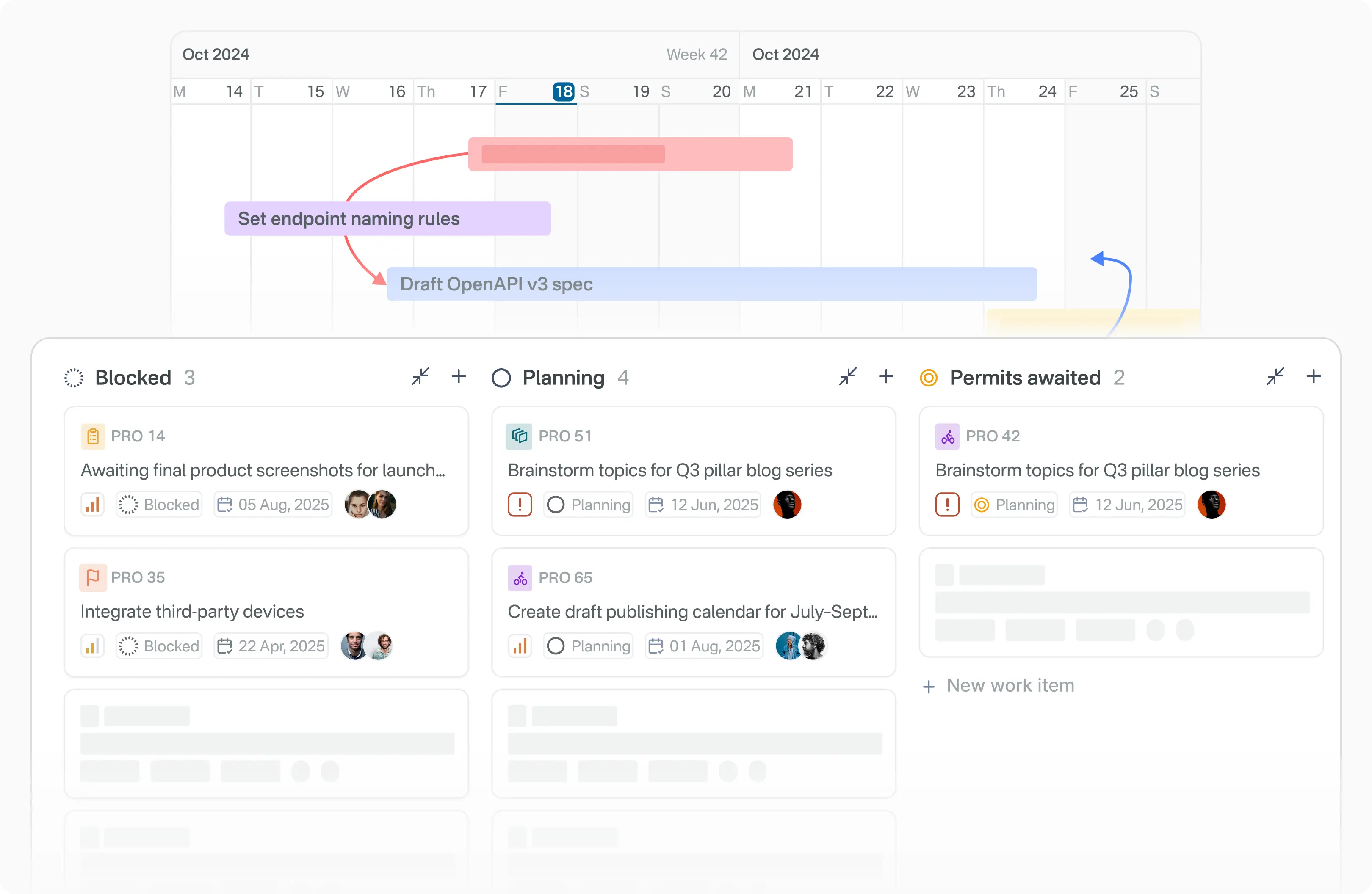
Modules Simplify complex projects by dividing them into smaller, manageable modules.
-
Views Customize your workflow by creating filters to display only the most relevant issues. Save and share these views with ease.
-
Pages Capture and organize ideas using Plane Pages, complete with AI capabilities and a rich text editor. Format text, insert images, add hyperlinks, or convert your notes into actionable items.
-
Analytics Access real-time insights across all your Plane data. Visualize trends, remove blockers, and keep your projects moving forward.
🛠️ Local development
See CONTRIBUTING
⚙️ Built with



📸 Screenshots
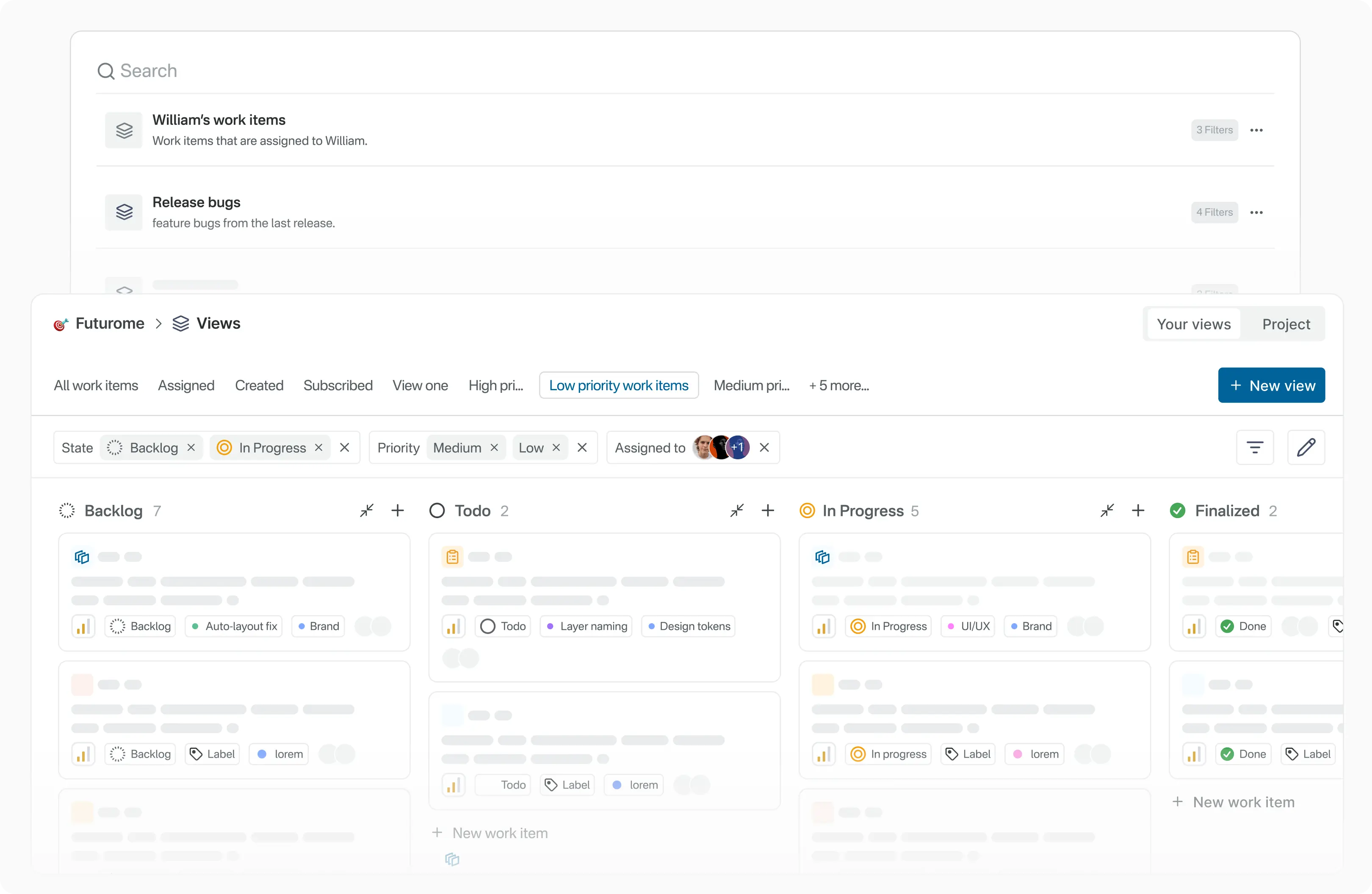
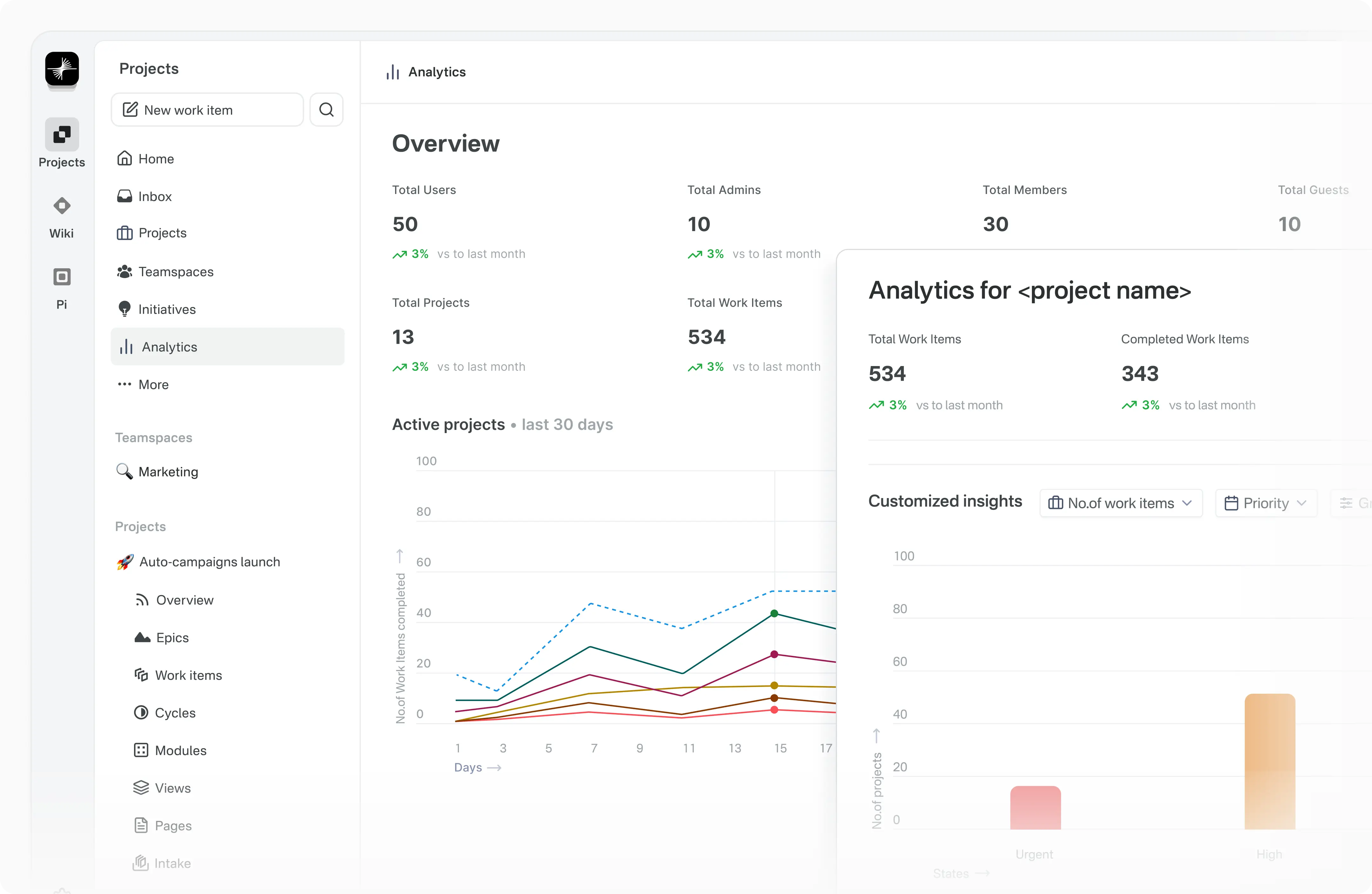
📝 Documentation
Explore Plane's product documentation and developer documentation to learn about features, setup, and usage.
❤️ Community
Join the Plane community on GitHub Discussions and our Forum. We follow a Code of conduct in all our community channels.
Feel free to ask questions, report bugs, participate in discussions, share ideas, request features, or showcase your projects. We’d love to hear from you!
🛡️ Security
If you discover a security vulnerability in Plane, please report it responsibly instead of opening a public issue. We take all legitimate reports seriously and will investigate them promptly. See Security policy for more info.
To disclose any security issues, please email us at security@plane.so.
🤝 Contributing
There are many ways you can contribute to Plane:
- Report bugs or submit feature requests.
- Review the documentation and submit pull requests to improve it—whether it's fixing typos or adding new content.
- Talk or write about Plane or any other ecosystem integration and let us know!
- Show your support by upvoting popular feature requests.
Please read CONTRIBUTING.md for details on the process for submitting pull requests to us.
Repo activity
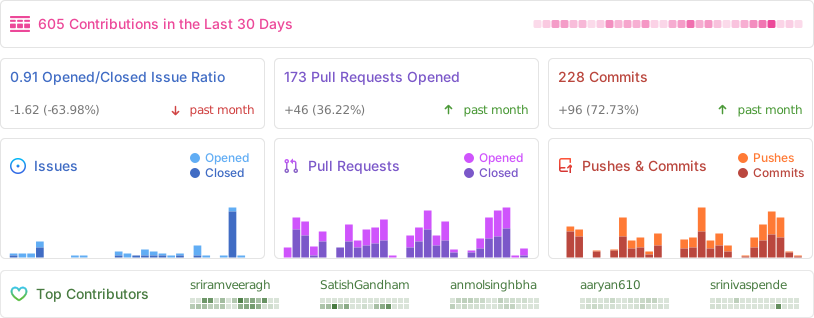
We couldn't have done this without you.
License
This project is licensed under the GNU Affero General Public License v3.0.