 75df8d022a
## Summary of the Pull Request

Closes #49852.

Image Resizer CLI previously accepted several invalid inputs as
successful work: unknown options could be consumed as file arguments,
invalid files were silently dropped, unsafe dimensions could reach the
resize engine, and equivalent inputs could process the same source
concurrently.

This change makes `PowerToys.ImageResizerCLI.exe` strict, deterministic,
and diagnosable while preserving the existing lenient command-line
behavior used by the GUI and context-menu path.

## PR Checklist

- [x] Closes: #49852
- [x] **Communication:** Discussed with core contributors
- [x] **Tests:** Added/updated
- [x] **Localization:** End-user-facing diagnostics are localizable
- [x] **Dev docs:** Built-in CLI help and examples updated; no
standalone dev-doc change required
- [x] **New binaries:** No new binaries introduced
- [x] **Documentation updated:** No external user-documentation change
required

## Detailed Description

### Strict CLI parsing without breaking supported syntax

- Adds a strict parse path for the public CLI while keeping the
GUI/context-menu parser lenient.
- Rejects unknown option-like positional tokens before processing.
- Preserves `--`, response files, attached values such as `-w100`, legal
bundles such as `-rq85`, and explicit attached boolean values such as
`-rtrue`.
- Preserves valid file, pipe, and destination values for lenient callers
when another option fails conversion.

### Deterministic and diagnosable input resolution

- Expands wildcards in the final path segment and reports zero-match
patterns.
- Reports missing, unsupported, invalid, and empty inputs instead of
silently filtering them.
- Processes valid files in mixed batches, reports every rejected input,
and returns a non-zero exit code.
- Canonicalizes filesystem paths before deduplication, covering normal,
extended (`\\?\`), long, casing, and parent-reparse aliases while
preserving distinct hard links, final symbolic links, and files in
case-sensitive directories.
- Applies the same strict validation and deduplication to public-CLI
named-pipe input; the GUI/context-menu pipe remains lenient.
- Treats an empty public-CLI pipe as an error.
- Reads redirected stdin using the producing shell's output encoding
with BOM detection, including non-ASCII paths from default cmd and
PowerShell pipelines.

### Validation before file writes

- Rejects negative, non-finite, zero/zero, grouped out-of-range, and
otherwise unsupported custom dimensions.
- Requires a positive effective width for percentage-based Fit and Fill
sizes.
- Treats an out-of-range preset index as an error instead of continuing
with the current preset.
- Validates resize-engine dimensions before integer conversion and
before destination creation.
- Rounds positive fractional Fill targets safely to at least one pixel.
- Deduplicates equivalent paths before parallel processing so
overlapping explicit/glob/pipe inputs cannot race under `--replace`.

### Diagnostics and compatibility

- Includes exception type and HRESULT when a decoder exception has an
empty message.
- Documents and warns that shrink-only remains ignored for
percentage-based sizes, preserving existing behavior.
- Preserves the original UTC modified time after `KeepDateModified +
Replace` by restoring it on the final replaced file.

## Validation

Validation was repeated after merging the latest `main` (`e753ec51fb`)
into the PR branch.

1. Restored with the configured host `NuGet.Config` and built
`src/modules/imageresizer/ImageResizerCLI/ImageResizerCLI.csproj` in x64
Release using `tools/build/build.ps1`.
   - Result: exit code 0; errors log empty.
2. Restored and built
`src/modules/imageresizer/tests/ImageResizer.UnitTests.csproj` in x64
Release with the same build script and configured package source.
   - Result: exit code 0; errors log empty.
3. Ran the complete x64 Release Image Resizer unit-test assembly with
Visual Studio `vstest.console.exe`.
   - Result: **205 passed, 0 failed, 0 skipped**.
4. Ran 10 process-level CLI regressions covering:
   - attached boolean parsing (`-rtrue`);
   - grouped out-of-range dimensions without source modification;
   - positive fractional Fill producing a valid `1x100` image;
   - normal/extended/wildcard path deduplication;
- non-ASCII redirected stdin from default PowerShell 7 and cmd
pipelines;
   - empty, invalid, and duplicate named-pipe inputs;
- `KeepDateModified + Replace`, including content change and exact UTC
timestamp preservation.
   - Result: **10/10 passed**.
5. Confirmed both build error logs remained empty, all temporary
fixtures were removed, and the real Image Resizer settings file retained
its original length, timestamp, and SHA-256 hash.

The new Image Resizer UI-test project added on `main` was not run
locally because it requires the repository's WinAppDriver/local-VM
UI-test environment; this PR does not change that UI-test project.

---------

Co-authored-by: Yu Leng (from Dev Box) <yuleng@microsoft.com>

Microsoft PowerToys
Microsoft PowerToys is a collection of utilities that help you customize Windows and streamline everyday tasks.
Installation · Documentation · Blog · Release notes
🔨 Utilities
PowerToys includes over 30 utilities to help you customize and optimize your Windows experience:
 Advanced Paste
 Always on Top
 Awake
Awake Color Picker
 Command Not Found
 Command Palette
 Crop And Lock
 Environment Variables
 FancyZones
 File Explorer Add-ons
 File Locksmith
 Grab And Move
 Hosts File Editor
 Image Resizer
 Keyboard Manager
 Light Switch
 Mouse Utilities
 Mouse Without Borders
 New+
New+ Peek
Peek PowerDisplay
 PowerRename
 PowerToys Run
 Quick Accent
 Registry Preview
 Screen Ruler
 Shortcut Guide
 Text Extractor
 Workspaces
 ZoomIt
📦 Installation
For detailed installation instructions and system requirements, visit the installation docs.
But to get started quickly, choose one of the installation methods below:
Download the .exe file from GitHub
Go to the PowerToys GitHub releases, scroll down and select Assets to reveal the installation files, and choose the one that matches your architecture and install scope. For most devices, that would be x64 per-user.
Microsoft Store
You can easily install PowerToys from the Microsoft Store:

WinGet
Download PowerToys from [WinGet](https://github.com/microsoft/winget-cli#installing-the-client). Updating PowerToys via winget will respect the current PowerToys installation scope. To install PowerToys, run the following command from the command line / PowerShell:
- User scope installer (default)
winget install Microsoft.PowerToys -s winget
- Machine-wide scope installer
winget install --scope machine Microsoft.PowerToys -s winget
Other methods
There are [community driven install methods](https://learn.microsoft.com/windows/powertoys/install#community-driven-install-tools) such as Chocolatey and Scoop. If these are your preferred install solutions, you can find the install instructions there.
✨ What's new?
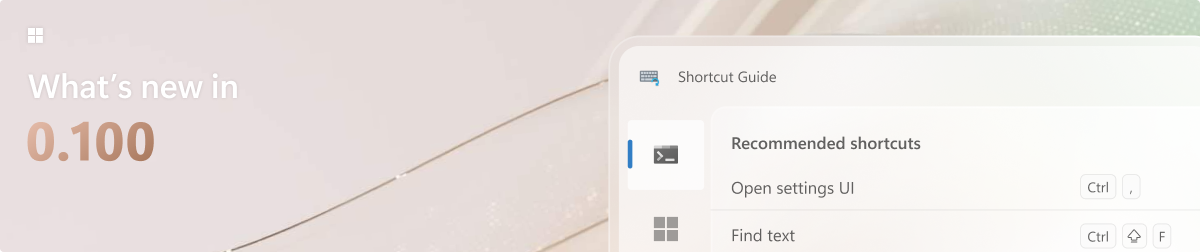
To see what's new, check out the release notes.
🛣️ Roadmap
We are planning some nice new features and improvements for the next releases – a brand-new Shortcut Guide experience, ensuring it's easier to find and install Command Palette extensions and so much more! Stay tuned for v0.100!
❤️ PowerToys Community
The PowerToys team is extremely grateful to have the support of an amazing active community. The work you do is incredibly important. PowerToys wouldn't be nearly what it is today without your help filing bugs, updating documentation, guiding the design, or writing features. We want to say thank you and take time to recognize your work. Your contributions and feedback improve PowerToys month after month!
Contributing
This project welcomes contributions of all types. Besides coding features / bug fixes, other ways to assist include spec writing, design, documentation, and finding bugs. We are excited to work with the power user community to build a set of tools for helping you get the most out of Windows. We ask that before you start work on a feature that you would like to contribute, please read our Contributor's Guide. We would be happy to work with you to figure out the best approach, provide guidance and mentorship throughout feature development, and help avoid any wasted or duplicate effort. Most contributions require you to agree to a Contributor License Agreement (CLA) declaring that you grant us the rights to use your contribution and that you have permission to do so. For guidance on developing for PowerToys, please read the developer docs for a detailed breakdown. This includes how to setup your computer to compile.
Code of conduct
This project has adopted the Microsoft Open Source Code of Conduct.
Privacy statement
The application logs basic diagnostic data (telemetry). For more privacy information and what we collect, see our PowerToys Data and Privacy documentation.