 57b01a1c4e
## Summary of the Pull Request

Replaces the retired GitHub Models-based automatic issue triage and
deduplication flows with the GitHub Agentic Workflow proven in the
`niels9001/powertoys-ai-triage-sandbox`.

This PR also:

- aligns `Needs-Author-Feedback` closure to 7 days for issues and PRs;
- removes the automatic GitHub Models issue/PR labeler;
- removes the automatic GitHub Models new-issue deduplicator;
- removes the Azure Pipelines XAML Styler verification step while
retaining the
  local styling script.

This is a draft because production rollout still requires the
appropriate
privacy and Responsible AI reviews.

## Issue triage rules

### Triggers and refresh behavior

- Runs when an issue is opened, edited, or reopened.
- Runs when the issue author attaches a `PowerToysReport_*.zip` in a
comment.
- Maintainers can force regeneration with `/triage refresh`.
- Ignores unrelated comments, unchanged issue edits, PR comments, and
  bot-initiated reopens.
- Uses per-issue concurrency so a newer run supersedes an older run.
- Maintains one canonical triage comment instead of adding repeated bot
  comments.

### Comment format

- Separates **For the issue author** from **For the PowerToys team**.
- Mentions the author once and lists each requested action as a bullet.
- Distinguishes blocking **Needed** actions from non-blocking
**Recommended**
  actions.
- Shows the product, issue kind, reported PowerToys version, concise
summary,
  diagnostic findings, possible duplicates, and collapsed investigation
  checks.
- Ends with a short disclosure that triage is AI-assisted and
maintainers make
  final decisions.

### Classification and labels

- Detects PowerToys bug-template issues deterministically.
- Reads the selected product area and adds a matching primary
`Product-*`
  label.
- Handles production aliases such as FancyZones Editor and File Explorer
  preview/thumbnail areas.
- Product labeling is additive: existing product and maintainer labels
are
  never removed.
- Normalizes the reported PowerToys version and adds a matching version
label
  when one exists.
- Applies `Needs-Author-Feedback` only when blocking information or an
English
  translation is required.
- Removes `Needs-Author-Feedback` when the issue becomes actionable.

### PowerToys version rule

- Compares the reported version with the latest stable PowerToys GitHub
  release.
- Older versions receive a recommended update-and-retest action.
- Current versions, newer preview/dev versions, missing versions, and
release
  lookup failures are not flagged as outdated.
- Updating is advisory and does not block triage by itself.

### Reproduction rule

- Concrete actions plus an observed result are sufficient.
- Concise steps can use the separate Actual Behavior section as the
observed
  result.
- Passive or intermittent failures are sufficient when the
timing/trigger and
  observed failure are clear.
- Vague statements without an actionable scenario remain insufficient.
- Clearly non-English steps are not treated as missing; reproduction is
  reassessed after the author translates the issue.

### Language rule

- Classifies author-written prose as English, non-English, or uncertain.
- Ignores template headings, code, logs, filenames, URLs, hidden
comments, and
  quoted text.
- Clearly non-English issues ask the author to translate the title and
  description to English.
- Short, mixed, code-heavy, or uncertain text is not flagged.

### Diagnostic report rule

- A report is **required** for diagnostic-heavy failures: crashes,
hangs,
startup/load failures, installation/update failures, performance
failures,
  and service/driver/shell-integration failures.
- A report is **optional** for clear reproducible UI/visual defects.
- A report is **recommended**, but not blocking, for other actionable
bugs.
- Missing or rejected reports block only when the deterministic
requirement is
  `REQUIRED`.

### Diagnostic report privacy and safety

- Accepts only PowerToys report attachment URLs matching the expected
pattern.
- Enforces archive size, decompressed size, file-count, per-file, path
  traversal, and encryption limits.
- Selects only bounded relevant metadata and product-log evidence.
- Redacts email addresses, IP addresses, user paths, URLs, GUIDs, SIDs,
  identity fields, tokens, secrets, and passwords.
- Sends only the sanitized evidence to Copilot.
- Never sends the raw ZIP or extracted files to Copilot, logs,
artifacts, or
  repository storage.
- Deletes the temporary archive after processing.

### Duplicate rule

- Searches only older issues using focused product, title/body, and
exact
  technical-signal queries.
- Ranks candidates deterministically before Copilot runs.
- Copilot judges only the supplied candidates and returns at most five
  high-confidence matches.
- Similar product area alone is not enough; the underlying request or
failure
  must match.
- The model never closes an issue directly.
- The workflow submits the strongest match as a native GitHub
duplicate-close
  suggestion.
- **When a maintainer accepts the suggestion, GitHub automatically
closes the
  issue as a duplicate and links it to the selected canonical issue.**
- Declining the suggestion leaves the issue open.
- A defensive safeguard reopens the issue and fails the run if GitHub
applies
  the close without holding it for review.

### AI cost and permission controls

- Uses the `small` model alias.
- Maximum 5 turns and 10 AI credits per run.
- Maximum 300 AI credits per day.
- Maximum 5 runs per user per 60-minute window.
- Content hashing skips unchanged work before inference.
- The agent receives only `contents: read`, `issues: read`, and
  `copilot-requests: write`.
- A separate validated safe-output job receives `issues: write`.

## Seven-day author-feedback lifecycle

The existing Microsoft GitHub Policy Service configuration remains
responsible
for stale closure:

- Open issues with `Needs-Author-Feedback` and no activity for 7 days
are
  closed with an explanatory comment.
- Open PRs with `Needs-Author-Feedback` and no activity for 7 days are
closed
  with an explanatory comment.
- An author comment removes `Needs-Author-Feedback` and returns the
issue/PR to
  team triage.
- An author push removes `Needs-Author-Feedback` from a PR.
- Manually removing the label immediately makes the issue or PR
ineligible for
  scheduled closure.

## Deprecated automation

- Deletes `.github/workflows/automatic-issue-deduplication.yml`.
- Deletes `.github/workflows/auto-labeler.yml`.
- Automatic PR product labeling from the old Models workflow is
intentionally
not replaced in this PR; a production PR ownership/path map should be
agreed
  separately.
- Keeps the manual batch deduplication workflow unchanged.
- Removes the passive XAML Styler verification step from
  `.pipelines/v2/templates/job-build-project.yml`.
- Keeps `.pipelines/applyXamlStyling.ps1` available for local developer
use.

## Validation Steps Performed

- Compiled `.github/workflows/issue-triage.md` with `gh aw compile`.
- Ran 32 focused Python tests for issue parsing, duplicate retrieval,
version
checks, reproduction rules, language signals, archive validation, report
  selection, redaction, and output privacy.
- Parsed the changed workflow and resource-management YAML.
- Verified the required production labels exist.
- Tested the workflow against the latest 20 PowerToys issues in the
sandbox;
  all 20 produced one canonical comment.
- Verified live variants for outdated versions, intermittent/passive
reproduction, non-English issues, rejected and analyzed reports,
optional UI
  reports, and title-only issues.

## PR Checklist

- [ ] **Communication:** Discussed with core contributors.
- [x] **Tests:** Added/updated and all focused tests pass.
- [ ] **Privacy / Responsible AI:** Complete required production reviews
before
  enabling.
- [x] **Localization:** No product UI strings are added.
- [x] **Dev docs:** Updated repository automation documentation.
- [x] **New binaries:** None.

---------

Co-authored-by: Copilot <223556219+Copilot@users.noreply.github.com>
Copilot-Session: 18a9b8ad-fd7e-4b9d-a06c-5e350bcde9d7
Copilot-Session: fd512b9b-db6f-4004-a65b-aa49404d568d

Microsoft PowerToys
Microsoft PowerToys is a collection of utilities that help you customize Windows and streamline everyday tasks.
Installation · Documentation · Blog · Release notes
🔨 Utilities
PowerToys includes over 30 utilities to help you customize and optimize your Windows experience:
 Advanced Paste
 Always on Top
 Awake
Awake Color Picker
 Command Not Found
 Command Palette
 Crop And Lock
 Environment Variables
 FancyZones
 File Explorer Add-ons
 File Locksmith
 Grab And Move
 Hosts File Editor
 Image Resizer
 Keyboard Manager
 Light Switch
 Mouse Utilities
 Mouse Without Borders
 New+
New+ Peek
Peek PowerDisplay
 PowerRename
 PowerToys Run
 Quick Accent
 Registry Preview
 Screen Ruler
 Shortcut Guide
 Text Extractor
 Workspaces
 ZoomIt
📦 Installation
For detailed installation instructions and system requirements, visit the installation docs.
But to get started quickly, choose one of the installation methods below:
Download the .exe file from GitHub
Go to the PowerToys GitHub releases, scroll down and select Assets to reveal the installation files, and choose the one that matches your architecture and install scope. For most devices, that would be x64 per-user.
Microsoft Store
You can easily install PowerToys from the Microsoft Store:

WinGet
Download PowerToys from [WinGet](https://github.com/microsoft/winget-cli#installing-the-client). Updating PowerToys via winget will respect the current PowerToys installation scope. To install PowerToys, run the following command from the command line / PowerShell:
- User scope installer (default)
winget install Microsoft.PowerToys -s winget
- Machine-wide scope installer
winget install --scope machine Microsoft.PowerToys -s winget
Other methods
There are [community driven install methods](https://learn.microsoft.com/windows/powertoys/install#community-driven-install-tools) such as Chocolatey and Scoop. If these are your preferred install solutions, you can find the install instructions there.
✨ What's new?
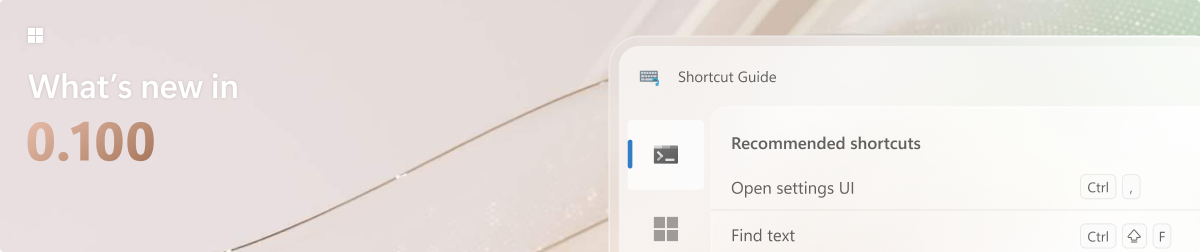
To see what's new, check out the release notes.
🛣️ Roadmap
We are planning some nice new features and improvements for the next releases – a brand-new Shortcut Guide experience, ensuring it's easier to find and install Command Palette extensions and so much more! Stay tuned for v0.100!
❤️ PowerToys Community
The PowerToys team is extremely grateful to have the support of an amazing active community. The work you do is incredibly important. PowerToys wouldn't be nearly what it is today without your help filing bugs, updating documentation, guiding the design, or writing features. We want to say thank you and take time to recognize your work. Your contributions and feedback improve PowerToys month after month!
Contributing
This project welcomes contributions of all types. Besides coding features / bug fixes, other ways to assist include spec writing, design, documentation, and finding bugs. We are excited to work with the power user community to build a set of tools for helping you get the most out of Windows. We ask that before you start work on a feature that you would like to contribute, please read our Contributor's Guide. We would be happy to work with you to figure out the best approach, provide guidance and mentorship throughout feature development, and help avoid any wasted or duplicate effort. Most contributions require you to agree to a Contributor License Agreement (CLA) declaring that you grant us the rights to use your contribution and that you have permission to do so. For guidance on developing for PowerToys, please read the developer docs for a detailed breakdown. This includes how to setup your computer to compile.
Code of conduct
This project has adopted the Microsoft Open Source Code of Conduct.
Privacy statement
The application logs basic diagnostic data (telemetry). For more privacy information and what we collect, see our PowerToys Data and Privacy documentation.