 0da5602f68
## Summary of the Pull Request

Updates all `CommunityToolkit.WinUI` packages from `8.2.250402` to
`8.2.251219` (latest stable) and removes three workaround hacks from
`SearchBar.xaml.cs` that were added to paper over bugs in the
`CommunityToolkit.WinUI.Extensions` debouncer (`Debounce` with
`immediate: true` not firing correctly). Those bugs were fixed upstream
and are included in `8.2.251219`.

## PR Checklist

- [ ] **Communication:** I've discussed this with core contributors
already. If the work hasn't been agreed, this work might be rejected
- [ ] **Tests:** Added/updated and all pass
- [ ] **Localization:** All end-user-facing strings can be localized
- [ ] **Dev docs:** Added/updated
- [ ] **New binaries:** Added on the required places
- [ ] [JSON for
signing](https://github.com/microsoft/PowerToys/blob/main/.pipelines/ESRPSigning_core.json)
for new binaries
- [ ] [WXS for
installer](https://github.com/microsoft/PowerToys/blob/main/installer/PowerToysSetup/Product.wxs)
for new binaries and localization folder
- [ ] [YML for CI
pipeline](https://github.com/microsoft/PowerToys/blob/main/.pipelines/ci/templates/build-powertoys-steps.yml)
for new test projects
- [ ] [YML for signed
pipeline](https://github.com/microsoft/PowerToys/blob/main/.pipelines/release.yml)
- [ ] **Documentation updated:** If checked, please file a pull request
on [our docs
repo](https://github.com/MicrosoftDocs/windows-uwp/tree/docs/hub/powertoys)
and link it here: #xxx

## Detailed Description of the Pull Request / Additional comments

### Package update (`Directory.Packages.props`)

All `CommunityToolkit.WinUI` packages bumped from `8.2.250402` →
`8.2.251219`:

- `CommunityToolkit.WinUI.Animations`
- `CommunityToolkit.WinUI.Collections`
- `CommunityToolkit.WinUI.Controls.Primitives`
- `CommunityToolkit.WinUI.Controls.SettingsControls`
- `CommunityToolkit.WinUI.Controls.Segmented`
- `CommunityToolkit.WinUI.Controls.Sizers`
- `CommunityToolkit.WinUI.Converters`
- `CommunityToolkit.WinUI.Extensions`

### Hack removals (`SearchBar.xaml.cs`)

All three hacks were in `SearchBar.xaml.cs` (`Controls/`), tagged `TODO
GH #245`:

- **`FilterBox_TextChanged` — "TERRIBLE HACK"**: Forced
`DoFilterBoxUpdate()` immediately for any single-character input, then
returned early—bypassing the debouncer entirely. Now the debouncer's
`immediate: FilterBox.Text.Length <= 1` path handles this correctly.

- **Escape key handler**: After `FilterBox.Text = string.Empty`,
manually pushed the empty string to
`CurrentPageViewModel.SearchTextBox`. The `TextChanged` event fires
after the assignment and the debouncer (with `immediate: true` for
length 0) now handles propagation.

- **Backspace key handler (`else if (e.Key == VirtualKey.Back)`
block)**: Pre-emptively set `CurrentPageViewModel.SearchTextBox` to the
*pre-deletion* text in `FilterBox_KeyDown`. Entire block removed;
`TextChanged` + debouncer handle the post-deletion update correctly.

## Validation Steps Performed

Manually verified in CmdPal that:
- Typing aliases (single-character triggers) still activates filtering
immediately
- Pressing Escape clears the search box and resets the filter
- Pressing Backspace correctly updates search results after each
deletion

<!-- START COPILOT ORIGINAL PROMPT -->


<details>

<summary>Original prompt</summary>

>
> ----
>
> *This section details on the original issue you should resolve*
>
> <issue_title>Update to the latest `CommunityToolkit.WinUI.Extensions`
and remove hacks</issue_title>
> <issue_description>_originally filed by @zadjii-msft_
>
> See
https://github.com/zadjii-msft/PowerToys/pull/236#discussion_r1887714771
>
> I had to stick a couple of HACKs into `SearchBar.xaml.cs` to work
around bugs in the toolkit debouncer. Those bugs have since been fixed
upstream, hooray! We just need a new version of the package shipped and
we can get rid of them.
>
> ref https://github.com/zadjii-msft/PowerToys/issues/236
>
> ----
>
> Also!
>
> Revert
>
> ```
> // TODO(stefan): REVERT THIS TO DASHBOARD PAGE!!!! SPELCHHHHEEK FAIL
> ```
>
> from
https://github.com/zadjii-msft/PowerToys/issues/215</issue_description>
>
> ## Comments on the Issue (you are @copilot in this section)
>
> <comments>
> <comment_new><author>@niels9001</author><body>
> @zadjii-msft @michaeljolley I assume we are on a later version now? Do
we still need to remove the hacks?</body></comment_new>
> <comment_new><author>@zadjii-msft</author><body>
> We sure do!
>
> There's the SearchBar.xaml.cs ones, and I also had to manually copy
over the `TypedEventHandlerExtensions.cs`</body></comment_new>
> </comments>
>


</details>


<!-- START COPILOT CODING AGENT SUFFIX -->

- Fixes microsoft/PowerToys#38285

<!-- START COPILOT CODING AGENT TIPS -->
---

🔒 GitHub Advanced Security automatically protects Copilot coding agent
pull requests. You can protect all pull requests by enabling Advanced
Security for your repositories. [Learn more about Advanced
Security.](https://gh.io/cca-advanced-security)

---------

Co-authored-by: copilot-swe-agent[bot] <198982749+Copilot@users.noreply.github.com>
Co-authored-by: niels9001 <9866362+niels9001@users.noreply.github.com>
Co-authored-by: Niels Laute <niels.laute@live.nl>

Microsoft PowerToys
Microsoft PowerToys is a collection of utilities that help you customize Windows and streamline everyday tasks.
Installation · Documentation · Blog · Release notes
🔨 Utilities
PowerToys includes over 25 utilities to help you customize and optimize your Windows experience:
 Advanced Paste
 Always on Top
 Awake
Awake Color Picker
 Command Not Found
 Command Palette
 Crop And Lock
 Environment Variables
 FancyZones
 File Explorer Add-ons
 File Locksmith
 Hosts File Editor
 Image Resizer
 Keyboard Manager
 Light Switch
 Mouse Utilities
 Mouse Without Borders
 New+
New+ Peek
Peek PowerRename
 PowerToys Run
 Quick Accent
 Registry Preview
 Screen Ruler
 Shortcut Guide
 Text Extractor
 Workspaces
 ZoomIt
📋 Installation
For detailed installation instructions and system requirements, visit the installation docs.
But to get started quickly, choose one of the installation methods below:
Download .exe from GitHub
Go to the PowerToys GitHub releases, click Assets to reveal the downloads, and choose the installer that matches your architecture and install scope. For most devices, that's the x64 per-user installer.
| Description | Filename |
|---|---|
| Per user - x64 | PowerToysUserSetup-0.98.1-x64.exe |
| Per user - ARM64 | PowerToysUserSetup-0.98.1-arm64.exe |
| Machine wide - x64 | PowerToysSetup-0.98.1-x64.exe |
| Machine wide - ARM64 | PowerToysSetup-0.98.1-arm64.exe |
Microsoft Store
You can easily install PowerToys from the Microsoft Store:

WinGet
Download PowerToys from WinGet. Updating PowerToys via winget will respect the current PowerToys installation scope. To install PowerToys, run the following command from the command line / PowerShell:
User scope installer [default]
winget install Microsoft.PowerToys -s winget
Machine-wide scope installer
winget install --scope machine Microsoft.PowerToys -s winget
Other methods
There are community driven install methods such as Chocolatey and Scoop. If these are your preferred install solutions, you can find the install instructions there.
✨ What's new?
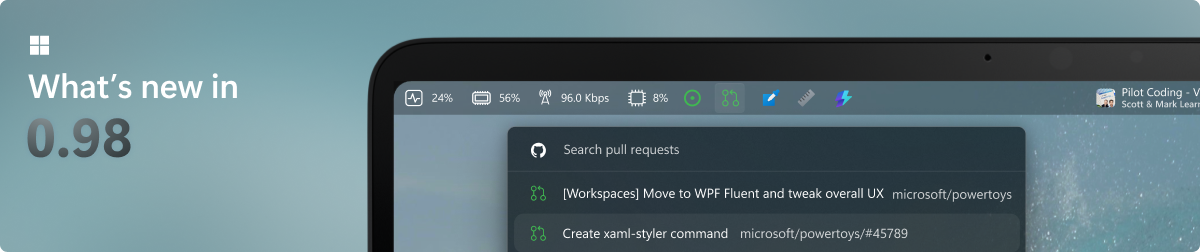
To see what's new, check out the release notes.
🛣️ Roadmap
We are planning some nice new features and improvements for the next releases – PowerDisplay, Command Palette improvements and a brand-new Shortcut Guide experience! Stay tuned for v0.99!
❤️ PowerToys Community
The PowerToys team is extremely grateful to have the support of an amazing active community. The work you do is incredibly important. PowerToys wouldn't be nearly what it is today without your help filing bugs, updating documentation, guiding the design, or writing features. We want to say thank you and take time to recognize your work. Your contributions and feedback improve PowerToys month after month!
Contributing
This project welcomes contributions of all types. Besides coding features / bug fixes, other ways to assist include spec writing, design, documentation, and finding bugs. We are excited to work with the power user community to build a set of tools for helping you get the most out of Windows. We ask that before you start work on a feature that you would like to contribute, please read our Contributor's Guide. We would be happy to work with you to figure out the best approach, provide guidance and mentorship throughout feature development, and help avoid any wasted or duplicate effort. Most contributions require you to agree to a Contributor License Agreement (CLA) declaring that you grant us the rights to use your contribution and that you have permission to do so. For guidance on developing for PowerToys, please read the developer docs for a detailed breakdown. This includes how to setup your computer to compile.
Code of Conduct
This project has adopted the Microsoft Open Source Code of Conduct.
Privacy Statement
The application logs basic diagnostic data (telemetry). For more privacy information and what we collect, see our PowerToys Data and Privacy documentation.