mirror of
https://github.com/microsoft/PowerToys.git
synced 2026-01-27 22:47:43 +01:00
Compare commits
24 Commits
leilzh/dev
...
shawn/addC
| Author | SHA1 | Date | |
|---|---|---|---|

|
269f082bee | ||
|
|
27dcd1e5bc | ||
|
|
2a0d0a1210 | ||
|
|
662bbf0033 | ||
|
|
b7a94eb48d | ||
|
|
b5e9f346da | ||
|
|
8e2123cfea | ||
|
|
a9205781d7 | ||
|
|
086e4b5676 | ||
|
|
089c5f8b50 | ||
|
|
113639a66c | ||
|
|
3c2cb4516a | ||
|
|
53c5e66cce | ||
|
|
4cde968c9b | ||
|
|
e148a89288 | ||
|
|
1dddf9fa2c | ||
|
|
0d59b9f790 | ||
|
|
e314485e85 | ||
|
|
f48c4a9a6f | ||
|
|
175403d86d | ||
|
|
f7c57b05d7 | ||
|
|
5098809e14 | ||
|
|
c8da70d6fa | ||
|
|
790fc6c4dc |
6
.github/actions/spell-check/expect.txt
vendored
6
.github/actions/spell-check/expect.txt
vendored
@@ -64,6 +64,9 @@ apidl
|
||||
APIENTRY
|
||||
APIIs
|
||||
Apm
|
||||
APMPOWERSTATUSCHANGE
|
||||
APMRESUMEAUTOMATIC
|
||||
APMRESUMESUSPEND
|
||||
APPBARDATA
|
||||
APPEXECLINK
|
||||
appext
|
||||
@@ -206,9 +209,11 @@ certmgr
|
||||
cfp
|
||||
CHANGECBCHAIN
|
||||
changecursor
|
||||
checkmarks
|
||||
CHILDACTIVATE
|
||||
CHILDWINDOW
|
||||
CHOOSEFONT
|
||||
CIBUILD
|
||||
cidl
|
||||
CIELCh
|
||||
cim
|
||||
@@ -1343,6 +1348,7 @@ Pomodoro
|
||||
Popups
|
||||
POPUPWINDOW
|
||||
POSITIONITEM
|
||||
POWERBROADCAST
|
||||
POWERRENAMECONTEXTMENU
|
||||
powerrenameinput
|
||||
POWERRENAMETEST
|
||||
|
||||
9
.github/copilot-instructions.md
vendored
9
.github/copilot-instructions.md
vendored
@@ -6,15 +6,8 @@ description: 'PowerToys AI contributor guidance'
|
||||
|
||||
Concise guidance for AI contributions. For complete details, see [AGENTS.md](../AGENTS.md).
|
||||
|
||||
## Quick Reference
|
||||
|
||||
- **Build**: `tools\build\build-essentials.cmd` (first time), then `tools\build\build.cmd`
|
||||
- **Tests**: Find `<Product>*UnitTests` project, build it, run via VS Test Explorer
|
||||
- **Exit code 0 = success** – do not proceed if build fails
|
||||
|
||||
## Key Rules
|
||||
|
||||
- One terminal per operation (build → test)
|
||||
- Atomic PRs: one logical change, no drive-by refactors
|
||||
- Add tests when changing behavior
|
||||
- Keep hot paths quiet (no logging in hooks/tight loops)
|
||||
@@ -39,7 +32,5 @@ These are auto-applied based on file location:
|
||||
|
||||
## Detailed Documentation
|
||||
|
||||
- [AGENTS.md](../AGENTS.md) – Full contributor guide
|
||||
- [Build Guidelines](../tools/build/BUILD-GUIDELINES.md)
|
||||
- [Architecture](../doc/devdocs/core/architecture.md)
|
||||
- [Coding Style](../doc/devdocs/development/style.md)
|
||||
|
||||
1
.gitignore
vendored
1
.gitignore
vendored
@@ -359,3 +359,4 @@ src/common/Telemetry/*.etl
|
||||
|
||||
# PowerToysInstaller Build Temp Files
|
||||
installer/*/*.wxs.bk
|
||||
/src/modules/awake/.claude
|
||||
|
||||
@@ -504,6 +504,14 @@ jobs:
|
||||
Remove-Item -Force -Recurse "$(JobOutputDirectory)/_appx" -ErrorAction:Ignore
|
||||
displayName: Re-pack the new CmdPal package after signing
|
||||
|
||||
- pwsh: |
|
||||
$testsPath = "$(Build.SourcesDirectory)/$(BuildPlatform)/$(BuildConfiguration)/tests"
|
||||
if (Test-Path $testsPath) {
|
||||
Remove-Item -Path $testsPath -Recurse -Force
|
||||
Write-Host "Removed tests folder to reduce signing workload: $testsPath"
|
||||
}
|
||||
displayName: Remove tests folder before signing
|
||||
|
||||
- template: steps-esrp-signing.yml
|
||||
parameters:
|
||||
displayName: Sign Core PowerToys
|
||||
|
||||
@@ -71,6 +71,14 @@ _If you want to find diagnostic data events in the source code, these two links
|
||||
<td>Microsoft.PowerToys.Uninstall_Success</td>
|
||||
<td>Logs when PowerToys is successfully uninstalled (who would do such a thing!).</td>
|
||||
</tr>
|
||||
<tr>
|
||||
<td>Microsoft.PowerToys.UpdateCheck_Completed</td>
|
||||
<td>Logs when an auto-update check completes, including success status, whether an update is available, and version information.</td>
|
||||
</tr>
|
||||
<tr>
|
||||
<td>Microsoft.PowerToys.UpdateDownload_Completed</td>
|
||||
<td>Logs when an update download completes, including success status and version.</td>
|
||||
</tr>
|
||||
</table>
|
||||
|
||||
### OOBE (Out-of-box experience)
|
||||
@@ -570,7 +578,7 @@ _If you want to find diagnostic data events in the source code, these two links
|
||||
</tr>
|
||||
<tr>
|
||||
<td>Microsoft.PowerToys.FindMyMouse_MousePointerFocused</td>
|
||||
<td>Occurs when the mouse pointer is focused using Find My Mouse.</td>
|
||||
<td>Occurs when the mouse pointer is focused using Find My Mouse, including the activation method (double-tap left/right Ctrl, shake mouse, or shortcut).</td>
|
||||
</tr>
|
||||
</table>
|
||||
|
||||
|
||||
@@ -7,6 +7,8 @@
|
||||
<PackageVersion Include="AdaptiveCards.ObjectModel.WinUI3" Version="2.0.0-beta" />
|
||||
<PackageVersion Include="AdaptiveCards.Rendering.WinUI3" Version="2.1.0-beta" />
|
||||
<PackageVersion Include="AdaptiveCards.Templating" Version="2.0.5" />
|
||||
<PackageVersion Include="AWSSDK.BedrockRuntime" Version="4.0.7.2" />
|
||||
<PackageVersion Include="AWSSDK.Core" Version="4.0.0.32" />
|
||||
<PackageVersion Include="boost" Version="1.87.0" TargetFramework="native" />
|
||||
<PackageVersion Include="boost_regex-vc143" Version="1.87.0" TargetFramework="native" />
|
||||
<PackageVersion Include="CommunityToolkit.Labs.WinUI.Controls.OpacityMaskView" Version="0.1.251101-build.2372" />
|
||||
@@ -26,7 +28,7 @@
|
||||
<PackageVersion Include="CommunityToolkit.WinUI.Converters" Version="8.2.250402" />
|
||||
<PackageVersion Include="CommunityToolkit.WinUI.Extensions" Version="8.2.250402" />
|
||||
<PackageVersion Include="CommunityToolkit.WinUI.UI.Controls.DataGrid" Version="7.1.2" />
|
||||
<PackageVersion Include="CommunityToolkit.Labs.WinUI.Controls.MarkdownTextBlock" Version="0.1.251002-build.2316" />
|
||||
<PackageVersion Include="CommunityToolkit.Labs.WinUI.Controls.MarkdownTextBlock" Version="0.1.260116-build.2514" />
|
||||
<PackageVersion Include="ControlzEx" Version="6.0.0" />
|
||||
<PackageVersion Include="HelixToolkit" Version="2.24.0" />
|
||||
<PackageVersion Include="HelixToolkit.Core.Wpf" Version="2.24.0" />
|
||||
@@ -58,6 +60,7 @@
|
||||
<PackageVersion Include="Microsoft.AI.Foundry.Local" Version="0.3.0" />
|
||||
<PackageVersion Include="Microsoft.SemanticKernel" Version="1.66.0" />
|
||||
<PackageVersion Include="Microsoft.SemanticKernel.Connectors.OpenAI" Version="1.66.0" />
|
||||
<PackageVersion Include="Microsoft.SemanticKernel.Connectors.Amazon" Version="1.66.0-alpha" />
|
||||
<PackageVersion Include="Microsoft.SemanticKernel.Connectors.AzureAIInference" Version="1.66.0-beta" />
|
||||
<PackageVersion Include="Microsoft.SemanticKernel.Connectors.Google" Version="1.66.0-alpha" />
|
||||
<PackageVersion Include="Microsoft.SemanticKernel.Connectors.MistralAI" Version="1.66.0-alpha" />
|
||||
|
||||
@@ -665,6 +665,7 @@
|
||||
</Project>
|
||||
</Folder>
|
||||
<Folder Name="/modules/LightSwitch/">
|
||||
<Project Path="src/modules/LightSwitch/LightSwitchLib/LightSwitchLib.vcxproj" Id="79267138-2895-4346-9021-21408d65379f" />
|
||||
<Project Path="src/modules/LightSwitch/LightSwitchModuleInterface/LightSwitchModuleInterface.vcxproj" Id="38177d56-6ad1-4adf-88c9-2843a7932166" />
|
||||
<Project Path="src/modules/LightSwitch/LightSwitchService/LightSwitchService.vcxproj" Id="08e71c67-6a7e-4ca1-b04e-2fb336410bac" />
|
||||
</Folder>
|
||||
|
||||
291
README.md
291
README.md
@@ -48,22 +48,22 @@ But to get started quickly, choose one of the installation methods below:
|
||||
<details open>
|
||||
<summary><strong>Download .exe from GitHub</strong></summary>
|
||||
<br/>
|
||||
Go to the [PowerToys GitHub releases][github-release-link], click Assets to reveal the downloads, and choose the installer that matches your architecture and install scope. For most devices, that's the x64 per-user installer.
|
||||
Go to the <a href="https://aka.ms/installPowerToys">PowerToys GitHub releases</a>, click Assets to reveal the downloads, and choose the installer that matches your architecture and install scope. For most devices, that's the x64 per-user installer.
|
||||
|
||||
<!-- items that need to be updated release to release -->
|
||||
[github-next-release-work]: https://github.com/microsoft/PowerToys/issues?q=is%3Aissue+milestone%3A%22PowerToys+0.97%22
|
||||
[github-current-release-work]: https://github.com/microsoft/PowerToys/issues?q=is%3Aissue+milestone%3A%22PowerToys+0.96%22
|
||||
[ptUserX64]: https://github.com/microsoft/PowerToys/releases/download/v0.96.1/PowerToysUserSetup-0.96.1-x64.exe
|
||||
[ptUserArm64]: https://github.com/microsoft/PowerToys/releases/download/v0.96.1/PowerToysUserSetup-0.96.1-arm64.exe
|
||||
[ptMachineX64]: https://github.com/microsoft/PowerToys/releases/download/v0.96.1/PowerToysSetup-0.96.1-x64.exe
|
||||
[ptMachineArm64]: https://github.com/microsoft/PowerToys/releases/download/v0.96.1/PowerToysSetup-0.96.1-arm64.exe
|
||||
[ptUserX64]: https://github.com/microsoft/PowerToys/releases/download/v0.97.0/PowerToysUserSetup-0.97.0-x64.exe
|
||||
[ptUserArm64]: https://github.com/microsoft/PowerToys/releases/download/v0.97.0/PowerToysUserSetup-0.97.0-arm64.exe
|
||||
[ptMachineX64]: https://github.com/microsoft/PowerToys/releases/download/v0.97.0/PowerToysSetup-0.97.0-x64.exe
|
||||
[ptMachineArm64]: https://github.com/microsoft/PowerToys/releases/download/v0.97.0/PowerToysSetup-0.97.0-arm64.exe
|
||||
|
||||
| Description | Filename |
|
||||
|----------------|----------|
|
||||
| Per user - x64 | [PowerToysUserSetup-0.96.1-x64.exe][ptUserX64] |
|
||||
| Per user - ARM64 | [PowerToysUserSetup-0.96.1-arm64.exe][ptUserArm64] |
|
||||
| Machine wide - x64 | [PowerToysSetup-0.96.1-x64.exe][ptMachineX64] |
|
||||
| Machine wide - ARM64 | [PowerToysSetup-0.96.1-arm64.exe][ptMachineArm64] |
|
||||
| Per user - x64 | [PowerToysUserSetup-0.97.0-x64.exe][ptUserX64] |
|
||||
| Per user - ARM64 | [PowerToysUserSetup-0.97.0-arm64.exe][ptUserArm64] |
|
||||
| Machine wide - x64 | [PowerToysSetup-0.97.0-x64.exe][ptMachineX64] |
|
||||
| Machine wide - ARM64 | [PowerToysSetup-0.97.0-arm64.exe][ptMachineArm64] |
|
||||
|
||||
</details>
|
||||
|
||||
@@ -83,7 +83,7 @@ You can easily install PowerToys from the Microsoft Store:
|
||||
<details>
|
||||
<summary><strong>WinGet</strong></summary>
|
||||
<br/>
|
||||
Download PowerToys from [WinGet][winget-link]. Updating PowerToys via winget will respect the current PowerToys installation scope. To install PowerToys, run the following command from the command line / PowerShell:
|
||||
Download PowerToys from <a href="https://github.com/microsoft/winget-cli#installing-the-client">WinGet</a>. Updating PowerToys via winget will respect the current PowerToys installation scope. To install PowerToys, run the following command from the command line / PowerShell:
|
||||
|
||||
*User scope installer [default]*
|
||||
```powershell
|
||||
@@ -99,138 +99,197 @@ winget install --scope machine Microsoft.PowerToys -s winget
|
||||
<details>
|
||||
<summary><strong>Other methods</strong></summary>
|
||||
<br/>
|
||||
There are [community driven install methods](./doc/unofficialInstallMethods.md) such as Chocolatey and Scoop. If these are your preferred install solutions, you can find the install instructions there.
|
||||
There are <a href="https://learn.microsoft.com/windows/powertoys/install#community-driven-install-tools">community driven install methods</a> such as Chocolatey and Scoop. If these are your preferred install solutions, you can find the install instructions there.
|
||||
</details>
|
||||
|
||||
## ✨ What's new
|
||||
**Version 0.96 (November 2025)**
|
||||
**Version 0.97 (January 2026)**
|
||||
|
||||
For an in-depth look at the latest changes, visit the [Windows Command Line blog](https://aka.ms/powertoys-releaseblog).
|
||||
|
||||
**✨ Highlights**
|
||||
- Advanced Paste now supports multiple online and on-device AI model providers: Azure OpenAI, OpenAI, Google Gemini, Mistral, Foundry Local and Ollama.
|
||||
- Command Palette received extensive improvements including file search filters, better clipboard history metadata, context-menu styling, and dozens of bug fixes and enhancements.
|
||||
- PowerRename can now extract and use photo metadata (EXIF, XMP) in renaming patterns like `%Camera`, `%Lens`, and `%ExposureTime`.
|
||||
- **Command Palette**: Major expansion with PowerToys extension (Windows 11 only), Remote Desktop built-in extension, theme customization, drag-and-drop support, fallback ranking controls, sections/separators for pages, pinyin Chinese matching, and many UX refinements.
|
||||
- **Settings**: Quick Access flyout is now a standalone process for significantly faster startup, theme-adaptive tray icon, AOT serialization, and multiple UI/accessibility fixes
|
||||
- **CursorWrap (New!)**: New mouse utility that lets your cursor wrap around screen edges, making multi-monitor navigation faster and more seamless.
|
||||
- **Advanced Paste**: Image input for AI, color detection in clipboard history, Foundry Local improvements, Azure AI icons, and multiple bug fixes
|
||||
- **CLI Support Expanded**: FancyZones, Image Resizer, and File Locksmith can now be controlled from the command line for layout management, batch image resizing, and file lock inspection.
|
||||
- **LightSwitch**: Added support for automatically following Windows Night Light mode.
|
||||
- **Release Experience & Quality**: Refreshed "What’s new" dialog, plus many performance improvements, stability fixes, and refinements across PowerToys.
|
||||
|
||||
### Advanced Paste
|
||||
- Advanced Paste now lets you connect to multiple AI providers instead of being limited to a single OpenAI provider. See [Advanced Paste documentation](https://learn.microsoft.com/windows/powertoys/advanced-paste) for usage.
|
||||
## Advanced Paste
|
||||
|
||||
### Awake
|
||||
- The Awake countdown timer now stays accurate over long periods. Thanks [@daverayment](https://github.com/daverayment)!
|
||||
- Fixed Awake context menu positioning. The fix removed the conversion of the mouse cursor from screen to client-window coordinates, instead using the raw screen coordinates returned by GetCursorPos; the context menu now appears at the correct screen position. Thanks [@lzandman](https://github.com/lzandman)!
|
||||
- Added hex color previews in clipboard history. Thanks [@crramirez](https://github.com/crramirez)!
|
||||
- Added automatic placeholder endpoints when required fields are left empty.
|
||||
- Fixed a grammar issue in the AI settings description. Thanks [@erik-anderson](https://github.com/erik-anderson)!
|
||||
- Fixed loading order so custom action hotkeys are read correctly.
|
||||
- Updated Advanced Paste descriptions to reflect support for online and local models.
|
||||
- Fixed clipboard history item selection so it doesn’t duplicate entries.
|
||||
- Prevented placeholder endpoints from being saved for providers that don’t need them.
|
||||
- Added image input support for AI transforms and improved clipboard change tracking.
|
||||
|
||||
### Command Palette
|
||||
- The search field in context menus now matches the look of the Command Palette, with a smoke backdrop and improved padding.
|
||||
- Fallback items such as math calculations or the Run command now appear in results more quickly. Thanks [@jiripolasek](https://github.com/jiripolasek)!
|
||||
- Ensured the command bar updates correctly after navigating to another page and commands are displayed correctly. Thanks [@jiripolasek](https://github.com/jiripolasek)!
|
||||
- The Command Palette settings page has been reorganized. Activation-key options are grouped under an expander and extension settings are framed for improved readability.
|
||||
- When you modify a command, its alias, hotkey, and tags now update in the top-level list, keeping the displayed information in sync. Thanks [@jiripolasek](https://github.com/jiripolasek)!
|
||||
- Press `Ctrl + ,` to open Command Palette settings from anywhere. Thanks [@jiripolasek](https://github.com/jiripolasek)!
|
||||
- You can use `Page Up` and `Page Down` to navigate the list while focus is in the search box. Thanks [@samrueby](https://github.com/samrueby)!
|
||||
- Fixed an issue where the search box could disappear when navigating pages. Thanks [@jiripolasek](https://github.com/jiripolasek)!
|
||||
- Ensured search text is selected when *Go home when activated* and *Highlight search on activate* are both enabled. Thanks [@jiripolasek](https://github.com/jiripolasek)!
|
||||
- Fixed an issue where Command Palette window occasionally appeared on the taskbar under certain Windows settings. Thanks [@jiripolasek](https://github.com/jiripolasek)!
|
||||
- Ensured that labels and icons of list items and menu items update when they change. Thanks [@jiripolasek](https://github.com/jiripolasek)!
|
||||
- Fixed visibility of list filters when navigating to a content page. Thanks [@DevLGuilherme](https://github.com/DevLGuilherme)!
|
||||
- Added search to the extension list and a link to extensions on the Microsoft Store. Thanks [@jiripolasek](https://github.com/jiripolasek)!
|
||||
- Added options to open the Command Palette window at its last position or re-center it.
|
||||
- The Command Palette now remembers its window size after restarting.
|
||||
- Added a global error handler that logs fatal errors and provides feedback when unexpected failures force Command Palette to close. Thanks [@jiripolasek](https://github.com/jiripolasek)!
|
||||
- Fixed forms and extension settings not showing on some machines due to a missing VC++ runtime.
|
||||
- Restored ranking of fallback commands for built-in extensions (Sleep, Shutdown, Windows settings, Web search, etc.). Thanks [@jiripolasek](https://github.com/jiripolasek).
|
||||
- Improved and unified labels and texts across the application!
|
||||
- Maintainance: Resolved numerous build warnings in Command Palette projects; no user-visible impact. Thanks [@jiripolasek](https://github.com/jiripolasek)!
|
||||
- Maintainance: Fixed a logging issue so exception messages are properly recorded instead of placeholder text, improving troubleshooting. Thanks [@jiripolasek](https://github.com/jiripolasek)!
|
||||
## Awake
|
||||
|
||||
### Command Palette Extensions
|
||||
- Bookmarks: Added hints about bookmark placeholders to the Add/Edit Bookmark form. — Thanks [@jiripolasek](https://github.com/jiripolasek)!
|
||||
- Bookmarks: Improved migration of bookmarks from older versions and fixed an issue where aliases or keyboard shortcuts could be lost after restart. Thanks [@jiripolasek](https://github.com/jiripolasek)!
|
||||
- Clipboard history: Items shown in Command Palette’s clipboard history now include helpful metadata. For example, image items show dimensions, text files show names and sizes, web links include page titles, and text entries display word counts. Thanks [@jiripolasek](https://github.com/jiripolasek)!
|
||||
- File search: Added filter buttons to show *all items*, *files only*, or *folders only*. Selecting a filter adds `kind:folders` or `kind:not folders` to narrow results.
|
||||
- System commands: Replaced the `:red_circle:` placeholder with an actual red-circle emoji so the correct icon appears in the UI. Thanks [@samrueby](https://github.com/samrueby)!
|
||||
- WinGet: Search performance feels more responsive because typed input is now processed via a task queue rather than complex cancellation tokens!
|
||||
- Window Walker: UWP apps no longer show a "not responding" label when suspended. Thanks [@jiripolasek](https://github.com/jiripolasek)!
|
||||
- Window Walker: Now displays the actual icon of each window rather than using the process icon, improving recognition of PWAs and Python GUIs. Thanks [@Lee-WonJun](https://github.com/Lee-WonJun)!
|
||||
- Windows Terminal profiles: Fixed a rare crash in the Windows Terminal extension when the `LOCALAPPDATA` environment variable was missing. The path is now retrieved via a reliable API. Thanks [@jiripolasek](https://github.com/jiripolasek)!
|
||||
- Fixed Awake CLI so help, errors, and logs appear correctly in the console. Thanks [@daverayment](https://github.com/daverayment)!
|
||||
|
||||
### Find My Mouse
|
||||
- Activating Find My Mouse no longer makes the cursor change to the busy (hourglass) icon or steals focus from your active application.
|
||||
## Command Palette
|
||||
|
||||
### Hosts File Editor
|
||||
- Added customizable backup settings allowing users to configure backup frequency, location, and auto-deletion policies. Thanks [@davidegiacometti](https://github.com/davidegiacometti)!
|
||||
- Fixed background image loading in BlurImageControl. Thanks [@jiripolasek](https://github.com/jiripolasek)!
|
||||
- Fixed SDK packaging paths and added a CI SDK build stage.
|
||||
- Aligned naming and spell-checking with .NET conventions. Thanks [@jiripolasek](https://github.com/jiripolasek)!
|
||||
- Added drag-and-drop support for Command Palette items. Thanks [@jiripolasek](https://github.com/jiripolasek)!
|
||||
- Added a PowerToys Command Palette extension to discover and launch PowerToys utilities.
|
||||
- Fixed grid view bindings and layout issues. Thanks [@jiripolasek](https://github.com/jiripolasek)!
|
||||
- Fixed a line-break issue in RDC extension toast messages. Thanks [@jiripolasek](https://github.com/jiripolasek)!
|
||||
- Made the Settings button text localizable. Thanks [@jiripolasek](https://github.com/jiripolasek)!
|
||||
- Hid the RDC fallback on the home page and fixed MSTSC working directory handling. Thanks [@jiripolasek](https://github.com/jiripolasek)!
|
||||
- Optimized result list merging for better performance. Thanks [@daverayment](https://github.com/daverayment)!
|
||||
- Added Small/Medium/Large detail sizes in the extensions API. Thanks [@DevLGuilherme](https://github.com/DevLGuilherme)!
|
||||
- Hid fallback commands on the home page when no query is entered. Thanks [@jiripolasek](https://github.com/jiripolasek)!
|
||||
- Added back navigation support in the Settings window. Thanks [@jiripolasek](https://github.com/jiripolasek)!
|
||||
- Added a Command Palette solution filter. Thanks [@jiripolasek](https://github.com/jiripolasek)!
|
||||
- Updated Extension SDK documentation links to Microsoft Learn. Thanks [@RubenFricke](https://github.com/RubenFricke)!
|
||||
- Added a custom search engine URL setting for Web Search. Thanks [@jiripolasek](https://github.com/jiripolasek)!
|
||||
- Added pinyin matching for Chinese input. Thanks [@frg2089](https://github.com/frg2089)!
|
||||
- Bumped Command Palette version to 0.8.
|
||||
- Removed subtitles from built-in top-level commands. Thanks [@jiripolasek](https://github.com/jiripolasek)!
|
||||
- Refined separator styling in the details pane. Thanks [@jiripolasek](https://github.com/jiripolasek)!
|
||||
- Added a built-in Remote Desktop extension.
|
||||
- Added a Peek command to the Indexer extension.
|
||||
- Improved default browser detection using the Windows Shell API. Thanks [@jiripolasek](https://github.com/jiripolasek)!
|
||||
- Added Escape key behavior options. Thanks [@jiripolasek](https://github.com/jiripolasek)!
|
||||
- Added theme and background customization options. Thanks [@jiripolasek](https://github.com/jiripolasek)!
|
||||
- Improved WinGet package app matching. Thanks [@jiripolasek](https://github.com/jiripolasek)!
|
||||
- Added an auto-return-home delay setting. Thanks [@jiripolasek](https://github.com/jiripolasek)!
|
||||
- Added fallback ranking and global results settings.
|
||||
- Removed the selection indicator in the context menu list. Thanks [@jiripolasek](https://github.com/jiripolasek)!
|
||||
- Added a developer ribbon with build and log info. Thanks [@jiripolasek](https://github.com/jiripolasek)!
|
||||
- Updated the “Learn more” string for Command Palette. Thanks [@pratnala](https://github.com/pratnala)!
|
||||
- Added arrow-key navigation for grid views. Thanks [@samrueby](https://github.com/samrueby)!
|
||||
- Fixed version display when running unpackaged. Thanks [@jiripolasek](https://github.com/jiripolasek)!
|
||||
- Added a native debugging launch profile. Thanks [@jiripolasek](https://github.com/jiripolasek)!
|
||||
- Reduced redundant property change notifications in the SDK. Thanks [@jiripolasek](https://github.com/jiripolasek)!
|
||||
- Improved section readability and accessibility. Thanks [@jiripolasek](https://github.com/jiripolasek)!
|
||||
- Made gallery spacing uniform. Thanks [@jiripolasek](https://github.com/jiripolasek)!
|
||||
- Added sections and separators for list and grid pages. Thanks [@DevLGuilherme](https://github.com/DevLGuilherme)!
|
||||
|
||||
### Image Resizer
|
||||
- Fixed settings consistency during batch resize operations by capturing settings once before processing. Thanks [@daverayment](https://github.com/daverayment)!
|
||||
## Crop & Lock
|
||||
|
||||
### Light Switch
|
||||
- Introduced new UI to allow users to manually enter their latitude and longitude in Sunrise to Sunset mode.
|
||||
- Refactored service with cleaner state management for stability.
|
||||
- Removed logs from every tick, only logging key events to largely reduce log size.
|
||||
- Added a screenshot mode that freezes a cropped region into its own window. Thanks [@fm-sys](https://github.com/fm-sys)!
|
||||
|
||||
### Mouse Pointer Crosshairs
|
||||
- Enabled switching between Mouse Pointer Crosshairs and Gliding Cursor modes. Thanks [@mikehall-ms](https://github.com/mikehall-ms)!
|
||||
## Cursor Wrap
|
||||
|
||||
### Mouse Without Borders
|
||||
- Added horizontal scrolling support. Thanks [@MasonBergstrom](https://github.com/MasonBergstrom)!
|
||||
- Improved Cursor Wrap behavior on multi-monitor setups by wrapping only at outer edges. Thanks [@mikehall-ms](https://github.com/mikehall-ms)!
|
||||
|
||||
### Peek
|
||||
- Fixed media files remaining locked after preview window closes. Thanks [@daverayment](https://github.com/daverayment)!
|
||||
- Added a command-line interface for file previewing. See the [Peek documentation](https://learn.microsoft.com/windows/powertoys/peek) for usage. Thanks [@prochan2](https://github.com/prochan2)!
|
||||
## FancyZones
|
||||
|
||||
### PowerRename
|
||||
- PowerRename no longer crashes due to a missing resources file.
|
||||
- Added photo metadata extraction support using EXIF and XMP for pattern-based renaming with camera info, GPS coordinates, and date taken. See [PowerRename Documentation](https://learn.microsoft.com/en-us/windows/powertoys/powerrename).
|
||||
- Fixed editor overlay positioning on mixed-DPI multi-monitor setups. Thanks [@Memphizzz](https://github.com/Memphizzz)!
|
||||
- Added a FancyZones CLI for command-line layout management.
|
||||
|
||||
### PowerToys Run
|
||||
- Added retry logic with exponential backoff to handle DWM composition errors during theme changes. Thanks [@jiripolasek](https://github.com/jiripolasek)!
|
||||
- Updated OneNote icons to reflect new Microsoft 365 design. Thanks [@trevorNgo](https://github.com/trevorNgo)!
|
||||
## File Locksmith
|
||||
|
||||
### Quick Accent
|
||||
- Added diameter symbol (⌀) for Shift+O in Special Characters mode, thanks to [@anselumjuju](https://github.com/anselumjuju)!
|
||||
- Added a File Locksmith CLI for querying, waiting on, or killing file locks.
|
||||
|
||||
### Zoomit
|
||||
- Smoothed out zoom-animation in ZoomIt by coalescing mouse-move and timer events, thanks to [@foxmsft](https://github.com/foxmsft)!
|
||||
- Enabled GIF support for ZoomIt, thanks to [@MarioHewardt](https://github.com/MarioHewardt)!
|
||||
- Fixed spelling mistakes, and refactored some literal strings to string constants, thanks to [@lzandman](https://github.com/lzandman)!
|
||||
- Fixed inaccurate "actual size" screenshots in ZoomIt and resolves a GDI handle leak, improving capture fidelity and long-session stability. thanks to [@daverayment](https://github.com/daverayment)!
|
||||
## Find My Mouse
|
||||
|
||||
### Settings
|
||||
- Fixed title bar overlapping issue at smaller window sizes.
|
||||
- Refined shortcut control visual design with improved consistency and spacing.
|
||||
- Added dashboard utilities sorting by name or status.
|
||||
- Made update notification InfoBar in flyout clickable for direct navigation to update page.
|
||||
- Expanded installation instructions by default in README.
|
||||
- Improved accessibility for shortcut conflict button with static resource-based automation properties.
|
||||
- Added ScrollViewer to Command Palette page in PowerToys Settings. Thanks [@jiripolasek](https://github.com/jiripolasek)!
|
||||
- Fixed module list glitches and Sort Status checkmark issue. Thanks [@daverayment](https://github.com/daverayment)!
|
||||
- Improved spotlight edge rendering for clearer Find My Mouse visuals.
|
||||
- Added telemetry to track how Find My Mouse is triggered.
|
||||
|
||||
### Development
|
||||
- Fixed accessibility by associating controls with labels for screen readers.
|
||||
- Added accessible name to Shortcut Conflicts button for screen readers.
|
||||
- Excluded TitleBars from tab navigation across multiple utilities. Thanks [@jiripolasek](https://github.com/jiripolasek)!
|
||||
- Migrated build infrastructure from Windows Server 2019 to Server 2022 with improved failure logging and predictable NuGet package paths.
|
||||
- Configured build agents to use larger P: drive for release builds to address disk space constraints.
|
||||
- Enhanced DSC v3 support by organizing resource manifests in a dedicated subfolder with PATH configuration.
|
||||
- Reduced installer bundle size by 6-7MB through centralized Hybrid CRT configuration across all C++ projects.
|
||||
- Updated .NET packages to version 9.0.10 for security fixes. Thanks [@snickler](https://github.com/snickler)!
|
||||
- Fixed spell check dictionary entries for consistency.
|
||||
- Restored accidentally deleted NuGet configuration file for Command Palette extensions.
|
||||
- Fixed package identity build by updating AppxManifest entry points to use PowerShell Core.
|
||||
- Optimized CI pipeline by replacing file copy operations with hard links and moves, reducing build time and disk usage by 10-15GB.
|
||||
- Updated Copilot guidance and PR prompt workflow.
|
||||
- Included high-volume bugs in issue template header. Thanks [@daverayment](https://github.com/daverayment)!
|
||||
- Fixed incorrect HRESULT logging for inner exceptions. Thanks [@jiripolasek](https://github.com/jiripolasek)!
|
||||
- Introduced shared sparse package identity for PowerToys Win32 components to enable access to Windows platform APIs.
|
||||
- Consolidated installer builds to produce both machine and user installers simultaneously, reducing build time and complexity.
|
||||
- Migrated exclusively to WiX v5 installer infrastructure, removing legacy WiX v3 support.
|
||||
- Temporarily removed PowerToys installer path from PATH environment variable to prevent application crashes.
|
||||
- Added complete OCR UI test coverage with automated tests for activation, settings, language selection, and text extraction.
|
||||
- Fixed test input for drive path normalization in bookmark resolver unit tests.
|
||||
- Fixed Peek UI tests by restoring Ctrl+Space activation shortcut for test scenarios.
|
||||
- Hided apps in PowerToys.SpareApps package from Start Menu. Thanks [@jiripolasek](https://github.com/jiripolasek)!
|
||||
## Image Resizer
|
||||
|
||||
- Fixed Fill mode cropping when Shrink Only is enabled. Thanks [@daverayment](https://github.com/daverayment)!
|
||||
- Added a dedicated Image Resizer CLI for scripted resizing.
|
||||
|
||||
## Light Switch
|
||||
|
||||
- Added telemetry events for Light Switch usage and settings changes.
|
||||
- Added a Follow Night Light mode to sync theme changes with Night Light.
|
||||
- Clarified LightSwitchService and LightSwitchStateManager roles in docs.
|
||||
- Added a Quick Access dashboard button to toggle Light Switch quickly.
|
||||
- Ensured Light Switch honors GPO policy states with clear status messaging.
|
||||
|
||||
## Mouse Without Borders
|
||||
|
||||
- Continued refactoring Mouse Without Borders by splitting the large Common class into focused components. Thanks [@mikeclayton](https://github.com/mikeclayton)!
|
||||
- Completed the Common class refactor with Core and IPC helper extraction. Thanks [@mikeclayton](https://github.com/mikeclayton)!
|
||||
|
||||
## Peek
|
||||
|
||||
- Hardened Peek previews with strict resource filtering and safer external link warnings.
|
||||
- Improved SVG preview compatibility by rendering via WebView2.
|
||||
|
||||
## PowerRename
|
||||
|
||||
- Added HEIF/AVIF EXIF metadata extraction and extension status guidance for related previews.
|
||||
- Fixed undefined behavior in file time handling. Thanks [@safocl](https://github.com/safocl)!
|
||||
- Optimized memory allocation for depth-based rename processing.
|
||||
- Fixed Unicode normalization and non‑breaking space matching. Thanks [@daverayment](https://github.com/daverayment)!
|
||||
- Fixed date token replacements followed by capital letters. Thanks [@daverayment](https://github.com/daverayment)!
|
||||
|
||||
## PowerToys Run Plugins
|
||||
|
||||
- Fixed a plugin name typo and added Project Launcher to the third‑party list. Thanks [@artickc](https://github.com/artickc)!
|
||||
- Added the Open With Antigravity plugin to the third‑party list. Thanks [@artickc](https://github.com/artickc)!
|
||||
|
||||
## PowerToys Run
|
||||
|
||||
- Avoided unnecessary hotkey conflict checks when settings change.
|
||||
- Added QuickAI to the third-party PowerToys Run plugin list. Thanks [@ruslanlap](https://github.com/ruslanlap)!
|
||||
|
||||
## Quick Accent
|
||||
|
||||
- Added localized quotation marks to Quick Accent. Thanks [@warquys](https://github.com/warquys)!
|
||||
- Fixed duplicate and redundant characters in Quick Accent sets. Thanks [@noraa-junker](https://github.com/noraa-junker)!
|
||||
- Fixed DPI positioning issues for Quick Accent on mixed-DPI setups. Thanks [@noraa-junker](https://github.com/noraa-junker)!
|
||||
|
||||
## Settings
|
||||
|
||||
- Added a new tray icon that adapts to theme changes. Thanks [@HO-COOH](https://github.com/HO-COOH)!
|
||||
- Centralized module enable/disable logic for cleaner Settings UI updates.
|
||||
- Simplified Settings utilities by removing ISettingsUtils/ISettingsPath interfaces. Thanks [@noraa-junker](https://github.com/noraa-junker)!
|
||||
- Improved Settings UI consistency and disabled-state visuals.
|
||||
- Added semantic headings to the Dashboard for better accessibility.
|
||||
- Introduced Quick Access as a standalone host with updated Settings integration.
|
||||
- Fixed Dashboard toggle flicker and sort menu checkmarks. Thanks [@daverayment](https://github.com/daverayment)!
|
||||
- Added Native AOT-compatible settings serialization.
|
||||
- Standardized mouse tool description text. Thanks [@daverayment](https://github.com/daverayment)!
|
||||
- Added a global SettingsUtils singleton to reduce repeated initialization.
|
||||
|
||||
## Development
|
||||
|
||||
- Fixed broken devdocs links to the coding style guide. Thanks [@RubenFricke](https://github.com/RubenFricke)!
|
||||
- Migrated main and installer solutions to .slnx for improved build tooling.
|
||||
- Restored local installer builds after the WiX v5 upgrade with signing and versioning fixes.
|
||||
- Added incremental review tooling and structured AI prompts for PR/issue reviews.
|
||||
- Documented bot commands and cleaned up devdocs structure. Thanks [@noraa-junker](https://github.com/noraa-junker)!
|
||||
- Updated WinAppSDK pipeline defaults to 1.8 and fixed restore handling.
|
||||
- Updated the COMMUNITY list to reflect current roles.
|
||||
- Maintained community member ordering and added a new entry.
|
||||
- Re-enabled centralized PackageReference for native projects with VS auto-restore.
|
||||
- Disabled MSBuild caching by default in CI to avoid build instability.
|
||||
- Updated the latest WinAppSDK daily pipeline for split-dependency restores.
|
||||
- Suppressed experimental build warnings and aligned WrapPanel stretch handling.
|
||||
- Reordered the spell-check expect list for consistent automation.
|
||||
- Migrated native projects to centralized PackageReference management.
|
||||
- Cleaned spell-check dictionary entries and capitalization.
|
||||
- Synced commit/PR prompts and wired VS Code to repo prompt files.
|
||||
- Added VS Code build tasks and improved build script path handling.
|
||||
- Updated Windows App SDK package versions in central package management.
|
||||
- Migrated cmdpal extension native project to PackageReference and fixed outputs.
|
||||
- Reverted PackageReference changes back to packages.config where needed.
|
||||
- Bypassed a release version check for a failing DLL to keep pipelines green.
|
||||
- Consolidated Copilot instructions and fixed prompt frontmatter.
|
||||
- Added signing entries for new Quick Access binaries and CLI version metadata.
|
||||
- Fixed install scope detection to avoid mixed per-user/per-machine installs.
|
||||
- Added a Module Loader tool to quickly test PowerToys modules without full builds. Thanks [@mikehall-ms](https://github.com/mikehall-ms)!
|
||||
- Added update telemetry to understand auto-update checks and downloads.
|
||||
- Updated the telemetry package for new compliance requirements. Thanks [@carlos-zamora](https://github.com/carlos-zamora)!
|
||||
- Documented missing telemetry events in DATA_AND_PRIVACY.
|
||||
- Fixed UI test pipeline restores for .slnx solutions.
|
||||
- Added UI automation coverage for Advanced Paste clipboard history flows.
|
||||
- Stabilized FancyZones UI tests with more reliable selectors and screen recordings.
|
||||
|
||||
## 🛣️ Roadmap
|
||||
We are planning some nice new features and improvements for the next releases – a revamped Keyboard Manager UI, custom endpoint and local model support for Advanced Paste, Command Palette improvements and a brand-new Shortcut Guide experience! Stay tuned for [v0.96][github-next-release-work]!
|
||||
We are planning some nice new features and improvements for the next releases – PowerDisplay, Command Palette improvements and a brand-new Shortcut Guide experience! Stay tuned for [v0.97][github-next-release-work]!
|
||||
|
||||
## ❤️ PowerToys Community
|
||||
The PowerToys team is extremely grateful to have the [support of an amazing active community][community-link]. The work you do is incredibly important. PowerToys wouldn't be nearly what it is today without your help filing bugs, updating documentation, guiding the design, or writing features. We want to say thank you and take time to recognize your work. Your contributions and feedback improve PowerToys month after month!
|
||||
|
||||
@@ -96,3 +96,40 @@ The Shell Process Debugging Tool is a Visual Studio extension that helps debug m
|
||||
- Logs are stored in the local app directory: `%LOCALAPPDATA%\Microsoft\PowerToys`
|
||||
- Check Event Viewer for application crashes related to `PowerToys.Settings.exe`
|
||||
- Crash dumps can be obtained from Event Viewer
|
||||
|
||||
## Troubleshooting Build Errors
|
||||
|
||||
### Missing Image Files or Corrupted Build State
|
||||
|
||||
If you encounter build errors about missing image files (e.g., `.png`, `.ico`, or other assets), this typically indicates a corrupted build state. To resolve:
|
||||
|
||||
1. **Clean the solution in Visual Studio**: Build > Clean Solution
|
||||
|
||||
Or from the command line (Developer Command Prompt for VS 2022):
|
||||
```pwsh
|
||||
msbuild PowerToys.slnx /t:Clean /p:Platform=x64 /p:Configuration=Debug
|
||||
```
|
||||
|
||||
2. **Delete build output and package folders** from the repository root:
|
||||
- `x64/`
|
||||
- `ARM64/`
|
||||
- `Debug/`
|
||||
- `Release/`
|
||||
- `packages/`
|
||||
|
||||
3. **Rebuild the solution**
|
||||
|
||||
#### Helper Script
|
||||
|
||||
A PowerShell script is available to automate this cleanup:
|
||||
|
||||
```pwsh
|
||||
.\tools\build\clean-artifacts.ps1
|
||||
```
|
||||
|
||||
This script will run MSBuild Clean and remove the build folders listed above. Use `-SkipMSBuildClean` if you only want to delete the folders without running MSBuild Clean.
|
||||
|
||||
After cleaning, rebuild with:
|
||||
```pwsh
|
||||
msbuild -restore -p:RestorePackagesConfig=true -p:Platform=x64 -m PowerToys.slnx
|
||||
```
|
||||
|
||||
@@ -83,14 +83,40 @@ Once you've discussed your proposed feature/fix/etc. with a team member, and an
|
||||
1. A local clone of the PowerToys repository
|
||||
1. Enable long paths in Windows (see [Enable Long Paths](https://docs.microsoft.com/windows/win32/fileio/maximum-file-path-limitation#enabling-long-paths-in-windows-10-version-1607-and-later) for details)
|
||||
|
||||
### Install Visual Studio dependencies
|
||||
### Automated Setup (Recommended)
|
||||
|
||||
Run the setup script to automatically configure your development environment:
|
||||
|
||||
```powershell
|
||||
.\tools\build\setup-dev-environment.ps1
|
||||
```
|
||||
|
||||
This script will:
|
||||
- Enable Windows long path support (requires administrator privileges)
|
||||
- Enable Windows Developer Mode (requires administrator privileges)
|
||||
- Guide you through installing required Visual Studio components from `.vsconfig`
|
||||
- Initialize git submodules
|
||||
|
||||
Run with `-Help` to see all available options:
|
||||
|
||||
```powershell
|
||||
.\tools\build\setup-dev-environment.ps1 -Help
|
||||
```
|
||||
|
||||
### Manual Setup
|
||||
|
||||
If you prefer to set up manually, follow these steps:
|
||||
|
||||
#### Install Visual Studio dependencies
|
||||
|
||||
1. Open the `PowerToys.slnx` file.
|
||||
1. If you see a dialog that says `install extra components` in the solution explorer pane, click `install`
|
||||
|
||||
### Get Submodules to compile
|
||||
Alternatively, import the `.vsconfig` file from the repository root using Visual Studio Installer to install all required workloads.
|
||||
|
||||
We have submodules that need to be initialized before you can compile most parts of PowerToys. This should be a one-time step.
|
||||
#### Get Submodules to compile
|
||||
|
||||
We have submodules that need to be initialized before you can compile most parts of PowerToys. This should be a one-time step.
|
||||
|
||||
1. Open a terminal
|
||||
1. Navigate to the folder you cloned PowerToys to.
|
||||
@@ -98,12 +124,32 @@ We have submodules that need to be initialized before you can compile most parts
|
||||
|
||||
### Compiling Source Code
|
||||
|
||||
#### Using Visual Studio
|
||||
|
||||
- Open `PowerToys.slnx` in Visual Studio.
|
||||
- In the `Solutions Configuration` drop-down menu select `Release` or `Debug`.
|
||||
- From the `Build` menu choose `Build Solution`, or press <kbd>Control</kbd>+<kbd>Shift</kbd>+<kbd>b</kbd> on your keyboard.
|
||||
- The build process may take several minutes depending on your computer's performance. Once it completes, the PowerToys binaries will be in your repo under `x64\Release\`.
|
||||
- You can run `x64\Release\PowerToys.exe` directly without installing PowerToys, but some modules (i.e. PowerRename, ImageResizer, File Explorer extension etc.) will not be available unless you also build the installer and install PowerToys.
|
||||
|
||||
#### Using Command Line
|
||||
|
||||
You can also build from the command line using the provided scripts in `tools\build\`:
|
||||
|
||||
```powershell
|
||||
# Build the full solution (auto-detects platform)
|
||||
.\tools\build\build.ps1
|
||||
|
||||
# Build with specific configuration
|
||||
.\tools\build\build.ps1 -Platform x64 -Configuration Release
|
||||
|
||||
# Build only essential projects (runner + settings) for faster iteration
|
||||
.\tools\build\build-essentials.ps1
|
||||
|
||||
# Build everything including the installer (Release only)
|
||||
.\tools\build\build-installer.ps1
|
||||
```
|
||||
|
||||
## Compile the installer
|
||||
|
||||
Our installer is two parts, an EXE and an MSI. The EXE (Bootstrapper) contains the MSI and handles more complex installation logic.
|
||||
|
||||
@@ -1,5 +1,5 @@
|
||||
---
|
||||
last-update: 7-16-2024
|
||||
last-update: 1-18-2026
|
||||
---
|
||||
|
||||
# PowerToys Awake Changelog
|
||||
@@ -12,6 +12,7 @@ The build ID moniker is made up of two components - a reference to a [Halo](http
|
||||
|
||||
| Build ID | Build Date |
|
||||
|:-------------------------------------------------------------------|:------------------|
|
||||
| [`DIDACT_01182026`](#DIDACT_01182026-january-18-2026) | January 18, 2026 |
|
||||
| [`TILLSON_11272024`](#TILLSON_11272024-november-27-2024) | November 27, 2024 |
|
||||
| [`PROMETHEAN_09082024`](#PROMETHEAN_09082024-september-8-2024) | September 8, 2024 |
|
||||
| [`VISEGRADRELAY_08152024`](#VISEGRADRELAY_08152024-august-15-2024) | August 15, 2024 |
|
||||
@@ -20,6 +21,22 @@ The build ID moniker is made up of two components - a reference to a [Halo](http
|
||||
| [`LIBRARIAN_03202022`](#librarian_03202022-march-20-2022) | March 20, 2022 |
|
||||
| `ARBITER_01312022` | January 31, 2022 |
|
||||
|
||||
### `DIDACT_01182026` (January 18, 2026)
|
||||
|
||||
>[!NOTE]
|
||||
>See pull request: [Awake - `DIDACT_01182026`](https://github.com/microsoft/PowerToys/pull/44795)
|
||||
|
||||
- [#32544](https://github.com/microsoft/PowerToys/issues/32544) Fixed an issue where Awake settings became non-functional after the PC wakes from sleep. Added `WM_POWERBROADCAST` handling to detect system resume events (`PBT_APMRESUMEAUTOMATIC`, `PBT_APMRESUMESUSPEND`) and re-apply `SetThreadExecutionState` to restore the awake state.
|
||||
- [#36150](https://github.com/microsoft/PowerToys/issues/36150) Fixed an issue where Awake would not prevent sleep when AC power is connected. Added `PBT_APMPOWERSTATUSCHANGE` handling to re-apply `SetThreadExecutionState` when the power source changes (AC/battery transitions).
|
||||
- Fixed an issue where toggling "Keep screen on" during an active timed session would disrupt the countdown timer. The display setting now updates directly without restarting the timer, preserving the exact remaining time.
|
||||
- [#41918](https://github.com/microsoft/PowerToys/issues/41918) Fixed `WM_COMMAND` message processing flaw in `TrayHelper.WndProc` that incorrectly compared enum values against enum count. Added proper bounds checking for custom tray time entries.
|
||||
- Investigated [#44134](https://github.com/microsoft/PowerToys/issues/44134) - documented that `ES_DISPLAY_REQUIRED` (used when "Keep display on" is enabled) blocks Task Scheduler idle detection, preventing scheduled maintenance tasks like SSD TRIM. Workaround: disable "Keep display on" or manually run `Optimize-Volume -DriveLetter C -ReTrim`. Additional investigation needed for potential "idle window" feature.
|
||||
- [#41738](https://github.com/microsoft/PowerToys/issues/41738) Fixed `--display-on` CLI flag default from `true` to `false` to align with documentation and PowerToys settings behavior. This is a breaking change for scripts relying on the undocumented default.
|
||||
- [#41674](https://github.com/microsoft/PowerToys/issues/41674) Fixed silent failure when `SetThreadExecutionState` fails. The monitor thread now handles the return value, logs an error, and reverts to passive mode with updated tray icon.
|
||||
- [#38770](https://github.com/microsoft/PowerToys/issues/38770) Fixed tray icon failing to appear after Windows updates. Increased retry attempts and delays for icon Add operations (10 attempts, up to ~15.5 seconds total) while keeping existing fast retry behavior for Update/Delete operations.
|
||||
- [#40501](https://github.com/microsoft/PowerToys/issues/40501) Fixed tray icon not disappearing when Awake is disabled. The `SetShellIcon` function was incorrectly requiring an icon for Delete operations, causing the `NIM_DELETE` message to never be sent.
|
||||
- [#40659](https://github.com/microsoft/PowerToys/issues/40659) Fixed potential stack overflow crash in EXPIRABLE mode. Added early return after SaveSettings when correcting past expiration times, matching the pattern used by other mode handlers to prevent reentrant execution.
|
||||
|
||||
### `TILLSON_11272024` (November 27, 2024)
|
||||
|
||||
>[!NOTE]
|
||||
|
||||
@@ -61,6 +61,16 @@
|
||||
</RegistryKey>
|
||||
<File Source="$(var.RepoDir)\Notice.md" Id="Notice.md" />
|
||||
</Component>
|
||||
<Directory Id="SvgsFolder" Name="svgs">
|
||||
<Component Id="svgs_icons" Guid="A9B7C5D3-E1F2-4A6B-8C9D-0E1F2A3B4C5D" Bitness="always64">
|
||||
<RegistryKey Root="$(var.RegistryScope)" Key="Software\Classes\powertoys\components">
|
||||
<RegistryValue Type="string" Name="svgs_icons" Value="" KeyPath="yes" />
|
||||
</RegistryKey>
|
||||
<File Id="icon.ico" Source="$(var.BinDir)svgs\icon.ico" />
|
||||
<File Id="PowerToysWhite.ico" Source="$(var.BinDir)svgs\PowerToysWhite.ico" />
|
||||
<File Id="PowerToysDark.ico" Source="$(var.BinDir)svgs\PowerToysDark.ico" />
|
||||
</Component>
|
||||
</Directory>
|
||||
</DirectoryRef>
|
||||
|
||||
<?if $(var.PerUser) = "true" ?>
|
||||
@@ -112,6 +122,7 @@
|
||||
<RemoveFolder Id="RemoveBaseApplicationsAssetsFolder" Directory="BaseApplicationsAssetsFolder" On="uninstall" />
|
||||
<RemoveFolder Id="RemoveWinUI3AppsInstallFolder" Directory="WinUI3AppsInstallFolder" On="uninstall" />
|
||||
<RemoveFolder Id="RemoveWinUI3AppsAssetsFolder" Directory="WinUI3AppsAssetsFolder" On="uninstall" />
|
||||
<RemoveFolder Id="RemoveSvgsFolder" Directory="SvgsFolder" On="uninstall" />
|
||||
<RemoveFolder Id="RemoveINSTALLFOLDER" Directory="INSTALLFOLDER" On="uninstall" />
|
||||
</Component>
|
||||
<ComponentRef Id="powertoys_exe" />
|
||||
@@ -120,6 +131,7 @@
|
||||
<ComponentRef Id="powertoys_toast_clsid" />
|
||||
<ComponentRef Id="License_rtf" />
|
||||
<ComponentRef Id="Notice_md" />
|
||||
<ComponentRef Id="svgs_icons" />
|
||||
<ComponentRef Id="DesktopShortcut" />
|
||||
<?if $(var.PerUser) = "true" ?>
|
||||
<ComponentRef Id="powertoys_env_path_user" />
|
||||
|
||||
@@ -10,7 +10,7 @@ namespace ManagedCommon
|
||||
{
|
||||
public static bool IsWindows10()
|
||||
{
|
||||
return Environment.OSVersion.Version.Major >= 10 && Environment.OSVersion.Version.Minor < 22000;
|
||||
return Environment.OSVersion.Version.Major >= 10 && Environment.OSVersion.Version.Build < 22000;
|
||||
}
|
||||
|
||||
public static bool IsWindows11()
|
||||
|
||||
@@ -59,6 +59,9 @@
|
||||
<PackageReference Include="CommunityToolkit.WinUI.Controls.Primitives" />
|
||||
<!-- Including MessagePack to force version, since it's used by StreamJsonRpc but contains vulnerabilities. After StreamJsonRpc updates the version of MessagePack, we can upgrade StreamJsonRpc instead. -->
|
||||
<PackageReference Include="MessagePack" />
|
||||
<PackageReference Include="AWSSDK.BedrockRuntime" />
|
||||
<PackageReference Include="AWSSDK.Core" />
|
||||
<PackageReference Include="Microsoft.SemanticKernel.Connectors.Amazon" />
|
||||
<PackageReference Include="Microsoft.SemanticKernel.Connectors.AzureAIInference" />
|
||||
<PackageReference Include="Microsoft.SemanticKernel.Connectors.Google" />
|
||||
<PackageReference Include="Microsoft.SemanticKernel.Connectors.MistralAI" />
|
||||
|
||||
@@ -8,6 +8,9 @@ using System.Threading;
|
||||
using System.Threading.Tasks;
|
||||
using AdvancedPaste.Helpers;
|
||||
using AdvancedPaste.Models;
|
||||
using Amazon;
|
||||
using Amazon.BedrockRuntime;
|
||||
using Amazon.Runtime;
|
||||
using Microsoft.PowerToys.Settings.UI.Library;
|
||||
using Microsoft.SemanticKernel;
|
||||
using Microsoft.SemanticKernel.ChatCompletion;
|
||||
@@ -29,6 +32,7 @@ namespace AdvancedPaste.Services.CustomActions
|
||||
AIServiceType.Google,
|
||||
AIServiceType.AzureAIInference,
|
||||
AIServiceType.Ollama,
|
||||
AIServiceType.Bedrock,
|
||||
};
|
||||
|
||||
public static PasteAIProviderRegistration Registration { get; } = new(SupportedTypes, config => new SemanticKernelPasteProvider(config));
|
||||
@@ -160,6 +164,18 @@ namespace AdvancedPaste.Services.CustomActions
|
||||
case AIServiceType.Ollama:
|
||||
kernelBuilder.AddOllamaChatCompletion(_config.Model, endpoint: new Uri(endpoint));
|
||||
break;
|
||||
case AIServiceType.Bedrock:
|
||||
var region = RequireEndpoint(endpoint, _serviceType);
|
||||
var parts = apiKey.Split(':');
|
||||
if (parts.Length != 2)
|
||||
{
|
||||
throw new ArgumentException("API Key for Bedrock must be in the format 'AccessKey:SecretKey'");
|
||||
}
|
||||
|
||||
var credentials = new BasicAWSCredentials(parts[0], parts[1]);
|
||||
var bedrockRuntime = new AmazonBedrockRuntimeClient(credentials, RegionEndpoint.GetBySystemName(region));
|
||||
kernelBuilder.AddBedrockChatCompletionService(_config.Model, bedrockRuntime: bedrockRuntime, serviceId: _config.Model);
|
||||
break;
|
||||
|
||||
default:
|
||||
throw new NotSupportedException($"Provider '{_config.ProviderType}' is not supported by {nameof(SemanticKernelPasteProvider)}");
|
||||
|
||||
@@ -113,7 +113,7 @@ namespace Hosts.UITests
|
||||
|
||||
this.Find<NavigationViewItem>("Hosts File Editor").Click();
|
||||
|
||||
this.Find<ToggleSwitch>("Enable Hosts File Editor").Toggle(true);
|
||||
this.Find<ToggleSwitch>("Hosts File Editor").Toggle(true);
|
||||
this.Find<ToggleSwitch>("Launch as administrator").Toggle(launchAsAdmin);
|
||||
this.Find<ToggleSwitch>("Show a warning at startup").Toggle(showWarning);
|
||||
|
||||
|
||||
123
src/modules/LightSwitch/LightSwitchLib/LightSwitchLib.vcxproj
Normal file
123
src/modules/LightSwitch/LightSwitchLib/LightSwitchLib.vcxproj
Normal file
@@ -0,0 +1,123 @@
|
||||
<?xml version="1.0" encoding="utf-8"?>
|
||||
<Project DefaultTargets="Build" xmlns="http://schemas.microsoft.com/developer/msbuild/2003">
|
||||
<Import Project="..\..\..\..\packages\Microsoft.Windows.CppWinRT.2.0.240111.5\build\native\Microsoft.Windows.CppWinRT.props" Condition="Exists('..\..\..\..\packages\Microsoft.Windows.CppWinRT.2.0.240111.5\build\native\Microsoft.Windows.CppWinRT.props')" />
|
||||
<ItemGroup Label="ProjectConfigurations">
|
||||
<ProjectConfiguration Include="Debug|x64">
|
||||
<Configuration>Debug</Configuration>
|
||||
<Platform>x64</Platform>
|
||||
</ProjectConfiguration>
|
||||
<ProjectConfiguration Include="Release|x64">
|
||||
<Configuration>Release</Configuration>
|
||||
<Platform>x64</Platform>
|
||||
</ProjectConfiguration>
|
||||
<ProjectConfiguration Include="Debug|ARM64">
|
||||
<Configuration>Debug</Configuration>
|
||||
<Platform>ARM64</Platform>
|
||||
</ProjectConfiguration>
|
||||
<ProjectConfiguration Include="Release|ARM64">
|
||||
<Configuration>Release</Configuration>
|
||||
<Platform>ARM64</Platform>
|
||||
</ProjectConfiguration>
|
||||
</ItemGroup>
|
||||
<PropertyGroup Label="Globals">
|
||||
<VCProjectVersion>17.0</VCProjectVersion>
|
||||
<Keyword>Win32Proj</Keyword>
|
||||
<ProjectGuid>{79267138-2895-4346-9021-21408d65379f}</ProjectGuid>
|
||||
<RootNamespace>LightSwitchLib</RootNamespace>
|
||||
<WindowsTargetPlatformVersion>10.0.26100.0</WindowsTargetPlatformVersion>
|
||||
<ProjectName>LightSwitchLib</ProjectName>
|
||||
</PropertyGroup>
|
||||
<Import Project="$(VCTargetsPath)\Microsoft.Cpp.Default.props" />
|
||||
<PropertyGroup Condition="'$(Configuration)|$(Platform)'=='Debug|x64'" Label="Configuration">
|
||||
<ConfigurationType>StaticLibrary</ConfigurationType>
|
||||
<UseDebugLibraries>true</UseDebugLibraries>
|
||||
<PlatformToolset>v143</PlatformToolset>
|
||||
<CharacterSet>Unicode</CharacterSet>
|
||||
</PropertyGroup>
|
||||
<PropertyGroup Condition="'$(Configuration)|$(Platform)'=='Release|x64'" Label="Configuration">
|
||||
<ConfigurationType>StaticLibrary</ConfigurationType>
|
||||
<UseDebugLibraries>false</UseDebugLibraries>
|
||||
<PlatformToolset>v143</PlatformToolset>
|
||||
<WholeProgramOptimization>true</WholeProgramOptimization>
|
||||
<CharacterSet>Unicode</CharacterSet>
|
||||
</PropertyGroup>
|
||||
<PropertyGroup Condition="'$(Configuration)|$(Platform)'=='Debug|ARM64'" Label="Configuration">
|
||||
<ConfigurationType>StaticLibrary</ConfigurationType>
|
||||
<UseDebugLibraries>true</UseDebugLibraries>
|
||||
<PlatformToolset>v143</PlatformToolset>
|
||||
<CharacterSet>Unicode</CharacterSet>
|
||||
</PropertyGroup>
|
||||
<PropertyGroup Condition="'$(Configuration)|$(Platform)'=='Release|ARM64'" Label="Configuration">
|
||||
<ConfigurationType>StaticLibrary</ConfigurationType>
|
||||
<UseDebugLibraries>false</UseDebugLibraries>
|
||||
<PlatformToolset>v143</PlatformToolset>
|
||||
<WholeProgramOptimization>true</WholeProgramOptimization>
|
||||
<CharacterSet>Unicode</CharacterSet>
|
||||
</PropertyGroup>
|
||||
<Import Project="$(VCTargetsPath)\Microsoft.Cpp.props" />
|
||||
<ImportGroup Label="ExtensionSettings">
|
||||
</ImportGroup>
|
||||
<ImportGroup Label="Shared">
|
||||
</ImportGroup>
|
||||
<ImportGroup Label="PropertySheets" Condition="'$(Configuration)|$(Platform)'=='Debug|x64'">
|
||||
<Import Project="$(UserRootDir)\Microsoft.Cpp.$(Platform).user.props" Condition="exists('$(UserRootDir)\Microsoft.Cpp.$(Platform).user.props')" Label="LocalAppDataPlatform" />
|
||||
</ImportGroup>
|
||||
<ImportGroup Label="PropertySheets" Condition="'$(Configuration)|$(Platform)'=='Release|x64'">
|
||||
<Import Project="$(UserRootDir)\Microsoft.Cpp.$(Platform).user.props" Condition="exists('$(UserRootDir)\Microsoft.Cpp.$(Platform).user.props')" Label="LocalAppDataPlatform" />
|
||||
</ImportGroup>
|
||||
<ImportGroup Label="PropertySheets" Condition="'$(Configuration)|$(Platform)'=='Debug|ARM64'">
|
||||
<Import Project="$(UserRootDir)\Microsoft.Cpp.$(Platform).user.props" Condition="exists('$(UserRootDir)\Microsoft.Cpp.$(Platform).user.props')" Label="LocalAppDataPlatform" />
|
||||
</ImportGroup>
|
||||
<ImportGroup Label="PropertySheets" Condition="'$(Configuration)|$(Platform)'=='Release|ARM64'">
|
||||
<Import Project="$(UserRootDir)\Microsoft.Cpp.$(Platform).user.props" Condition="exists('$(UserRootDir)\Microsoft.Cpp.$(Platform).user.props')" Label="LocalAppDataPlatform" />
|
||||
</ImportGroup>
|
||||
<PropertyGroup Label="UserMacros" />
|
||||
<PropertyGroup>
|
||||
<OutDir>..\..\..\..\$(Platform)\$(Configuration)\$(MSBuildProjectName)\</OutDir>
|
||||
</PropertyGroup>
|
||||
<ItemDefinitionGroup>
|
||||
<ClCompile>
|
||||
<WarningLevel>Level3</WarningLevel>
|
||||
<SDLCheck>true</SDLCheck>
|
||||
<PreprocessorDefinitions>_LIB;%(PreprocessorDefinitions)</PreprocessorDefinitions>
|
||||
<ConformanceMode>true</ConformanceMode>
|
||||
<PrecompiledHeader>Use</PrecompiledHeader>
|
||||
<PrecompiledHeaderFile>pch.h</PrecompiledHeaderFile>
|
||||
<AdditionalIncludeDirectories>
|
||||
./;
|
||||
..\..\..\common;
|
||||
..\..\..\common\logger;
|
||||
..\..\..\common\utils;
|
||||
..\..\..\..\deps\spdlog\include;
|
||||
%(AdditionalIncludeDirectories)
|
||||
</AdditionalIncludeDirectories>
|
||||
</ClCompile>
|
||||
<Link>
|
||||
<SubSystem>Windows</SubSystem>
|
||||
<GenerateDebugInformation>true</GenerateDebugInformation>
|
||||
</Link>
|
||||
</ItemDefinitionGroup>
|
||||
<ItemGroup>
|
||||
<ClInclude Include="pch.h" />
|
||||
<ClInclude Include="ThemeHelper.h" />
|
||||
</ItemGroup>
|
||||
<ItemGroup>
|
||||
<ClCompile Include="pch.cpp">
|
||||
<PrecompiledHeader Condition="'$(Configuration)|$(Platform)'=='Debug|x64'">Create</PrecompiledHeader>
|
||||
<PrecompiledHeader Condition="'$(Configuration)|$(Platform)'=='Debug|ARM64'">Create</PrecompiledHeader>
|
||||
<PrecompiledHeader Condition="'$(Configuration)|$(Platform)'=='Release|x64'">Create</PrecompiledHeader>
|
||||
<PrecompiledHeader Condition="'$(Configuration)|$(Platform)'=='Release|ARM64'">Create</PrecompiledHeader>
|
||||
</ClCompile>
|
||||
<ClCompile Include="ThemeHelper.cpp" />
|
||||
</ItemGroup>
|
||||
<ItemGroup>
|
||||
<ProjectReference Include="..\..\..\common\logger\logger.vcxproj">
|
||||
<Project>{d9b8fc84-322a-4f9f-bbb9-20915c47ddfd}</Project>
|
||||
</ProjectReference>
|
||||
</ItemGroup>
|
||||
<Import Project="$(VCTargetsPath)\Microsoft.Cpp.targets" />
|
||||
<Import Project="..\..\..\..\deps\spdlog.props" />
|
||||
<ImportGroup Label="ExtensionTargets">
|
||||
<Import Project="..\..\..\..\packages\Microsoft.Windows.CppWinRT.2.0.240111.5\build\native\Microsoft.Windows.CppWinRT.targets" Condition="Exists('..\..\..\..\packages\Microsoft.Windows.CppWinRT.2.0.240111.5\build\native\Microsoft.Windows.CppWinRT.targets')" />
|
||||
</ImportGroup>
|
||||
</Project>
|
||||
@@ -0,0 +1,33 @@
|
||||
<?xml version="1.0" encoding="utf-8"?>
|
||||
<Project ToolsVersion="4.0" xmlns="http://schemas.microsoft.com/developer/msbuild/2003">
|
||||
<ItemGroup>
|
||||
<Filter Include="Source Files">
|
||||
<UniqueIdentifier>{4FC737F1-C7A5-4376-A066-2A32D752A2FF}</UniqueIdentifier>
|
||||
<Extensions>cpp;c;cc;cxx;c++;cppm;ixx;def;odl;idl;hpj;bat;asm;asmx</Extensions>
|
||||
</Filter>
|
||||
<Filter Include="Header Files">
|
||||
<UniqueIdentifier>{93995380-89BD-4b04-88EB-625FBE52EBFB}</UniqueIdentifier>
|
||||
<Extensions>h;hh;hpp;hxx;h++;hm;inl;inc;ipp;xsd</Extensions>
|
||||
</Filter>
|
||||
<Filter Include="Resource Files">
|
||||
<UniqueIdentifier>{67DA6AB6-F800-4c08-8B7A-83BB121AAD01}</UniqueIdentifier>
|
||||
<Extensions>rc;ico;cur;bmp;dlg;rc2;rct;bin;rgs;gif;jpg;jpeg;jpe;resx;tiff;tif;png;wav;mfcribbon-ms</Extensions>
|
||||
</Filter>
|
||||
</ItemGroup>
|
||||
<ItemGroup>
|
||||
<ClInclude Include="pch.h">
|
||||
<Filter>Header Files</Filter>
|
||||
</ClInclude>
|
||||
<ClInclude Include="ThemeHelper.h">
|
||||
<Filter>Header Files</Filter>
|
||||
</ClInclude>
|
||||
</ItemGroup>
|
||||
<ItemGroup>
|
||||
<ClCompile Include="pch.cpp">
|
||||
<Filter>Source Files</Filter>
|
||||
</ClCompile>
|
||||
<ClCompile Include="ThemeHelper.cpp">
|
||||
<Filter>Source Files</Filter>
|
||||
</ClCompile>
|
||||
</ItemGroup>
|
||||
</Project>
|
||||
@@ -1,9 +1,6 @@
|
||||
#include <windows.h>
|
||||
#include <logger/logger_settings.h>
|
||||
#include <logger/logger.h>
|
||||
#include <utils/logger_helper.h>
|
||||
#include "pch.h"
|
||||
#include "ThemeHelper.h"
|
||||
#include <SettingsConstants.h>
|
||||
#include <logger/logger.h>
|
||||
|
||||
// Controls changing the themes.
|
||||
|
||||
@@ -63,7 +60,7 @@ void SetSystemTheme(bool mode)
|
||||
if (mode) // if are changing to light mode
|
||||
{
|
||||
ResetColorPrevalence();
|
||||
Logger::info(L"[LightSwitchService] Reset ColorPrevalence to default when switching to light mode.");
|
||||
Logger::info(L"[LightSwitchLib] Reset ColorPrevalence to default when switching to light mode.");
|
||||
}
|
||||
|
||||
SendMessageTimeout(HWND_BROADCAST, WM_SETTINGCHANGE, 0, reinterpret_cast<LPARAM>(L"ImmersiveColorSet"), SMTO_ABORTIFHUNG, 5000, nullptr);
|
||||
@@ -136,4 +133,4 @@ bool IsNightLightEnabled()
|
||||
|
||||
RegCloseKey(hKey);
|
||||
return data[23] == 0x10 && data[24] == 0x00;
|
||||
}
|
||||
}
|
||||
10
src/modules/LightSwitch/LightSwitchLib/ThemeHelper.h
Normal file
10
src/modules/LightSwitch/LightSwitchLib/ThemeHelper.h
Normal file
@@ -0,0 +1,10 @@
|
||||
#pragma once
|
||||
|
||||
inline constexpr wchar_t PERSONALIZATION_REGISTRY_PATH[] = L"Software\\Microsoft\\Windows\\CurrentVersion\\Themes\\Personalize";
|
||||
inline constexpr wchar_t NIGHT_LIGHT_REGISTRY_PATH[] = L"Software\\Microsoft\\Windows\\CurrentVersion\\CloudStore\\Store\\DefaultAccount\\Current\\default$windows.data.bluelightreduction.bluelightreductionstate\\windows.data.bluelightreduction.bluelightreductionstate";
|
||||
|
||||
void SetSystemTheme(bool isLight);
|
||||
void SetAppsTheme(bool isLight);
|
||||
bool GetCurrentSystemTheme();
|
||||
bool GetCurrentAppsTheme();
|
||||
bool IsNightLightEnabled();
|
||||
1
src/modules/LightSwitch/LightSwitchLib/pch.cpp
Normal file
1
src/modules/LightSwitch/LightSwitchLib/pch.cpp
Normal file
@@ -0,0 +1 @@
|
||||
#include "pch.h"
|
||||
5
src/modules/LightSwitch/LightSwitchLib/pch.h
Normal file
5
src/modules/LightSwitch/LightSwitchLib/pch.h
Normal file
@@ -0,0 +1,5 @@
|
||||
#pragma once
|
||||
|
||||
#define WIN32_LEAN_AND_MEAN // Exclude rarely-used stuff from Windows headers
|
||||
#include <windows.h>
|
||||
#include <vector>
|
||||
@@ -0,0 +1,22 @@
|
||||
#include "pch.h"
|
||||
#include "ThemeHelper.h"
|
||||
|
||||
extern "C" __declspec(dllexport) void __cdecl LightSwitch_SetSystemTheme(bool isLight)
|
||||
{
|
||||
SetSystemTheme(isLight);
|
||||
}
|
||||
|
||||
extern "C" __declspec(dllexport) void __cdecl LightSwitch_SetAppsTheme(bool isLight)
|
||||
{
|
||||
SetAppsTheme(isLight);
|
||||
}
|
||||
|
||||
extern "C" __declspec(dllexport) bool __cdecl LightSwitch_GetCurrentSystemTheme()
|
||||
{
|
||||
return GetCurrentSystemTheme();
|
||||
}
|
||||
|
||||
extern "C" __declspec(dllexport) bool __cdecl LightSwitch_GetCurrentAppsTheme()
|
||||
{
|
||||
return GetCurrentAppsTheme();
|
||||
}
|
||||
@@ -166,17 +166,17 @@
|
||||
</ItemDefinitionGroup>
|
||||
<ItemDefinitionGroup>
|
||||
<ClCompile>
|
||||
<AdditionalIncludeDirectories>..\..\..\common\inc;..\..\..\common\Telemetry;..\..\;..\..\..\;%(AdditionalIncludeDirectories)</AdditionalIncludeDirectories>
|
||||
<AdditionalIncludeDirectories>..\LightSwitchLib;..\..\..\common\inc;..\..\..\common\Telemetry;..\..\;..\..\..\;%(AdditionalIncludeDirectories)</AdditionalIncludeDirectories>
|
||||
</ClCompile>
|
||||
</ItemDefinitionGroup>
|
||||
<ItemGroup>
|
||||
<ClInclude Include="pch.h" />
|
||||
<ClInclude Include="resource.h" />
|
||||
<ClInclude Include="ThemeHelper.h" />
|
||||
<ClInclude Include="trace.h" />
|
||||
</ItemGroup>
|
||||
<ItemGroup>
|
||||
<ClCompile Include="dllmain.cpp" />
|
||||
<ClCompile Include="ExportedFunctions.cpp" />
|
||||
<ClCompile Include="pch.cpp">
|
||||
<PrecompiledHeader Condition="'$(Configuration)|$(Platform)'=='Debug|x64'">Create</PrecompiledHeader>
|
||||
<PrecompiledHeader Condition="'$(Configuration)|$(Platform)'=='Release|x64'">Create</PrecompiledHeader>
|
||||
@@ -187,7 +187,6 @@
|
||||
<PrecompiledHeaderFile Condition="'$(Configuration)|$(Platform)'=='Debug|ARM64'">pch.h</PrecompiledHeaderFile>
|
||||
<PrecompiledHeaderFile Condition="'$(Configuration)|$(Platform)'=='Release|ARM64'">pch.h</PrecompiledHeaderFile>
|
||||
</ClCompile>
|
||||
<ClCompile Include="ThemeHelper.cpp" />
|
||||
<ClCompile Include="trace.cpp" />
|
||||
</ItemGroup>
|
||||
<ItemGroup>
|
||||
@@ -203,6 +202,9 @@
|
||||
<ProjectReference Include="..\..\..\common\SettingsAPI\SettingsAPI.vcxproj">
|
||||
<Project>{6955446d-23f7-4023-9bb3-8657f904af99}</Project>
|
||||
</ProjectReference>
|
||||
<ProjectReference Include="..\LightSwitchLib\LightSwitchLib.vcxproj">
|
||||
<Project>{79267138-2895-4346-9021-21408d65379f}</Project>
|
||||
</ProjectReference>
|
||||
</ItemGroup>
|
||||
<ItemGroup>
|
||||
<None Include="packages.config" />
|
||||
|
||||
@@ -1,106 +0,0 @@
|
||||
#include "pch.h"
|
||||
#include <windows.h>
|
||||
#include "ThemeHelper.h"
|
||||
|
||||
// Controls changing the themes.
|
||||
static void ResetColorPrevalence()
|
||||
{
|
||||
HKEY hKey;
|
||||
if (RegOpenKeyEx(HKEY_CURRENT_USER,
|
||||
L"Software\\Microsoft\\Windows\\CurrentVersion\\Themes\\Personalize",
|
||||
0,
|
||||
KEY_SET_VALUE,
|
||||
&hKey) == ERROR_SUCCESS)
|
||||
{
|
||||
DWORD value = 0; // back to default value
|
||||
RegSetValueEx(hKey, L"ColorPrevalence", 0, REG_DWORD, reinterpret_cast<const BYTE*>(&value), sizeof(value));
|
||||
RegCloseKey(hKey);
|
||||
|
||||
SendMessageTimeout(HWND_BROADCAST, WM_SETTINGCHANGE, 0, reinterpret_cast<LPARAM>(L"ImmersiveColorSet"), SMTO_ABORTIFHUNG, 5000, nullptr);
|
||||
|
||||
SendMessageTimeout(HWND_BROADCAST, WM_THEMECHANGED, 0, 0, SMTO_ABORTIFHUNG, 5000, nullptr);
|
||||
|
||||
SendMessageTimeout(HWND_BROADCAST, WM_DWMCOLORIZATIONCOLORCHANGED, 0, 0, SMTO_ABORTIFHUNG, 5000, nullptr);
|
||||
}
|
||||
}
|
||||
|
||||
void SetAppsTheme(bool mode)
|
||||
{
|
||||
HKEY hKey;
|
||||
if (RegOpenKeyEx(HKEY_CURRENT_USER,
|
||||
L"Software\\Microsoft\\Windows\\CurrentVersion\\Themes\\Personalize",
|
||||
0,
|
||||
KEY_SET_VALUE,
|
||||
&hKey) == ERROR_SUCCESS)
|
||||
{
|
||||
DWORD value = mode;
|
||||
RegSetValueEx(hKey, L"AppsUseLightTheme", 0, REG_DWORD, reinterpret_cast<const BYTE*>(&value), sizeof(value));
|
||||
RegCloseKey(hKey);
|
||||
|
||||
SendMessageTimeout(HWND_BROADCAST, WM_SETTINGCHANGE, 0, reinterpret_cast<LPARAM>(L"ImmersiveColorSet"), SMTO_ABORTIFHUNG, 5000, nullptr);
|
||||
|
||||
SendMessageTimeout(HWND_BROADCAST, WM_THEMECHANGED, 0, 0, SMTO_ABORTIFHUNG, 5000, nullptr);
|
||||
}
|
||||
}
|
||||
|
||||
void SetSystemTheme(bool mode)
|
||||
{
|
||||
HKEY hKey;
|
||||
if (RegOpenKeyEx(HKEY_CURRENT_USER,
|
||||
L"Software\\Microsoft\\Windows\\CurrentVersion\\Themes\\Personalize",
|
||||
0,
|
||||
KEY_SET_VALUE,
|
||||
&hKey) == ERROR_SUCCESS)
|
||||
{
|
||||
DWORD value = mode;
|
||||
RegSetValueEx(hKey, L"SystemUsesLightTheme", 0, REG_DWORD, reinterpret_cast<const BYTE*>(&value), sizeof(value));
|
||||
RegCloseKey(hKey);
|
||||
|
||||
if (mode) // if are changing to light mode
|
||||
{
|
||||
ResetColorPrevalence();
|
||||
}
|
||||
|
||||
SendMessageTimeout(HWND_BROADCAST, WM_SETTINGCHANGE, 0, reinterpret_cast<LPARAM>(L"ImmersiveColorSet"), SMTO_ABORTIFHUNG, 5000, nullptr);
|
||||
|
||||
SendMessageTimeout(HWND_BROADCAST, WM_THEMECHANGED, 0, 0, SMTO_ABORTIFHUNG, 5000, nullptr);
|
||||
}
|
||||
}
|
||||
|
||||
bool GetCurrentSystemTheme()
|
||||
{
|
||||
HKEY hKey;
|
||||
DWORD value = 1; // default = light
|
||||
DWORD size = sizeof(value);
|
||||
|
||||
if (RegOpenKeyEx(HKEY_CURRENT_USER,
|
||||
L"Software\\Microsoft\\Windows\\CurrentVersion\\Themes\\Personalize",
|
||||
0,
|
||||
KEY_READ,
|
||||
&hKey) == ERROR_SUCCESS)
|
||||
{
|
||||
RegQueryValueEx(hKey, L"SystemUsesLightTheme", nullptr, nullptr, reinterpret_cast<LPBYTE>(&value), &size);
|
||||
RegCloseKey(hKey);
|
||||
}
|
||||
|
||||
return value == 1; // true = light, false = dark
|
||||
}
|
||||
|
||||
bool GetCurrentAppsTheme()
|
||||
{
|
||||
HKEY hKey;
|
||||
DWORD value = 1;
|
||||
DWORD size = sizeof(value);
|
||||
|
||||
if (RegOpenKeyEx(HKEY_CURRENT_USER,
|
||||
L"Software\\Microsoft\\Windows\\CurrentVersion\\Themes\\Personalize",
|
||||
0,
|
||||
KEY_READ,
|
||||
&hKey) == ERROR_SUCCESS)
|
||||
{
|
||||
RegQueryValueEx(hKey, L"AppsUseLightTheme", nullptr, nullptr, reinterpret_cast<LPBYTE>(&value), &size);
|
||||
RegCloseKey(hKey);
|
||||
}
|
||||
|
||||
return value == 1; // true = light, false = dark
|
||||
}
|
||||
@@ -1,5 +0,0 @@
|
||||
#pragma once
|
||||
void SetSystemTheme(bool dark);
|
||||
void SetAppsTheme(bool dark);
|
||||
bool GetCurrentSystemTheme();
|
||||
bool GetCurrentAppsTheme();
|
||||
@@ -55,6 +55,7 @@
|
||||
<PreprocessorDefinitions>%(PreprocessorDefinitions)</PreprocessorDefinitions>
|
||||
<AdditionalIncludeDirectories>
|
||||
./../;
|
||||
..\LightSwitchLib;
|
||||
..\..\..\common;
|
||||
..\..\..\common\logger;
|
||||
..\..\..\common\utils;
|
||||
@@ -78,7 +79,6 @@
|
||||
<ClCompile Include="LightSwitchStateManager.cpp" />
|
||||
<ClCompile Include="NightLightRegistryObserver.cpp" />
|
||||
<ClCompile Include="SettingsConstants.cpp" />
|
||||
<ClCompile Include="ThemeHelper.cpp" />
|
||||
<ClCompile Include="ThemeScheduler.cpp" />
|
||||
<ClCompile Include="trace.cpp" />
|
||||
<ClCompile Include="WinHookEventIDs.cpp" />
|
||||
@@ -93,7 +93,6 @@
|
||||
<ClInclude Include="NightLightRegistryObserver.h" />
|
||||
<ClInclude Include="SettingsConstants.h" />
|
||||
<ClInclude Include="SettingsObserver.h" />
|
||||
<ClInclude Include="ThemeHelper.h" />
|
||||
<ClInclude Include="ThemeScheduler.h" />
|
||||
<ClInclude Include="trace.h" />
|
||||
<ClInclude Include="WinHookEventIDs.h" />
|
||||
@@ -111,6 +110,9 @@
|
||||
<ProjectReference Include="..\..\..\common\Telemetry\EtwTrace\EtwTrace.vcxproj">
|
||||
<Project>{8f021b46-362b-485c-bfba-ccf83e820cbd}</Project>
|
||||
</ProjectReference>
|
||||
<ProjectReference Include="..\LightSwitchLib\LightSwitchLib.vcxproj">
|
||||
<Project>{79267138-2895-4346-9021-21408d65379f}</Project>
|
||||
</ProjectReference>
|
||||
</ItemGroup>
|
||||
<Import Project="$(VCTargetsPath)\Microsoft.Cpp.targets" />
|
||||
<Import Project="..\..\..\..\deps\spdlog.props" />
|
||||
@@ -118,4 +120,4 @@
|
||||
<Import Project="..\..\..\..\packages\Microsoft.Windows.ImplementationLibrary.1.0.231216.1\build\native\Microsoft.Windows.ImplementationLibrary.targets" Condition="Exists('..\..\..\..\packages\Microsoft.Windows.ImplementationLibrary.1.0.231216.1\build\native\Microsoft.Windows.ImplementationLibrary.targets')" />
|
||||
<Import Project="..\..\..\..\packages\Microsoft.Windows.CppWinRT.2.0.240111.5\build\native\Microsoft.Windows.CppWinRT.targets" Condition="Exists('..\..\..\..\packages\Microsoft.Windows.CppWinRT.2.0.240111.5\build\native\Microsoft.Windows.CppWinRT.targets')" />
|
||||
</ImportGroup>
|
||||
</Project>
|
||||
</Project>
|
||||
|
||||
@@ -12,6 +12,3 @@ enum class SettingId
|
||||
ChangeSystem,
|
||||
ChangeApps
|
||||
};
|
||||
|
||||
constexpr wchar_t PERSONALIZATION_REGISTRY_PATH[] = L"Software\\Microsoft\\Windows\\CurrentVersion\\Themes\\Personalize";
|
||||
constexpr wchar_t NIGHT_LIGHT_REGISTRY_PATH[] = L"Software\\Microsoft\\Windows\\CurrentVersion\\CloudStore\\Store\\DefaultAccount\\Current\\default$windows.data.bluelightreduction.bluelightreductionstate\\windows.data.bluelightreduction.bluelightreductionstate";
|
||||
|
||||
@@ -1,6 +0,0 @@
|
||||
#pragma once
|
||||
void SetSystemTheme(bool dark);
|
||||
void SetAppsTheme(bool dark);
|
||||
bool GetCurrentSystemTheme();
|
||||
bool GetCurrentAppsTheme();
|
||||
bool IsNightLightEnabled();
|
||||
@@ -18,5 +18,16 @@
|
||||
<ItemGroup>
|
||||
<PackageReference Include="MSTest" />
|
||||
<ProjectReference Include="..\..\..\..\common\UITestAutomation\UITestAutomation.csproj" />
|
||||
<ProjectReference Include="..\..\..\..\common\ManagedCommon\ManagedCommon.csproj">
|
||||
<ReferenceOutputAssembly>false</ReferenceOutputAssembly>
|
||||
</ProjectReference>
|
||||
<ProjectReference Include="..\..\LightSwitchModuleInterface\LightSwitchModuleInterface.vcxproj">
|
||||
<ReferenceOutputAssembly>false</ReferenceOutputAssembly>
|
||||
</ProjectReference>
|
||||
</ItemGroup>
|
||||
|
||||
<Target Name="CopyNativeDll" AfterTargets="Build">
|
||||
<Copy SourceFiles="$(SolutionDir)$(Platform)\$(Configuration)\PowerToys.LightSwitchModuleInterface.dll" DestinationFolder="$(OutputPath)" SkipUnchangedFiles="true" Condition="Exists('$(SolutionDir)$(Platform)\$(Configuration)\PowerToys.LightSwitchModuleInterface.dll')" />
|
||||
<Copy SourceFiles="$(SolutionDir)$(Platform)\$(Configuration)\LightSwitchLib\LightSwitchLib.lib" DestinationFolder="$(OutputPath)" SkipUnchangedFiles="true" Condition="Exists('$(SolutionDir)$(Platform)\$(Configuration)\LightSwitchLib\LightSwitchLib.lib')" ContinueOnError="true" />
|
||||
</Target>
|
||||
</Project>
|
||||
@@ -5,6 +5,7 @@
|
||||
using System;
|
||||
using System.Collections.Generic;
|
||||
using System.Linq;
|
||||
using System.Runtime.InteropServices;
|
||||
using System.Threading.Tasks;
|
||||
using System.Windows.Forms;
|
||||
using Microsoft.PowerToys.UITest;
|
||||
@@ -17,6 +18,20 @@ namespace LightSwitch.UITests
|
||||
{
|
||||
private static readonly string[] ShortcutSeparators = { " + ", "+", " " };
|
||||
|
||||
[DllImport("PowerToys.LightSwitchModuleInterface.dll", CallingConvention = CallingConvention.Cdecl)]
|
||||
private static extern void LightSwitch_SetSystemTheme(bool isLight);
|
||||
|
||||
[DllImport("PowerToys.LightSwitchModuleInterface.dll", CallingConvention = CallingConvention.Cdecl)]
|
||||
private static extern void LightSwitch_SetAppsTheme(bool isLight);
|
||||
|
||||
[DllImport("PowerToys.LightSwitchModuleInterface.dll", CallingConvention = CallingConvention.Cdecl)]
|
||||
[return: MarshalAs(UnmanagedType.I1)]
|
||||
private static extern bool LightSwitch_GetCurrentSystemTheme();
|
||||
|
||||
[DllImport("PowerToys.LightSwitchModuleInterface.dll", CallingConvention = CallingConvention.Cdecl)]
|
||||
[return: MarshalAs(UnmanagedType.I1)]
|
||||
private static extern bool LightSwitch_GetCurrentAppsTheme();
|
||||
|
||||
/// <summary>
|
||||
/// Performs common test initialization: navigate to settings, enable toggle, verify shortcut
|
||||
/// </summary>
|
||||
@@ -127,8 +142,7 @@ namespace LightSwitch.UITests
|
||||
/// <param name="testBase">The test base instance</param>
|
||||
public static void CleanupTest(UITestBase testBase)
|
||||
{
|
||||
// TODO: Make sure the task kills?
|
||||
// CloseLightSwitch(testBase);
|
||||
CloseLightSwitch(testBase);
|
||||
|
||||
// Ensure we're attached to settings after cleanup
|
||||
try
|
||||
@@ -141,6 +155,51 @@ namespace LightSwitch.UITests
|
||||
}
|
||||
}
|
||||
|
||||
/// <summary>
|
||||
/// Switch to white/light theme for both system and apps
|
||||
/// </summary>
|
||||
/// <param name="testBase">The test base instance</param>
|
||||
public static void CloseLightSwitch(UITestBase testBase)
|
||||
{
|
||||
// Kill LightSwitch process before setting themes
|
||||
KillLightSwitchProcess();
|
||||
|
||||
// Set both themes to light (white)
|
||||
SetSystemTheme(true);
|
||||
SetAppsTheme(true);
|
||||
}
|
||||
|
||||
/// <summary>
|
||||
/// Kill the LightSwitch service process if it's running
|
||||
/// </summary>
|
||||
private static void KillLightSwitchProcess()
|
||||
{
|
||||
try
|
||||
{
|
||||
var processes = System.Diagnostics.Process.GetProcessesByName("PowerToys.LightSwitchService");
|
||||
foreach (var process in processes)
|
||||
{
|
||||
try
|
||||
{
|
||||
process.Kill();
|
||||
process.WaitForExit(2000);
|
||||
}
|
||||
catch
|
||||
{
|
||||
// Ignore errors killing individual processes
|
||||
}
|
||||
finally
|
||||
{
|
||||
process.Dispose();
|
||||
}
|
||||
}
|
||||
}
|
||||
catch
|
||||
{
|
||||
// Ignore errors enumerating processes
|
||||
}
|
||||
}
|
||||
|
||||
/// <summary>
|
||||
/// Perform a update time test operation
|
||||
/// </summary>
|
||||
@@ -408,24 +467,22 @@ namespace LightSwitch.UITests
|
||||
/* Helpers */
|
||||
private static int GetSystemTheme()
|
||||
{
|
||||
using var key = Registry.CurrentUser.OpenSubKey(@"Software\Microsoft\Windows\CurrentVersion\Themes\Personalize");
|
||||
if (key is null)
|
||||
{
|
||||
return 1;
|
||||
}
|
||||
|
||||
return (int)key.GetValue("SystemUsesLightTheme", 1);
|
||||
return LightSwitch_GetCurrentSystemTheme() ? 1 : 0;
|
||||
}
|
||||
|
||||
private static int GetAppsTheme()
|
||||
{
|
||||
using var key = Registry.CurrentUser.OpenSubKey(@"Software\Microsoft\Windows\CurrentVersion\Themes\Personalize");
|
||||
if (key is null)
|
||||
{
|
||||
return 1;
|
||||
}
|
||||
return LightSwitch_GetCurrentAppsTheme() ? 1 : 0;
|
||||
}
|
||||
|
||||
return (int)key.GetValue("AppsUseLightTheme", 1);
|
||||
private static void SetSystemTheme(bool isLight)
|
||||
{
|
||||
LightSwitch_SetSystemTheme(isLight);
|
||||
}
|
||||
|
||||
private static void SetAppsTheme(bool isLight)
|
||||
{
|
||||
LightSwitch_SetAppsTheme(isLight);
|
||||
}
|
||||
|
||||
private static string GetHelpTextValue(string helpText, string key)
|
||||
|
||||
@@ -238,12 +238,30 @@ void FindMyMouse::parse_settings(PowerToysSettings::PowerToyValues& settings)
|
||||
{
|
||||
auto settingsObject = settings.get_raw_json();
|
||||
FindMyMouseSettings findMyMouseSettings;
|
||||
if (settingsObject.GetView().Size())
|
||||
|
||||
if (!settingsObject.GetView().Size())
|
||||
{
|
||||
Logger::info("Find My Mouse settings are empty");
|
||||
m_findMyMouseSettings = findMyMouseSettings;
|
||||
return;
|
||||
}
|
||||
|
||||
// Early exit if no properties object exists
|
||||
if (!settingsObject.HasKey(JSON_KEY_PROPERTIES))
|
||||
{
|
||||
Logger::info("Find My Mouse settings have no properties");
|
||||
m_findMyMouseSettings = findMyMouseSettings;
|
||||
return;
|
||||
}
|
||||
|
||||
auto properties = settingsObject.GetNamedObject(JSON_KEY_PROPERTIES);
|
||||
|
||||
// Parse Activation Method
|
||||
if (properties.HasKey(JSON_KEY_ACTIVATION_METHOD))
|
||||
{
|
||||
try
|
||||
{
|
||||
// Parse Activation Method
|
||||
auto jsonPropertiesObject = settingsObject.GetNamedObject(JSON_KEY_PROPERTIES).GetNamedObject(JSON_KEY_ACTIVATION_METHOD);
|
||||
auto jsonPropertiesObject = properties.GetNamedObject(JSON_KEY_ACTIVATION_METHOD);
|
||||
int value = static_cast<int>(jsonPropertiesObject.GetNamedNumber(JSON_KEY_VALUE));
|
||||
if (value < static_cast<int>(FindMyMouseActivationMethod::EnumElements) && value >= 0)
|
||||
{
|
||||
@@ -266,34 +284,50 @@ void FindMyMouse::parse_settings(PowerToysSettings::PowerToyValues& settings)
|
||||
{
|
||||
Logger::warn("Failed to initialize Activation Method from settings. Will use default value");
|
||||
}
|
||||
}
|
||||
|
||||
// Parse Include Win Key
|
||||
if (properties.HasKey(JSON_KEY_INCLUDE_WIN_KEY))
|
||||
{
|
||||
try
|
||||
{
|
||||
auto jsonPropertiesObject = settingsObject.GetNamedObject(JSON_KEY_PROPERTIES).GetNamedObject(JSON_KEY_INCLUDE_WIN_KEY);
|
||||
auto jsonPropertiesObject = properties.GetNamedObject(JSON_KEY_INCLUDE_WIN_KEY);
|
||||
findMyMouseSettings.includeWinKey = jsonPropertiesObject.GetNamedBoolean(JSON_KEY_VALUE);
|
||||
}
|
||||
catch (...)
|
||||
{
|
||||
Logger::warn("Failed to get 'include windows key with ctrl' setting");
|
||||
}
|
||||
}
|
||||
|
||||
// Parse Do Not Activate On Game Mode
|
||||
if (properties.HasKey(JSON_KEY_DO_NOT_ACTIVATE_ON_GAME_MODE))
|
||||
{
|
||||
try
|
||||
{
|
||||
auto jsonPropertiesObject = settingsObject.GetNamedObject(JSON_KEY_PROPERTIES).GetNamedObject(JSON_KEY_DO_NOT_ACTIVATE_ON_GAME_MODE);
|
||||
auto jsonPropertiesObject = properties.GetNamedObject(JSON_KEY_DO_NOT_ACTIVATE_ON_GAME_MODE);
|
||||
findMyMouseSettings.doNotActivateOnGameMode = jsonPropertiesObject.GetNamedBoolean(JSON_KEY_VALUE);
|
||||
}
|
||||
catch (...)
|
||||
{
|
||||
Logger::warn("Failed to get 'do not activate on game mode' setting");
|
||||
}
|
||||
// Colors + legacy overlay opacity migration
|
||||
// Desired behavior:
|
||||
// - Old schema: colors stored as RGB (no alpha) + separate overlay_opacity (0-100). We should migrate by applying that opacity as alpha.
|
||||
// - New schema: colors stored as ARGB (alpha embedded). Ignore overlay_opacity even if still present.
|
||||
int legacyOverlayOpacity = -1;
|
||||
bool backgroundColorHadExplicitAlpha = false;
|
||||
bool spotlightColorHadExplicitAlpha = false;
|
||||
}
|
||||
|
||||
// Colors + legacy overlay opacity migration
|
||||
// Desired behavior:
|
||||
// - Old schema: colors stored as RGB (no alpha) + separate overlay_opacity (0-100). We should migrate by applying that opacity as alpha.
|
||||
// - New schema: colors stored as ARGB (alpha embedded). Ignore overlay_opacity even if still present.
|
||||
int legacyOverlayOpacity = -1;
|
||||
bool backgroundColorHadExplicitAlpha = false;
|
||||
bool spotlightColorHadExplicitAlpha = false;
|
||||
|
||||
// Parse Legacy Overlay Opacity (may not exist in newer settings)
|
||||
if (properties.HasKey(JSON_KEY_OVERLAY_OPACITY))
|
||||
{
|
||||
try
|
||||
{
|
||||
auto jsonPropertiesObject = settingsObject.GetNamedObject(JSON_KEY_PROPERTIES).GetNamedObject(JSON_KEY_OVERLAY_OPACITY);
|
||||
auto jsonPropertiesObject = properties.GetNamedObject(JSON_KEY_OVERLAY_OPACITY);
|
||||
int value = static_cast<int>(jsonPropertiesObject.GetNamedNumber(JSON_KEY_VALUE));
|
||||
if (value >= 0 && value <= 100)
|
||||
{
|
||||
@@ -302,11 +336,16 @@ void FindMyMouse::parse_settings(PowerToysSettings::PowerToyValues& settings)
|
||||
}
|
||||
catch (...)
|
||||
{
|
||||
// overlay_opacity may not exist anymore
|
||||
// overlay_opacity may have invalid data
|
||||
}
|
||||
}
|
||||
|
||||
// Parse Background Color
|
||||
if (properties.HasKey(JSON_KEY_BACKGROUND_COLOR))
|
||||
{
|
||||
try
|
||||
{
|
||||
auto jsonPropertiesObject = settingsObject.GetNamedObject(JSON_KEY_PROPERTIES).GetNamedObject(JSON_KEY_BACKGROUND_COLOR);
|
||||
auto jsonPropertiesObject = properties.GetNamedObject(JSON_KEY_BACKGROUND_COLOR);
|
||||
auto backgroundColorStr = (std::wstring)jsonPropertiesObject.GetNamedString(JSON_KEY_VALUE);
|
||||
uint8_t a = 255, r, g, b;
|
||||
bool parsed = false;
|
||||
@@ -333,9 +372,14 @@ void FindMyMouse::parse_settings(PowerToysSettings::PowerToyValues& settings)
|
||||
{
|
||||
Logger::warn("Failed to initialize background color from settings. Will use default value");
|
||||
}
|
||||
}
|
||||
|
||||
// Parse Spotlight Color
|
||||
if (properties.HasKey(JSON_KEY_SPOTLIGHT_COLOR))
|
||||
{
|
||||
try
|
||||
{
|
||||
auto jsonPropertiesObject = settingsObject.GetNamedObject(JSON_KEY_PROPERTIES).GetNamedObject(JSON_KEY_SPOTLIGHT_COLOR);
|
||||
auto jsonPropertiesObject = properties.GetNamedObject(JSON_KEY_SPOTLIGHT_COLOR);
|
||||
auto spotlightColorStr = (std::wstring)jsonPropertiesObject.GetNamedString(JSON_KEY_VALUE);
|
||||
uint8_t a = 255, r, g, b;
|
||||
bool parsed = false;
|
||||
@@ -362,10 +406,14 @@ void FindMyMouse::parse_settings(PowerToysSettings::PowerToyValues& settings)
|
||||
{
|
||||
Logger::warn("Failed to initialize spotlight color from settings. Will use default value");
|
||||
}
|
||||
}
|
||||
|
||||
// Parse Spotlight Radius
|
||||
if (properties.HasKey(JSON_KEY_SPOTLIGHT_RADIUS))
|
||||
{
|
||||
try
|
||||
{
|
||||
// Parse Spotlight Radius
|
||||
auto jsonPropertiesObject = settingsObject.GetNamedObject(JSON_KEY_PROPERTIES).GetNamedObject(JSON_KEY_SPOTLIGHT_RADIUS);
|
||||
auto jsonPropertiesObject = properties.GetNamedObject(JSON_KEY_SPOTLIGHT_RADIUS);
|
||||
int value = static_cast<int>(jsonPropertiesObject.GetNamedNumber(JSON_KEY_VALUE));
|
||||
if (value >= 0)
|
||||
{
|
||||
@@ -380,10 +428,14 @@ void FindMyMouse::parse_settings(PowerToysSettings::PowerToyValues& settings)
|
||||
{
|
||||
Logger::warn("Failed to initialize Spotlight Radius from settings. Will use default value");
|
||||
}
|
||||
}
|
||||
|
||||
// Parse Animation Duration
|
||||
if (properties.HasKey(JSON_KEY_ANIMATION_DURATION_MS))
|
||||
{
|
||||
try
|
||||
{
|
||||
// Parse Animation Duration
|
||||
auto jsonPropertiesObject = settingsObject.GetNamedObject(JSON_KEY_PROPERTIES).GetNamedObject(JSON_KEY_ANIMATION_DURATION_MS);
|
||||
auto jsonPropertiesObject = properties.GetNamedObject(JSON_KEY_ANIMATION_DURATION_MS);
|
||||
int value = static_cast<int>(jsonPropertiesObject.GetNamedNumber(JSON_KEY_VALUE));
|
||||
if (value >= 0)
|
||||
{
|
||||
@@ -398,10 +450,14 @@ void FindMyMouse::parse_settings(PowerToysSettings::PowerToyValues& settings)
|
||||
{
|
||||
Logger::warn("Failed to initialize Animation Duration from settings. Will use default value");
|
||||
}
|
||||
}
|
||||
|
||||
// Parse Spotlight Initial Zoom
|
||||
if (properties.HasKey(JSON_KEY_SPOTLIGHT_INITIAL_ZOOM))
|
||||
{
|
||||
try
|
||||
{
|
||||
// Parse Spotlight Initial Zoom
|
||||
auto jsonPropertiesObject = settingsObject.GetNamedObject(JSON_KEY_PROPERTIES).GetNamedObject(JSON_KEY_SPOTLIGHT_INITIAL_ZOOM);
|
||||
auto jsonPropertiesObject = properties.GetNamedObject(JSON_KEY_SPOTLIGHT_INITIAL_ZOOM);
|
||||
int value = static_cast<int>(jsonPropertiesObject.GetNamedNumber(JSON_KEY_VALUE));
|
||||
if (value >= 0)
|
||||
{
|
||||
@@ -416,10 +472,14 @@ void FindMyMouse::parse_settings(PowerToysSettings::PowerToyValues& settings)
|
||||
{
|
||||
Logger::warn("Failed to initialize Spotlight Initial Zoom from settings. Will use default value");
|
||||
}
|
||||
}
|
||||
|
||||
// Parse Excluded Apps
|
||||
if (properties.HasKey(JSON_KEY_EXCLUDED_APPS))
|
||||
{
|
||||
try
|
||||
{
|
||||
// Parse Excluded Apps
|
||||
auto jsonPropertiesObject = settingsObject.GetNamedObject(JSON_KEY_PROPERTIES).GetNamedObject(JSON_KEY_EXCLUDED_APPS);
|
||||
auto jsonPropertiesObject = properties.GetNamedObject(JSON_KEY_EXCLUDED_APPS);
|
||||
std::wstring apps = jsonPropertiesObject.GetNamedString(JSON_KEY_VALUE).c_str();
|
||||
std::vector<std::wstring> excludedApps;
|
||||
auto excludedUppercase = apps;
|
||||
@@ -441,10 +501,14 @@ void FindMyMouse::parse_settings(PowerToysSettings::PowerToyValues& settings)
|
||||
{
|
||||
Logger::warn("Failed to initialize Excluded Apps from settings. Will use default value");
|
||||
}
|
||||
}
|
||||
|
||||
// Parse Shaking Minimum Distance
|
||||
if (properties.HasKey(JSON_KEY_SHAKING_MINIMUM_DISTANCE))
|
||||
{
|
||||
try
|
||||
{
|
||||
// Parse Shaking Minimum Distance
|
||||
auto jsonPropertiesObject = settingsObject.GetNamedObject(JSON_KEY_PROPERTIES).GetNamedObject(JSON_KEY_SHAKING_MINIMUM_DISTANCE);
|
||||
auto jsonPropertiesObject = properties.GetNamedObject(JSON_KEY_SHAKING_MINIMUM_DISTANCE);
|
||||
int value = static_cast<int>(jsonPropertiesObject.GetNamedNumber(JSON_KEY_VALUE));
|
||||
if (value >= 0)
|
||||
{
|
||||
@@ -459,10 +523,14 @@ void FindMyMouse::parse_settings(PowerToysSettings::PowerToyValues& settings)
|
||||
{
|
||||
Logger::warn("Failed to initialize Shaking Minimum Distance from settings. Will use default value");
|
||||
}
|
||||
}
|
||||
|
||||
// Parse Shaking Interval Milliseconds
|
||||
if (properties.HasKey(JSON_KEY_SHAKING_INTERVAL_MS))
|
||||
{
|
||||
try
|
||||
{
|
||||
// Parse Shaking Interval Milliseconds
|
||||
auto jsonPropertiesObject = settingsObject.GetNamedObject(JSON_KEY_PROPERTIES).GetNamedObject(JSON_KEY_SHAKING_INTERVAL_MS);
|
||||
auto jsonPropertiesObject = properties.GetNamedObject(JSON_KEY_SHAKING_INTERVAL_MS);
|
||||
int value = static_cast<int>(jsonPropertiesObject.GetNamedNumber(JSON_KEY_VALUE));
|
||||
if (value >= 0)
|
||||
{
|
||||
@@ -477,10 +545,14 @@ void FindMyMouse::parse_settings(PowerToysSettings::PowerToyValues& settings)
|
||||
{
|
||||
Logger::warn("Failed to initialize Shaking Interval Milliseconds from settings. Will use default value");
|
||||
}
|
||||
}
|
||||
|
||||
// Parse Shaking Factor
|
||||
if (properties.HasKey(JSON_KEY_SHAKING_FACTOR))
|
||||
{
|
||||
try
|
||||
{
|
||||
// Parse Shaking Factor
|
||||
auto jsonPropertiesObject = settingsObject.GetNamedObject(JSON_KEY_PROPERTIES).GetNamedObject(JSON_KEY_SHAKING_FACTOR);
|
||||
auto jsonPropertiesObject = properties.GetNamedObject(JSON_KEY_SHAKING_FACTOR);
|
||||
int value = static_cast<int>(jsonPropertiesObject.GetNamedNumber(JSON_KEY_VALUE));
|
||||
if (value >= 0)
|
||||
{
|
||||
@@ -495,11 +567,14 @@ void FindMyMouse::parse_settings(PowerToysSettings::PowerToyValues& settings)
|
||||
{
|
||||
Logger::warn("Failed to initialize Shaking Factor from settings. Will use default value");
|
||||
}
|
||||
}
|
||||
|
||||
// Parse HotKey
|
||||
if (properties.HasKey(JSON_KEY_ACTIVATION_SHORTCUT))
|
||||
{
|
||||
try
|
||||
{
|
||||
// Parse HotKey
|
||||
auto jsonPropertiesObject = settingsObject.GetNamedObject(JSON_KEY_PROPERTIES).GetNamedObject(JSON_KEY_ACTIVATION_SHORTCUT);
|
||||
auto jsonPropertiesObject = properties.GetNamedObject(JSON_KEY_ACTIVATION_SHORTCUT);
|
||||
auto hotkey = PowerToysSettings::HotkeyObject::from_json(jsonPropertiesObject);
|
||||
m_hotkey = HotkeyEx();
|
||||
if (hotkey.win_pressed())
|
||||
@@ -528,18 +603,15 @@ void FindMyMouse::parse_settings(PowerToysSettings::PowerToyValues& settings)
|
||||
{
|
||||
Logger::warn("Failed to initialize Activation Shortcut from settings. Will use default value");
|
||||
}
|
||||
}
|
||||
|
||||
if (!m_hotkey.modifiersMask)
|
||||
{
|
||||
Logger::info("Using default Activation Shortcut");
|
||||
m_hotkey.modifiersMask = MOD_SHIFT | MOD_WIN;
|
||||
m_hotkey.vkCode = 0x46; // F key
|
||||
}
|
||||
}
|
||||
else
|
||||
if (!m_hotkey.modifiersMask)
|
||||
{
|
||||
Logger::info("Find My Mouse settings are empty");
|
||||
Logger::info("Using default Activation Shortcut");
|
||||
m_hotkey.modifiersMask = MOD_SHIFT | MOD_WIN;
|
||||
m_hotkey.vkCode = 0x46; // F key
|
||||
}
|
||||
|
||||
m_findMyMouseSettings = findMyMouseSettings;
|
||||
}
|
||||
|
||||
|
||||
@@ -456,10 +456,11 @@ namespace MouseUtils.UITests
|
||||
var groupAppearanceBehavior = foundCustom.Find(By.AccessibilityId(MouseUtilsSettings.AccessibilityIds.FindMyMouseAppearanceBehavior));
|
||||
if (groupAppearanceBehavior != null)
|
||||
{
|
||||
// groupAppearanceBehavior.Click();
|
||||
if (foundCustom.FindAll(By.AccessibilityId(MouseUtilsSettings.AccessibilityIds.FindMyMouseOverlayOpacity)).Count == 0)
|
||||
var expandState = groupAppearanceBehavior.Selected;
|
||||
if (!expandState)
|
||||
{
|
||||
groupAppearanceBehavior.Click();
|
||||
Task.Delay(500).Wait();
|
||||
}
|
||||
|
||||
// Set the BackGround color
|
||||
@@ -541,15 +542,6 @@ namespace MouseUtils.UITests
|
||||
Task.Delay(500).Wait();
|
||||
spotlightColorButton.Click(false, 500, 1500);
|
||||
|
||||
// Set the overlay opacity to overlayOpacity%
|
||||
var overlayOpacitySlider = foundCustom.Find<Slider>(By.AccessibilityId(MouseUtilsSettings.AccessibilityIds.FindMyMouseOverlayOpacity));
|
||||
Assert.IsNotNull(overlayOpacitySlider);
|
||||
Assert.IsNotNull(settings.OverlayOpacity);
|
||||
int overlayOpacityValue = int.Parse(settings.OverlayOpacity, CultureInfo.InvariantCulture);
|
||||
overlayOpacitySlider.QuickSetValue(overlayOpacityValue);
|
||||
Assert.AreEqual(settings.OverlayOpacity, overlayOpacitySlider.Text);
|
||||
Task.Delay(1000).Wait();
|
||||
|
||||
// Set the Fade Initial zoom to 0
|
||||
var spotlightInitialZoomSlider = foundCustom.Find<Slider>(By.AccessibilityId(MouseUtilsSettings.AccessibilityIds.FindMyMouseSpotlightZoom));
|
||||
Assert.IsNotNull(spotlightInitialZoomSlider);
|
||||
@@ -592,7 +584,7 @@ namespace MouseUtils.UITests
|
||||
// Assert.IsNull(animationDisabledWarning);
|
||||
if (foundElements.Count != 0)
|
||||
{
|
||||
var openSettingsLink = foundCustom.Find<Element>("Open settings");
|
||||
var openSettingsLink = foundCustom.Find<Element>("Open animation settings");
|
||||
Assert.IsNotNull(openSettingsLink);
|
||||
openSettingsLink.Click(false, 500, 3000);
|
||||
|
||||
|
||||
@@ -32,7 +32,6 @@ namespace MouseUtils.UITests
|
||||
public const string FindMyMouseExcludedApps = "MouseUtils_FindMyMouseExcludedAppsId";
|
||||
public const string FindMyMouseBackgroundColor = "MouseUtils_FindMyMouseBackgroundColorId";
|
||||
public const string FindMyMouseSpotlightColor = "MouseUtils_FindMyMouseSpotlightColorId";
|
||||
public const string FindMyMouseOverlayOpacity = "MouseUtils_FindMyMouseOverlayOpacityId";
|
||||
public const string FindMyMouseSpotlightZoom = "MouseUtils_FindMyMouseSpotlightZoomId";
|
||||
public const string FindMyMouseSpotlightRadius = "MouseUtils_FindMyMouseSpotlightRadiusId";
|
||||
public const string FindMyMouseAnimationDuration = "MouseUtils_FindMyMouseAnimationDurationId";
|
||||
@@ -72,10 +71,10 @@ namespace MouseUtils.UITests
|
||||
|
||||
private static readonly Dictionary<MouseUtils, string> MouseUtilUIToggleMap = new()
|
||||
{
|
||||
[MouseUtils.MouseHighlighter] = @"Enable Mouse Highlighter",
|
||||
[MouseUtils.FindMyMouse] = @"Enable Find My Mouse",
|
||||
[MouseUtils.MousePointerCrosshairs] = @"Enable Mouse Pointer Crosshairs",
|
||||
[MouseUtils.MouseJump] = @"Enable Mouse Jump",
|
||||
[MouseUtils.MouseHighlighter] = @"Mouse Highlighter",
|
||||
[MouseUtils.FindMyMouse] = @"Find My Mouse",
|
||||
[MouseUtils.MousePointerCrosshairs] = @"Mouse Pointer Crosshairs",
|
||||
[MouseUtils.MouseJump] = @"Mouse Jump",
|
||||
};
|
||||
|
||||
public static string GetMouseUtilUIName(MouseUtils element)
|
||||
|
||||
@@ -57,7 +57,7 @@ public class WorkspacesSettingsTests : UITestBase
|
||||
GoToSettingsPageAndEnable();
|
||||
|
||||
// Find the enable toggle
|
||||
var enableToggle = Find<ToggleSwitch>("Enable Workspaces");
|
||||
var enableToggle = Find<ToggleSwitch>("Workspaces");
|
||||
Assert.IsNotNull(enableToggle, "Enable Workspaces toggle should exist");
|
||||
|
||||
Assert.IsTrue(enableToggle.IsOn, "Enable Workspaces toggle should be in the 'on' state");
|
||||
@@ -80,7 +80,7 @@ public class WorkspacesSettingsTests : UITestBase
|
||||
public void TestLaunchEditorByActivationShortcut()
|
||||
{
|
||||
// Ensure module is enabled
|
||||
var enableToggle = Find<ToggleSwitch>("Enable Workspaces");
|
||||
var enableToggle = Find<ToggleSwitch>("Workspaces");
|
||||
if (!enableToggle.IsOn)
|
||||
{
|
||||
enableToggle.Click();
|
||||
@@ -109,7 +109,7 @@ public class WorkspacesSettingsTests : UITestBase
|
||||
public void TestDisabledModuleDoesNotLaunchByShortcut()
|
||||
{
|
||||
// Disable the module
|
||||
var enableToggle = Find<ToggleSwitch>("Enable Workspaces");
|
||||
var enableToggle = Find<ToggleSwitch>("Workspaces");
|
||||
if (enableToggle.IsOn)
|
||||
{
|
||||
enableToggle.Click();
|
||||
@@ -131,7 +131,7 @@ public class WorkspacesSettingsTests : UITestBase
|
||||
RestartScopeExe();
|
||||
NavigateToWorkspacesSettings();
|
||||
|
||||
enableToggle = Find<ToggleSwitch>("Enable Workspaces");
|
||||
enableToggle = Find<ToggleSwitch>("Workspaces");
|
||||
if (!enableToggle.IsOn)
|
||||
{
|
||||
enableToggle.Click();
|
||||
@@ -174,7 +174,7 @@ public class WorkspacesSettingsTests : UITestBase
|
||||
|
||||
this.Find<NavigationViewItem>("Workspaces").Click();
|
||||
|
||||
var enableButton = this.Find<ToggleSwitch>("Enable Workspaces");
|
||||
var enableButton = this.Find<ToggleSwitch>("Workspaces");
|
||||
Assert.IsNotNull(enableButton, "Enable Workspaces toggle should exist");
|
||||
|
||||
if (!enableButton.IsOn)
|
||||
|
||||
@@ -5,6 +5,7 @@
|
||||
using System.Diagnostics;
|
||||
using System.Text.Json;
|
||||
using Common.UI;
|
||||
using ManagedCommon;
|
||||
using Microsoft.PowerToys.Settings.UI.Library;
|
||||
using PowerToys.ModuleContracts;
|
||||
|
||||
@@ -82,10 +83,9 @@ public sealed class AwakeService : ModuleServiceBase, IAwakeService
|
||||
return UpdateSettingsAsync(
|
||||
settings =>
|
||||
{
|
||||
var totalMinutes = Math.Min(minutes, int.MaxValue);
|
||||
settings.Properties.Mode = AwakeMode.TIMED;
|
||||
settings.Properties.IntervalHours = (uint)(totalMinutes / 60);
|
||||
settings.Properties.IntervalMinutes = (uint)(totalMinutes % 60);
|
||||
settings.Properties.IntervalHours = (uint)(minutes / 60);
|
||||
settings.Properties.IntervalMinutes = (uint)(minutes % 60);
|
||||
},
|
||||
cancellationToken);
|
||||
}
|
||||
@@ -130,8 +130,9 @@ public sealed class AwakeService : ModuleServiceBase, IAwakeService
|
||||
{
|
||||
return Process.GetProcessesByName("PowerToys.Awake").Length > 0;
|
||||
}
|
||||
catch
|
||||
catch (Exception ex)
|
||||
{
|
||||
Logger.LogError($"Failed to check Awake process status: {ex.Message}");
|
||||
return false;
|
||||
}
|
||||
}
|
||||
@@ -143,8 +144,9 @@ public sealed class AwakeService : ModuleServiceBase, IAwakeService
|
||||
var settingsUtils = SettingsUtils.Default;
|
||||
return settingsUtils.GetSettingsOrDefault<AwakeSettings>(AwakeSettings.ModuleName);
|
||||
}
|
||||
catch
|
||||
catch (Exception ex)
|
||||
{
|
||||
Logger.LogError($"Failed to read Awake settings: {ex.Message}");
|
||||
return null;
|
||||
}
|
||||
}
|
||||
|
||||
@@ -17,6 +17,6 @@ namespace Awake.Core
|
||||
// Format of the build ID is: CODENAME_MMDDYYYY, where MMDDYYYY
|
||||
// is representative of the date when the last change was made before
|
||||
// the pull request is issued.
|
||||
internal const string BuildId = "TILLSON_11272024";
|
||||
internal const string BuildId = "DIDACT_01182026";
|
||||
}
|
||||
}
|
||||
|
||||
@@ -22,14 +22,13 @@ namespace Awake.Core
|
||||
|
||||
public static string ToHumanReadableString(this TimeSpan timeSpan)
|
||||
{
|
||||
// Get days, hours, minutes, and seconds from the TimeSpan
|
||||
int days = timeSpan.Days;
|
||||
int hours = timeSpan.Hours;
|
||||
int minutes = timeSpan.Minutes;
|
||||
int seconds = timeSpan.Seconds;
|
||||
// Format as H:MM:SS or M:SS depending on total hours
|
||||
if (timeSpan.TotalHours >= 1)
|
||||
{
|
||||
return $"{(int)timeSpan.TotalHours}:{timeSpan.Minutes:D2}:{timeSpan.Seconds:D2}";
|
||||
}
|
||||
|
||||
// Format the string based on the presence of days, hours, minutes, and seconds
|
||||
return $"{days:D2}{Properties.Resources.AWAKE_LABEL_DAYS} {hours:D2}{Properties.Resources.AWAKE_LABEL_HOURS} {minutes:D2}{Properties.Resources.AWAKE_LABEL_MINUTES} {seconds:D2}{Properties.Resources.AWAKE_LABEL_SECONDS}";
|
||||
return $"{timeSpan.Minutes}:{timeSpan.Seconds:D2}";
|
||||
}
|
||||
}
|
||||
}
|
||||
|
||||
@@ -37,7 +37,7 @@ namespace Awake.Core
|
||||
|
||||
internal static SettingsUtils? ModuleSettings { get; set; }
|
||||
|
||||
private static AwakeMode CurrentOperatingMode { get; set; }
|
||||
internal static AwakeMode CurrentOperatingMode { get; private set; }
|
||||
|
||||
private static bool IsDisplayOn { get; set; }
|
||||
|
||||
@@ -54,11 +54,12 @@ namespace Awake.Core
|
||||
private static readonly CompositeFormat AwakeHour = CompositeFormat.Parse(Resources.AWAKE_HOUR);
|
||||
private static readonly CompositeFormat AwakeHours = CompositeFormat.Parse(Resources.AWAKE_HOURS);
|
||||
private static readonly BlockingCollection<ExecutionState> _stateQueue;
|
||||
private static CancellationTokenSource _tokenSource;
|
||||
private static CancellationTokenSource _monitorTokenSource;
|
||||
private static IDisposable? _timerSubscription;
|
||||
|
||||
static Manager()
|
||||
{
|
||||
_tokenSource = new CancellationTokenSource();
|
||||
_monitorTokenSource = new CancellationTokenSource();
|
||||
_stateQueue = [];
|
||||
ModuleSettings = SettingsUtils.Default;
|
||||
}
|
||||
@@ -68,18 +69,36 @@ namespace Awake.Core
|
||||
Thread monitorThread = new(() =>
|
||||
{
|
||||
Thread.CurrentThread.IsBackground = false;
|
||||
while (true)
|
||||
try
|
||||
{
|
||||
ExecutionState state = _stateQueue.Take();
|
||||
while (!_monitorTokenSource.Token.IsCancellationRequested)
|
||||
{
|
||||
ExecutionState state = _stateQueue.Take(_monitorTokenSource.Token);
|
||||
|
||||
Logger.LogInfo($"Setting state to {state}");
|
||||
Logger.LogInfo($"Setting state to {state}");
|
||||
|
||||
SetAwakeState(state);
|
||||
if (!SetAwakeState(state))
|
||||
{
|
||||
Logger.LogError($"Failed to set execution state to {state}. Reverting to passive mode.");
|
||||
CurrentOperatingMode = AwakeMode.PASSIVE;
|
||||
SetModeShellIcon();
|
||||
}
|
||||
}
|
||||
}
|
||||
catch (OperationCanceledException)
|
||||
{
|
||||
Logger.LogInfo("Monitor thread received cancellation signal. Exiting gracefully.");
|
||||
}
|
||||
});
|
||||
monitorThread.Start();
|
||||
}
|
||||
|
||||
internal static void StopMonitor()
|
||||
{
|
||||
_monitorTokenSource.Cancel();
|
||||
_monitorTokenSource.Dispose();
|
||||
}
|
||||
|
||||
internal static void SetConsoleControlHandler(ConsoleEventHandler handler, bool addHandler)
|
||||
{
|
||||
Bridge.SetConsoleCtrlHandler(handler, addHandler);
|
||||
@@ -110,8 +129,9 @@ namespace Awake.Core
|
||||
ExecutionState stateResult = Bridge.SetThreadExecutionState(state);
|
||||
return stateResult != 0;
|
||||
}
|
||||
catch
|
||||
catch (Exception ex)
|
||||
{
|
||||
Logger.LogError($"Failed to set awake state to {state}: {ex.Message}");
|
||||
return false;
|
||||
}
|
||||
}
|
||||
@@ -123,26 +143,34 @@ namespace Awake.Core
|
||||
: ExecutionState.ES_SYSTEM_REQUIRED | ExecutionState.ES_CONTINUOUS;
|
||||
}
|
||||
|
||||
/// <summary>
|
||||
/// Re-applies the current awake state after a power event.
|
||||
/// Called when WM_POWERBROADCAST indicates system wake or power source change.
|
||||
/// </summary>
|
||||
internal static void ReapplyAwakeState()
|
||||
{
|
||||
if (CurrentOperatingMode == AwakeMode.PASSIVE)
|
||||
{
|
||||
// No need to reapply in passive mode
|
||||
return;
|
||||
}
|
||||
|
||||
Logger.LogInfo($"Power event received. Reapplying awake state for mode: {CurrentOperatingMode}");
|
||||
_stateQueue.Add(ComputeAwakeState(IsDisplayOn));
|
||||
}
|
||||
|
||||
internal static void CancelExistingThread()
|
||||
{
|
||||
Logger.LogInfo("Ensuring the thread is properly cleaned up...");
|
||||
Logger.LogInfo("Canceling existing timer and resetting state...");
|
||||
|
||||
// Reset the thread state and handle cancellation.
|
||||
// Reset the thread state.
|
||||
_stateQueue.Add(ExecutionState.ES_CONTINUOUS);
|
||||
|
||||
if (_tokenSource != null)
|
||||
{
|
||||
_tokenSource.Cancel();
|
||||
_tokenSource.Dispose();
|
||||
}
|
||||
else
|
||||
{
|
||||
Logger.LogWarning("Token source is null.");
|
||||
}
|
||||
// Dispose the timer subscription to stop any running timer.
|
||||
_timerSubscription?.Dispose();
|
||||
_timerSubscription = null;
|
||||
|
||||
_tokenSource = new CancellationTokenSource();
|
||||
|
||||
Logger.LogInfo("New token source and thread token instantiated.");
|
||||
Logger.LogInfo("Timer subscription disposed.");
|
||||
}
|
||||
|
||||
internal static void SetModeShellIcon(bool forceAdd = false)
|
||||
@@ -153,25 +181,25 @@ namespace Awake.Core
|
||||
switch (CurrentOperatingMode)
|
||||
{
|
||||
case AwakeMode.INDEFINITE:
|
||||
string processText = ProcessId == 0
|
||||
string pidLine = ProcessId == 0
|
||||
? string.Empty
|
||||
: $" - {Resources.AWAKE_TRAY_TEXT_PID_BINDING}: {ProcessId}";
|
||||
iconText = $"{Constants.FullAppName} [{Resources.AWAKE_TRAY_TEXT_INDEFINITE}{processText}][{ScreenStateString}]";
|
||||
: $"\nPID: {ProcessId}";
|
||||
iconText = $"{Constants.FullAppName}\n{Resources.AWAKE_TRAY_TEXT_INDEFINITE}\n{Resources.AWAKE_TRAY_DISPLAY}: {ScreenStateString}{pidLine}";
|
||||
icon = TrayHelper.IndefiniteIcon;
|
||||
break;
|
||||
|
||||
case AwakeMode.PASSIVE:
|
||||
iconText = $"{Constants.FullAppName} [{Resources.AWAKE_TRAY_TEXT_OFF}]";
|
||||
iconText = $"{Constants.FullAppName}\n{Resources.AWAKE_SCREEN_OFF}";
|
||||
icon = TrayHelper.DisabledIcon;
|
||||
break;
|
||||
|
||||
case AwakeMode.EXPIRABLE:
|
||||
iconText = $"{Constants.FullAppName} [{Resources.AWAKE_TRAY_TEXT_EXPIRATION}][{ScreenStateString}][{ExpireAt:yyyy-MM-dd HH:mm:ss}]";
|
||||
iconText = $"{Constants.FullAppName}\n{Resources.AWAKE_TRAY_UNTIL} {ExpireAt:MMM d, h:mm tt}\n{Resources.AWAKE_TRAY_DISPLAY}: {ScreenStateString}";
|
||||
icon = TrayHelper.ExpirableIcon;
|
||||
break;
|
||||
|
||||
case AwakeMode.TIMED:
|
||||
iconText = $"{Constants.FullAppName} [{Resources.AWAKE_TRAY_TEXT_TIMED}][{ScreenStateString}]";
|
||||
iconText = $"{Constants.FullAppName}\n{Resources.AWAKE_TRAY_TEXT_TIMED}\n{Resources.AWAKE_TRAY_DISPLAY}: {ScreenStateString}";
|
||||
icon = TrayHelper.TimedIcon;
|
||||
break;
|
||||
}
|
||||
@@ -280,9 +308,8 @@ namespace Awake.Core
|
||||
|
||||
TimeSpan remainingTime = expireAt - DateTimeOffset.Now;
|
||||
|
||||
Observable.Timer(remainingTime).Subscribe(
|
||||
_ => HandleTimerCompletion("expirable"),
|
||||
_tokenSource.Token);
|
||||
_timerSubscription = Observable.Timer(remainingTime).Subscribe(
|
||||
_ => HandleTimerCompletion("expirable"));
|
||||
}
|
||||
|
||||
internal static void SetTimedKeepAwake(uint seconds, bool keepDisplayOn = true, [CallerMemberName] string callerName = "")
|
||||
@@ -300,6 +327,8 @@ namespace Awake.Core
|
||||
TimeSpan timeSpan = TimeSpan.FromSeconds(seconds);
|
||||
|
||||
uint totalHours = (uint)timeSpan.TotalHours;
|
||||
|
||||
// Round up partial minutes to prevent timer from expiring before intended duration
|
||||
uint remainingMinutes = (uint)Math.Ceiling(timeSpan.TotalMinutes % 60);
|
||||
|
||||
bool settingsChanged = currentSettings.Properties.Mode != AwakeMode.TIMED ||
|
||||
@@ -336,7 +365,7 @@ namespace Awake.Core
|
||||
|
||||
var targetExpiryTime = DateTimeOffset.Now.AddSeconds(seconds);
|
||||
|
||||
Observable.Interval(TimeSpan.FromSeconds(1))
|
||||
_timerSubscription = Observable.Interval(TimeSpan.FromSeconds(1))
|
||||
.Select(_ => targetExpiryTime - DateTimeOffset.Now)
|
||||
.TakeWhile(remaining => remaining.TotalSeconds > 0)
|
||||
.Subscribe(
|
||||
@@ -346,12 +375,11 @@ namespace Awake.Core
|
||||
|
||||
TrayHelper.SetShellIcon(
|
||||
TrayHelper.WindowHandle,
|
||||
$"{Constants.FullAppName} [{Resources.AWAKE_TRAY_TEXT_TIMED}][{ScreenStateString}][{remainingTimeSpan.ToHumanReadableString()}]",
|
||||
$"{Constants.FullAppName}\n{remainingTimeSpan.ToHumanReadableString()} {Resources.AWAKE_TRAY_REMAINING}\n{Resources.AWAKE_TRAY_DISPLAY}: {ScreenStateString}",
|
||||
TrayHelper.TimedIcon,
|
||||
TrayIconAction.Update);
|
||||
},
|
||||
() => HandleTimerCompletion("timed"),
|
||||
_tokenSource.Token);
|
||||
() => HandleTimerCompletion("timed"));
|
||||
}
|
||||
|
||||
/// <summary>
|
||||
@@ -384,6 +412,16 @@ namespace Awake.Core
|
||||
{
|
||||
SetPassiveKeepAwake(updateSettings: false);
|
||||
|
||||
// Stop the monitor thread gracefully
|
||||
StopMonitor();
|
||||
|
||||
// Dispose the timer subscription
|
||||
_timerSubscription?.Dispose();
|
||||
_timerSubscription = null;
|
||||
|
||||
// Dispose tray icons
|
||||
TrayHelper.DisposeIcons();
|
||||
|
||||
if (TrayHelper.WindowHandle != IntPtr.Zero)
|
||||
{
|
||||
// Delete the icon.
|
||||
@@ -496,15 +534,21 @@ namespace Awake.Core
|
||||
AwakeSettings currentSettings = ModuleSettings!.GetSettings<AwakeSettings>(Constants.AppName) ?? new AwakeSettings();
|
||||
currentSettings.Properties.KeepDisplayOn = !currentSettings.Properties.KeepDisplayOn;
|
||||
|
||||
// We want to make sure that if the display setting changes (e.g., through the tray)
|
||||
// then we do not reset the counter from zero. Because the settings are only storing
|
||||
// hours and minutes, we round up the minutes value up when changes occur.
|
||||
// For TIMED mode: update state directly without restarting timer
|
||||
// This preserves the existing timer Observable subscription and targetExpiryTime
|
||||
if (CurrentOperatingMode == AwakeMode.TIMED && TimeRemaining > 0)
|
||||
{
|
||||
TimeSpan timeSpan = TimeSpan.FromSeconds(TimeRemaining);
|
||||
// Update internal state
|
||||
IsDisplayOn = currentSettings.Properties.KeepDisplayOn;
|
||||
|
||||
currentSettings.Properties.IntervalHours = (uint)timeSpan.TotalHours;
|
||||
currentSettings.Properties.IntervalMinutes = (uint)Math.Ceiling(timeSpan.TotalMinutes % 60);
|
||||
// Update execution state without canceling timer
|
||||
_stateQueue.Add(ComputeAwakeState(IsDisplayOn));
|
||||
|
||||
// Save settings - ProcessSettings will skip reinitialization
|
||||
// since we're already in TIMED mode
|
||||
ModuleSettings!.SaveSettings(JsonSerializer.Serialize(currentSettings), Constants.AppName);
|
||||
|
||||
return;
|
||||
}
|
||||
|
||||
ModuleSettings!.SaveSettings(JsonSerializer.Serialize(currentSettings), Constants.AppName);
|
||||
|
||||
@@ -15,6 +15,12 @@ namespace Awake.Core.Native
|
||||
internal const int WM_DESTROY = 0x0002;
|
||||
internal const int WM_LBUTTONDOWN = 0x0201;
|
||||
internal const int WM_RBUTTONDOWN = 0x0204;
|
||||
internal const uint WM_POWERBROADCAST = 0x0218;
|
||||
|
||||
// Power Broadcast Event Types
|
||||
internal const int PBT_APMRESUMEAUTOMATIC = 0x0012;
|
||||
internal const int PBT_APMRESUMESUSPEND = 0x0007;
|
||||
internal const int PBT_APMPOWERSTATUSCHANGE = 0x000A;
|
||||
|
||||
// Menu Flags
|
||||
internal const uint MF_BYPOSITION = 1024;
|
||||
|
||||
@@ -11,7 +11,7 @@ namespace Awake.Core.Threading
|
||||
{
|
||||
internal sealed class SingleThreadSynchronizationContext : SynchronizationContext
|
||||
{
|
||||
private readonly Queue<Tuple<SendOrPostCallback, object?>?> queue = new();
|
||||
private readonly Queue<(SendOrPostCallback Callback, object? State)?> queue = new();
|
||||
|
||||
public override void Post(SendOrPostCallback d, object? state)
|
||||
{
|
||||
@@ -19,7 +19,7 @@ namespace Awake.Core.Threading
|
||||
|
||||
lock (queue)
|
||||
{
|
||||
queue.Enqueue(Tuple.Create(d, state));
|
||||
queue.Enqueue((d, state));
|
||||
Monitor.Pulse(queue);
|
||||
}
|
||||
}
|
||||
@@ -28,7 +28,7 @@ namespace Awake.Core.Threading
|
||||
{
|
||||
while (true)
|
||||
{
|
||||
Tuple<SendOrPostCallback, object?>? work;
|
||||
(SendOrPostCallback Callback, object? State)? work;
|
||||
lock (queue)
|
||||
{
|
||||
while (queue.Count == 0)
|
||||
@@ -46,7 +46,7 @@ namespace Awake.Core.Threading
|
||||
|
||||
try
|
||||
{
|
||||
work.Item1(work.Item2);
|
||||
work.Value.Callback(work.Value.State);
|
||||
}
|
||||
catch (Exception e)
|
||||
{
|
||||
|
||||
@@ -45,12 +45,26 @@ namespace Awake.Core
|
||||
internal static readonly Icon IndefiniteIcon = new(Path.Combine(AppDomain.CurrentDomain.BaseDirectory, "Assets/Awake/indefinite.ico"));
|
||||
internal static readonly Icon DisabledIcon = new(Path.Combine(AppDomain.CurrentDomain.BaseDirectory, "Assets/Awake/disabled.ico"));
|
||||
|
||||
private const int TrayIconId = 1000;
|
||||
|
||||
static TrayHelper()
|
||||
{
|
||||
TrayMenu = IntPtr.Zero;
|
||||
WindowHandle = IntPtr.Zero;
|
||||
}
|
||||
|
||||
/// <summary>
|
||||
/// Disposes of all icon resources to prevent GDI handle leaks.
|
||||
/// </summary>
|
||||
internal static void DisposeIcons()
|
||||
{
|
||||
DefaultAwakeIcon?.Dispose();
|
||||
TimedIcon?.Dispose();
|
||||
ExpirableIcon?.Dispose();
|
||||
IndefiniteIcon?.Dispose();
|
||||
DisabledIcon?.Dispose();
|
||||
}
|
||||
|
||||
private static void ShowContextMenu(IntPtr hWnd)
|
||||
{
|
||||
if (TrayMenu == IntPtr.Zero)
|
||||
@@ -172,7 +186,11 @@ namespace Awake.Core
|
||||
|
||||
internal static void SetShellIcon(IntPtr hWnd, string text, Icon? icon, TrayIconAction action = TrayIconAction.Add, [CallerMemberName] string callerName = "")
|
||||
{
|
||||
if (hWnd != IntPtr.Zero && icon != null)
|
||||
// For Delete operations, we don't need an icon - only hWnd is required
|
||||
// For Add/Update operations, we need both hWnd and icon
|
||||
bool canProceed = hWnd != IntPtr.Zero && (action == TrayIconAction.Delete || icon != null);
|
||||
|
||||
if (canProceed)
|
||||
{
|
||||
int message = Native.Constants.NIM_ADD;
|
||||
|
||||
@@ -195,7 +213,7 @@ namespace Awake.Core
|
||||
{
|
||||
CbSize = Marshal.SizeOf<NotifyIconData>(),
|
||||
HWnd = hWnd,
|
||||
UId = 1000,
|
||||
UId = TrayIconId,
|
||||
UFlags = Native.Constants.NIF_ICON | Native.Constants.NIF_TIP | Native.Constants.NIF_MESSAGE,
|
||||
UCallbackMessage = (int)Native.Constants.WM_USER,
|
||||
HIcon = icon?.Handle ?? IntPtr.Zero,
|
||||
@@ -208,29 +226,54 @@ namespace Awake.Core
|
||||
{
|
||||
CbSize = Marshal.SizeOf<NotifyIconData>(),
|
||||
HWnd = hWnd,
|
||||
UId = 1000,
|
||||
UId = TrayIconId,
|
||||
UFlags = 0,
|
||||
};
|
||||
}
|
||||
|
||||
for (int attempt = 1; attempt <= 3; attempt++)
|
||||
// Retry configuration based on action type
|
||||
// Add operations need longer delays as Explorer may still be initializing after Windows updates
|
||||
int maxRetryAttempts;
|
||||
int baseDelayMs;
|
||||
|
||||
if (action == TrayIconAction.Add)
|
||||
{
|
||||
maxRetryAttempts = 10;
|
||||
baseDelayMs = 500; // 500, 1000, 2000, 2000, 2000... (capped)
|
||||
}
|
||||
else
|
||||
{
|
||||
maxRetryAttempts = 3;
|
||||
baseDelayMs = 100; // 100, 200, 400 (existing behavior)
|
||||
}
|
||||
|
||||
const int maxDelayMs = 2000; // Cap delay at 2 seconds
|
||||
|
||||
for (int attempt = 1; attempt <= maxRetryAttempts; attempt++)
|
||||
{
|
||||
if (Bridge.Shell_NotifyIcon(message, ref _notifyIconData))
|
||||
{
|
||||
if (attempt > 1)
|
||||
{
|
||||
Logger.LogInfo($"Successfully set shell icon on attempt {attempt}. Action: {action}");
|
||||
}
|
||||
|
||||
break;
|
||||
}
|
||||
else
|
||||
{
|
||||
int errorCode = Marshal.GetLastWin32Error();
|
||||
Logger.LogInfo($"Could not set the shell icon. Action: {action}, error code: {errorCode}. HIcon handle is {icon?.Handle} and HWnd is {hWnd}. Invoked by {callerName}.");
|
||||
Logger.LogInfo($"Could not set the shell icon. Action: {action}, error code: {errorCode}, attempt: {attempt}/{maxRetryAttempts}. HIcon handle is {icon?.Handle} and HWnd is {hWnd}. Invoked by {callerName}.");
|
||||
|
||||
if (attempt == 3)
|
||||
if (attempt == maxRetryAttempts)
|
||||
{
|
||||
Logger.LogError($"Failed to change tray icon after 3 attempts. Action: {action} and error code: {errorCode}. Invoked by {callerName}.");
|
||||
Logger.LogError($"Failed to change tray icon after {maxRetryAttempts} attempts. Action: {action} and error code: {errorCode}. Invoked by {callerName}.");
|
||||
break;
|
||||
}
|
||||
|
||||
Thread.Sleep(100);
|
||||
// Exponential backoff with cap
|
||||
int delayMs = Math.Min(baseDelayMs * (1 << (attempt - 1)), maxDelayMs);
|
||||
Thread.Sleep(delayMs);
|
||||
}
|
||||
}
|
||||
|
||||
@@ -241,7 +284,7 @@ namespace Awake.Core
|
||||
}
|
||||
else
|
||||
{
|
||||
Logger.LogInfo($"Cannot set the shell icon - parent window handle is zero or icon is not available. Text: {text} Action: {action}");
|
||||
Logger.LogInfo($"Cannot set the shell icon - parent window handle is zero{(action != TrayIconAction.Delete && icon == null ? " or icon is not available" : string.Empty)}. Text: {text} Action: {action}");
|
||||
}
|
||||
}
|
||||
|
||||
@@ -280,11 +323,9 @@ namespace Awake.Core
|
||||
Bridge.PostQuitMessage(0);
|
||||
break;
|
||||
case Native.Constants.WM_COMMAND:
|
||||
int trayCommandsSize = Enum.GetNames<TrayCommands>().Length;
|
||||
long targetCommandValue = wParam.ToInt64() & 0xFFFF;
|
||||
|
||||
long targetCommandIndex = wParam.ToInt64() & 0xFFFF;
|
||||
|
||||
switch (targetCommandIndex)
|
||||
switch (targetCommandValue)
|
||||
{
|
||||
case (uint)TrayCommands.TC_EXIT:
|
||||
{
|
||||
@@ -300,7 +341,7 @@ namespace Awake.Core
|
||||
|
||||
case (uint)TrayCommands.TC_MODE_INDEFINITE:
|
||||
{
|
||||
AwakeSettings settings = Manager.ModuleSettings!.GetSettings<AwakeSettings>(Constants.AppName);
|
||||
AwakeSettings settings = Manager.ModuleSettings!.GetSettings<AwakeSettings>(Constants.AppName) ?? new AwakeSettings();
|
||||
Manager.SetIndefiniteKeepAwake(keepDisplayOn: settings.Properties.KeepDisplayOn);
|
||||
break;
|
||||
}
|
||||
@@ -313,23 +354,43 @@ namespace Awake.Core
|
||||
|
||||
default:
|
||||
{
|
||||
if (targetCommandIndex >= trayCommandsSize)
|
||||
// Custom tray time commands start at TC_TIME and increment by 1 for each entry.
|
||||
// Check if this command falls within the custom time range.
|
||||
if (targetCommandValue >= (uint)TrayCommands.TC_TIME)
|
||||
{
|
||||
AwakeSettings settings = Manager.ModuleSettings!.GetSettings<AwakeSettings>(Constants.AppName);
|
||||
AwakeSettings settings = Manager.ModuleSettings!.GetSettings<AwakeSettings>(Constants.AppName) ?? new AwakeSettings();
|
||||
if (settings.Properties.CustomTrayTimes.Count == 0)
|
||||
{
|
||||
settings.Properties.CustomTrayTimes.AddRange(Manager.GetDefaultTrayOptions());
|
||||
}
|
||||
|
||||
int index = (int)targetCommandIndex - (int)TrayCommands.TC_TIME;
|
||||
uint targetTime = settings.Properties.CustomTrayTimes.ElementAt(index).Value;
|
||||
Manager.SetTimedKeepAwake(targetTime, keepDisplayOn: settings.Properties.KeepDisplayOn);
|
||||
int index = (int)targetCommandValue - (int)TrayCommands.TC_TIME;
|
||||
|
||||
if (index >= 0 && index < settings.Properties.CustomTrayTimes.Count)
|
||||
{
|
||||
uint targetTime = settings.Properties.CustomTrayTimes.Values.Skip(index).First();
|
||||
Manager.SetTimedKeepAwake(targetTime, keepDisplayOn: settings.Properties.KeepDisplayOn);
|
||||
}
|
||||
else
|
||||
{
|
||||
Logger.LogError($"Custom tray time index {index} is out of range. Available entries: {settings.Properties.CustomTrayTimes.Count}");
|
||||
}
|
||||
}
|
||||
|
||||
break;
|
||||
}
|
||||
}
|
||||
|
||||
break;
|
||||
case Native.Constants.WM_POWERBROADCAST:
|
||||
int eventType = wParam.ToInt32();
|
||||
if (eventType == Native.Constants.PBT_APMRESUMEAUTOMATIC ||
|
||||
eventType == Native.Constants.PBT_APMRESUMESUSPEND ||
|
||||
eventType == Native.Constants.PBT_APMPOWERSTATUSCHANGE)
|
||||
{
|
||||
Manager.ReapplyAwakeState();
|
||||
}
|
||||
|
||||
break;
|
||||
default:
|
||||
if (message == _taskbarCreatedMessage)
|
||||
@@ -357,7 +418,7 @@ namespace Awake.Core
|
||||
}
|
||||
catch (Exception e)
|
||||
{
|
||||
Console.WriteLine("Error: " + e.Message);
|
||||
Logger.LogError($"Error in tray thread execution: {e.Message}");
|
||||
}
|
||||
},
|
||||
null);
|
||||
@@ -439,9 +500,11 @@ namespace Awake.Core
|
||||
private static void CreateAwakeTimeSubMenu(Dictionary<string, uint> trayTimeShortcuts, bool isChecked = false)
|
||||
{
|
||||
nint awakeTimeMenu = Bridge.CreatePopupMenu();
|
||||
for (int i = 0; i < trayTimeShortcuts.Count; i++)
|
||||
int i = 0;
|
||||
foreach (var shortcut in trayTimeShortcuts)
|
||||
{
|
||||
Bridge.InsertMenu(awakeTimeMenu, (uint)i, Native.Constants.MF_BYPOSITION | Native.Constants.MF_STRING, (uint)TrayCommands.TC_TIME + (uint)i, trayTimeShortcuts.ElementAt(i).Key);
|
||||
Bridge.InsertMenu(awakeTimeMenu, (uint)i, Native.Constants.MF_BYPOSITION | Native.Constants.MF_STRING, (uint)TrayCommands.TC_TIME + (uint)i, shortcut.Key);
|
||||
i++;
|
||||
}
|
||||
|
||||
Bridge.InsertMenu(TrayMenu, 0, Native.Constants.MF_BYPOSITION | Native.Constants.MF_POPUP | (isChecked ? Native.Constants.MF_CHECKED : Native.Constants.MF_UNCHECKED), (uint)awakeTimeMenu, Resources.AWAKE_KEEP_ON_INTERVAL);
|
||||
|
||||
@@ -39,18 +39,20 @@ namespace Awake
|
||||
|
||||
private static FileSystemWatcher? _watcher;
|
||||
private static SettingsUtils? _settingsUtils;
|
||||
private static EventWaitHandle? _exitEventHandle;
|
||||
private static RegisteredWaitHandle? _registeredWaitHandle;
|
||||
|
||||
private static bool _startedFromPowerToys;
|
||||
|
||||
public static Mutex? LockMutex { get; set; }
|
||||
|
||||
#pragma warning disable CS8618 // Non-nullable field must contain a non-null value when exiting constructor. Consider declaring as nullable.
|
||||
private static ConsoleEventHandler _handler;
|
||||
private static ConsoleEventHandler? _handler;
|
||||
private static SystemPowerCapabilities _powerCapabilities;
|
||||
#pragma warning restore CS8618 // Non-nullable field must contain a non-null value when exiting constructor. Consider declaring as nullable.
|
||||
|
||||
private static async Task<int> Main(string[] args)
|
||||
{
|
||||
Logger.InitializeLogger(Path.Combine("\\", Core.Constants.AppName, "Logs"));
|
||||
|
||||
var rootCommand = BuildRootCommand();
|
||||
|
||||
Bridge.AttachConsole(Core.Native.Constants.ATTACH_PARENT_PROCESS);
|
||||
@@ -73,8 +75,6 @@ namespace Awake
|
||||
|
||||
LockMutex = new Mutex(true, Core.Constants.AppName, out bool instantiated);
|
||||
|
||||
Logger.InitializeLogger(Path.Combine("\\", Core.Constants.AppName, "Logs"));
|
||||
|
||||
try
|
||||
{
|
||||
string appLanguage = LanguageHelper.LoadLanguage();
|
||||
@@ -140,7 +140,7 @@ namespace Awake
|
||||
IsRequired = false,
|
||||
};
|
||||
|
||||
Option<bool> displayOption = new(_aliasesDisplayOption, () => true, Resources.AWAKE_CMD_HELP_DISPLAY_OPTION)
|
||||
Option<bool> displayOption = new(_aliasesDisplayOption, () => false, Resources.AWAKE_CMD_HELP_DISPLAY_OPTION)
|
||||
{
|
||||
Arity = ArgumentArity.ZeroOrOne,
|
||||
IsRequired = false,
|
||||
@@ -235,10 +235,23 @@ namespace Awake
|
||||
private static void Exit(string message, int exitCode)
|
||||
{
|
||||
_etwTrace?.Dispose();
|
||||
DisposeFileSystemWatcher();
|
||||
_registeredWaitHandle?.Unregister(null);
|
||||
_exitEventHandle?.Dispose();
|
||||
Logger.LogInfo(message);
|
||||
Manager.CompleteExit(exitCode);
|
||||
}
|
||||
|
||||
private static void DisposeFileSystemWatcher()
|
||||
{
|
||||
if (_watcher != null)
|
||||
{
|
||||
_watcher.EnableRaisingEvents = false;
|
||||
_watcher.Dispose();
|
||||
_watcher = null;
|
||||
}
|
||||
}
|
||||
|
||||
private static bool ProcessExists(int processId)
|
||||
{
|
||||
if (processId <= 0)
|
||||
@@ -252,8 +265,15 @@ namespace Awake
|
||||
using var p = Process.GetProcessById(processId);
|
||||
return !p.HasExited;
|
||||
}
|
||||
catch
|
||||
catch (ArgumentException)
|
||||
{
|
||||
// Process with the specified ID is not running
|
||||
return false;
|
||||
}
|
||||
catch (InvalidOperationException ex)
|
||||
{
|
||||
// Process has exited or cannot be accessed
|
||||
Logger.LogInfo($"Process {processId} cannot be accessed: {ex.Message}");
|
||||
return false;
|
||||
}
|
||||
}
|
||||
@@ -282,12 +302,13 @@ namespace Awake
|
||||
// Start the monitor thread that will be used to track the current state.
|
||||
Manager.StartMonitor();
|
||||
|
||||
EventWaitHandle eventHandle = new(false, EventResetMode.ManualReset, PowerToys.Interop.Constants.AwakeExitEvent());
|
||||
new Thread(() =>
|
||||
{
|
||||
WaitHandle.WaitAny([eventHandle]);
|
||||
Exit(Resources.AWAKE_EXIT_SIGNAL_MESSAGE, 0);
|
||||
}).Start();
|
||||
_exitEventHandle = new EventWaitHandle(false, EventResetMode.ManualReset, PowerToys.Interop.Constants.AwakeExitEvent());
|
||||
_registeredWaitHandle = ThreadPool.RegisterWaitForSingleObject(
|
||||
_exitEventHandle,
|
||||
(state, timedOut) => Exit(Resources.AWAKE_EXIT_SIGNAL_MESSAGE, 0),
|
||||
null,
|
||||
Timeout.Infinite,
|
||||
executeOnlyOnce: true);
|
||||
|
||||
if (usePtConfig)
|
||||
{
|
||||
@@ -432,7 +453,7 @@ namespace Awake
|
||||
{
|
||||
Manager.AllocateConsole();
|
||||
|
||||
_handler += new ConsoleEventHandler(ExitHandler);
|
||||
_handler = new ConsoleEventHandler(ExitHandler);
|
||||
Manager.SetConsoleControlHandler(_handler, true);
|
||||
|
||||
Trace.Listeners.Add(new ConsoleTraceListener());
|
||||
@@ -528,6 +549,11 @@ namespace Awake
|
||||
{
|
||||
settings.Properties.ExpirationDateTime = DateTimeOffset.Now.AddMinutes(5);
|
||||
_settingsUtils.SaveSettings(JsonSerializer.Serialize(settings), Core.Constants.AppName);
|
||||
|
||||
// Return here - the FileSystemWatcher will re-trigger ProcessSettings
|
||||
// with the corrected expiration time, which will then call SetExpirableKeepAwake.
|
||||
// This matches the pattern used by mode setters (e.g., SetExpirableKeepAwake line 292).
|
||||
return;
|
||||
}
|
||||
|
||||
Manager.SetExpirableKeepAwake(settings.Properties.ExpirationDateTime, settings.Properties.KeepDisplayOn);
|
||||
|
||||
@@ -60,15 +60,6 @@ namespace Awake.Properties {
|
||||
}
|
||||
}
|
||||
|
||||
/// <summary>
|
||||
/// Looks up a localized string similar to Checked.
|
||||
/// </summary>
|
||||
internal static string AWAKE_CHECKED {
|
||||
get {
|
||||
return ResourceManager.GetString("AWAKE_CHECKED", resourceCulture);
|
||||
}
|
||||
}
|
||||
|
||||
/// <summary>
|
||||
/// Looks up a localized string similar to Specifies whether Awake will be using the PowerToys configuration file for managing the state..
|
||||
/// </summary>
|
||||
@@ -240,42 +231,6 @@ namespace Awake.Properties {
|
||||
}
|
||||
}
|
||||
|
||||
/// <summary>
|
||||
/// Looks up a localized string similar to d.
|
||||
/// </summary>
|
||||
internal static string AWAKE_LABEL_DAYS {
|
||||
get {
|
||||
return ResourceManager.GetString("AWAKE_LABEL_DAYS", resourceCulture);
|
||||
}
|
||||
}
|
||||
|
||||
/// <summary>
|
||||
/// Looks up a localized string similar to h.
|
||||
/// </summary>
|
||||
internal static string AWAKE_LABEL_HOURS {
|
||||
get {
|
||||
return ResourceManager.GetString("AWAKE_LABEL_HOURS", resourceCulture);
|
||||
}
|
||||
}
|
||||
|
||||
/// <summary>
|
||||
/// Looks up a localized string similar to m.
|
||||
/// </summary>
|
||||
internal static string AWAKE_LABEL_MINUTES {
|
||||
get {
|
||||
return ResourceManager.GetString("AWAKE_LABEL_MINUTES", resourceCulture);
|
||||
}
|
||||
}
|
||||
|
||||
/// <summary>
|
||||
/// Looks up a localized string similar to s.
|
||||
/// </summary>
|
||||
internal static string AWAKE_LABEL_SECONDS {
|
||||
get {
|
||||
return ResourceManager.GetString("AWAKE_LABEL_SECONDS", resourceCulture);
|
||||
}
|
||||
}
|
||||
|
||||
/// <summary>
|
||||
/// Looks up a localized string similar to {0} minute.
|
||||
/// </summary>
|
||||
@@ -320,7 +275,16 @@ namespace Awake.Properties {
|
||||
return ResourceManager.GetString("AWAKE_SCREEN_ON", resourceCulture);
|
||||
}
|
||||
}
|
||||
|
||||
|
||||
/// <summary>
|
||||
/// Looks up a localized string similar to Screen.
|
||||
/// </summary>
|
||||
internal static string AWAKE_TRAY_DISPLAY {
|
||||
get {
|
||||
return ResourceManager.GetString("AWAKE_TRAY_DISPLAY", resourceCulture);
|
||||
}
|
||||
}
|
||||
|
||||
/// <summary>
|
||||
/// Looks up a localized string similar to Expiring.
|
||||
/// </summary>
|
||||
@@ -329,7 +293,7 @@ namespace Awake.Properties {
|
||||
return ResourceManager.GetString("AWAKE_TRAY_TEXT_EXPIRATION", resourceCulture);
|
||||
}
|
||||
}
|
||||
|
||||
|
||||
/// <summary>
|
||||
/// Looks up a localized string similar to Indefinite.
|
||||
/// </summary>
|
||||
@@ -338,7 +302,7 @@ namespace Awake.Properties {
|
||||
return ResourceManager.GetString("AWAKE_TRAY_TEXT_INDEFINITE", resourceCulture);
|
||||
}
|
||||
}
|
||||
|
||||
|
||||
/// <summary>
|
||||
/// Looks up a localized string similar to Passive.
|
||||
/// </summary>
|
||||
@@ -347,31 +311,31 @@ namespace Awake.Properties {
|
||||
return ResourceManager.GetString("AWAKE_TRAY_TEXT_OFF", resourceCulture);
|
||||
}
|
||||
}
|
||||
|
||||
|
||||
/// <summary>
|
||||
/// Looks up a localized string similar to Bound to.
|
||||
/// </summary>
|
||||
internal static string AWAKE_TRAY_TEXT_PID_BINDING {
|
||||
get {
|
||||
return ResourceManager.GetString("AWAKE_TRAY_TEXT_PID_BINDING", resourceCulture);
|
||||
}
|
||||
}
|
||||
|
||||
/// <summary>
|
||||
/// Looks up a localized string similar to Interval.
|
||||
/// Looks up a localized string similar to Timed.
|
||||
/// </summary>
|
||||
internal static string AWAKE_TRAY_TEXT_TIMED {
|
||||
get {
|
||||
return ResourceManager.GetString("AWAKE_TRAY_TEXT_TIMED", resourceCulture);
|
||||
}
|
||||
}
|
||||
|
||||
|
||||
/// <summary>
|
||||
/// Looks up a localized string similar to Unchecked.
|
||||
/// Looks up a localized string similar to Until.
|
||||
/// </summary>
|
||||
internal static string AWAKE_UNCHECKED {
|
||||
internal static string AWAKE_TRAY_UNTIL {
|
||||
get {
|
||||
return ResourceManager.GetString("AWAKE_UNCHECKED", resourceCulture);
|
||||
return ResourceManager.GetString("AWAKE_TRAY_UNTIL", resourceCulture);
|
||||
}
|
||||
}
|
||||
|
||||
/// <summary>
|
||||
/// Looks up a localized string similar to remaining.
|
||||
/// </summary>
|
||||
internal static string AWAKE_TRAY_REMAINING {
|
||||
get {
|
||||
return ResourceManager.GetString("AWAKE_TRAY_REMAINING", resourceCulture);
|
||||
}
|
||||
}
|
||||
}
|
||||
|
||||
@@ -117,9 +117,6 @@
|
||||
<resheader name="writer">
|
||||
<value>System.Resources.ResXResourceWriter, System.Windows.Forms, Version=4.0.0.0, Culture=neutral, PublicKeyToken=b77a5c561934e089</value>
|
||||
</resheader>
|
||||
<data name="AWAKE_CHECKED" xml:space="preserve">
|
||||
<value>Checked</value>
|
||||
</data>
|
||||
<data name="AWAKE_EXIT" xml:space="preserve">
|
||||
<value>Exit</value>
|
||||
</data>
|
||||
@@ -158,9 +155,6 @@
|
||||
<value>Off (keep using the selected power plan)</value>
|
||||
<comment>Don't keep the system awake, use the selected system power plan</comment>
|
||||
</data>
|
||||
<data name="AWAKE_UNCHECKED" xml:space="preserve">
|
||||
<value>Unchecked</value>
|
||||
</data>
|
||||
<data name="AWAKE_CMD_HELP_CONFIG_OPTION" xml:space="preserve">
|
||||
<value>Specifies whether Awake will be using the PowerToys configuration file for managing the state.</value>
|
||||
</data>
|
||||
@@ -195,31 +189,11 @@
|
||||
<value>Passive</value>
|
||||
</data>
|
||||
<data name="AWAKE_TRAY_TEXT_TIMED" xml:space="preserve">
|
||||
<value>Interval</value>
|
||||
</data>
|
||||
<data name="AWAKE_LABEL_DAYS" xml:space="preserve">
|
||||
<value>d</value>
|
||||
<comment>Used to display number of days in the system tray tooltip.</comment>
|
||||
</data>
|
||||
<data name="AWAKE_LABEL_HOURS" xml:space="preserve">
|
||||
<value>h</value>
|
||||
<comment>Used to display number of hours in the system tray tooltip.</comment>
|
||||
</data>
|
||||
<data name="AWAKE_LABEL_MINUTES" xml:space="preserve">
|
||||
<value>m</value>
|
||||
<comment>Used to display number of minutes in the system tray tooltip.</comment>
|
||||
</data>
|
||||
<data name="AWAKE_LABEL_SECONDS" xml:space="preserve">
|
||||
<value>s</value>
|
||||
<comment>Used to display number of seconds in the system tray tooltip.</comment>
|
||||
<value>Timed</value>
|
||||
</data>
|
||||
<data name="AWAKE_CMD_PARENT_PID_OPTION" xml:space="preserve">
|
||||
<value>Uses the parent process as the bound target - once the process terminates, Awake stops.</value>
|
||||
</data>
|
||||
<data name="AWAKE_TRAY_TEXT_PID_BINDING" xml:space="preserve">
|
||||
<value>Bound to</value>
|
||||
<comment>Describes the process ID Awake is bound to when running.</comment>
|
||||
</data>
|
||||
<data name="AWAKE_SCREEN_ON" xml:space="preserve">
|
||||
<value>On</value>
|
||||
</data>
|
||||
@@ -235,4 +209,16 @@
|
||||
<data name="AWAKE_EXIT_BIND_TO_SELF_FAILURE_MESSAGE" xml:space="preserve">
|
||||
<value>Exiting because the provided process ID is Awake's own.</value>
|
||||
</data>
|
||||
<data name="AWAKE_TRAY_DISPLAY" xml:space="preserve">
|
||||
<value>Screen</value>
|
||||
<comment>Label for the screen/display line in tray tooltip.</comment>
|
||||
</data>
|
||||
<data name="AWAKE_TRAY_UNTIL" xml:space="preserve">
|
||||
<value>Until</value>
|
||||
<comment>Label for expiration mode showing end date/time.</comment>
|
||||
</data>
|
||||
<data name="AWAKE_TRAY_REMAINING" xml:space="preserve">
|
||||
<value>remaining</value>
|
||||
<comment>Suffix for timed mode showing time remaining, e.g. "1:30:00 remaining".</comment>
|
||||
</data>
|
||||
</root>
|
||||
168
src/modules/awake/README.md
Normal file
168
src/modules/awake/README.md
Normal file
@@ -0,0 +1,168 @@
|
||||
# PowerToys Awake Module
|
||||
|
||||
A PowerToys utility that prevents Windows from sleeping and/or turning off the display.
|
||||
|
||||
**Author:** [Den Delimarsky](https://den.dev)
|
||||
|
||||
## Resources
|
||||
|
||||
- [Awake Website](https://awake.den.dev) - Official documentation and guides
|
||||
- [Microsoft Learn Documentation](https://learn.microsoft.com/windows/powertoys/awake) - Usage instructions and feature overview
|
||||
- [GitHub Issues](https://github.com/microsoft/PowerToys/issues?q=is%3Aissue+label%3AProduct-Awake) - Report bugs or request features
|
||||
|
||||
## Overview
|
||||
|
||||
The Awake module consists of three projects:
|
||||
|
||||
| Project | Purpose |
|
||||
|---------|---------|
|
||||
| `Awake/` | Main WinExe application with CLI support |
|
||||
| `Awake.ModuleServices/` | Service layer for PowerToys integration |
|
||||
| `AwakeModuleInterface/` | C++ native module bridge |
|
||||
|
||||
## How It Works
|
||||
|
||||
The module uses the Win32 `SetThreadExecutionState()` API to signal Windows that the system should remain awake:
|
||||
|
||||
- `ES_SYSTEM_REQUIRED` - Prevents system sleep
|
||||
- `ES_DISPLAY_REQUIRED` - Prevents display sleep
|
||||
- `ES_CONTINUOUS` - Maintains state until explicitly changed
|
||||
|
||||
## Operating Modes
|
||||
|
||||
| Mode | Description |
|
||||
|------|-------------|
|
||||
| **PASSIVE** | Normal power behavior (off) |
|
||||
| **INDEFINITE** | Keep awake until manually stopped |
|
||||
| **TIMED** | Keep awake for a specified duration |
|
||||
| **EXPIRABLE** | Keep awake until a specific date/time |
|
||||
|
||||
## Command-Line Usage
|
||||
|
||||
Awake can be run standalone with the following options:
|
||||
|
||||
```
|
||||
PowerToys.Awake.exe [options]
|
||||
|
||||
Options:
|
||||
-c, --use-pt-config Use PowerToys configuration file
|
||||
-d, --display-on Keep display on (default: false)
|
||||
-t, --time-limit Time limit in seconds
|
||||
-p, --pid Process ID to bind to
|
||||
-e, --expire-at Expiration date/time
|
||||
-u, --use-parent-pid Bind to parent process
|
||||
```
|
||||
|
||||
### Examples
|
||||
|
||||
Keep system awake indefinitely:
|
||||
```powershell
|
||||
PowerToys.Awake.exe
|
||||
```
|
||||
|
||||
Keep awake for 1 hour with display on:
|
||||
```powershell
|
||||
PowerToys.Awake.exe --time-limit 3600 --display-on
|
||||
```
|
||||
|
||||
Keep awake until a specific time:
|
||||
```powershell
|
||||
PowerToys.Awake.exe --expire-at "2024-12-31 23:59:59"
|
||||
```
|
||||
|
||||
Keep awake while another process is running:
|
||||
```powershell
|
||||
PowerToys.Awake.exe --pid 1234
|
||||
```
|
||||
|
||||
## Architecture
|
||||
|
||||
### Design Highlights
|
||||
|
||||
1. **Pure Win32 API for Tray UI** - No WPF/WinForms dependencies, keeping the binary small. Uses direct `Shell_NotifyIcon` API for tray icon management.
|
||||
|
||||
2. **Reactive Extensions (Rx.NET)** - Used for timed operations via `Observable.Interval()` and `Observable.Timer()`. File system watching uses 25ms throttle to debounce rapid config changes.
|
||||
|
||||
3. **Custom SynchronizationContext** - Queue-based message dispatch ensures tray operations run on a dedicated thread for thread-safe UI updates.
|
||||
|
||||
4. **Dual-Mode Operation**
|
||||
- Standalone: Command-line arguments only
|
||||
- Integrated: PowerToys settings file + process binding
|
||||
|
||||
5. **Process Binding** - The `--pid` parameter keeps the system awake only while a target process runs, with auto-exit when the parent PowerToys runner terminates.
|
||||
|
||||
## Key Files
|
||||
|
||||
| File | Purpose |
|
||||
|------|---------|
|
||||
| `Program.cs` | Entry point & CLI parsing |
|
||||
| `Core/Manager.cs` | State orchestration & power management |
|
||||
| `Core/TrayHelper.cs` | System tray UI management |
|
||||
| `Core/Native/Bridge.cs` | Win32 P/Invoke declarations |
|
||||
| `Core/Threading/SingleThreadSynchronizationContext.cs` | Threading utilities |
|
||||
|
||||
## Building
|
||||
|
||||
### Prerequisites
|
||||
|
||||
- Visual Studio 2022 with C++ and .NET workloads
|
||||
- Windows SDK 10.0.26100.0 or later
|
||||
|
||||
### Build Commands
|
||||
|
||||
From the `src/modules/awake` directory:
|
||||
|
||||
```powershell
|
||||
# Using the build script
|
||||
.\scripts\Build-Awake.ps1
|
||||
|
||||
# Or with specific configuration
|
||||
.\scripts\Build-Awake.ps1 -Configuration Debug -Platform x64
|
||||
```
|
||||
|
||||
Or using MSBuild directly:
|
||||
|
||||
```powershell
|
||||
msbuild Awake\Awake.csproj /p:Configuration=Release /p:Platform=x64
|
||||
```
|
||||
|
||||
## Dependencies
|
||||
|
||||
- **System.CommandLine** - Command-line parsing
|
||||
- **System.Reactive** - Rx.NET for timer management
|
||||
- **PowerToys.ManagedCommon** - Shared PowerToys utilities
|
||||
- **PowerToys.Settings.UI.Lib** - Settings integration
|
||||
- **PowerToys.Interop** - Native interop layer
|
||||
|
||||
## Configuration
|
||||
|
||||
When running with PowerToys (`--use-pt-config`), settings are stored in:
|
||||
```
|
||||
%LOCALAPPDATA%\Microsoft\PowerToys\Awake\settings.json
|
||||
```
|
||||
|
||||
## Known Limitations
|
||||
|
||||
### Task Scheduler Idle Detection ([#44134](https://github.com/microsoft/PowerToys/issues/44134))
|
||||
|
||||
When "Keep display on" is enabled, Awake uses the `ES_DISPLAY_REQUIRED` flag which blocks Windows Task Scheduler from detecting the system as idle. This prevents scheduled maintenance tasks (like SSD TRIM, disk defragmentation, and other idle-triggered tasks) from running.
|
||||
|
||||
Per [Microsoft's documentation](https://learn.microsoft.com/en-us/windows/win32/taskschd/task-idle-conditions):
|
||||
|
||||
> "An exception would be for any presentation type application that sets the ES_DISPLAY_REQUIRED flag. This flag forces Task Scheduler to not consider the system as being idle, regardless of user activity or resource consumption."
|
||||
|
||||
**Workarounds:**
|
||||
|
||||
1. **Disable "Keep display on"** - With this setting off, Awake only uses `ES_SYSTEM_REQUIRED` which still prevents sleep but allows Task Scheduler to detect idle state.
|
||||
|
||||
2. **Manually run maintenance tasks** - For example, to run TRIM manually:
|
||||
```powershell
|
||||
# Run as Administrator
|
||||
Optimize-Volume -DriveLetter C -ReTrim -Verbose
|
||||
```
|
||||
|
||||
## Telemetry
|
||||
|
||||
The module emits telemetry events for:
|
||||
- Keep-awake mode changes (indefinite, timed, expirable, passive)
|
||||
- Privacy-compliant event tagging via `Microsoft.PowerToys.Telemetry`
|
||||
456
src/modules/awake/scripts/Build-Awake.ps1
Normal file
456
src/modules/awake/scripts/Build-Awake.ps1
Normal file
@@ -0,0 +1,456 @@
|
||||
<#
|
||||
.SYNOPSIS
|
||||
Builds the PowerToys Awake module.
|
||||
|
||||
.DESCRIPTION
|
||||
This script builds the Awake module and its dependencies using MSBuild.
|
||||
It automatically locates the Visual Studio installation and uses the
|
||||
appropriate MSBuild version.
|
||||
|
||||
.PARAMETER Configuration
|
||||
The build configuration. Valid values are 'Debug' or 'Release'.
|
||||
Default: Release
|
||||
|
||||
.PARAMETER Platform
|
||||
The target platform. Valid values are 'x64' or 'ARM64'.
|
||||
Default: x64
|
||||
|
||||
.PARAMETER Clean
|
||||
If specified, cleans the build output before building.
|
||||
|
||||
.PARAMETER Restore
|
||||
If specified, restores NuGet packages before building.
|
||||
|
||||
.EXAMPLE
|
||||
.\Build-Awake.ps1
|
||||
Builds Awake in Release configuration for x64.
|
||||
|
||||
.EXAMPLE
|
||||
.\Build-Awake.ps1 -Configuration Debug
|
||||
Builds Awake in Debug configuration for x64.
|
||||
|
||||
.EXAMPLE
|
||||
.\Build-Awake.ps1 -Clean -Restore
|
||||
Cleans, restores packages, and builds Awake.
|
||||
|
||||
.EXAMPLE
|
||||
.\Build-Awake.ps1 -Platform ARM64
|
||||
Builds Awake for ARM64 architecture.
|
||||
#>
|
||||
|
||||
[CmdletBinding()]
|
||||
param(
|
||||
[ValidateSet('Debug', 'Release')]
|
||||
[string]$Configuration = 'Release',
|
||||
|
||||
[ValidateSet('x64', 'ARM64')]
|
||||
[string]$Platform = 'x64',
|
||||
|
||||
[switch]$Clean,
|
||||
|
||||
[switch]$Restore
|
||||
)
|
||||
|
||||
# Force UTF-8 output for Unicode characters
|
||||
[Console]::OutputEncoding = [System.Text.Encoding]::UTF8
|
||||
$OutputEncoding = [System.Text.Encoding]::UTF8
|
||||
|
||||
$ErrorActionPreference = 'Stop'
|
||||
$script:StartTime = Get-Date
|
||||
|
||||
# Get script directory and project paths
|
||||
$ScriptDir = Split-Path -Parent $MyInvocation.MyCommand.Path
|
||||
$ModuleDir = Split-Path -Parent $ScriptDir
|
||||
$RepoRoot = Resolve-Path (Join-Path $ModuleDir "..\..\..") | Select-Object -ExpandProperty Path
|
||||
$AwakeProject = Join-Path $ModuleDir "Awake\Awake.csproj"
|
||||
$ModuleServicesProject = Join-Path $ModuleDir "Awake.ModuleServices\Awake.ModuleServices.csproj"
|
||||
|
||||
# ============================================================================
|
||||
# Modern UI Components
|
||||
# ============================================================================
|
||||
|
||||
$script:Colors = @{
|
||||
Primary = "Cyan"
|
||||
Success = "Green"
|
||||
Error = "Red"
|
||||
Warning = "Yellow"
|
||||
Muted = "DarkGray"
|
||||
Accent = "Magenta"
|
||||
White = "White"
|
||||
}
|
||||
|
||||
# Box drawing characters (not emojis)
|
||||
$script:UI = @{
|
||||
BoxH = [char]0x2500 # Horizontal line
|
||||
BoxV = [char]0x2502 # Vertical line
|
||||
BoxTL = [char]0x256D # Top-left corner (rounded)
|
||||
BoxTR = [char]0x256E # Top-right corner (rounded)
|
||||
BoxBL = [char]0x2570 # Bottom-left corner (rounded)
|
||||
BoxBR = [char]0x256F # Bottom-right corner (rounded)
|
||||
TreeL = [char]0x2514 # Tree last item
|
||||
TreeT = [char]0x251C # Tree item
|
||||
}
|
||||
|
||||
# Braille spinner frames (the npm-style spinner)
|
||||
$script:SpinnerFrames = @(
|
||||
[char]0x280B, # ⠋
|
||||
[char]0x2819, # ⠙
|
||||
[char]0x2839, # ⠹
|
||||
[char]0x2838, # ⠸
|
||||
[char]0x283C, # ⠼
|
||||
[char]0x2834, # ⠴
|
||||
[char]0x2826, # ⠦
|
||||
[char]0x2827, # ⠧
|
||||
[char]0x2807, # ⠇
|
||||
[char]0x280F # ⠏
|
||||
)
|
||||
|
||||
function Get-ElapsedTime {
|
||||
$elapsed = (Get-Date) - $script:StartTime
|
||||
if ($elapsed.TotalSeconds -lt 60) {
|
||||
return "$([math]::Round($elapsed.TotalSeconds, 1))s"
|
||||
} else {
|
||||
return "$([math]::Floor($elapsed.TotalMinutes))m $($elapsed.Seconds)s"
|
||||
}
|
||||
}
|
||||
|
||||
function Write-Header {
|
||||
Write-Host ""
|
||||
Write-Host " Awake Build" -ForegroundColor $Colors.White
|
||||
Write-Host " $Platform / $Configuration" -ForegroundColor $Colors.Muted
|
||||
Write-Host ""
|
||||
}
|
||||
|
||||
function Write-Phase {
|
||||
param([string]$Name)
|
||||
Write-Host ""
|
||||
Write-Host " $Name" -ForegroundColor $Colors.Accent
|
||||
Write-Host ""
|
||||
}
|
||||
|
||||
function Write-Task {
|
||||
param([string]$Name, [switch]$Last)
|
||||
$tree = if ($Last) { $UI.TreeL } else { $UI.TreeT }
|
||||
Write-Host " $tree$($UI.BoxH)$($UI.BoxH) " -NoNewline -ForegroundColor $Colors.Muted
|
||||
Write-Host $Name -NoNewline -ForegroundColor $Colors.White
|
||||
}
|
||||
|
||||
function Write-TaskStatus {
|
||||
param([string]$Status, [string]$Time, [switch]$Failed)
|
||||
if ($Failed) {
|
||||
Write-Host " FAIL" -ForegroundColor $Colors.Error
|
||||
} else {
|
||||
Write-Host " " -NoNewline
|
||||
Write-Host $Status -NoNewline -ForegroundColor $Colors.Success
|
||||
if ($Time) {
|
||||
Write-Host " ($Time)" -ForegroundColor $Colors.Muted
|
||||
} else {
|
||||
Write-Host ""
|
||||
}
|
||||
}
|
||||
}
|
||||
|
||||
function Write-BuildTree {
|
||||
param([string[]]$Items)
|
||||
$count = $Items.Count
|
||||
for ($i = 0; $i -lt $count; $i++) {
|
||||
$isLast = ($i -eq $count - 1)
|
||||
$tree = if ($isLast) { $UI.TreeL } else { $UI.TreeT }
|
||||
Write-Host " $tree$($UI.BoxH) " -NoNewline -ForegroundColor $Colors.Muted
|
||||
Write-Host $Items[$i] -ForegroundColor $Colors.Muted
|
||||
}
|
||||
}
|
||||
|
||||
function Write-SuccessBox {
|
||||
param([string]$Time, [string]$Output, [string]$Size)
|
||||
|
||||
$width = 44
|
||||
$lineChar = [string]$UI.BoxH
|
||||
$line = $lineChar * ($width - 2)
|
||||
|
||||
Write-Host ""
|
||||
Write-Host " $($UI.BoxTL)$line$($UI.BoxTR)" -ForegroundColor $Colors.Success
|
||||
|
||||
# Title row
|
||||
$title = " BUILD SUCCESSFUL"
|
||||
$titlePadding = $width - 2 - $title.Length
|
||||
Write-Host " $($UI.BoxV)" -NoNewline -ForegroundColor $Colors.Success
|
||||
Write-Host $title -NoNewline -ForegroundColor $Colors.White
|
||||
Write-Host (" " * $titlePadding) -NoNewline
|
||||
Write-Host "$($UI.BoxV)" -ForegroundColor $Colors.Success
|
||||
|
||||
# Empty row
|
||||
Write-Host " $($UI.BoxV)" -NoNewline -ForegroundColor $Colors.Success
|
||||
Write-Host (" " * ($width - 2)) -NoNewline
|
||||
Write-Host "$($UI.BoxV)" -ForegroundColor $Colors.Success
|
||||
|
||||
# Time row
|
||||
$timeText = " Completed in $Time"
|
||||
$timePadding = $width - 2 - $timeText.Length
|
||||
Write-Host " $($UI.BoxV)" -NoNewline -ForegroundColor $Colors.Success
|
||||
Write-Host $timeText -NoNewline -ForegroundColor $Colors.Muted
|
||||
Write-Host (" " * $timePadding) -NoNewline
|
||||
Write-Host "$($UI.BoxV)" -ForegroundColor $Colors.Success
|
||||
|
||||
# Output row
|
||||
$outText = " Output: $Output ($Size)"
|
||||
if ($outText.Length -gt ($width - 2)) {
|
||||
$outText = $outText.Substring(0, $width - 5) + "..."
|
||||
}
|
||||
$outPadding = $width - 2 - $outText.Length
|
||||
if ($outPadding -lt 0) { $outPadding = 0 }
|
||||
Write-Host " $($UI.BoxV)" -NoNewline -ForegroundColor $Colors.Success
|
||||
Write-Host $outText -NoNewline -ForegroundColor $Colors.Muted
|
||||
Write-Host (" " * $outPadding) -NoNewline
|
||||
Write-Host "$($UI.BoxV)" -ForegroundColor $Colors.Success
|
||||
|
||||
Write-Host " $($UI.BoxBL)$line$($UI.BoxBR)" -ForegroundColor $Colors.Success
|
||||
Write-Host ""
|
||||
}
|
||||
|
||||
function Write-ErrorBox {
|
||||
param([string]$Message)
|
||||
|
||||
$width = 44
|
||||
$lineChar = [string]$UI.BoxH
|
||||
$line = $lineChar * ($width - 2)
|
||||
|
||||
Write-Host ""
|
||||
Write-Host " $($UI.BoxTL)$line$($UI.BoxTR)" -ForegroundColor $Colors.Error
|
||||
$title = " BUILD FAILED"
|
||||
$titlePadding = $width - 2 - $title.Length
|
||||
Write-Host " $($UI.BoxV)" -NoNewline -ForegroundColor $Colors.Error
|
||||
Write-Host $title -NoNewline -ForegroundColor $Colors.White
|
||||
Write-Host (" " * $titlePadding) -NoNewline
|
||||
Write-Host "$($UI.BoxV)" -ForegroundColor $Colors.Error
|
||||
Write-Host " $($UI.BoxBL)$line$($UI.BoxBR)" -ForegroundColor $Colors.Error
|
||||
Write-Host ""
|
||||
}
|
||||
|
||||
# ============================================================================
|
||||
# Build Functions
|
||||
# ============================================================================
|
||||
|
||||
function Find-MSBuild {
|
||||
$vsWherePath = "${env:ProgramFiles(x86)}\Microsoft Visual Studio\Installer\vswhere.exe"
|
||||
|
||||
if (Test-Path $vsWherePath) {
|
||||
$vsPath = & $vsWherePath -latest -requires Microsoft.Component.MSBuild -property installationPath
|
||||
if ($vsPath) {
|
||||
$msbuildPath = Join-Path $vsPath "MSBuild\Current\Bin\MSBuild.exe"
|
||||
if (Test-Path $msbuildPath) {
|
||||
return $msbuildPath
|
||||
}
|
||||
}
|
||||
}
|
||||
|
||||
$commonPaths = @(
|
||||
"${env:ProgramFiles}\Microsoft Visual Studio\2022\Enterprise\MSBuild\Current\Bin\MSBuild.exe",
|
||||
"${env:ProgramFiles}\Microsoft Visual Studio\2022\Professional\MSBuild\Current\Bin\MSBuild.exe",
|
||||
"${env:ProgramFiles}\Microsoft Visual Studio\2022\Community\MSBuild\Current\Bin\MSBuild.exe",
|
||||
"${env:ProgramFiles}\Microsoft Visual Studio\2022\BuildTools\MSBuild\Current\Bin\MSBuild.exe"
|
||||
)
|
||||
|
||||
foreach ($path in $commonPaths) {
|
||||
if (Test-Path $path) {
|
||||
return $path
|
||||
}
|
||||
}
|
||||
|
||||
throw "MSBuild not found. Please install Visual Studio 2022."
|
||||
}
|
||||
|
||||
function Invoke-BuildWithSpinner {
|
||||
param(
|
||||
[string]$TaskName,
|
||||
[string]$MSBuildPath,
|
||||
[string[]]$Arguments,
|
||||
[switch]$ShowProjects,
|
||||
[switch]$IsLast
|
||||
)
|
||||
|
||||
$taskStart = Get-Date
|
||||
$isInteractive = [Environment]::UserInteractive -and -not [Console]::IsOutputRedirected
|
||||
|
||||
# Only write initial task line in interactive mode (will be overwritten by spinner)
|
||||
if ($isInteractive) {
|
||||
Write-Task $TaskName -Last:$IsLast
|
||||
Write-Host " " -NoNewline
|
||||
}
|
||||
|
||||
# Start MSBuild process
|
||||
$psi = New-Object System.Diagnostics.ProcessStartInfo
|
||||
$psi.FileName = $MSBuildPath
|
||||
$psi.Arguments = $Arguments -join " "
|
||||
$psi.UseShellExecute = $false
|
||||
$psi.RedirectStandardOutput = $true
|
||||
$psi.RedirectStandardError = $true
|
||||
$psi.CreateNoWindow = $true
|
||||
$psi.WorkingDirectory = $RepoRoot
|
||||
|
||||
$process = New-Object System.Diagnostics.Process
|
||||
$process.StartInfo = $psi
|
||||
|
||||
# Collect output asynchronously
|
||||
$outputBuilder = [System.Text.StringBuilder]::new()
|
||||
$errorBuilder = [System.Text.StringBuilder]::new()
|
||||
|
||||
$outputHandler = {
|
||||
if (-not [String]::IsNullOrEmpty($EventArgs.Data)) {
|
||||
$Event.MessageData.AppendLine($EventArgs.Data)
|
||||
}
|
||||
}
|
||||
|
||||
$outputEvent = Register-ObjectEvent -InputObject $process -EventName OutputDataReceived -Action $outputHandler -MessageData $outputBuilder
|
||||
$errorEvent = Register-ObjectEvent -InputObject $process -EventName ErrorDataReceived -Action $outputHandler -MessageData $errorBuilder
|
||||
|
||||
$process.Start() | Out-Null
|
||||
$process.BeginOutputReadLine()
|
||||
$process.BeginErrorReadLine()
|
||||
|
||||
# Animate spinner while process is running
|
||||
$frameIndex = 0
|
||||
|
||||
while (-not $process.HasExited) {
|
||||
if ($isInteractive) {
|
||||
$frame = $script:SpinnerFrames[$frameIndex]
|
||||
Write-Host "`r $($UI.TreeL)$($UI.BoxH)$($UI.BoxH) $TaskName $frame " -NoNewline
|
||||
$frameIndex = ($frameIndex + 1) % $script:SpinnerFrames.Count
|
||||
}
|
||||
Start-Sleep -Milliseconds 80
|
||||
}
|
||||
|
||||
$process.WaitForExit()
|
||||
|
||||
Unregister-Event -SourceIdentifier $outputEvent.Name
|
||||
Unregister-Event -SourceIdentifier $errorEvent.Name
|
||||
Remove-Job -Name $outputEvent.Name -Force -ErrorAction SilentlyContinue
|
||||
Remove-Job -Name $errorEvent.Name -Force -ErrorAction SilentlyContinue
|
||||
|
||||
$exitCode = $process.ExitCode
|
||||
$output = $outputBuilder.ToString() -split "`n"
|
||||
$errors = $errorBuilder.ToString()
|
||||
|
||||
$taskElapsed = (Get-Date) - $taskStart
|
||||
$elapsed = "$([math]::Round($taskElapsed.TotalSeconds, 1))s"
|
||||
|
||||
# Write final status line
|
||||
$tree = if ($IsLast) { $UI.TreeL } else { $UI.TreeT }
|
||||
if ($isInteractive) {
|
||||
Write-Host "`r" -NoNewline
|
||||
}
|
||||
Write-Host " $tree$($UI.BoxH)$($UI.BoxH) " -NoNewline -ForegroundColor $Colors.Muted
|
||||
Write-Host $TaskName -NoNewline -ForegroundColor $Colors.White
|
||||
|
||||
if ($exitCode -ne 0) {
|
||||
Write-TaskStatus "FAIL" -Failed
|
||||
Write-Host ""
|
||||
foreach ($line in $output) {
|
||||
if ($line -match "error\s+\w+\d*:") {
|
||||
Write-Host " x $line" -ForegroundColor $Colors.Error
|
||||
}
|
||||
}
|
||||
return @{ Success = $false; Output = $output; ExitCode = $exitCode }
|
||||
}
|
||||
|
||||
Write-TaskStatus "done" $elapsed
|
||||
|
||||
# Show built projects
|
||||
if ($ShowProjects) {
|
||||
$projects = @()
|
||||
foreach ($line in $output) {
|
||||
if ($line -match "^\s*(\S+)\s+->\s+(.+)$") {
|
||||
$project = $Matches[1]
|
||||
$fileName = Split-Path $Matches[2] -Leaf
|
||||
$projects += "$project -> $fileName"
|
||||
}
|
||||
}
|
||||
if ($projects.Count -gt 0) {
|
||||
Write-BuildTree $projects
|
||||
}
|
||||
}
|
||||
|
||||
return @{ Success = $true; Output = $output; ExitCode = 0 }
|
||||
}
|
||||
|
||||
# ============================================================================
|
||||
# Main
|
||||
# ============================================================================
|
||||
|
||||
# Verify project exists
|
||||
if (-not (Test-Path $AwakeProject)) {
|
||||
Write-Host ""
|
||||
Write-Host " x Project not found: $AwakeProject" -ForegroundColor $Colors.Error
|
||||
exit 1
|
||||
}
|
||||
|
||||
$MSBuild = Find-MSBuild
|
||||
|
||||
# Display header
|
||||
Write-Header
|
||||
|
||||
# Build arguments base
|
||||
$BaseArgs = @(
|
||||
"/p:Configuration=$Configuration",
|
||||
"/p:Platform=$Platform",
|
||||
"/v:minimal",
|
||||
"/nologo",
|
||||
"/m"
|
||||
)
|
||||
|
||||
# Clean phase
|
||||
if ($Clean) {
|
||||
Write-Phase "Cleaning"
|
||||
$cleanArgs = @($AwakeProject) + $BaseArgs + @("/t:Clean")
|
||||
$result = Invoke-BuildWithSpinner -TaskName "Build artifacts" -MSBuildPath $MSBuild -Arguments $cleanArgs -IsLast
|
||||
if (-not $result.Success) {
|
||||
Write-ErrorBox
|
||||
exit $result.ExitCode
|
||||
}
|
||||
}
|
||||
|
||||
# Restore phase
|
||||
if ($Restore) {
|
||||
Write-Phase "Restoring"
|
||||
$restoreArgs = @($AwakeProject) + $BaseArgs + @("/t:Restore")
|
||||
$result = Invoke-BuildWithSpinner -TaskName "NuGet packages" -MSBuildPath $MSBuild -Arguments $restoreArgs -IsLast
|
||||
if (-not $result.Success) {
|
||||
Write-ErrorBox
|
||||
exit $result.ExitCode
|
||||
}
|
||||
}
|
||||
|
||||
# Build phase
|
||||
Write-Phase "Building"
|
||||
|
||||
$hasModuleServices = Test-Path $ModuleServicesProject
|
||||
|
||||
# Build Awake
|
||||
$awakeArgs = @($AwakeProject) + $BaseArgs + @("/t:Build")
|
||||
$result = Invoke-BuildWithSpinner -TaskName "Awake" -MSBuildPath $MSBuild -Arguments $awakeArgs -ShowProjects -IsLast:(-not $hasModuleServices)
|
||||
if (-not $result.Success) {
|
||||
Write-ErrorBox
|
||||
exit $result.ExitCode
|
||||
}
|
||||
|
||||
# Build ModuleServices
|
||||
if ($hasModuleServices) {
|
||||
$servicesArgs = @($ModuleServicesProject) + $BaseArgs + @("/t:Build")
|
||||
$result = Invoke-BuildWithSpinner -TaskName "Awake.ModuleServices" -MSBuildPath $MSBuild -Arguments $servicesArgs -ShowProjects -IsLast
|
||||
if (-not $result.Success) {
|
||||
Write-ErrorBox
|
||||
exit $result.ExitCode
|
||||
}
|
||||
}
|
||||
|
||||
# Summary
|
||||
$OutputDir = Join-Path $RepoRoot "$Platform\$Configuration"
|
||||
$AwakeDll = Join-Path $OutputDir "PowerToys.Awake.dll"
|
||||
$elapsed = Get-ElapsedTime
|
||||
|
||||
if (Test-Path $AwakeDll) {
|
||||
$size = "$([math]::Round((Get-Item $AwakeDll).Length / 1KB, 1)) KB"
|
||||
Write-SuccessBox -Time $elapsed -Output "PowerToys.Awake.dll" -Size $size
|
||||
} else {
|
||||
Write-SuccessBox -Time $elapsed -Output $OutputDir -Size "N/A"
|
||||
}
|
||||
@@ -486,6 +486,11 @@ public partial class ListViewModel : PageViewModel, IDisposable
|
||||
{
|
||||
if (!item.SafeSlowInit())
|
||||
{
|
||||
// Even if initialization fails, we need to hide any previously shown details
|
||||
DoOnUiThread(() =>
|
||||
{
|
||||
WeakReferenceMessenger.Default.Send<HideDetailsMessage>();
|
||||
});
|
||||
return;
|
||||
}
|
||||
|
||||
|
||||
@@ -547,6 +547,15 @@ public partial class MainListPage : DynamicListPage,
|
||||
// above "git" from "whatever"
|
||||
max = max + extensionTitleMatch;
|
||||
|
||||
// Apply a penalty to fallback items so they rank below direct matches.
|
||||
// Fallbacks that dynamically match queries (like RDP connections) should
|
||||
// appear after apps and direct command matches.
|
||||
if (isFallback && max > 1)
|
||||
{
|
||||
// Reduce fallback scores by 50% to prioritize direct matches
|
||||
max = max * 0.5;
|
||||
}
|
||||
|
||||
var matchSomething = max
|
||||
+ (isAliasMatch ? 9001 : (isAliasSubstringMatch ? 1 : 0));
|
||||
|
||||
|
||||
@@ -2,7 +2,6 @@
|
||||
// The Microsoft Corporation licenses this file to you under the MIT license.
|
||||
// See the LICENSE file in the project root for more information.
|
||||
|
||||
using System.Reflection;
|
||||
using System.Runtime.CompilerServices;
|
||||
|
||||
namespace Microsoft.CmdPal.UI.Helpers;
|
||||
@@ -18,19 +17,41 @@ internal static class BuildInfo
|
||||
// Runtime AOT detection
|
||||
public static bool IsNativeAot => !RuntimeFeature.IsDynamicCodeSupported;
|
||||
|
||||
// From assembly metadata (build-time values)
|
||||
public static bool PublishTrimmed => GetBoolMetadata("PublishTrimmed", false);
|
||||
// build-time values
|
||||
public static bool PublishTrimmed
|
||||
{
|
||||
get
|
||||
{
|
||||
#if BUILD_INFO_PUBLISH_TRIMMED
|
||||
return true;
|
||||
#else
|
||||
return false;
|
||||
#endif
|
||||
}
|
||||
}
|
||||
|
||||
// From assembly metadata (build-time values)
|
||||
public static bool PublishAot => GetBoolMetadata("PublishAot", false);
|
||||
// build-time values
|
||||
public static bool PublishAot
|
||||
{
|
||||
get
|
||||
{
|
||||
#if BUILD_INFO_PUBLISH_AOT
|
||||
return true;
|
||||
#else
|
||||
return false;
|
||||
#endif
|
||||
}
|
||||
}
|
||||
|
||||
public static bool IsCiBuild => GetBoolMetadata("CIBuild", false);
|
||||
|
||||
private static string? GetMetadata(string key) =>
|
||||
Assembly.GetExecutingAssembly()
|
||||
.GetCustomAttributes<AssemblyMetadataAttribute>()
|
||||
.FirstOrDefault(a => a.Key == key)?.Value;
|
||||
|
||||
private static bool GetBoolMetadata(string key, bool defaultValue) =>
|
||||
bool.TryParse(GetMetadata(key), out var result) ? result : defaultValue;
|
||||
public static bool IsCiBuild
|
||||
{
|
||||
get
|
||||
{
|
||||
#if BUILD_INFO_CIBUILD
|
||||
return true;
|
||||
#else
|
||||
return false;
|
||||
#endif
|
||||
}
|
||||
}
|
||||
}
|
||||
|
||||
@@ -53,7 +53,7 @@
|
||||
|
||||
<PropertyGroup>
|
||||
<!-- This disables the auto-generated main, so we can be single-instanced -->
|
||||
<DefineConstants>DISABLE_XAML_GENERATED_MAIN</DefineConstants>
|
||||
<DefineConstants>$(DefineConstants);DISABLE_XAML_GENERATED_MAIN</DefineConstants>
|
||||
</PropertyGroup>
|
||||
|
||||
<!-- BODGY: XES Versioning and WinAppSDK get into a fight about the app manifest, which breaks WinAppSDK. -->
|
||||
@@ -291,24 +291,15 @@
|
||||
</ItemGroup>
|
||||
<!-- </AdaptiveCardsWorkaround> -->
|
||||
|
||||
<!-- Metadata for build information -->
|
||||
<ItemGroup>
|
||||
<AssemblyAttribute Include="System.Reflection.AssemblyMetadataAttribute">
|
||||
<_Parameter1>PublishTrimmed</_Parameter1>
|
||||
<_Parameter2>$(PublishTrimmed)</_Parameter2>
|
||||
</AssemblyAttribute>
|
||||
<AssemblyAttribute Include="System.Reflection.AssemblyMetadataAttribute">
|
||||
<_Parameter1>PublishAot</_Parameter1>
|
||||
<_Parameter2>$(PublishAot)</_Parameter2>
|
||||
</AssemblyAttribute>
|
||||
<AssemblyAttribute Include="System.Reflection.AssemblyMetadataAttribute">
|
||||
<_Parameter1>CIBuild</_Parameter1>
|
||||
<_Parameter2>$(CIBuild)</_Parameter2>
|
||||
</AssemblyAttribute>
|
||||
<AssemblyAttribute Include="System.Reflection.AssemblyMetadataAttribute">
|
||||
<_Parameter1>CommandPaletteBranding</_Parameter1>
|
||||
<_Parameter2>$(CommandPaletteBranding)</_Parameter2>
|
||||
</AssemblyAttribute>
|
||||
</ItemGroup>
|
||||
<!-- Build information -->
|
||||
<PropertyGroup Condition=" '$(PublishAot)' == 'true' ">
|
||||
<DefineConstants>$(DefineConstants);BUILD_INFO_PUBLISH_AOT</DefineConstants>
|
||||
</PropertyGroup>
|
||||
<PropertyGroup Condition=" '$(PublishTrimmed)' == 'true' ">
|
||||
<DefineConstants>$(DefineConstants);BUILD_INFO_PUBLISH_TRIMMED</DefineConstants>
|
||||
</PropertyGroup>
|
||||
<PropertyGroup Condition=" '$(CIBuild)' == 'true' ">
|
||||
<DefineConstants>$(DefineConstants);BUILD_INFO_CIBUILD</DefineConstants>
|
||||
</PropertyGroup>
|
||||
|
||||
</Project>
|
||||
|
||||
@@ -372,7 +372,7 @@ Right-click to remove the key combination, thereby deactivating the shortcut.</v
|
||||
<value>Windows Command Palette</value>
|
||||
</data>
|
||||
<data name="Settings_GeneralPage_About_SettingsExpander.Description" xml:space="preserve">
|
||||
<value>© 2025. All rights reserved.</value>
|
||||
<value>© 2026. All rights reserved.</value>
|
||||
</data>
|
||||
<data name="Settings_GeneralPage_About_GithubLink_Hyperlink.Content" xml:space="preserve">
|
||||
<value>View GitHub repository</value>
|
||||
|
||||
@@ -55,7 +55,7 @@ public class BasicTests : CommandPaletteTestBase
|
||||
|
||||
SetTimeAndDaterExtensionSearchBox("year");
|
||||
|
||||
Assert.IsNotNull(this.Find<NavigationViewItem>("2025"));
|
||||
Assert.IsNotNull(this.Find<NavigationViewItem>("2026"));
|
||||
}
|
||||
|
||||
[TestMethod]
|
||||
|
||||
@@ -1545,13 +1545,12 @@ public class SpongebotPage : Microsoft.CommandPalette.Extensions.Toolkit.Markdow
|
||||
this.Name = "";
|
||||
this.Icon = new("https://imgflip.com/s/meme/Mocking-Spongebob.jpg");
|
||||
}
|
||||
public void IFallbackHandler.UpdateQuery(string query) {
|
||||
public void UpdateQuery(string query) {
|
||||
if (string.IsNullOrEmpty(query)) {
|
||||
this.Name = "";
|
||||
} else {
|
||||
this.Name = ConvertToAlternatingCase(query);
|
||||
}
|
||||
return Task.CompletedTask.AsAsyncCommand();
|
||||
}
|
||||
static string ConvertToAlternatingCase(string input) {
|
||||
StringBuilder sb = new StringBuilder();
|
||||
|
||||
@@ -41,16 +41,13 @@ internal static class FancyZonesDataService
|
||||
|
||||
try
|
||||
{
|
||||
if (!File.Exists(FZPaths.EditorParameters))
|
||||
{
|
||||
error = Resources.FancyZones_MonitorDataNotFound;
|
||||
Logger.LogWarning($"TryGetMonitors: File not found. Path={FZPaths.EditorParameters}");
|
||||
return false;
|
||||
}
|
||||
|
||||
Logger.LogInfo($"TryGetMonitors: File exists, reading...");
|
||||
var editorParams = FancyZonesDataIO.ReadEditorParameters();
|
||||
Logger.LogInfo($"TryGetMonitors: ReadEditorParameters returned. Monitors={editorParams.Monitors?.Count ?? -1}");
|
||||
// Request FancyZones to save current monitor configuration.
|
||||
// The editor-parameters.json file is only written when:
|
||||
// 1. Opening the FancyZones Editor
|
||||
// 2. Receiving the WM_PRIV_SAVE_EDITOR_PARAMETERS message
|
||||
// Without this, monitor changes (plug/unplug) won't be reflected in the file.
|
||||
var editorParams = ReadEditorParametersWithRefresh();
|
||||
Logger.LogInfo($"TryGetMonitors: ReadEditorParametersWithRefreshWithRefresh returned. Monitors={editorParams.Monitors?.Count ?? -1}");
|
||||
|
||||
var editorMonitors = editorParams.Monitors;
|
||||
if (editorMonitors is null || editorMonitors.Count == 0)
|
||||
@@ -74,6 +71,23 @@ internal static class FancyZonesDataService
|
||||
}
|
||||
}
|
||||
|
||||
/// <summary>
|
||||
/// Requests FancyZones to save the current monitor configuration and reads the file.
|
||||
/// This is a best-effort approach for performance: we send the save request and immediately
|
||||
/// read the file without waiting. If the file hasn't been updated yet, the next call will
|
||||
/// see the updated data since FancyZones processes the message asynchronously.
|
||||
/// </summary>
|
||||
private static EditorParameters.ParamsWrapper ReadEditorParametersWithRefresh()
|
||||
{
|
||||
// Request FancyZones to save the current monitor configuration.
|
||||
// This is fire-and-forget for performance - we don't wait for the save to complete.
|
||||
// If this is the first call after a monitor change, we may read stale data, but the
|
||||
// next call will see the updated file since FancyZones will have processed the message.
|
||||
FancyZonesNotifier.NotifySaveEditorParameters();
|
||||
|
||||
return FancyZonesDataIO.ReadEditorParameters();
|
||||
}
|
||||
|
||||
public static IReadOnlyList<FancyZonesLayoutDescriptor> GetLayouts()
|
||||
{
|
||||
Logger.LogInfo($"GetLayouts: Starting. LayoutTemplatesPath={FZPaths.LayoutTemplates} CustomLayoutsPath={FZPaths.CustomLayouts}");
|
||||
|
||||
@@ -10,13 +10,25 @@ namespace PowerToysExtension.Helpers;
|
||||
internal static class FancyZonesNotifier
|
||||
{
|
||||
private const string AppliedLayoutsFileUpdateMessage = "{2ef2c8a7-e0d5-4f31-9ede-52aade2d284d}";
|
||||
private const string SaveEditorParametersMessage = "{d8f9c0e3-5d77-4e83-8a4f-7c704c2bfb4a}";
|
||||
|
||||
private static readonly uint WmPrivAppliedLayoutsFileUpdate = RegisterWindowMessageW(AppliedLayoutsFileUpdateMessage);
|
||||
private static readonly uint WmPrivSaveEditorParameters = RegisterWindowMessageW(SaveEditorParametersMessage);
|
||||
|
||||
public static void NotifyAppliedLayoutsChanged()
|
||||
{
|
||||
_ = PostMessageW(new IntPtr(0xFFFF), WmPrivAppliedLayoutsFileUpdate, UIntPtr.Zero, IntPtr.Zero);
|
||||
}
|
||||
|
||||
/// <summary>
|
||||
/// Notifies FancyZones to save the current monitor configuration to editor-parameters.json.
|
||||
/// This is needed because FancyZones only writes this file when opening the editor or when explicitly requested.
|
||||
/// </summary>
|
||||
public static void NotifySaveEditorParameters()
|
||||
{
|
||||
_ = PostMessageW(new IntPtr(0xFFFF), WmPrivSaveEditorParameters, UIntPtr.Zero, IntPtr.Zero);
|
||||
}
|
||||
|
||||
[DllImport("user32.dll", SetLastError = true, CharSet = CharSet.Unicode)]
|
||||
private static extern uint RegisterWindowMessageW(string lpString);
|
||||
|
||||
|
||||
@@ -132,12 +132,20 @@ public partial class InstallPackageListItem : ListItem
|
||||
// These can be l o n g
|
||||
{ Properties.Resources.winget_release_notes, (metadata.ReleaseNotes, string.Empty) },
|
||||
};
|
||||
var docs = metadata.Documentations;
|
||||
var count = docs.Count;
|
||||
for (var i = 0; i < count; i++)
|
||||
|
||||
try
|
||||
{
|
||||
var item = docs[i];
|
||||
simpleData.Add(item.DocumentLabel, (string.Empty, item.DocumentUrl));
|
||||
var docs = metadata.Documentations;
|
||||
var count = docs.Count;
|
||||
for (var i = 0; i < count; i++)
|
||||
{
|
||||
var item = docs[i];
|
||||
simpleData.Add(item.DocumentLabel, (string.Empty, item.DocumentUrl));
|
||||
}
|
||||
}
|
||||
catch (Exception ex)
|
||||
{
|
||||
Logger.LogWarning($"Failed to retrieve documentations from metadata: {ex.Message}");
|
||||
}
|
||||
|
||||
UriCreationOptions options = default;
|
||||
@@ -159,14 +167,21 @@ public partial class InstallPackageListItem : ListItem
|
||||
}
|
||||
}
|
||||
|
||||
if (metadata.Tags.Count > 0)
|
||||
try
|
||||
{
|
||||
DetailsElement pair = new()
|
||||
if (metadata.Tags.Count > 0)
|
||||
{
|
||||
Key = "Tags",
|
||||
Data = new DetailsTags() { Tags = metadata.Tags.Select(t => new Tag(t)).ToArray() },
|
||||
};
|
||||
detailsElements.Add(pair);
|
||||
DetailsElement pair = new()
|
||||
{
|
||||
Key = "Tags",
|
||||
Data = new DetailsTags() { Tags = metadata.Tags.Select(t => new Tag(t)).ToArray() },
|
||||
};
|
||||
detailsElements.Add(pair);
|
||||
}
|
||||
}
|
||||
catch (Exception ex)
|
||||
{
|
||||
Logger.LogWarning($"Failed to retrieve tags from metadata: {ex.Message}");
|
||||
}
|
||||
|
||||
return detailsElements;
|
||||
|
||||
@@ -69,14 +69,14 @@ internal sealed partial class SampleMarkdownImagesPage : ContentPage
|
||||
|
||||
### Web URL
|
||||
```xml
|
||||

|
||||
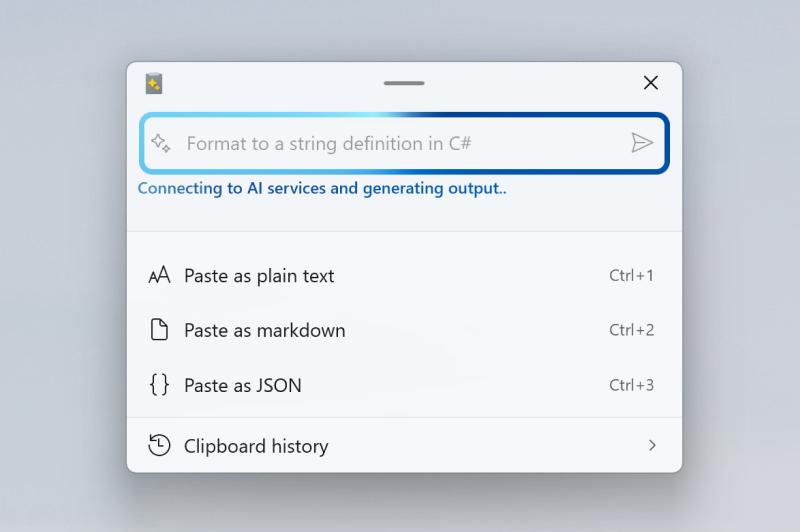
|
||||
```
|
||||

|
||||

|
||||
|
||||
```xml
|
||||

|
||||
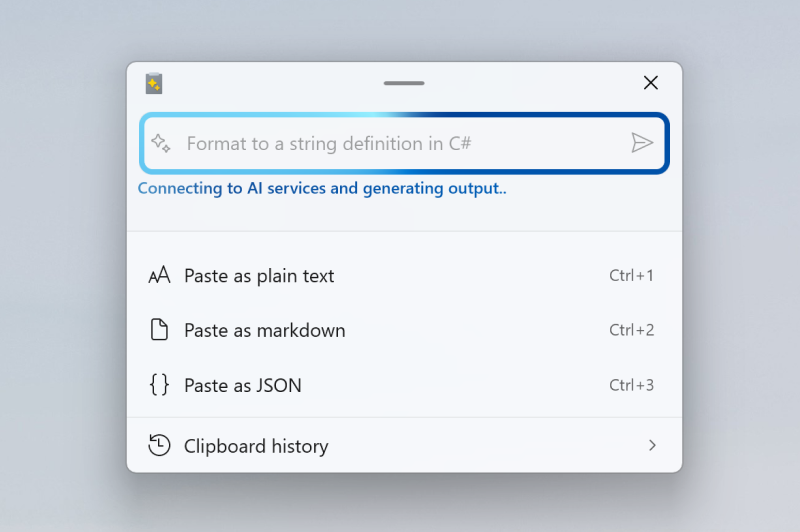
|
||||
```
|
||||

|
||||

|
||||
|
||||
### File URL (PNG):
|
||||
```xml
|
||||
|
||||
@@ -81,7 +81,7 @@ Result:
|
||||
|
||||
Result:
|
||||
|
||||

|
||||

|
||||
|
||||
### Links
|
||||
|
||||
|
||||
@@ -584,7 +584,7 @@ namespace UITests_FancyZones
|
||||
}
|
||||
|
||||
windowingElement.Find<Element>("FancyZones").Click();
|
||||
this.Find<ToggleSwitch>("Enable FancyZones").Toggle(true);
|
||||
Find<ToggleSwitch>(By.AccessibilityId("EnableFancyZonesToggleSwitch")).Toggle(true);
|
||||
if (isMax == true)
|
||||
{
|
||||
this.Find<Button>("Maximize").Click(); // maximize the window
|
||||
@@ -661,7 +661,7 @@ namespace UITests_FancyZones
|
||||
this.Find<NavigationViewItem>("Hosts File Editor").Click();
|
||||
Task.Delay(1000).Wait();
|
||||
|
||||
this.Find<ToggleSwitch>("Enable Hosts File Editor").Toggle(true);
|
||||
this.Find<ToggleSwitch>("Hosts File Editor").Toggle(true);
|
||||
this.Find<ToggleSwitch>("Launch as administrator").Toggle(launchAsAdmin);
|
||||
this.Find<ToggleSwitch>("Show a warning at startup").Toggle(showWarning);
|
||||
|
||||
|
||||
@@ -261,7 +261,7 @@ namespace UITests_FancyZones
|
||||
}
|
||||
|
||||
this.Find<NavigationViewItem>("FancyZones").Click();
|
||||
this.Find<ToggleSwitch>("Enable FancyZones").Toggle(true);
|
||||
Find<ToggleSwitch>(By.AccessibilityId("EnableFancyZonesToggleSwitch")).Toggle(true);
|
||||
this.Session.SetMainWindowSize(WindowSize.Large);
|
||||
|
||||
// fixed settings
|
||||
@@ -322,7 +322,7 @@ namespace UITests_FancyZones
|
||||
this.Find<NavigationViewItem>("Hosts File Editor").Click();
|
||||
Task.Delay(1000).Wait();
|
||||
|
||||
this.Find<ToggleSwitch>("Enable Hosts File Editor").Toggle(true);
|
||||
this.Find<ToggleSwitch>("Hosts File Editor").Toggle(true);
|
||||
this.Find<ToggleSwitch>("Open as administrator").Toggle(launchAsAdmin);
|
||||
this.Find<ToggleSwitch>("Show a warning at startup").Toggle(showWarning);
|
||||
|
||||
|
||||
@@ -20,7 +20,7 @@ namespace ImageResizer
|
||||
{
|
||||
public partial class App : Application, IDisposable
|
||||
{
|
||||
private const string LogSubFolder = "\\ImageResizer\\Logs";
|
||||
private const string LogSubFolder = "\\Image Resizer\\Logs";
|
||||
|
||||
/// <summary>
|
||||
/// Gets cached AI availability state, checked at app startup.
|
||||
@@ -67,12 +67,27 @@ namespace ImageResizer
|
||||
// Fix for .net 3.1.19 making Image Resizer not adapt to DPI changes.
|
||||
NativeMethods.SetProcessDPIAware();
|
||||
|
||||
// TODO: Re-enable AI Super Resolution in next release by removing this #if block
|
||||
// Temporarily disable AI Super Resolution feature (hide from UI but keep code)
|
||||
#if true // Set to false to re-enable AI Super Resolution
|
||||
AiAvailabilityState = AiAvailabilityState.NotSupported;
|
||||
ResizeBatch.SetAiSuperResolutionService(Services.NoOpAiSuperResolutionService.Instance);
|
||||
|
||||
// Skip AI detection mode as well
|
||||
if (e?.Args?.Length > 0 && e.Args[0] == "--detect-ai")
|
||||
{
|
||||
Services.AiAvailabilityCacheService.SaveCache(AiAvailabilityState.NotSupported);
|
||||
Environment.Exit(0);
|
||||
return;
|
||||
}
|
||||
#else
|
||||
// Check for AI detection mode (called by Runner in background)
|
||||
if (e?.Args?.Length > 0 && e.Args[0] == "--detect-ai")
|
||||
{
|
||||
RunAiDetectionMode();
|
||||
return;
|
||||
}
|
||||
#endif
|
||||
|
||||
if (PowerToys.GPOWrapperProjection.GPOWrapper.GetConfiguredImageResizerEnabledValue() == PowerToys.GPOWrapperProjection.GpoRuleConfigured.Disabled)
|
||||
{
|
||||
@@ -173,31 +188,8 @@ namespace ImageResizer
|
||||
/// </summary>
|
||||
private static AiAvailabilityState CheckAiAvailability()
|
||||
{
|
||||
try
|
||||
{
|
||||
// Check Windows AI service model ready state
|
||||
// it's so slow, why?
|
||||
var readyState = Services.WinAiSuperResolutionService.GetModelReadyState();
|
||||
|
||||
// Map AI service state to our availability state
|
||||
switch (readyState)
|
||||
{
|
||||
case Microsoft.Windows.AI.AIFeatureReadyState.Ready:
|
||||
return AiAvailabilityState.Ready;
|
||||
|
||||
case Microsoft.Windows.AI.AIFeatureReadyState.NotReady:
|
||||
return AiAvailabilityState.ModelNotReady;
|
||||
|
||||
case Microsoft.Windows.AI.AIFeatureReadyState.DisabledByUser:
|
||||
case Microsoft.Windows.AI.AIFeatureReadyState.NotSupportedOnCurrentSystem:
|
||||
default:
|
||||
return AiAvailabilityState.NotSupported;
|
||||
}
|
||||
}
|
||||
catch (Exception)
|
||||
{
|
||||
return AiAvailabilityState.NotSupported;
|
||||
}
|
||||
// AI feature disabled - always return NotSupported
|
||||
return AiAvailabilityState.NotSupported;
|
||||
}
|
||||
|
||||
/// <summary>
|
||||
|
||||
@@ -39,29 +39,8 @@ namespace ImageResizer.Services
|
||||
/// </summary>
|
||||
public static AiAvailabilityState? LoadCache()
|
||||
{
|
||||
try
|
||||
{
|
||||
if (!File.Exists(CachePath))
|
||||
{
|
||||
return null;
|
||||
}
|
||||
|
||||
var json = File.ReadAllText(CachePath);
|
||||
var cache = JsonSerializer.Deserialize<AiCapabilityCache>(json);
|
||||
|
||||
if (!IsCacheValid(cache))
|
||||
{
|
||||
return null;
|
||||
}
|
||||
|
||||
return (AiAvailabilityState)cache.State;
|
||||
}
|
||||
catch (Exception ex)
|
||||
{
|
||||
// Read failure (file locked, corrupted JSON, etc.) - return null and use fallback
|
||||
Logger.LogError($"Failed to load AI cache: {ex.Message}");
|
||||
return null;
|
||||
}
|
||||
// Cache disabled - always return null to use default value
|
||||
return null;
|
||||
}
|
||||
|
||||
/// <summary>
|
||||
@@ -70,32 +49,8 @@ namespace ImageResizer.Services
|
||||
/// </summary>
|
||||
public static void SaveCache(AiAvailabilityState state)
|
||||
{
|
||||
try
|
||||
{
|
||||
var cache = new AiCapabilityCache
|
||||
{
|
||||
Version = CacheVersion,
|
||||
State = (int)state,
|
||||
WindowsBuild = Environment.OSVersion.Version.ToString(),
|
||||
Architecture = RuntimeInformation.ProcessArchitecture.ToString(),
|
||||
Timestamp = DateTime.UtcNow.ToString("o"),
|
||||
};
|
||||
|
||||
var dir = Path.GetDirectoryName(CachePath);
|
||||
if (!Directory.Exists(dir))
|
||||
{
|
||||
Directory.CreateDirectory(dir);
|
||||
}
|
||||
|
||||
var json = JsonSerializer.Serialize(cache, SerializerOptions);
|
||||
File.WriteAllText(CachePath, json);
|
||||
|
||||
Logger.LogInfo($"AI cache saved: {state}");
|
||||
}
|
||||
catch (Exception ex)
|
||||
{
|
||||
Logger.LogError($"Failed to save AI cache: {ex.Message}");
|
||||
}
|
||||
// Cache disabled - do not save anything
|
||||
return;
|
||||
}
|
||||
|
||||
/// <summary>
|
||||
|
||||
@@ -193,6 +193,102 @@ GeneralSettings get_general_settings()
|
||||
return settings;
|
||||
}
|
||||
|
||||
void apply_module_status_update(const json::JsonObject& module_config, bool save)
|
||||
{
|
||||
Logger::info(L"apply_module_status_update: {}", std::wstring{ module_config.ToString() });
|
||||
|
||||
// Expected format: {"ModuleName": true/false} - only one module per update
|
||||
auto iter = module_config.First();
|
||||
if (!iter.HasCurrent())
|
||||
{
|
||||
Logger::warn(L"apply_module_status_update: Empty module config");
|
||||
return;
|
||||
}
|
||||
|
||||
const auto& element = iter.Current();
|
||||
const auto value = element.Value();
|
||||
if (value.ValueType() != json::JsonValueType::Boolean)
|
||||
{
|
||||
Logger::warn(L"apply_module_status_update: Invalid value type for module status");
|
||||
return;
|
||||
}
|
||||
|
||||
const std::wstring name{ element.Key().c_str() };
|
||||
if (modules().find(name) == modules().end())
|
||||
{
|
||||
Logger::warn(L"apply_module_status_update: Module {} not found", name);
|
||||
return;
|
||||
}
|
||||
|
||||
PowertoyModule& powertoy = modules().at(name);
|
||||
const bool module_inst_enabled = powertoy->is_enabled();
|
||||
bool target_enabled = value.GetBoolean();
|
||||
|
||||
auto gpo_rule = powertoy->gpo_policy_enabled_configuration();
|
||||
if (gpo_rule == powertoys_gpo::gpo_rule_configured_enabled || gpo_rule == powertoys_gpo::gpo_rule_configured_disabled)
|
||||
{
|
||||
// Apply the GPO Rule.
|
||||
target_enabled = gpo_rule == powertoys_gpo::gpo_rule_configured_enabled;
|
||||
}
|
||||
|
||||
if (module_inst_enabled == target_enabled)
|
||||
{
|
||||
Logger::info(L"apply_module_status_update: Module {} already in target state {}", name, target_enabled);
|
||||
return;
|
||||
}
|
||||
|
||||
if (target_enabled)
|
||||
{
|
||||
Logger::info(L"apply_module_status_update: Enabling powertoy {}", name);
|
||||
powertoy->enable();
|
||||
auto& hkmng = HotkeyConflictDetector::HotkeyConflictManager::GetInstance();
|
||||
hkmng.EnableHotkeyByModule(name);
|
||||
|
||||
// Trigger AI capability detection when ImageResizer is enabled
|
||||
if (name == L"Image Resizer")
|
||||
{
|
||||
Logger::info(L"ImageResizer enabled, triggering AI capability detection");
|
||||
DetectAiCapabilitiesAsync(true); // Skip settings check since we know it's being enabled
|
||||
}
|
||||
}
|
||||
else
|
||||
{
|
||||
Logger::info(L"apply_module_status_update: Disabling powertoy {}", name);
|
||||
powertoy->disable();
|
||||
auto& hkmng = HotkeyConflictDetector::HotkeyConflictManager::GetInstance();
|
||||
hkmng.DisableHotkeyByModule(name);
|
||||
}
|
||||
// Sync the hotkey state with the module state, so it can be removed for disabled modules.
|
||||
powertoy.UpdateHotkeyEx();
|
||||
|
||||
if (save)
|
||||
{
|
||||
// Load existing settings and only update the specific module's enabled state
|
||||
json::JsonObject current_settings = PTSettingsHelper::load_general_settings();
|
||||
|
||||
json::JsonObject enabled;
|
||||
if (current_settings.HasKey(L"enabled"))
|
||||
{
|
||||
enabled = current_settings.GetNamedObject(L"enabled");
|
||||
}
|
||||
|
||||
// Check if the saved state is different from the requested state
|
||||
bool current_saved = enabled.HasKey(name) ? enabled.GetNamedBoolean(name, true) : true;
|
||||
|
||||
if (current_saved != target_enabled)
|
||||
{
|
||||
// Update only this module's enabled state
|
||||
enabled.SetNamedValue(name, json::value(target_enabled));
|
||||
current_settings.SetNamedValue(L"enabled", enabled);
|
||||
|
||||
PTSettingsHelper::save_general_settings(current_settings);
|
||||
|
||||
GeneralSettings settings_for_trace = get_general_settings();
|
||||
Trace::SettingsChanged(settings_for_trace);
|
||||
}
|
||||
}
|
||||
}
|
||||
|
||||
void apply_general_settings(const json::JsonObject& general_configs, bool save)
|
||||
{
|
||||
std::wstring old_settings_json_string;
|
||||
@@ -367,11 +463,21 @@ void apply_general_settings(const json::JsonObject& general_configs, bool save)
|
||||
if (json::has(general_configs, L"show_theme_adaptive_tray_icon", json::JsonValueType::Boolean))
|
||||
{
|
||||
bool new_theme_adaptive = general_configs.GetNamedBoolean(L"show_theme_adaptive_tray_icon");
|
||||
Logger::info(L"apply_general_settings: show_theme_adaptive_tray_icon current={}, new={}",
|
||||
show_theme_adaptive_tray_icon, new_theme_adaptive);
|
||||
if (show_theme_adaptive_tray_icon != new_theme_adaptive)
|
||||
{
|
||||
show_theme_adaptive_tray_icon = new_theme_adaptive;
|
||||
set_tray_icon_theme_adaptive(show_theme_adaptive_tray_icon);
|
||||
}
|
||||
else
|
||||
{
|
||||
Logger::info(L"apply_general_settings: show_theme_adaptive_tray_icon unchanged, skipping update");
|
||||
}
|
||||
}
|
||||
else
|
||||
{
|
||||
Logger::warn(L"apply_general_settings: show_theme_adaptive_tray_icon not found in config");
|
||||
}
|
||||
|
||||
if (json::has(general_configs, L"ignored_conflict_properties", json::JsonValueType::Object))
|
||||
|
||||
@@ -38,4 +38,5 @@ struct GeneralSettings
|
||||
json::JsonObject load_general_settings();
|
||||
GeneralSettings get_general_settings();
|
||||
void apply_general_settings(const json::JsonObject& general_configs, bool save = true);
|
||||
void apply_module_status_update(const json::JsonObject& module_config, bool save = true);
|
||||
void start_enabled_powertoys();
|
||||
@@ -181,7 +181,10 @@ void dispatch_json_config_to_modules(const json::JsonObject& powertoys_configs)
|
||||
const auto properties = settings.GetNamedObject(L"properties");
|
||||
|
||||
// Currently, only PowerToys Run settings use the 'hotkey_changed' property.
|
||||
json::get(properties, L"hotkey_changed", hotkeyUpdated, true);
|
||||
if (properties.HasKey(L"hotkey_changed"))
|
||||
{
|
||||
json::get(properties, L"hotkey_changed", hotkeyUpdated, true);
|
||||
}
|
||||
}
|
||||
|
||||
send_json_config_to_module(powertoy_element.Key().c_str(), element.c_str(), hotkeyUpdated);
|
||||
@@ -215,6 +218,12 @@ void dispatch_received_json(const std::wstring& json_to_parse)
|
||||
// current_settings_ipc->send(settings_string);
|
||||
// }
|
||||
}
|
||||
else if (name == L"module_status")
|
||||
{
|
||||
// Handle single module enable/disable update
|
||||
// Expected format: {"module_status": {"ModuleName": true/false}}
|
||||
apply_module_status_update(value.GetObjectW());
|
||||
}
|
||||
else if (name == L"powertoys")
|
||||
{
|
||||
dispatch_json_config_to_modules(value.GetObjectW());
|
||||
|
||||
@@ -273,12 +273,19 @@ static HICON get_icon(Theme theme)
|
||||
{
|
||||
std::wstring icon_path = get_module_folderpath();
|
||||
icon_path += theme == Theme::Dark ? L"\\svgs\\PowerToysWhite.ico" : L"\\svgs\\PowerToysDark.ico";
|
||||
return static_cast<HICON>(LoadImage(NULL,
|
||||
Logger::trace(L"get_icon: Loading icon from path: {}", icon_path);
|
||||
|
||||
HICON icon = static_cast<HICON>(LoadImage(NULL,
|
||||
icon_path.c_str(),
|
||||
IMAGE_ICON,
|
||||
0,
|
||||
0,
|
||||
LR_LOADFROMFILE | LR_DEFAULTSIZE | LR_SHARED));
|
||||
if (!icon)
|
||||
{
|
||||
Logger::warn(L"get_icon: Failed to load icon from {}, error: {}", icon_path, GetLastError());
|
||||
}
|
||||
return icon;
|
||||
}
|
||||
|
||||
|
||||
@@ -374,13 +381,45 @@ void set_tray_icon_visible(bool shouldIconBeVisible)
|
||||
|
||||
void set_tray_icon_theme_adaptive(bool theme_adaptive)
|
||||
{
|
||||
theme_adaptive_enabled = theme_adaptive;
|
||||
Logger::info(L"set_tray_icon_theme_adaptive: Called with theme_adaptive={}, current theme_adaptive_enabled={}",
|
||||
theme_adaptive, theme_adaptive_enabled);
|
||||
|
||||
auto h_instance = reinterpret_cast<HINSTANCE>(&__ImageBase);
|
||||
HICON const icon = theme_adaptive ? get_icon(theme_listener.AppTheme) : LoadIcon(h_instance, MAKEINTRESOURCE(APPICON));
|
||||
HICON icon = nullptr;
|
||||
|
||||
if (theme_adaptive)
|
||||
{
|
||||
icon = get_icon(theme_listener.AppTheme);
|
||||
if (!icon)
|
||||
{
|
||||
Logger::warn(L"set_tray_icon_theme_adaptive: Failed to load theme adaptive icon, falling back to default");
|
||||
}
|
||||
}
|
||||
|
||||
// If not requesting adaptive icon, or if adaptive icon failed to load, use default icon
|
||||
if (!icon)
|
||||
{
|
||||
icon = LoadIcon(h_instance, MAKEINTRESOURCE(APPICON));
|
||||
if (theme_adaptive && icon)
|
||||
{
|
||||
// We requested adaptive but had to fall back, so update the flag
|
||||
theme_adaptive = false;
|
||||
Logger::info(L"set_tray_icon_theme_adaptive: Using default icon as fallback");
|
||||
}
|
||||
}
|
||||
|
||||
theme_adaptive_enabled = theme_adaptive;
|
||||
|
||||
if (icon)
|
||||
{
|
||||
tray_icon_data.hIcon = icon;
|
||||
Shell_NotifyIcon(NIM_MODIFY, &tray_icon_data);
|
||||
BOOL result = Shell_NotifyIcon(NIM_MODIFY, &tray_icon_data);
|
||||
Logger::info(L"set_tray_icon_theme_adaptive: Icon updated, theme_adaptive_enabled={}, Shell_NotifyIcon result={}",
|
||||
theme_adaptive_enabled, result);
|
||||
}
|
||||
else
|
||||
{
|
||||
Logger::error(L"set_tray_icon_theme_adaptive: Failed to load any icon");
|
||||
}
|
||||
}
|
||||
|
||||
|
||||
@@ -51,6 +51,7 @@ public sealed partial class AppsListPage : Page
|
||||
if (ViewModel != null)
|
||||
{
|
||||
ViewModel.DashboardSortOrder = DashboardSortOrder.Alphabetical;
|
||||
((ToggleMenuFlyoutItem)sender).IsChecked = true;
|
||||
}
|
||||
}
|
||||
|
||||
@@ -59,6 +60,7 @@ public sealed partial class AppsListPage : Page
|
||||
if (ViewModel != null)
|
||||
{
|
||||
ViewModel.DashboardSortOrder = DashboardSortOrder.ByStatus;
|
||||
((ToggleMenuFlyoutItem)sender).IsChecked = true;
|
||||
}
|
||||
}
|
||||
}
|
||||
|
||||
@@ -3,7 +3,9 @@
|
||||
// See the LICENSE file in the project root for more information.
|
||||
|
||||
using System.Threading.Tasks;
|
||||
|
||||
using ManagedCommon;
|
||||
using Microsoft.PowerToys.Settings.UI.Library;
|
||||
|
||||
namespace Microsoft.PowerToys.QuickAccess.Services;
|
||||
|
||||
@@ -19,10 +21,10 @@ public interface IQuickAccessCoordinator
|
||||
|
||||
Task<bool> ShowDocumentationAsync();
|
||||
|
||||
void NotifyUserSettingsInteraction();
|
||||
|
||||
bool UpdateModuleEnabled(ModuleType moduleType, bool isEnabled);
|
||||
|
||||
void SendSortOrderUpdate(GeneralSettings generalSettings);
|
||||
|
||||
void ReportBug();
|
||||
|
||||
void OnModuleLaunched(ModuleType moduleType);
|
||||
|
||||
@@ -55,37 +55,8 @@ internal sealed class QuickAccessCoordinator : IQuickAccessCoordinator, IDisposa
|
||||
return Task.FromResult(false);
|
||||
}
|
||||
|
||||
public void NotifyUserSettingsInteraction()
|
||||
{
|
||||
Logger.LogDebug("QuickAccessCoordinator.NotifyUserSettingsInteraction invoked.");
|
||||
}
|
||||
|
||||
public bool UpdateModuleEnabled(ModuleType moduleType, bool isEnabled)
|
||||
{
|
||||
GeneralSettings? updatedSettings = null;
|
||||
lock (_generalSettingsLock)
|
||||
{
|
||||
var repository = SettingsRepository<GeneralSettings>.GetInstance(_settingsUtils);
|
||||
var generalSettings = repository.SettingsConfig;
|
||||
var current = ModuleHelper.GetIsModuleEnabled(generalSettings, moduleType);
|
||||
if (current == isEnabled)
|
||||
{
|
||||
return false;
|
||||
}
|
||||
|
||||
ModuleHelper.SetIsModuleEnabled(generalSettings, moduleType, isEnabled);
|
||||
_settingsUtils.SaveSettings(generalSettings.ToJsonString());
|
||||
Logger.LogInfo($"QuickAccess updated module '{moduleType}' enabled state to {isEnabled}.");
|
||||
updatedSettings = generalSettings;
|
||||
}
|
||||
|
||||
if (updatedSettings != null)
|
||||
{
|
||||
SendGeneralSettingsUpdate(updatedSettings);
|
||||
}
|
||||
|
||||
return true;
|
||||
}
|
||||
=> TrySendIpcMessage($"{{\"module_status\": {{\"{ModuleHelper.GetModuleKey(moduleType)}\": {isEnabled.ToString().ToLowerInvariant()}}}}}", "module status update");
|
||||
|
||||
public void ReportBug()
|
||||
{
|
||||
@@ -131,20 +102,10 @@ internal sealed class QuickAccessCoordinator : IQuickAccessCoordinator, IDisposa
|
||||
Logger.LogDebug($"QuickAccessCoordinator received IPC payload: {message}");
|
||||
}
|
||||
|
||||
private void SendGeneralSettingsUpdate(GeneralSettings updatedSettings)
|
||||
public void SendSortOrderUpdate(GeneralSettings generalSettings)
|
||||
{
|
||||
string payload;
|
||||
try
|
||||
{
|
||||
payload = new OutGoingGeneralSettings(updatedSettings).ToString();
|
||||
}
|
||||
catch (Exception ex)
|
||||
{
|
||||
Logger.LogError("QuickAccessCoordinator: failed to serialize general settings payload.", ex);
|
||||
return;
|
||||
}
|
||||
|
||||
TrySendIpcMessage(payload, "general settings update");
|
||||
var outgoing = new OutGoingGeneralSettings(generalSettings);
|
||||
TrySendIpcMessage(outgoing.ToString(), "sort order update");
|
||||
}
|
||||
|
||||
private bool TrySendIpcMessage(string payload, string operationDescription)
|
||||
|
||||
@@ -22,6 +22,7 @@ namespace Microsoft.PowerToys.QuickAccess.ViewModels;
|
||||
|
||||
public sealed class AllAppsViewModel : Observable
|
||||
{
|
||||
private readonly object _sortLock = new object();
|
||||
private readonly IQuickAccessCoordinator _coordinator;
|
||||
private readonly ISettingsRepository<GeneralSettings> _settingsRepository;
|
||||
private readonly SettingsUtils _settingsUtils;
|
||||
@@ -30,6 +31,9 @@ public sealed class AllAppsViewModel : Observable
|
||||
private readonly List<FlyoutMenuItem> _allFlyoutMenuItems = new();
|
||||
private GeneralSettings _generalSettings;
|
||||
|
||||
// Flag to prevent toggle operations during sorting to avoid race conditions.
|
||||
private bool _isSorting;
|
||||
|
||||
public ObservableCollection<FlyoutMenuItem> FlyoutMenuItems { get; }
|
||||
|
||||
public DashboardSortOrder DashboardSortOrder
|
||||
@@ -40,9 +44,9 @@ public sealed class AllAppsViewModel : Observable
|
||||
if (_generalSettings.DashboardSortOrder != value)
|
||||
{
|
||||
_generalSettings.DashboardSortOrder = value;
|
||||
_settingsUtils.SaveSettings(_generalSettings.ToJsonString(), _generalSettings.GetModuleName());
|
||||
_coordinator.SendSortOrderUpdate(_generalSettings);
|
||||
OnPropertyChanged();
|
||||
RefreshFlyoutMenuItems();
|
||||
SortFlyoutMenuItems();
|
||||
}
|
||||
}
|
||||
}
|
||||
@@ -54,7 +58,6 @@ public sealed class AllAppsViewModel : Observable
|
||||
_settingsUtils = SettingsUtils.Default;
|
||||
_settingsRepository = SettingsRepository<GeneralSettings>.GetInstance(_settingsUtils);
|
||||
_generalSettings = _settingsRepository.SettingsConfig;
|
||||
_generalSettings.AddEnabledModuleChangeNotification(ModuleEnabledChangedOnSettingsPage);
|
||||
_settingsRepository.SettingsChanged += OnSettingsChanged;
|
||||
|
||||
_resourceLoader = Helpers.ResourceLoaderInstance.ResourceLoader;
|
||||
@@ -87,7 +90,6 @@ public sealed class AllAppsViewModel : Observable
|
||||
_dispatcherQueue.TryEnqueue(() =>
|
||||
{
|
||||
_generalSettings = newSettings;
|
||||
_generalSettings.AddEnabledModuleChangeNotification(ModuleEnabledChangedOnSettingsPage);
|
||||
OnPropertyChanged(nameof(DashboardSortOrder));
|
||||
RefreshFlyoutMenuItems();
|
||||
});
|
||||
@@ -120,30 +122,55 @@ public sealed class AllAppsViewModel : Observable
|
||||
}
|
||||
}
|
||||
|
||||
var sortedItems = DashboardSortOrder switch
|
||||
{
|
||||
DashboardSortOrder.ByStatus => _allFlyoutMenuItems.OrderByDescending(x => x.IsEnabled).ThenBy(x => x.Label).ToList(),
|
||||
_ => _allFlyoutMenuItems.OrderBy(x => x.Label).ToList(),
|
||||
};
|
||||
SortFlyoutMenuItems();
|
||||
}
|
||||
|
||||
if (FlyoutMenuItems.Count == 0)
|
||||
private void SortFlyoutMenuItems()
|
||||
{
|
||||
if (_isSorting)
|
||||
{
|
||||
foreach (var item in sortedItems)
|
||||
{
|
||||
FlyoutMenuItems.Add(item);
|
||||
}
|
||||
|
||||
return;
|
||||
}
|
||||
|
||||
for (int i = 0; i < sortedItems.Count; i++)
|
||||
lock (_sortLock)
|
||||
{
|
||||
var item = sortedItems[i];
|
||||
var oldIndex = FlyoutMenuItems.IndexOf(item);
|
||||
|
||||
if (oldIndex != -1 && oldIndex != i)
|
||||
_isSorting = true;
|
||||
try
|
||||
{
|
||||
FlyoutMenuItems.Move(oldIndex, i);
|
||||
var sortedItems = DashboardSortOrder switch
|
||||
{
|
||||
DashboardSortOrder.ByStatus => _allFlyoutMenuItems.OrderByDescending(x => x.IsEnabled).ThenBy(x => x.Label).ToList(),
|
||||
_ => _allFlyoutMenuItems.OrderBy(x => x.Label).ToList(),
|
||||
};
|
||||
|
||||
if (FlyoutMenuItems.Count == 0)
|
||||
{
|
||||
foreach (var item in sortedItems)
|
||||
{
|
||||
FlyoutMenuItems.Add(item);
|
||||
}
|
||||
|
||||
return;
|
||||
}
|
||||
|
||||
for (int i = 0; i < sortedItems.Count; i++)
|
||||
{
|
||||
var item = sortedItems[i];
|
||||
var oldIndex = FlyoutMenuItems.IndexOf(item);
|
||||
|
||||
if (oldIndex != -1 && oldIndex != i)
|
||||
{
|
||||
FlyoutMenuItems.Move(oldIndex, i);
|
||||
}
|
||||
}
|
||||
}
|
||||
finally
|
||||
{
|
||||
// Use dispatcher to reset flag after UI updates complete
|
||||
_dispatcherQueue.TryEnqueue(DispatcherQueuePriority.Low, () =>
|
||||
{
|
||||
_isSorting = false;
|
||||
});
|
||||
}
|
||||
}
|
||||
}
|
||||
@@ -151,17 +178,17 @@ public sealed class AllAppsViewModel : Observable
|
||||
private void EnabledChangedOnUI(ModuleListItem item)
|
||||
{
|
||||
var flyoutItem = (FlyoutMenuItem)item;
|
||||
if (_coordinator.UpdateModuleEnabled(flyoutItem.Tag, flyoutItem.IsEnabled))
|
||||
var isEnabled = flyoutItem.IsEnabled;
|
||||
|
||||
// Ignore toggle operations during sorting to prevent race conditions.
|
||||
// Revert the toggle state since UI already changed due to TwoWay binding.
|
||||
if (_isSorting)
|
||||
{
|
||||
_coordinator.NotifyUserSettingsInteraction();
|
||||
|
||||
// Trigger re-sort immediately when status changes on UI
|
||||
RefreshFlyoutMenuItems();
|
||||
flyoutItem.UpdateStatus(!isEnabled);
|
||||
return;
|
||||
}
|
||||
}
|
||||
|
||||
private void ModuleEnabledChangedOnSettingsPage()
|
||||
{
|
||||
RefreshFlyoutMenuItems();
|
||||
_coordinator.UpdateModuleEnabled(flyoutItem.Tag, flyoutItem.IsEnabled);
|
||||
SortFlyoutMenuItems();
|
||||
}
|
||||
}
|
||||
|
||||
@@ -19,5 +19,6 @@ namespace Microsoft.PowerToys.Settings.UI.Library
|
||||
Google,
|
||||
AzureAIInference,
|
||||
Ollama,
|
||||
Bedrock,
|
||||
}
|
||||
}
|
||||
|
||||
@@ -31,6 +31,7 @@ namespace Microsoft.PowerToys.Settings.UI.Library
|
||||
"google" or "googleai" or "googlegemini" => AIServiceType.Google,
|
||||
"azureaiinference" or "azureinference" => AIServiceType.AzureAIInference,
|
||||
"ollama" => AIServiceType.Ollama,
|
||||
"bedrock" => AIServiceType.Bedrock,
|
||||
_ => AIServiceType.Unknown,
|
||||
};
|
||||
}
|
||||
@@ -51,6 +52,7 @@ namespace Microsoft.PowerToys.Settings.UI.Library
|
||||
AIServiceType.Google => "Google",
|
||||
AIServiceType.AzureAIInference => "AzureAIInference",
|
||||
AIServiceType.Ollama => "Ollama",
|
||||
AIServiceType.Bedrock => "Bedrock",
|
||||
AIServiceType.Unknown => string.Empty,
|
||||
_ => throw new ArgumentOutOfRangeException(nameof(serviceType), serviceType, "Unsupported AI service type."),
|
||||
};
|
||||
@@ -72,6 +74,7 @@ namespace Microsoft.PowerToys.Settings.UI.Library
|
||||
AIServiceType.Google => "google",
|
||||
AIServiceType.AzureAIInference => "azureaiinference",
|
||||
AIServiceType.Ollama => "ollama",
|
||||
AIServiceType.Bedrock => "bedrock",
|
||||
_ => string.Empty,
|
||||
};
|
||||
}
|
||||
|
||||
@@ -97,6 +97,18 @@ public static class AIServiceTypeRegistry
|
||||
PrivacyLabel = "AdvancedPaste_Ollama_PrivacyLabel",
|
||||
PrivacyUri = new Uri("https://ollama.org/privacy"),
|
||||
},
|
||||
[AIServiceType.Bedrock] = new AIServiceTypeMetadata
|
||||
{
|
||||
ServiceType = AIServiceType.Bedrock,
|
||||
DisplayName = "Bedrock",
|
||||
IconPath = "ms-appx:///Assets/Settings/Icons/Models/AzureAI.svg",
|
||||
IsOnlineService = true,
|
||||
LegalDescription = "AdvancedPaste_Bedrock_LegalDescription",
|
||||
TermsLabel = "AdvancedPaste_Bedrock_TermsLabel",
|
||||
TermsUri = new Uri("https://aws.amazon.com/bedrock/"),
|
||||
PrivacyLabel = "AdvancedPaste_Bedrock_PrivacyLabel",
|
||||
PrivacyUri = new Uri("https://aws.amazon.com/privacy/"),
|
||||
},
|
||||
[AIServiceType.Onnx] = new AIServiceTypeMetadata
|
||||
{
|
||||
ServiceType = AIServiceType.Onnx,
|
||||
|
||||
@@ -117,5 +117,47 @@ namespace Microsoft.PowerToys.Settings.UI.Library.Helpers
|
||||
case ModuleType.GeneralSettings: generalSettingsConfig.EnableQuickAccess = isEnabled; break;
|
||||
}
|
||||
}
|
||||
|
||||
/// <summary>
|
||||
/// Gets the module key name used in IPC messages and settings JSON.
|
||||
/// These names match the JsonPropertyName attributes in EnabledModules class.
|
||||
/// </summary>
|
||||
public static string GetModuleKey(ModuleType moduleType)
|
||||
{
|
||||
return moduleType switch
|
||||
{
|
||||
ModuleType.AdvancedPaste => AdvancedPasteSettings.ModuleName,
|
||||
ModuleType.AlwaysOnTop => AlwaysOnTopSettings.ModuleName,
|
||||
ModuleType.Awake => AwakeSettings.ModuleName,
|
||||
ModuleType.CmdPal => "CmdPal", // No dedicated settings class
|
||||
ModuleType.ColorPicker => ColorPickerSettings.ModuleName,
|
||||
ModuleType.CropAndLock => CropAndLockSettings.ModuleName,
|
||||
ModuleType.CursorWrap => CursorWrapSettings.ModuleName,
|
||||
ModuleType.EnvironmentVariables => EnvironmentVariablesSettings.ModuleName,
|
||||
ModuleType.FancyZones => FancyZonesSettings.ModuleName,
|
||||
ModuleType.FileLocksmith => FileLocksmithSettings.ModuleName,
|
||||
ModuleType.FindMyMouse => FindMyMouseSettings.ModuleName,
|
||||
ModuleType.Hosts => HostsSettings.ModuleName,
|
||||
ModuleType.ImageResizer => ImageResizerSettings.ModuleName,
|
||||
ModuleType.KeyboardManager => KeyboardManagerSettings.ModuleName,
|
||||
ModuleType.LightSwitch => LightSwitchSettings.ModuleName,
|
||||
ModuleType.MouseHighlighter => MouseHighlighterSettings.ModuleName,
|
||||
ModuleType.MouseJump => MouseJumpSettings.ModuleName,
|
||||
ModuleType.MousePointerCrosshairs => MousePointerCrosshairsSettings.ModuleName,
|
||||
ModuleType.MouseWithoutBorders => MouseWithoutBordersSettings.ModuleName,
|
||||
ModuleType.NewPlus => NewPlusSettings.ModuleName,
|
||||
ModuleType.Peek => PeekSettings.ModuleName,
|
||||
ModuleType.PowerRename => PowerRenameSettings.ModuleName,
|
||||
ModuleType.PowerLauncher => PowerLauncherSettings.ModuleName,
|
||||
ModuleType.PowerAccent => PowerAccentSettings.ModuleName,
|
||||
ModuleType.RegistryPreview => RegistryPreviewSettings.ModuleName,
|
||||
ModuleType.MeasureTool => MeasureToolSettings.ModuleName,
|
||||
ModuleType.ShortcutGuide => ShortcutGuideSettings.ModuleName,
|
||||
ModuleType.PowerOCR => PowerOcrSettings.ModuleName,
|
||||
ModuleType.Workspaces => WorkspacesSettings.ModuleName,
|
||||
ModuleType.ZoomIt => ZoomItSettings.ModuleName,
|
||||
_ => moduleType.ToString(),
|
||||
};
|
||||
}
|
||||
}
|
||||
}
|
||||
|
||||
@@ -32,7 +32,6 @@ namespace Microsoft.PowerToys.Settings.UI.OOBE.Enums
|
||||
MeasureTool,
|
||||
Hosts,
|
||||
Workspaces,
|
||||
WhatsNew,
|
||||
RegistryPreview,
|
||||
NewPlus,
|
||||
ZoomIt,
|
||||
|
||||
@@ -9,7 +9,6 @@ using System.IO;
|
||||
using System.Linq;
|
||||
using System.Text.Json;
|
||||
using System.Threading.Tasks;
|
||||
|
||||
using ManagedCommon;
|
||||
using Microsoft.PowerToys.Settings.UI.Helpers;
|
||||
using Microsoft.PowerToys.Settings.UI.Library;
|
||||
@@ -227,7 +226,6 @@ namespace Microsoft.PowerToys.Settings.UI
|
||||
{
|
||||
settingsWindow = new MainWindow();
|
||||
settingsWindow.Activate();
|
||||
settingsWindow.ExtendsContentIntoTitleBar = true;
|
||||
settingsWindow.NavigateToSection(StartupPage);
|
||||
|
||||
// https://github.com/microsoft/microsoft-ui-xaml/issues/7595 - Activate doesn't bring window to the foreground
|
||||
@@ -257,11 +255,10 @@ namespace Microsoft.PowerToys.Settings.UI
|
||||
else if (ShowScoobe)
|
||||
{
|
||||
PowerToysTelemetry.Log.WriteEvent(new ScoobeStartedEvent());
|
||||
OobeWindow scoobeWindow = new OobeWindow(OOBE.Enums.PowerToysModules.WhatsNew);
|
||||
scoobeWindow.Activate();
|
||||
scoobeWindow.ExtendsContentIntoTitleBar = true;
|
||||
ScoobeWindow newScoobeWindow = new ScoobeWindow();
|
||||
newScoobeWindow.Activate();
|
||||
WindowHelpers.ForceTopBorder1PixelInsetOnWindows10(WindowNative.GetWindowHandle(settingsWindow));
|
||||
SetOobeWindow(scoobeWindow);
|
||||
SetScoobeWindow(newScoobeWindow);
|
||||
}
|
||||
}
|
||||
}
|
||||
@@ -339,6 +336,7 @@ namespace Microsoft.PowerToys.Settings.UI
|
||||
|
||||
private static MainWindow settingsWindow;
|
||||
private static OobeWindow oobeWindow;
|
||||
private static ScoobeWindow scoobeWindow;
|
||||
|
||||
public static void ClearSettingsWindow()
|
||||
{
|
||||
@@ -365,6 +363,21 @@ namespace Microsoft.PowerToys.Settings.UI
|
||||
oobeWindow = null;
|
||||
}
|
||||
|
||||
public static ScoobeWindow GetScoobeWindow()
|
||||
{
|
||||
return scoobeWindow;
|
||||
}
|
||||
|
||||
public static void SetScoobeWindow(ScoobeWindow window)
|
||||
{
|
||||
scoobeWindow = window;
|
||||
}
|
||||
|
||||
public static void ClearScoobeWindow()
|
||||
{
|
||||
scoobeWindow = null;
|
||||
}
|
||||
|
||||
public static Type GetPage(string settingWindow)
|
||||
{
|
||||
switch (settingWindow)
|
||||
|
||||
@@ -20,9 +20,6 @@ using WinUIEx;
|
||||
|
||||
namespace Microsoft.PowerToys.Settings.UI
|
||||
{
|
||||
/// <summary>
|
||||
/// An empty window that can be used on its own or navigated to within a Frame.
|
||||
/// </summary>
|
||||
public sealed partial class MainWindow : WindowEx
|
||||
{
|
||||
public MainWindow(bool createHidden = false)
|
||||
@@ -35,10 +32,12 @@ namespace Microsoft.PowerToys.Settings.UI
|
||||
App.ThemeService.ThemeChanged += OnThemeChanged;
|
||||
App.ThemeService.ApplyTheme();
|
||||
|
||||
this.ExtendsContentIntoTitleBar = true;
|
||||
|
||||
ShellPage.SetElevationStatus(App.IsElevated);
|
||||
ShellPage.SetIsUserAnAdmin(App.IsUserAnAdmin);
|
||||
|
||||
var hWnd = WinRT.Interop.WindowNative.GetWindowHandle(this);
|
||||
var hWnd = WindowNative.GetWindowHandle(this);
|
||||
var placement = WindowHelper.DeserializePlacementOrDefault(hWnd);
|
||||
if (createHidden)
|
||||
{
|
||||
@@ -121,16 +120,12 @@ namespace Microsoft.PowerToys.Settings.UI
|
||||
// open whats new window
|
||||
ShellPage.SetOpenWhatIsNewCallback(() =>
|
||||
{
|
||||
if (App.GetOobeWindow() == null)
|
||||
if (App.GetScoobeWindow() == null)
|
||||
{
|
||||
App.SetOobeWindow(new OobeWindow(OOBE.Enums.PowerToysModules.WhatsNew));
|
||||
}
|
||||
else
|
||||
{
|
||||
App.GetOobeWindow().SetAppWindow(OOBE.Enums.PowerToysModules.WhatsNew);
|
||||
App.SetScoobeWindow(new ScoobeWindow());
|
||||
}
|
||||
|
||||
App.GetOobeWindow().Activate();
|
||||
App.GetScoobeWindow().Activate();
|
||||
});
|
||||
|
||||
this.InitializeComponent();
|
||||
@@ -187,7 +182,7 @@ namespace Microsoft.PowerToys.Settings.UI
|
||||
var hWnd = WinRT.Interop.WindowNative.GetWindowHandle(this);
|
||||
WindowHelper.SerializePlacement(hWnd);
|
||||
|
||||
if (App.GetOobeWindow() == null)
|
||||
if (App.GetOobeWindow() == null && App.GetScoobeWindow() == null)
|
||||
{
|
||||
App.ClearSettingsWindow();
|
||||
}
|
||||
|
||||
@@ -1,60 +1,44 @@
|
||||
<UserControl
|
||||
<Page
|
||||
x:Class="Microsoft.PowerToys.Settings.UI.OOBE.Views.OobeShellPage"
|
||||
xmlns="http://schemas.microsoft.com/winfx/2006/xaml/presentation"
|
||||
xmlns:x="http://schemas.microsoft.com/winfx/2006/xaml"
|
||||
xmlns:animations="using:CommunityToolkit.WinUI.Animations"
|
||||
xmlns:d="http://schemas.microsoft.com/expression/blend/2008"
|
||||
xmlns:mc="http://schemas.openxmlformats.org/markup-compatibility/2006"
|
||||
xmlns:ui="using:CommunityToolkit.WinUI"
|
||||
HighContrastAdjustment="None"
|
||||
Loaded="ShellPage_Loaded"
|
||||
mc:Ignorable="d">
|
||||
|
||||
<Grid>
|
||||
<Grid.RowDefinitions>
|
||||
<RowDefinition Height="Auto" />
|
||||
<RowDefinition Height="48" />
|
||||
<RowDefinition Height="*" />
|
||||
</Grid.RowDefinitions>
|
||||
<Button
|
||||
x:Name="PaneToggleBtn"
|
||||
Width="48"
|
||||
HorizontalAlignment="Left"
|
||||
VerticalAlignment="Center"
|
||||
Click="PaneToggleBtn_Click"
|
||||
Style="{StaticResource PaneToggleButtonStyle}" />
|
||||
<Grid
|
||||
<TitleBar
|
||||
x:Name="AppTitleBar"
|
||||
Height="48"
|
||||
Margin="48,0,0,0"
|
||||
VerticalAlignment="Center"
|
||||
IsHitTestVisible="True">
|
||||
<animations:Implicit.Animations>
|
||||
<animations:OffsetAnimation Duration="0:0:0.3" />
|
||||
</animations:Implicit.Animations>
|
||||
<StackPanel Orientation="Horizontal">
|
||||
<Image
|
||||
Width="16"
|
||||
x:Uid="OobeWindow_TitleTxt"
|
||||
IsBackButtonVisible="False"
|
||||
IsPaneToggleButtonVisible="False"
|
||||
PaneToggleRequested="TitleBar_PaneButtonClick">
|
||||
<!-- This is a workaround for https://github.com/microsoft/microsoft-ui-xaml/issues/10374, once fixed we should just be using IconSource -->
|
||||
<TitleBar.LeftHeader>
|
||||
<ImageIcon
|
||||
x:Name="TitleBarIcon"
|
||||
Height="16"
|
||||
Margin="16,0,0,0"
|
||||
Source="/Assets/Settings/icon.ico" />
|
||||
<TextBlock
|
||||
x:Name="AppTitleBarText"
|
||||
x:Uid="OobeWindow_TitleTxt"
|
||||
VerticalAlignment="Center"
|
||||
Style="{StaticResource CaptionTextBlockStyle}"
|
||||
TextWrapping="NoWrap" />
|
||||
</StackPanel>
|
||||
</Grid>
|
||||
|
||||
</TitleBar.LeftHeader>
|
||||
</TitleBar>
|
||||
<NavigationView
|
||||
x:Name="navigationView"
|
||||
Grid.Row="1"
|
||||
CompactModeThresholdWidth="1007"
|
||||
DisplayModeChanged="NavigationView_DisplayModeChanged"
|
||||
ExpandedModeThresholdWidth="1007"
|
||||
IsBackButtonVisible="Collapsed"
|
||||
IsPaneOpen="True"
|
||||
IsPaneToggleButtonVisible="False"
|
||||
IsSettingsVisible="False"
|
||||
OpenPaneLength="296"
|
||||
PaneDisplayMode="Left"
|
||||
SelectionChanged="NavigationView_SelectionChanged">
|
||||
<NavigationView.MenuItems>
|
||||
<NavigationViewItem
|
||||
@@ -174,34 +158,16 @@
|
||||
Icon="{ui:BitmapIcon Source=/Assets/Settings/Icons/ZoomIt.png}"
|
||||
Tag="ZoomIt" />
|
||||
</NavigationView.MenuItems>
|
||||
<NavigationView.FooterMenuItems>
|
||||
<NavigationView.PaneFooter>
|
||||
<NavigationViewItem
|
||||
x:Uid="Shell_WhatsNew"
|
||||
AutomationProperties.AutomationId="WhatIsNewNavItem"
|
||||
Icon="{ui:FontIcon Glyph=}"
|
||||
Tag="WhatsNew" />
|
||||
</NavigationView.FooterMenuItems>
|
||||
Tapped="WhatIsNewItem_Tapped" />
|
||||
</NavigationView.PaneFooter>
|
||||
<NavigationView.Content>
|
||||
<Frame x:Name="NavigationFrame" />
|
||||
</NavigationView.Content>
|
||||
</NavigationView>
|
||||
|
||||
<VisualStateManager.VisualStateGroups>
|
||||
<VisualStateGroup x:Name="LayoutVisualStates">
|
||||
<VisualState x:Name="WideLayout">
|
||||
<VisualState.StateTriggers>
|
||||
<AdaptiveTrigger MinWindowWidth="720" />
|
||||
</VisualState.StateTriggers>
|
||||
</VisualState>
|
||||
<VisualState x:Name="SmallLayout">
|
||||
<VisualState.StateTriggers>
|
||||
<AdaptiveTrigger MinWindowWidth="600" />
|
||||
<AdaptiveTrigger MinWindowWidth="0" />
|
||||
</VisualState.StateTriggers>
|
||||
<VisualState.Setters>
|
||||
<Setter Target="navigationView.PaneDisplayMode" Value="LeftMinimal" />
|
||||
</VisualState.Setters>
|
||||
</VisualState>
|
||||
</VisualStateGroup>
|
||||
</VisualStateManager.VisualStateGroups>
|
||||
</Grid>
|
||||
</UserControl>
|
||||
</Page>
|
||||
|
||||
@@ -5,18 +5,17 @@
|
||||
using System;
|
||||
using System.Collections.ObjectModel;
|
||||
using System.Globalization;
|
||||
|
||||
using ManagedCommon;
|
||||
using Microsoft.PowerToys.Settings.UI.Library;
|
||||
using Microsoft.PowerToys.Settings.UI.OOBE.Enums;
|
||||
using Microsoft.PowerToys.Settings.UI.OOBE.ViewModel;
|
||||
using Microsoft.UI.Xaml;
|
||||
using Microsoft.UI.Xaml.Controls;
|
||||
using WinRT.Interop;
|
||||
using Microsoft.UI.Xaml.Input;
|
||||
|
||||
namespace Microsoft.PowerToys.Settings.UI.OOBE.Views
|
||||
{
|
||||
public sealed partial class OobeShellPage : UserControl
|
||||
public sealed partial class OobeShellPage : Page
|
||||
{
|
||||
public static Func<string> RunSharedEventCallback { get; set; }
|
||||
|
||||
@@ -63,7 +62,6 @@ namespace Microsoft.PowerToys.Settings.UI.OOBE.Views
|
||||
|
||||
// NOTE: Experimentation for OOBE is currently turned off on server side. Keeping this code in a comment to allow future experiments.
|
||||
// ExperimentationToggleSwitchEnabled = SettingsRepository<GeneralSettings>.GetInstance(settingsUtils).SettingsConfig.EnableExperimentation;
|
||||
SetTitleBar();
|
||||
DataContext = ViewModel;
|
||||
OobeShellHandler = this;
|
||||
Modules = new ObservableCollection<OobePowerToysModule>();
|
||||
@@ -202,12 +200,6 @@ namespace Microsoft.PowerToys.Settings.UI.OOBE.Views
|
||||
IsNew = true,
|
||||
});
|
||||
|
||||
Modules.Insert((int)PowerToysModules.WhatsNew, new OobePowerToysModule()
|
||||
{
|
||||
ModuleName = "WhatsNew",
|
||||
IsNew = false,
|
||||
});
|
||||
|
||||
Modules.Insert((int)PowerToysModules.RegistryPreview, new OobePowerToysModule()
|
||||
{
|
||||
ModuleName = "RegistryPreview",
|
||||
@@ -229,7 +221,7 @@ namespace Microsoft.PowerToys.Settings.UI.OOBE.Views
|
||||
|
||||
public void OnClosing()
|
||||
{
|
||||
Microsoft.UI.Xaml.Controls.NavigationViewItem selectedItem = this.navigationView.SelectedItem as Microsoft.UI.Xaml.Controls.NavigationViewItem;
|
||||
NavigationViewItem selectedItem = this.navigationView.SelectedItem as NavigationViewItem;
|
||||
if (selectedItem != null)
|
||||
{
|
||||
Modules[(int)(PowerToysModules)Enum.Parse(typeof(PowerToysModules), (string)selectedItem.Tag, true)].LogClosingModuleEvent();
|
||||
@@ -238,19 +230,22 @@ namespace Microsoft.PowerToys.Settings.UI.OOBE.Views
|
||||
|
||||
public void NavigateToModule(PowerToysModules selectedModule)
|
||||
{
|
||||
if (selectedModule == PowerToysModules.WhatsNew)
|
||||
{
|
||||
navigationView.SelectedItem = navigationView.FooterMenuItems[0];
|
||||
}
|
||||
else
|
||||
{
|
||||
navigationView.SelectedItem = navigationView.MenuItems[(int)selectedModule];
|
||||
}
|
||||
navigationView.SelectedItem = navigationView.MenuItems[(int)selectedModule];
|
||||
}
|
||||
|
||||
private void NavigationView_SelectionChanged(Microsoft.UI.Xaml.Controls.NavigationView sender, Microsoft.UI.Xaml.Controls.NavigationViewSelectionChangedEventArgs args)
|
||||
private static void OpenScoobeWindow()
|
||||
{
|
||||
Microsoft.UI.Xaml.Controls.NavigationViewItem selectedItem = args.SelectedItem as Microsoft.UI.Xaml.Controls.NavigationViewItem;
|
||||
if (App.GetScoobeWindow() == null)
|
||||
{
|
||||
App.SetScoobeWindow(new ScoobeWindow());
|
||||
}
|
||||
|
||||
App.GetScoobeWindow().Activate();
|
||||
}
|
||||
|
||||
private void NavigationView_SelectionChanged(NavigationView sender, NavigationViewSelectionChangedEventArgs args)
|
||||
{
|
||||
NavigationViewItem selectedItem = args.SelectedItem as NavigationViewItem;
|
||||
|
||||
if (selectedItem != null)
|
||||
{
|
||||
@@ -278,7 +273,7 @@ namespace Microsoft.PowerToys.Settings.UI.OOBE.Views
|
||||
break;
|
||||
}
|
||||
*/
|
||||
case "WhatsNew": NavigationFrame.Navigate(typeof(OobeWhatsNew)); break;
|
||||
|
||||
case "AdvancedPaste": NavigationFrame.Navigate(typeof(OobeAdvancedPaste)); break;
|
||||
case "AlwaysOnTop": NavigationFrame.Navigate(typeof(OobeAlwaysOnTop)); break;
|
||||
case "Awake": NavigationFrame.Navigate(typeof(OobeAwake)); break;
|
||||
@@ -311,43 +306,37 @@ namespace Microsoft.PowerToys.Settings.UI.OOBE.Views
|
||||
}
|
||||
}
|
||||
|
||||
private void SetTitleBar()
|
||||
{
|
||||
var u = App.GetOobeWindow();
|
||||
if (u != null)
|
||||
{
|
||||
// A custom title bar is required for full window theme and Mica support.
|
||||
// https://docs.microsoft.com/windows/apps/develop/title-bar?tabs=winui3#full-customization
|
||||
u.ExtendsContentIntoTitleBar = true;
|
||||
WindowHelpers.ForceTopBorder1PixelInsetOnWindows10(WindowNative.GetWindowHandle(u));
|
||||
u.SetTitleBar(AppTitleBar);
|
||||
}
|
||||
}
|
||||
|
||||
private void ShellPage_Loaded(object sender, RoutedEventArgs e)
|
||||
{
|
||||
SetTitleBar();
|
||||
// Select the first module by default
|
||||
if (navigationView.MenuItems.Count > 0)
|
||||
{
|
||||
navigationView.SelectedItem = navigationView.MenuItems[0];
|
||||
}
|
||||
}
|
||||
|
||||
private void NavigationView_DisplayModeChanged(NavigationView sender, NavigationViewDisplayModeChangedEventArgs args)
|
||||
{
|
||||
if (args.DisplayMode == NavigationViewDisplayMode.Compact || args.DisplayMode == NavigationViewDisplayMode.Minimal)
|
||||
{
|
||||
PaneToggleBtn.Visibility = Visibility.Visible;
|
||||
AppTitleBar.Margin = new Thickness(48, 0, 0, 0);
|
||||
AppTitleBarText.Margin = new Thickness(12, 0, 0, 0);
|
||||
TitleBarIcon.Margin = new Thickness(0, 0, 8, 0); // Workaround, see XAML comment
|
||||
AppTitleBar.IsPaneToggleButtonVisible = true;
|
||||
}
|
||||
else
|
||||
{
|
||||
PaneToggleBtn.Visibility = Visibility.Collapsed;
|
||||
AppTitleBar.Margin = new Thickness(16, 0, 0, 0);
|
||||
AppTitleBarText.Margin = new Thickness(16, 0, 0, 0);
|
||||
TitleBarIcon.Margin = new Thickness(16, 0, 0, 0); // Workaround, see XAML comment
|
||||
AppTitleBar.IsPaneToggleButtonVisible = false;
|
||||
}
|
||||
}
|
||||
|
||||
private void PaneToggleBtn_Click(object sender, RoutedEventArgs e)
|
||||
private void TitleBar_PaneButtonClick(TitleBar sender, object args)
|
||||
{
|
||||
navigationView.IsPaneOpen = !navigationView.IsPaneOpen;
|
||||
}
|
||||
|
||||
private void WhatIsNewItem_Tapped(object sender, TappedRoutedEventArgs e)
|
||||
{
|
||||
OpenScoobeWindow();
|
||||
}
|
||||
}
|
||||
}
|
||||
|
||||
@@ -1,191 +0,0 @@
|
||||
<Page
|
||||
x:Class="Microsoft.PowerToys.Settings.UI.OOBE.Views.OobeWhatsNew"
|
||||
xmlns="http://schemas.microsoft.com/winfx/2006/xaml/presentation"
|
||||
xmlns:x="http://schemas.microsoft.com/winfx/2006/xaml"
|
||||
xmlns:controls="using:Microsoft.PowerToys.Settings.UI.Controls"
|
||||
xmlns:d="http://schemas.microsoft.com/expression/blend/2008"
|
||||
xmlns:mc="http://schemas.openxmlformats.org/markup-compatibility/2006"
|
||||
xmlns:tkcontrols="using:CommunityToolkit.WinUI.Controls"
|
||||
xmlns:ui="using:CommunityToolkit.WinUI"
|
||||
Loaded="Page_Loaded"
|
||||
mc:Ignorable="d">
|
||||
<Page.Resources>
|
||||
<tkcontrols:MarkdownThemes
|
||||
x:Key="ReleaseNotesMarkdownThemeConfig"
|
||||
H1FontSize="22"
|
||||
H1FontWeight="SemiBold"
|
||||
H1Margin="0, 36, 0, 8"
|
||||
H2FontSize="16"
|
||||
H2FontWeight="SemiBold"
|
||||
H2Margin="0, 16, 0, 4"
|
||||
H3FontSize="16"
|
||||
H3FontWeight="SemiBold"
|
||||
H3Margin="0, 16, 0, 4" />
|
||||
<tkcontrols:MarkdownConfig x:Key="ReleaseNotesMarkdownConfig" Themes="{StaticResource ReleaseNotesMarkdownThemeConfig}" />
|
||||
</Page.Resources>
|
||||
|
||||
<!-- Main layout container -->
|
||||
<Grid>
|
||||
<!-- Main content grid -->
|
||||
<Grid Margin="0,24,0,0">
|
||||
<Grid.RowDefinitions>
|
||||
<RowDefinition Height="Auto" />
|
||||
<RowDefinition Height="Auto" />
|
||||
<RowDefinition Height="Auto" />
|
||||
<RowDefinition Height="*" />
|
||||
</Grid.RowDefinitions>
|
||||
|
||||
<!-- Compact Header overlay that covers both InfoBar and Title sections -->
|
||||
<Border
|
||||
x:Name="HeaderOverlay"
|
||||
Grid.Row="0"
|
||||
Grid.RowSpan="2"
|
||||
Margin="0,-24,0,0"
|
||||
VerticalAlignment="Top"
|
||||
BorderThickness="0"
|
||||
Canvas.ZIndex="1">
|
||||
|
||||
<Grid>
|
||||
<Grid.RowDefinitions>
|
||||
<RowDefinition Height="Auto" />
|
||||
<RowDefinition Height="Auto" />
|
||||
</Grid.RowDefinitions>
|
||||
|
||||
<tkcontrols:SettingsCard
|
||||
x:Name="WhatsNewDataDiagnosticsInfoBar"
|
||||
x:Uid="Oobe_WhatsNew_DataDiagnostics_InfoBar"
|
||||
Grid.Row="0"
|
||||
Padding="12,8,12,8"
|
||||
Background="{ThemeResource InfoBarInformationalSeverityBackgroundBrush}"
|
||||
IsTabStop="{x:Bind ShowDataDiagnosticsInfoBar, Mode=OneWay}"
|
||||
Visibility="{x:Bind ShowDataDiagnosticsInfoBar, Mode=OneWay, Converter={StaticResource BoolToVisibilityConverter}}">
|
||||
<tkcontrols:SettingsCard.HeaderIcon>
|
||||
<FontIcon Foreground="{ThemeResource InfoBarInformationalSeverityIconBackground}" Glyph="" />
|
||||
</tkcontrols:SettingsCard.HeaderIcon>
|
||||
<tkcontrols:SettingsCard.Description>
|
||||
<StackPanel>
|
||||
<TextBlock x:Name="WhatsNewDataDiagnosticsInfoBarDescText">
|
||||
<Hyperlink NavigateUri="https://aka.ms/powertoys-data-and-privacy-documentation">
|
||||
<Run x:Uid="Oobe_WhatsNew_DataDiagnostics_InfoBar_Desc" />
|
||||
</Hyperlink>
|
||||
</TextBlock>
|
||||
<TextBlock x:Name="WhatsNewDataDiagnosticsInfoBarDescTextYesClicked" Visibility="Collapsed">
|
||||
<Run x:Uid="Oobe_WhatsNew_DataDiagnostics_Yes_Click_InfoBar_Desc" />
|
||||
<Hyperlink Click="DataDiagnostics_OpenSettings_Click">
|
||||
<Run x:Uid="Oobe_WhatsNew_DataDiagnostics_Yes_Click_OpenSettings_Text" />
|
||||
</Hyperlink>
|
||||
</TextBlock>
|
||||
</StackPanel>
|
||||
</tkcontrols:SettingsCard.Description>
|
||||
<StackPanel Orientation="Horizontal" Spacing="8">
|
||||
<Button
|
||||
x:Name="DataDiagnosticsButtonYes"
|
||||
x:Uid="Oobe_WhatsNew_DataDiagnostics_Button_Yes"
|
||||
Click="DataDiagnostics_InfoBar_YesNo_Click"
|
||||
CommandParameter="Yes" />
|
||||
<HyperlinkButton
|
||||
x:Name="DataDiagnosticsButtonNo"
|
||||
x:Uid="Oobe_WhatsNew_DataDiagnostics_Button_No"
|
||||
Click="DataDiagnostics_InfoBar_YesNo_Click"
|
||||
CommandParameter="No" />
|
||||
<Button
|
||||
Margin="16,0,0,0"
|
||||
Click="DataDiagnostics_InfoBar_Close_Click"
|
||||
Content="{ui:FontIcon Glyph=,
|
||||
FontSize=16}"
|
||||
Style="{StaticResource SubtleButtonStyle}" />
|
||||
</StackPanel>
|
||||
</tkcontrols:SettingsCard>
|
||||
|
||||
<Grid Grid.Row="1" Margin="16,12,0,12">
|
||||
<StackPanel
|
||||
VerticalAlignment="Top"
|
||||
Orientation="Vertical"
|
||||
Spacing="4">
|
||||
<TextBlock
|
||||
x:Uid="Oobe_WhatsNew"
|
||||
AutomationProperties.HeadingLevel="Level1"
|
||||
Style="{StaticResource TitleTextBlockStyle}" />
|
||||
<HyperlinkButton NavigateUri="https://github.com/microsoft/PowerToys/releases" Style="{StaticResource TextButtonStyle}">
|
||||
<TextBlock x:Uid="Oobe_WhatsNew_DetailedReleaseNotesLink" TextWrapping="Wrap" />
|
||||
</HyperlinkButton>
|
||||
</StackPanel>
|
||||
|
||||
<!-- ShortcutConflictControl positioned at the right side -->
|
||||
<controls:ShortcutConflictControl
|
||||
Grid.RowSpan="2"
|
||||
Margin="0,0,16,0"
|
||||
HorizontalAlignment="Right"
|
||||
VerticalAlignment="Center"
|
||||
AllHotkeyConflictsData="{x:Bind AllHotkeyConflictsData, Mode=OneWay}"
|
||||
Visibility="{x:Bind HasConflicts, Mode=OneWay, Converter={StaticResource BoolToVisibilityConverter}}" />
|
||||
</Grid>
|
||||
</Grid>
|
||||
</Border>
|
||||
|
||||
<!-- Reduced spacer for the compact header overlay -->
|
||||
<Grid Grid.Row="0" Height="0" />
|
||||
<Grid Grid.Row="1" Height="80" />
|
||||
|
||||
<InfoBar
|
||||
x:Name="ErrorInfoBar"
|
||||
x:Uid="Oobe_WhatsNew_LoadingError"
|
||||
Grid.Row="2"
|
||||
VerticalAlignment="Top"
|
||||
IsClosable="False"
|
||||
IsTabStop="False"
|
||||
Severity="Error">
|
||||
<InfoBar.ActionButton>
|
||||
<Button
|
||||
x:Uid="RetryBtn"
|
||||
HorizontalAlignment="Right"
|
||||
Click="LoadReleaseNotes_Click">
|
||||
<StackPanel Orientation="Horizontal" Spacing="8">
|
||||
<FontIcon FontSize="16" Glyph="" />
|
||||
<TextBlock x:Uid="RetryLabel" />
|
||||
</StackPanel>
|
||||
</Button>
|
||||
</InfoBar.ActionButton>
|
||||
</InfoBar>
|
||||
<InfoBar
|
||||
x:Name="ProxyWarningInfoBar"
|
||||
x:Uid="Oobe_WhatsNew_ProxyAuthenticationWarning"
|
||||
Grid.Row="2"
|
||||
VerticalAlignment="Top"
|
||||
IsClosable="False"
|
||||
IsTabStop="False"
|
||||
Severity="Warning">
|
||||
<InfoBar.ActionButton>
|
||||
<Button
|
||||
x:Uid="RetryBtn"
|
||||
HorizontalAlignment="Right"
|
||||
Click="LoadReleaseNotes_Click">
|
||||
<StackPanel Orientation="Horizontal" Spacing="8">
|
||||
<FontIcon FontSize="16" Glyph="" />
|
||||
<TextBlock x:Uid="RetryLabel" />
|
||||
</StackPanel>
|
||||
</Button>
|
||||
</InfoBar.ActionButton>
|
||||
</InfoBar>
|
||||
|
||||
<ScrollViewer Grid.Row="3" VerticalScrollBarVisibility="Auto">
|
||||
<Grid Margin="32,16,32,24">
|
||||
<ProgressRing
|
||||
x:Name="LoadingProgressRing"
|
||||
HorizontalAlignment="Center"
|
||||
VerticalAlignment="Center"
|
||||
IsIndeterminate="True"
|
||||
Visibility="Visible" />
|
||||
<tkcontrols:MarkdownTextBlock
|
||||
x:Name="ReleaseNotesMarkdown"
|
||||
Config="{StaticResource ReleaseNotesMarkdownConfig}"
|
||||
UseAutoLinks="True"
|
||||
UseEmphasisExtras="True"
|
||||
UseListExtras="True"
|
||||
UsePipeTables="True"
|
||||
UseTaskLists="True" />
|
||||
</Grid>
|
||||
</ScrollViewer>
|
||||
</Grid>
|
||||
</Grid>
|
||||
</Page>
|
||||
@@ -1,359 +0,0 @@
|
||||
// Copyright (c) Microsoft Corporation
|
||||
// The Microsoft Corporation licenses this file to you under the MIT license.
|
||||
// See the LICENSE file in the project root for more information.
|
||||
|
||||
using System;
|
||||
using System.Collections.Generic;
|
||||
using System.ComponentModel;
|
||||
using System.Linq;
|
||||
using System.Net;
|
||||
using System.Net.Http;
|
||||
using System.Text;
|
||||
using System.Text.Json;
|
||||
using System.Text.RegularExpressions;
|
||||
using System.Threading.Tasks;
|
||||
using CommunityToolkit.WinUI.Controls;
|
||||
using global::PowerToys.GPOWrapper;
|
||||
using ManagedCommon;
|
||||
using Microsoft.PowerToys.Settings.UI.Helpers;
|
||||
using Microsoft.PowerToys.Settings.UI.Library;
|
||||
using Microsoft.PowerToys.Settings.UI.Library.HotkeyConflicts;
|
||||
using Microsoft.PowerToys.Settings.UI.Library.Interfaces;
|
||||
using Microsoft.PowerToys.Settings.UI.OOBE.Enums;
|
||||
using Microsoft.PowerToys.Settings.UI.OOBE.ViewModel;
|
||||
using Microsoft.PowerToys.Settings.UI.SerializationContext;
|
||||
using Microsoft.PowerToys.Settings.UI.Services;
|
||||
using Microsoft.PowerToys.Settings.UI.Views;
|
||||
using Microsoft.PowerToys.Telemetry;
|
||||
using Microsoft.UI.Text;
|
||||
using Microsoft.UI.Xaml;
|
||||
using Microsoft.UI.Xaml.Controls;
|
||||
using Microsoft.UI.Xaml.Media;
|
||||
using Microsoft.UI.Xaml.Navigation;
|
||||
|
||||
namespace Microsoft.PowerToys.Settings.UI.OOBE.Views
|
||||
{
|
||||
public sealed partial class OobeWhatsNew : Page, INotifyPropertyChanged
|
||||
{
|
||||
public OobePowerToysModule ViewModel { get; set; }
|
||||
|
||||
private AllHotkeyConflictsData _allHotkeyConflictsData = new AllHotkeyConflictsData();
|
||||
|
||||
public bool ShowDataDiagnosticsInfoBar => GetShowDataDiagnosticsInfoBar();
|
||||
|
||||
private int _conflictCount;
|
||||
|
||||
public AllHotkeyConflictsData AllHotkeyConflictsData
|
||||
{
|
||||
get => _allHotkeyConflictsData;
|
||||
set
|
||||
{
|
||||
if (_allHotkeyConflictsData != value)
|
||||
{
|
||||
_allHotkeyConflictsData = value;
|
||||
|
||||
UpdateConflictCount();
|
||||
|
||||
OnPropertyChanged(nameof(AllHotkeyConflictsData));
|
||||
OnPropertyChanged(nameof(HasConflicts));
|
||||
}
|
||||
}
|
||||
}
|
||||
|
||||
public bool HasConflicts => _conflictCount > 0;
|
||||
|
||||
private void UpdateConflictCount()
|
||||
{
|
||||
int count = 0;
|
||||
if (AllHotkeyConflictsData == null)
|
||||
{
|
||||
_conflictCount = count;
|
||||
}
|
||||
|
||||
if (AllHotkeyConflictsData.InAppConflicts != null)
|
||||
{
|
||||
foreach (var inAppConflict in AllHotkeyConflictsData.InAppConflicts)
|
||||
{
|
||||
if (!inAppConflict.ConflictIgnored)
|
||||
{
|
||||
count++;
|
||||
}
|
||||
}
|
||||
}
|
||||
|
||||
if (AllHotkeyConflictsData.SystemConflicts != null)
|
||||
{
|
||||
foreach (var systemConflict in AllHotkeyConflictsData.SystemConflicts)
|
||||
{
|
||||
if (!systemConflict.ConflictIgnored)
|
||||
{
|
||||
count++;
|
||||
}
|
||||
}
|
||||
}
|
||||
|
||||
_conflictCount = count;
|
||||
}
|
||||
|
||||
public event PropertyChangedEventHandler PropertyChanged;
|
||||
|
||||
/// <summary>
|
||||
/// Initializes a new instance of the <see cref="OobeWhatsNew"/> class.
|
||||
/// </summary>
|
||||
public OobeWhatsNew()
|
||||
{
|
||||
this.InitializeComponent();
|
||||
ViewModel = new OobePowerToysModule(OobeShellPage.OobeShellHandler.Modules[(int)PowerToysModules.WhatsNew]);
|
||||
DataContext = this;
|
||||
|
||||
// Subscribe to hotkey conflict updates
|
||||
if (GlobalHotkeyConflictManager.Instance != null)
|
||||
{
|
||||
GlobalHotkeyConflictManager.Instance.ConflictsUpdated += OnConflictsUpdated;
|
||||
GlobalHotkeyConflictManager.Instance.RequestAllConflicts();
|
||||
}
|
||||
}
|
||||
|
||||
private void OnConflictsUpdated(object sender, AllHotkeyConflictsEventArgs e)
|
||||
{
|
||||
this.DispatcherQueue.TryEnqueue(Microsoft.UI.Dispatching.DispatcherQueuePriority.Normal, () =>
|
||||
{
|
||||
var allConflictData = e.Conflicts;
|
||||
foreach (var inAppConflict in allConflictData.InAppConflicts)
|
||||
{
|
||||
var hotkey = inAppConflict.Hotkey;
|
||||
var hotkeySetting = new HotkeySettings(hotkey.Win, hotkey.Ctrl, hotkey.Alt, hotkey.Shift, hotkey.Key);
|
||||
inAppConflict.ConflictIgnored = HotkeyConflictIgnoreHelper.IsIgnoringConflicts(hotkeySetting);
|
||||
}
|
||||
|
||||
foreach (var systemConflict in allConflictData.SystemConflicts)
|
||||
{
|
||||
var hotkey = systemConflict.Hotkey;
|
||||
var hotkeySetting = new HotkeySettings(hotkey.Win, hotkey.Ctrl, hotkey.Alt, hotkey.Shift, hotkey.Key);
|
||||
systemConflict.ConflictIgnored = HotkeyConflictIgnoreHelper.IsIgnoringConflicts(hotkeySetting);
|
||||
}
|
||||
|
||||
AllHotkeyConflictsData = e.Conflicts ?? new AllHotkeyConflictsData();
|
||||
});
|
||||
}
|
||||
|
||||
private void OnPropertyChanged(string propertyName)
|
||||
{
|
||||
PropertyChanged?.Invoke(this, new PropertyChangedEventArgs(propertyName));
|
||||
}
|
||||
|
||||
private bool GetShowDataDiagnosticsInfoBar()
|
||||
{
|
||||
var isDataDiagnosticsGpoDisallowed = GPOWrapper.GetAllowDataDiagnosticsValue() == GpoRuleConfigured.Disabled;
|
||||
|
||||
if (isDataDiagnosticsGpoDisallowed)
|
||||
{
|
||||
return false;
|
||||
}
|
||||
|
||||
bool userActed = DataDiagnosticsSettings.GetUserActionValue();
|
||||
|
||||
if (userActed)
|
||||
{
|
||||
return false;
|
||||
}
|
||||
|
||||
bool registryValue = DataDiagnosticsSettings.GetEnabledValue();
|
||||
|
||||
bool isFirstRunAfterUpdate = (App.Current as Microsoft.PowerToys.Settings.UI.App).ShowScoobe;
|
||||
if (isFirstRunAfterUpdate && registryValue == false)
|
||||
{
|
||||
return true;
|
||||
}
|
||||
|
||||
return false;
|
||||
}
|
||||
|
||||
/// <summary>
|
||||
/// Regex to remove installer hash sections from the release notes.
|
||||
/// </summary>
|
||||
private const string RemoveInstallerHashesRegex = @"(\r\n)+## Installer Hashes(\r\n.*)+## Highlights";
|
||||
private const string RemoveHotFixInstallerHashesRegex = @"(\r\n)+## Installer Hashes(\r\n.*)+$";
|
||||
private const RegexOptions RemoveInstallerHashesRegexOptions = RegexOptions.Compiled | RegexOptions.IgnoreCase | RegexOptions.CultureInvariant;
|
||||
private bool _loadingReleaseNotes;
|
||||
|
||||
private static async Task<string> GetReleaseNotesMarkdown()
|
||||
{
|
||||
string releaseNotesJSON = string.Empty;
|
||||
|
||||
// Let's use system proxy
|
||||
using var proxyClientHandler = new HttpClientHandler
|
||||
{
|
||||
DefaultProxyCredentials = CredentialCache.DefaultCredentials,
|
||||
Proxy = WebRequest.GetSystemWebProxy(),
|
||||
PreAuthenticate = true,
|
||||
};
|
||||
|
||||
using var getReleaseInfoClient = new HttpClient(proxyClientHandler);
|
||||
|
||||
// GitHub APIs require sending an user agent
|
||||
// https://docs.github.com/rest/overview/resources-in-the-rest-api#user-agent-required
|
||||
getReleaseInfoClient.DefaultRequestHeaders.TryAddWithoutValidation("User-Agent", "PowerToys");
|
||||
releaseNotesJSON = await getReleaseInfoClient.GetStringAsync("https://api.github.com/repos/microsoft/PowerToys/releases");
|
||||
IList<PowerToysReleaseInfo> releases = JsonSerializer.Deserialize<IList<PowerToysReleaseInfo>>(releaseNotesJSON, SourceGenerationContextContext.Default.IListPowerToysReleaseInfo);
|
||||
|
||||
// Get the latest releases
|
||||
var latestReleases = releases.OrderByDescending(release => release.PublishedDate).Take(5);
|
||||
|
||||
StringBuilder releaseNotesHtmlBuilder = new StringBuilder(string.Empty);
|
||||
|
||||
// Regex to remove installer hash sections from the release notes.
|
||||
Regex removeHashRegex = new Regex(RemoveInstallerHashesRegex, RemoveInstallerHashesRegexOptions);
|
||||
|
||||
// Regex to remove installer hash sections from the release notes, since there'll be no Highlights section for hotfix releases.
|
||||
Regex removeHotfixHashRegex = new Regex(RemoveHotFixInstallerHashesRegex, RemoveInstallerHashesRegexOptions);
|
||||
int counter = 0;
|
||||
foreach (var release in latestReleases)
|
||||
{
|
||||
releaseNotesHtmlBuilder.AppendLine("# " + release.Name);
|
||||
var notes = removeHashRegex.Replace(release.ReleaseNotes, "\r\n### Highlights");
|
||||
|
||||
// Add a unique counter to [github-current-release-work] to distinguish each release,
|
||||
// since this variable is used for all latest releases when they are merged.
|
||||
notes = notes.Replace("[github-current-release-work]", $"[github-current-release-work{++counter}]");
|
||||
notes = removeHotfixHashRegex.Replace(notes, string.Empty);
|
||||
releaseNotesHtmlBuilder.AppendLine(notes);
|
||||
releaseNotesHtmlBuilder.AppendLine(" ");
|
||||
}
|
||||
|
||||
return releaseNotesHtmlBuilder.ToString();
|
||||
}
|
||||
|
||||
private async Task Reload()
|
||||
{
|
||||
if (_loadingReleaseNotes)
|
||||
{
|
||||
return;
|
||||
}
|
||||
|
||||
try
|
||||
{
|
||||
_loadingReleaseNotes = true;
|
||||
ReleaseNotesMarkdown.Visibility = Microsoft.UI.Xaml.Visibility.Collapsed;
|
||||
LoadingProgressRing.Visibility = Microsoft.UI.Xaml.Visibility.Visible;
|
||||
string releaseNotesMarkdown = await GetReleaseNotesMarkdown();
|
||||
ProxyWarningInfoBar.IsOpen = false;
|
||||
ErrorInfoBar.IsOpen = false;
|
||||
|
||||
ReleaseNotesMarkdown.Text = releaseNotesMarkdown;
|
||||
ReleaseNotesMarkdown.Visibility = Microsoft.UI.Xaml.Visibility.Visible;
|
||||
LoadingProgressRing.Visibility = Microsoft.UI.Xaml.Visibility.Collapsed;
|
||||
}
|
||||
catch (HttpRequestException httpEx)
|
||||
{
|
||||
Logger.LogError("Exception when loading the release notes", httpEx);
|
||||
if (httpEx.Message.Contains("407", StringComparison.CurrentCulture))
|
||||
{
|
||||
ProxyWarningInfoBar.IsOpen = true;
|
||||
}
|
||||
else
|
||||
{
|
||||
ErrorInfoBar.IsOpen = true;
|
||||
}
|
||||
}
|
||||
catch (Exception ex)
|
||||
{
|
||||
Logger.LogError("Exception when loading the release notes", ex);
|
||||
ErrorInfoBar.IsOpen = true;
|
||||
}
|
||||
finally
|
||||
{
|
||||
LoadingProgressRing.Visibility = Microsoft.UI.Xaml.Visibility.Collapsed;
|
||||
_loadingReleaseNotes = false;
|
||||
}
|
||||
}
|
||||
|
||||
private async void Page_Loaded(object sender, Microsoft.UI.Xaml.RoutedEventArgs e)
|
||||
{
|
||||
await Reload();
|
||||
}
|
||||
|
||||
/// <inheritdoc/>
|
||||
protected override void OnNavigatedTo(NavigationEventArgs e)
|
||||
{
|
||||
ViewModel.LogOpeningModuleEvent();
|
||||
}
|
||||
|
||||
/// <inheritdoc/>
|
||||
protected override void OnNavigatedFrom(NavigationEventArgs e)
|
||||
{
|
||||
ViewModel.LogClosingModuleEvent();
|
||||
|
||||
// Unsubscribe from conflict updates when leaving the page
|
||||
if (GlobalHotkeyConflictManager.Instance != null)
|
||||
{
|
||||
GlobalHotkeyConflictManager.Instance.ConflictsUpdated -= OnConflictsUpdated;
|
||||
}
|
||||
}
|
||||
|
||||
private void DataDiagnostics_InfoBar_YesNo_Click(object sender, Microsoft.UI.Xaml.RoutedEventArgs e)
|
||||
{
|
||||
string commandArg = string.Empty;
|
||||
if (sender is Button senderBtn)
|
||||
{
|
||||
commandArg = senderBtn.CommandParameter.ToString();
|
||||
}
|
||||
else if (sender is HyperlinkButton senderLink)
|
||||
{
|
||||
commandArg = senderLink.CommandParameter.ToString();
|
||||
}
|
||||
|
||||
if (string.IsNullOrEmpty(commandArg))
|
||||
{
|
||||
return;
|
||||
}
|
||||
|
||||
// Update UI
|
||||
if (commandArg == "Yes")
|
||||
{
|
||||
WhatsNewDataDiagnosticsInfoBar.Header = ResourceLoaderInstance.ResourceLoader.GetString("Oobe_WhatsNew_DataDiagnostics_Yes_Click_InfoBar_Title");
|
||||
}
|
||||
else
|
||||
{
|
||||
WhatsNewDataDiagnosticsInfoBar.Header = ResourceLoaderInstance.ResourceLoader.GetString("Oobe_WhatsNew_DataDiagnostics_No_Click_InfoBar_Title");
|
||||
}
|
||||
|
||||
WhatsNewDataDiagnosticsInfoBarDescText.Visibility = Microsoft.UI.Xaml.Visibility.Collapsed;
|
||||
WhatsNewDataDiagnosticsInfoBarDescTextYesClicked.Visibility = Microsoft.UI.Xaml.Visibility.Visible;
|
||||
DataDiagnosticsButtonYes.Visibility = Microsoft.UI.Xaml.Visibility.Collapsed;
|
||||
DataDiagnosticsButtonNo.Visibility = Microsoft.UI.Xaml.Visibility.Collapsed;
|
||||
|
||||
// Set Data Diagnostics registry values
|
||||
if (commandArg == "Yes")
|
||||
{
|
||||
DataDiagnosticsSettings.SetEnabledValue(true);
|
||||
}
|
||||
else
|
||||
{
|
||||
DataDiagnosticsSettings.SetEnabledValue(false);
|
||||
}
|
||||
|
||||
DataDiagnosticsSettings.SetUserActionValue(true);
|
||||
|
||||
this.DispatcherQueue.TryEnqueue(Microsoft.UI.Dispatching.DispatcherQueuePriority.Normal, () =>
|
||||
{
|
||||
ShellPage.ShellHandler?.SignalGeneralDataUpdate();
|
||||
});
|
||||
}
|
||||
|
||||
private void DataDiagnostics_InfoBar_Close_Click(object sender, Microsoft.UI.Xaml.RoutedEventArgs e)
|
||||
{
|
||||
WhatsNewDataDiagnosticsInfoBar.Visibility = Microsoft.UI.Xaml.Visibility.Collapsed;
|
||||
}
|
||||
|
||||
private void DataDiagnostics_OpenSettings_Click(Microsoft.UI.Xaml.Documents.Hyperlink sender, Microsoft.UI.Xaml.Documents.HyperlinkClickEventArgs args)
|
||||
{
|
||||
Common.UI.SettingsDeepLink.OpenSettings(Common.UI.SettingsDeepLink.SettingsWindow.Overview);
|
||||
}
|
||||
|
||||
private async void LoadReleaseNotes_Click(object sender, Microsoft.UI.Xaml.RoutedEventArgs e)
|
||||
{
|
||||
await Reload();
|
||||
}
|
||||
}
|
||||
}
|
||||
@@ -0,0 +1,62 @@
|
||||
// Copyright (c) Microsoft Corporation
|
||||
// The Microsoft Corporation licenses this file to you under the MIT license.
|
||||
// See the LICENSE file in the project root for more information.
|
||||
|
||||
using System;
|
||||
using System.Collections.Generic;
|
||||
using System.Globalization;
|
||||
|
||||
using Microsoft.PowerToys.Settings.UI.Helpers;
|
||||
|
||||
namespace Microsoft.PowerToys.Settings.UI.OOBE.Views
|
||||
{
|
||||
/// <summary>
|
||||
/// View model for a group of releases (grouped by major.minor version).
|
||||
/// </summary>
|
||||
public class ScoobeReleaseGroupViewModel
|
||||
{
|
||||
/// <summary>
|
||||
/// Gets the list of releases in this group.
|
||||
/// </summary>
|
||||
public IList<PowerToysReleaseInfo> Releases { get; }
|
||||
|
||||
/// <summary>
|
||||
/// Gets the version text to display (e.g., "0.96.0").
|
||||
/// </summary>
|
||||
public string VersionText { get; }
|
||||
|
||||
/// <summary>
|
||||
/// Gets the date text to display (e.g., "December 2025").
|
||||
/// </summary>
|
||||
public string DateText { get; }
|
||||
|
||||
public ScoobeReleaseGroupViewModel(IList<PowerToysReleaseInfo> releases)
|
||||
{
|
||||
Releases = releases ?? throw new ArgumentNullException(nameof(releases));
|
||||
|
||||
if (releases.Count > 0)
|
||||
{
|
||||
var latestRelease = releases[0];
|
||||
VersionText = GetVersionFromRelease(latestRelease);
|
||||
DateText = latestRelease.PublishedDate.ToString("MMMM yyyy", CultureInfo.CurrentCulture);
|
||||
}
|
||||
else
|
||||
{
|
||||
VersionText = "Unknown";
|
||||
DateText = string.Empty;
|
||||
}
|
||||
}
|
||||
|
||||
private static string GetVersionFromRelease(PowerToysReleaseInfo release)
|
||||
{
|
||||
// TagName is typically like "v0.96.0", Name might be "Release v0.96.0"
|
||||
string version = release.TagName ?? release.Name ?? "Unknown";
|
||||
if (version.StartsWith("v", StringComparison.OrdinalIgnoreCase))
|
||||
{
|
||||
version = version.Substring(1);
|
||||
}
|
||||
|
||||
return version;
|
||||
}
|
||||
}
|
||||
}
|
||||
@@ -0,0 +1,63 @@
|
||||
<Page
|
||||
x:Class="Microsoft.PowerToys.Settings.UI.OOBE.Views.ScoobeReleaseNotesPage"
|
||||
xmlns="http://schemas.microsoft.com/winfx/2006/xaml/presentation"
|
||||
xmlns:x="http://schemas.microsoft.com/winfx/2006/xaml"
|
||||
xmlns:d="http://schemas.microsoft.com/expression/blend/2008"
|
||||
xmlns:mc="http://schemas.openxmlformats.org/markup-compatibility/2006"
|
||||
xmlns:tkcontrols="using:CommunityToolkit.WinUI.Controls"
|
||||
Loaded="Page_Loaded"
|
||||
mc:Ignorable="d">
|
||||
<Page.Resources>
|
||||
<tkcontrols:MarkdownThemes
|
||||
x:Key="ReleaseNotesMarkdownThemeConfig"
|
||||
BoldFontWeight="SemiBold"
|
||||
H1FontSize="28"
|
||||
H1FontWeight="SemiBold"
|
||||
H1Margin="0, 36, 0, 8"
|
||||
H2FontSize="20"
|
||||
H2FontWeight="SemiBold"
|
||||
H2Margin="0, 16, 0, 4"
|
||||
H3FontSize="16"
|
||||
H3FontWeight="SemiBold"
|
||||
H3Margin="0, 16, 0, 4"
|
||||
HorizontalRuleBrush="{StaticResource DividerStrokeColorDefaultBrush}"
|
||||
HorizontalRuleThickness="1"
|
||||
ImageStretch="Uniform"
|
||||
ListBulletSpacing="1"
|
||||
ListGutterWidth="10" />
|
||||
<tkcontrols:MarkdownConfig x:Key="ReleaseNotesMarkdownConfig" Themes="{StaticResource ReleaseNotesMarkdownThemeConfig}" />
|
||||
</Page.Resources>
|
||||
|
||||
<!-- Main layout container -->
|
||||
<Grid MaxWidth="1000">
|
||||
<ScrollViewer Padding="0,0,0,0" VerticalScrollBarVisibility="Auto">
|
||||
<Grid Margin="0,0,0,24">
|
||||
<Grid.RowDefinitions>
|
||||
<RowDefinition Height="Auto" />
|
||||
<RowDefinition Height="*" />
|
||||
</Grid.RowDefinitions>
|
||||
<Image
|
||||
x:Name="HeroImageHolder"
|
||||
Height="186"
|
||||
HorizontalAlignment="Left"
|
||||
Stretch="UniformToFill" />
|
||||
<Grid Grid.Row="1" Margin="24,16,24,24">
|
||||
<ProgressRing
|
||||
x:Name="LoadingProgressRing"
|
||||
HorizontalAlignment="Center"
|
||||
VerticalAlignment="Center"
|
||||
IsIndeterminate="True"
|
||||
Visibility="Visible" />
|
||||
<tkcontrols:MarkdownTextBlock
|
||||
x:Name="ReleaseNotesMarkdown"
|
||||
Config="{StaticResource ReleaseNotesMarkdownConfig}"
|
||||
UseAutoLinks="True"
|
||||
UseEmphasisExtras="True"
|
||||
UseListExtras="True"
|
||||
UsePipeTables="True"
|
||||
UseTaskLists="True" />
|
||||
</Grid>
|
||||
</Grid>
|
||||
</ScrollViewer>
|
||||
</Grid>
|
||||
</Page>
|
||||
@@ -0,0 +1,165 @@
|
||||
// Copyright (c) Microsoft Corporation
|
||||
// The Microsoft Corporation licenses this file to you under the MIT license.
|
||||
// See the LICENSE file in the project root for more information.
|
||||
|
||||
using System;
|
||||
using System.Collections.Generic;
|
||||
using System.Globalization;
|
||||
using System.Text;
|
||||
using System.Text.RegularExpressions;
|
||||
using ManagedCommon;
|
||||
using Microsoft.PowerToys.Settings.UI.Helpers;
|
||||
using Microsoft.UI.Xaml;
|
||||
using Microsoft.UI.Xaml.Controls;
|
||||
using Microsoft.UI.Xaml.Media.Imaging;
|
||||
using Microsoft.UI.Xaml.Navigation;
|
||||
|
||||
namespace Microsoft.PowerToys.Settings.UI.OOBE.Views
|
||||
{
|
||||
public sealed partial class ScoobeReleaseNotesPage : Page
|
||||
{
|
||||
private IList<PowerToysReleaseInfo> _currentReleases;
|
||||
|
||||
/// <summary>
|
||||
/// Initializes a new instance of the <see cref="ScoobeReleaseNotesPage"/> class.
|
||||
/// </summary>
|
||||
public ScoobeReleaseNotesPage()
|
||||
{
|
||||
this.InitializeComponent();
|
||||
}
|
||||
|
||||
/// <summary>
|
||||
/// Regex to remove installer hash sections from the release notes.
|
||||
/// </summary>
|
||||
private const string RemoveInstallerHashesRegex = @"(\r\n)+## Installer Hashes(\r\n.*)+## Highlights";
|
||||
private const string RemoveHotFixInstallerHashesRegex = @"(\r\n)+## Installer Hashes(\r\n.*)+$";
|
||||
private const RegexOptions RemoveInstallerHashesRegexOptions = RegexOptions.Compiled | RegexOptions.IgnoreCase | RegexOptions.CultureInvariant;
|
||||
|
||||
/// <summary>
|
||||
/// Regex to match markdown images with 'Hero' in the alt text.
|
||||
/// Matches: 
|
||||
/// </summary>
|
||||
private static readonly Regex HeroImageRegex = new Regex(
|
||||
@"!\[([^\]]*Hero[^\]]*)\]\(([^)]+)\)",
|
||||
RegexOptions.Compiled | RegexOptions.IgnoreCase);
|
||||
|
||||
/// <summary>
|
||||
/// Regex to match GitHub PR/Issue references (e.g., #41029).
|
||||
/// Only matches # followed by digits that are not already part of a markdown link.
|
||||
/// </summary>
|
||||
private static readonly Regex GitHubPrReferenceRegex = new Regex(
|
||||
@"(?<!\[)#(\d+)(?!\])",
|
||||
RegexOptions.Compiled);
|
||||
|
||||
private static readonly CompositeFormat GitHubPrLinkTemplate = CompositeFormat.Parse("[#{0}](https://github.com/microsoft/PowerToys/pull/{0})");
|
||||
private static readonly CompositeFormat GitHubReleaseLinkTemplate = CompositeFormat.Parse("https://github.com/microsoft/PowerToys/releases/tag/{0}");
|
||||
|
||||
private static (string Markdown, string HeroImageUrl) ProcessReleaseNotesMarkdown(IList<PowerToysReleaseInfo> releases)
|
||||
{
|
||||
if (releases == null || releases.Count == 0)
|
||||
{
|
||||
return (string.Empty, null);
|
||||
}
|
||||
|
||||
StringBuilder releaseNotesHtmlBuilder = new StringBuilder(string.Empty);
|
||||
|
||||
// Regex to remove installer hash sections from the release notes.
|
||||
Regex removeHashRegex = new Regex(RemoveInstallerHashesRegex, RemoveInstallerHashesRegexOptions);
|
||||
|
||||
// Regex to remove installer hash sections from the release notes, since there'll be no Highlights section for hotfix releases.
|
||||
Regex removeHotfixHashRegex = new Regex(RemoveHotFixInstallerHashesRegex, RemoveInstallerHashesRegexOptions);
|
||||
|
||||
string lastHeroImageUrl = null;
|
||||
|
||||
int counter = 0;
|
||||
bool isFirst = true;
|
||||
foreach (var release in releases)
|
||||
{
|
||||
// Add separator between releases
|
||||
if (!isFirst)
|
||||
{
|
||||
releaseNotesHtmlBuilder.AppendLine("---");
|
||||
releaseNotesHtmlBuilder.AppendLine();
|
||||
}
|
||||
|
||||
isFirst = false;
|
||||
|
||||
var releaseUrl = string.Format(CultureInfo.InvariantCulture, GitHubReleaseLinkTemplate, release.TagName);
|
||||
releaseNotesHtmlBuilder.AppendLine(CultureInfo.InvariantCulture, $"# {release.Name}");
|
||||
releaseNotesHtmlBuilder.AppendLine(CultureInfo.InvariantCulture, $"{release.PublishedDate.ToString("MMMM d, yyyy", CultureInfo.CurrentCulture)} <20> [View on GitHub]({releaseUrl})");
|
||||
releaseNotesHtmlBuilder.AppendLine();
|
||||
releaseNotesHtmlBuilder.AppendLine(" ");
|
||||
releaseNotesHtmlBuilder.AppendLine();
|
||||
var notes = removeHashRegex.Replace(release.ReleaseNotes, "\r\n## Highlights");
|
||||
notes = notes.Replace("[github-current-release-work]", $"[github-current-release-work{++counter}]");
|
||||
notes = removeHotfixHashRegex.Replace(notes, string.Empty);
|
||||
|
||||
// Find all Hero images and keep track of the last one
|
||||
var heroMatches = HeroImageRegex.Matches(notes);
|
||||
foreach (Match match in heroMatches)
|
||||
{
|
||||
lastHeroImageUrl = match.Groups[2].Value;
|
||||
}
|
||||
|
||||
// Remove Hero images from the markdown
|
||||
notes = HeroImageRegex.Replace(notes, string.Empty);
|
||||
|
||||
// Convert GitHub PR/Issue references to hyperlinks
|
||||
notes = GitHubPrReferenceRegex.Replace(notes, match =>
|
||||
string.Format(CultureInfo.InvariantCulture, GitHubPrLinkTemplate, match.Groups[1].Value));
|
||||
|
||||
releaseNotesHtmlBuilder.AppendLine(notes);
|
||||
releaseNotesHtmlBuilder.AppendLine(" ");
|
||||
}
|
||||
|
||||
return (releaseNotesHtmlBuilder.ToString(), lastHeroImageUrl);
|
||||
}
|
||||
|
||||
private void DisplayReleaseNotes()
|
||||
{
|
||||
if (_currentReleases == null || _currentReleases.Count == 0)
|
||||
{
|
||||
ReleaseNotesMarkdown.Visibility = Visibility.Collapsed;
|
||||
return;
|
||||
}
|
||||
|
||||
try
|
||||
{
|
||||
LoadingProgressRing.Visibility = Visibility.Collapsed;
|
||||
|
||||
var (releaseNotesMarkdown, heroImageUrl) = ProcessReleaseNotesMarkdown(_currentReleases);
|
||||
|
||||
// Set the Hero image if found
|
||||
if (!string.IsNullOrEmpty(heroImageUrl))
|
||||
{
|
||||
HeroImageHolder.Source = new BitmapImage(new Uri(heroImageUrl));
|
||||
HeroImageHolder.Visibility = Visibility.Visible;
|
||||
}
|
||||
else
|
||||
{
|
||||
HeroImageHolder.Visibility = Visibility.Collapsed;
|
||||
}
|
||||
|
||||
ReleaseNotesMarkdown.Text = releaseNotesMarkdown;
|
||||
ReleaseNotesMarkdown.Visibility = Visibility.Visible;
|
||||
}
|
||||
catch (Exception ex)
|
||||
{
|
||||
Logger.LogError("Exception when displaying the release notes", ex);
|
||||
}
|
||||
}
|
||||
|
||||
private void Page_Loaded(object sender, RoutedEventArgs e)
|
||||
{
|
||||
DisplayReleaseNotes();
|
||||
}
|
||||
|
||||
protected override void OnNavigatedTo(NavigationEventArgs e)
|
||||
{
|
||||
if (e.Parameter is IList<PowerToysReleaseInfo> releases)
|
||||
{
|
||||
_currentReleases = releases;
|
||||
}
|
||||
}
|
||||
}
|
||||
}
|
||||
@@ -0,0 +1,96 @@
|
||||
<Page
|
||||
x:Class="Microsoft.PowerToys.Settings.UI.OOBE.Views.ScoobeShellPage"
|
||||
xmlns="http://schemas.microsoft.com/winfx/2006/xaml/presentation"
|
||||
xmlns:x="http://schemas.microsoft.com/winfx/2006/xaml"
|
||||
xmlns:d="http://schemas.microsoft.com/expression/blend/2008"
|
||||
xmlns:local="using:Microsoft.PowerToys.Settings.UI.OOBE.Views"
|
||||
xmlns:mc="http://schemas.openxmlformats.org/markup-compatibility/2006"
|
||||
HighContrastAdjustment="None"
|
||||
Loaded="ShellPage_Loaded"
|
||||
mc:Ignorable="d">
|
||||
<Page.Resources>
|
||||
<!-- Template for NavigationViewItem content with version and date -->
|
||||
<DataTemplate x:Key="ReleaseNavItemTemplate" x:DataType="local:ScoobeReleaseGroupViewModel">
|
||||
<StackPanel
|
||||
Margin="0,8,0,8"
|
||||
Orientation="Vertical"
|
||||
Spacing="4">
|
||||
<TextBlock Style="{StaticResource BodyTextBlockStyle}" Text="{x:Bind DateText}" />
|
||||
<TextBlock
|
||||
Foreground="{ThemeResource TextFillColorSecondaryBrush}"
|
||||
Style="{StaticResource CaptionTextBlockStyle}"
|
||||
Text="{x:Bind VersionText}" />
|
||||
</StackPanel>
|
||||
</DataTemplate>
|
||||
</Page.Resources>
|
||||
|
||||
<Grid>
|
||||
<Grid.RowDefinitions>
|
||||
<RowDefinition Height="48" />
|
||||
<RowDefinition Height="*" />
|
||||
</Grid.RowDefinitions>
|
||||
<TitleBar
|
||||
x:Name="AppTitleBar"
|
||||
x:Uid="ScoobeWindow_TitleTxt"
|
||||
IsBackButtonVisible="False"
|
||||
IsPaneToggleButtonVisible="False"
|
||||
PaneToggleRequested="TitleBar_PaneButtonClick">
|
||||
<!-- This is a workaround for https://github.com/microsoft/microsoft-ui-xaml/issues/10374, once fixed we should just be using IconSource -->
|
||||
<TitleBar.LeftHeader>
|
||||
<ImageIcon
|
||||
x:Name="TitleBarIcon"
|
||||
Height="16"
|
||||
Margin="16,0,0,0"
|
||||
Source="/Assets/Settings/icon.ico" />
|
||||
</TitleBar.LeftHeader>
|
||||
</TitleBar>
|
||||
<NavigationView
|
||||
x:Name="navigationView"
|
||||
Grid.Row="1"
|
||||
CompactModeThresholdWidth="1007"
|
||||
DisplayModeChanged="NavigationView_DisplayModeChanged"
|
||||
ExpandedModeThresholdWidth="1007"
|
||||
IsBackButtonVisible="Collapsed"
|
||||
IsPaneOpen="True"
|
||||
IsPaneToggleButtonVisible="False"
|
||||
IsSettingsVisible="False"
|
||||
MenuItemTemplate="{StaticResource ReleaseNavItemTemplate}"
|
||||
OpenPaneLength="186"
|
||||
SelectionChanged="NavigationView_SelectionChanged">
|
||||
<NavigationView.MenuItems>
|
||||
<!-- Items are added dynamically -->
|
||||
</NavigationView.MenuItems>
|
||||
<NavigationView.Content>
|
||||
<Grid>
|
||||
<ProgressRing
|
||||
x:Name="LoadingProgressRing"
|
||||
HorizontalAlignment="Center"
|
||||
VerticalAlignment="Center"
|
||||
IsIndeterminate="True"
|
||||
Visibility="Collapsed" />
|
||||
<InfoBar
|
||||
x:Name="ErrorInfoBar"
|
||||
x:Uid="Oobe_WhatsNew_LoadingError"
|
||||
HorizontalAlignment="Center"
|
||||
VerticalAlignment="Center"
|
||||
IsClosable="False"
|
||||
IsOpen="False"
|
||||
Severity="Error">
|
||||
<InfoBar.ActionButton>
|
||||
<Button
|
||||
x:Uid="RetryBtn"
|
||||
HorizontalAlignment="Right"
|
||||
Click="RetryButton_Click">
|
||||
<StackPanel Orientation="Horizontal" Spacing="8">
|
||||
<FontIcon FontSize="16" Glyph="" />
|
||||
<TextBlock x:Uid="RetryLabel" />
|
||||
</StackPanel>
|
||||
</Button>
|
||||
</InfoBar.ActionButton>
|
||||
</InfoBar>
|
||||
<Frame x:Name="NavigationFrame" />
|
||||
</Grid>
|
||||
</NavigationView.Content>
|
||||
</NavigationView>
|
||||
</Grid>
|
||||
</Page>
|
||||
@@ -0,0 +1,194 @@
|
||||
// Copyright (c) Microsoft Corporation
|
||||
// The Microsoft Corporation licenses this file to you under the MIT license.
|
||||
// See the LICENSE file in the project root for more information.
|
||||
|
||||
using System;
|
||||
using System.Collections.Generic;
|
||||
using System.Linq;
|
||||
using System.Net;
|
||||
using System.Net.Http;
|
||||
using System.Text.Json;
|
||||
using System.Threading.Tasks;
|
||||
using ManagedCommon;
|
||||
using Microsoft.PowerToys.Settings.UI.Helpers;
|
||||
using Microsoft.PowerToys.Settings.UI.SerializationContext;
|
||||
using Microsoft.UI.Xaml;
|
||||
using Microsoft.UI.Xaml.Controls;
|
||||
|
||||
namespace Microsoft.PowerToys.Settings.UI.OOBE.Views
|
||||
{
|
||||
public sealed partial class ScoobeShellPage : Page
|
||||
{
|
||||
public static Action<Type> OpenMainWindowCallback { get; set; }
|
||||
|
||||
public static void SetOpenMainWindowCallback(Action<Type> implementation)
|
||||
{
|
||||
OpenMainWindowCallback = implementation;
|
||||
}
|
||||
|
||||
/// <summary>
|
||||
/// Gets or sets a shell handler to be used to update contents of the shell dynamically from page within the frame.
|
||||
/// </summary>
|
||||
public static ScoobeShellPage ScoobeShellHandler { get; set; }
|
||||
|
||||
/// <summary>
|
||||
/// Gets the list of release groups loaded from GitHub (grouped by major.minor version).
|
||||
/// </summary>
|
||||
public IList<IList<PowerToysReleaseInfo>> ReleaseGroups { get; private set; }
|
||||
|
||||
private bool _isLoading;
|
||||
|
||||
public ScoobeShellPage()
|
||||
{
|
||||
InitializeComponent();
|
||||
ScoobeShellHandler = this;
|
||||
}
|
||||
|
||||
private async void ShellPage_Loaded(object sender, RoutedEventArgs e)
|
||||
{
|
||||
SetTitleBar();
|
||||
await LoadReleasesAsync();
|
||||
}
|
||||
|
||||
private async Task LoadReleasesAsync()
|
||||
{
|
||||
if (_isLoading)
|
||||
{
|
||||
return;
|
||||
}
|
||||
|
||||
_isLoading = true;
|
||||
LoadingProgressRing.Visibility = Visibility.Visible;
|
||||
ErrorInfoBar.IsOpen = false;
|
||||
navigationView.MenuItems.Clear();
|
||||
|
||||
try
|
||||
{
|
||||
var releases = await FetchReleasesFromGitHubAsync();
|
||||
ReleaseGroups = GroupReleasesByMajorMinor(releases);
|
||||
PopulateNavigationItems();
|
||||
}
|
||||
catch (Exception ex)
|
||||
{
|
||||
Logger.LogError("Failed to load releases", ex);
|
||||
ErrorInfoBar.IsOpen = true;
|
||||
}
|
||||
finally
|
||||
{
|
||||
LoadingProgressRing.Visibility = Visibility.Collapsed;
|
||||
_isLoading = false;
|
||||
}
|
||||
}
|
||||
|
||||
private static async Task<IList<PowerToysReleaseInfo>> FetchReleasesFromGitHubAsync()
|
||||
{
|
||||
using var proxyClientHandler = new HttpClientHandler
|
||||
{
|
||||
DefaultProxyCredentials = CredentialCache.DefaultCredentials,
|
||||
Proxy = WebRequest.GetSystemWebProxy(),
|
||||
PreAuthenticate = true,
|
||||
};
|
||||
|
||||
using var httpClient = new HttpClient(proxyClientHandler);
|
||||
httpClient.DefaultRequestHeaders.TryAddWithoutValidation("User-Agent", "PowerToys");
|
||||
|
||||
string json = await httpClient.GetStringAsync("https://api.github.com/repos/microsoft/PowerToys/releases?per_page=20");
|
||||
var allReleases = JsonSerializer.Deserialize<IList<PowerToysReleaseInfo>>(json, SourceGenerationContextContext.Default.IListPowerToysReleaseInfo);
|
||||
|
||||
return allReleases
|
||||
.OrderByDescending(r => r.PublishedDate)
|
||||
.ToList();
|
||||
}
|
||||
|
||||
private static IList<IList<PowerToysReleaseInfo>> GroupReleasesByMajorMinor(IList<PowerToysReleaseInfo> releases)
|
||||
{
|
||||
return releases
|
||||
.GroupBy(r => GetMajorMinorVersion(r))
|
||||
.Select(g => g.OrderByDescending(r => r.PublishedDate).ToList() as IList<PowerToysReleaseInfo>)
|
||||
.ToList();
|
||||
}
|
||||
|
||||
private static string GetMajorMinorVersion(PowerToysReleaseInfo release)
|
||||
{
|
||||
string version = GetVersionFromRelease(release);
|
||||
var parts = version.Split('.');
|
||||
if (parts.Length >= 2)
|
||||
{
|
||||
return $"{parts[0]}.{parts[1]}";
|
||||
}
|
||||
|
||||
return version;
|
||||
}
|
||||
|
||||
private static string GetVersionFromRelease(PowerToysReleaseInfo release)
|
||||
{
|
||||
// TagName is typically like "v0.96.0", Name might be "Release v0.96.0"
|
||||
string version = release.TagName ?? release.Name ?? "Unknown";
|
||||
if (version.StartsWith("v", StringComparison.OrdinalIgnoreCase))
|
||||
{
|
||||
version = version.Substring(1);
|
||||
}
|
||||
|
||||
return version;
|
||||
}
|
||||
|
||||
private void PopulateNavigationItems()
|
||||
{
|
||||
if (ReleaseGroups == null || ReleaseGroups.Count == 0)
|
||||
{
|
||||
return;
|
||||
}
|
||||
|
||||
foreach (var releaseGroup in ReleaseGroups)
|
||||
{
|
||||
var viewModel = new ScoobeReleaseGroupViewModel(releaseGroup);
|
||||
navigationView.MenuItems.Add(viewModel);
|
||||
}
|
||||
|
||||
// Select the first item to trigger navigation
|
||||
navigationView.SelectedItem = navigationView.MenuItems[0];
|
||||
}
|
||||
|
||||
private void NavigationView_SelectionChanged(NavigationView sender, NavigationViewSelectionChangedEventArgs args)
|
||||
{
|
||||
if (args.SelectedItem is ScoobeReleaseGroupViewModel viewModel)
|
||||
{
|
||||
NavigationFrame.Navigate(typeof(ScoobeReleaseNotesPage), viewModel.Releases);
|
||||
}
|
||||
}
|
||||
|
||||
private async void RetryButton_Click(object sender, RoutedEventArgs e)
|
||||
{
|
||||
await LoadReleasesAsync();
|
||||
}
|
||||
|
||||
private void SetTitleBar()
|
||||
{
|
||||
var window = App.GetScoobeWindow();
|
||||
if (window != null)
|
||||
{
|
||||
window.ExtendsContentIntoTitleBar = true;
|
||||
window.SetTitleBar(AppTitleBar);
|
||||
}
|
||||
}
|
||||
|
||||
private void NavigationView_DisplayModeChanged(NavigationView sender, NavigationViewDisplayModeChangedEventArgs args)
|
||||
{
|
||||
if (args.DisplayMode == NavigationViewDisplayMode.Compact || args.DisplayMode == NavigationViewDisplayMode.Minimal)
|
||||
{
|
||||
TitleBarIcon.Margin = new Thickness(0, 0, 8, 0); // Workaround, see XAML comment
|
||||
AppTitleBar.IsPaneToggleButtonVisible = true;
|
||||
}
|
||||
else
|
||||
{
|
||||
TitleBarIcon.Margin = new Thickness(16, 0, 0, 0); // Workaround, see XAML comment
|
||||
AppTitleBar.IsPaneToggleButtonVisible = false;
|
||||
}
|
||||
}
|
||||
|
||||
private void TitleBar_PaneButtonClick(TitleBar sender, object args)
|
||||
{
|
||||
navigationView.IsPaneOpen = !navigationView.IsPaneOpen;
|
||||
}
|
||||
}
|
||||
}
|
||||
@@ -44,6 +44,7 @@ namespace Microsoft.PowerToys.Settings.UI
|
||||
_windowId = Win32Interop.GetWindowIdFromWindow(_hWnd);
|
||||
_appWindow = AppWindow.GetFromWindowId(_windowId);
|
||||
this.Activated += Window_Activated_SetIcon;
|
||||
this.ExtendsContentIntoTitleBar = true;
|
||||
|
||||
var dpi = NativeMethods.GetDpiForWindow(_hWnd);
|
||||
_currentDPI = dpi;
|
||||
@@ -60,7 +61,7 @@ namespace Microsoft.PowerToys.Settings.UI
|
||||
|
||||
this.SizeChanged += OobeWindow_SizeChanged;
|
||||
|
||||
var loader = Helpers.ResourceLoaderInstance.ResourceLoader;
|
||||
var loader = ResourceLoaderInstance.ResourceLoader;
|
||||
Title = loader.GetString("OobeWindow_Title");
|
||||
|
||||
if (shellPage != null)
|
||||
|
||||
17
src/settings-ui/Settings.UI/SettingsXAML/ScoobeWindow.xaml
Normal file
17
src/settings-ui/Settings.UI/SettingsXAML/ScoobeWindow.xaml
Normal file
@@ -0,0 +1,17 @@
|
||||
<winuiex:WindowEx
|
||||
x:Class="Microsoft.PowerToys.Settings.UI.ScoobeWindow"
|
||||
xmlns="http://schemas.microsoft.com/winfx/2006/xaml/presentation"
|
||||
xmlns:x="http://schemas.microsoft.com/winfx/2006/xaml"
|
||||
xmlns:d="http://schemas.microsoft.com/expression/blend/2008"
|
||||
xmlns:local="using:Microsoft.PowerToys.Settings.UI.OOBE.Views"
|
||||
xmlns:mc="http://schemas.openxmlformats.org/markup-compatibility/2006"
|
||||
xmlns:winuiex="using:WinUIEx"
|
||||
MinWidth="480"
|
||||
MinHeight="480"
|
||||
Closed="Window_Closed"
|
||||
mc:Ignorable="d">
|
||||
<Window.SystemBackdrop>
|
||||
<MicaBackdrop />
|
||||
</Window.SystemBackdrop>
|
||||
<local:ScoobeShellPage x:Name="shellPage" />
|
||||
</winuiex:WindowEx>
|
||||
121
src/settings-ui/Settings.UI/SettingsXAML/ScoobeWindow.xaml.cs
Normal file
121
src/settings-ui/Settings.UI/SettingsXAML/ScoobeWindow.xaml.cs
Normal file
@@ -0,0 +1,121 @@
|
||||
// Copyright (c) Microsoft Corporation
|
||||
// The Microsoft Corporation licenses this file to you under the MIT license.
|
||||
// See the LICENSE file in the project root for more information.
|
||||
|
||||
using System;
|
||||
|
||||
using Microsoft.PowerToys.Settings.UI.Helpers;
|
||||
using Microsoft.PowerToys.Settings.UI.OOBE.Views;
|
||||
using Microsoft.UI;
|
||||
using Microsoft.UI.Windowing;
|
||||
using Microsoft.UI.Xaml;
|
||||
using PowerToys.Interop;
|
||||
using Windows.Graphics;
|
||||
using WinUIEx;
|
||||
using WinUIEx.Messaging;
|
||||
|
||||
namespace Microsoft.PowerToys.Settings.UI
|
||||
{
|
||||
public sealed partial class ScoobeWindow : WindowEx, IDisposable
|
||||
{
|
||||
private const int ExpectedWidth = 1100;
|
||||
private const int ExpectedHeight = 700;
|
||||
private const int DefaultDPI = 96;
|
||||
private int _currentDPI;
|
||||
private WindowId _windowId;
|
||||
private IntPtr _hWnd;
|
||||
private AppWindow _appWindow;
|
||||
private bool disposedValue;
|
||||
|
||||
public ScoobeWindow()
|
||||
{
|
||||
App.ThemeService.ThemeChanged += OnThemeChanged;
|
||||
App.ThemeService.ApplyTheme();
|
||||
|
||||
this.InitializeComponent();
|
||||
|
||||
_hWnd = WinRT.Interop.WindowNative.GetWindowHandle(this);
|
||||
_windowId = Win32Interop.GetWindowIdFromWindow(_hWnd);
|
||||
_appWindow = AppWindow.GetFromWindowId(_windowId);
|
||||
this.Activated += Window_Activated_SetIcon;
|
||||
this.ExtendsContentIntoTitleBar = true;
|
||||
|
||||
var dpi = NativeMethods.GetDpiForWindow(_hWnd);
|
||||
_currentDPI = dpi;
|
||||
float scalingFactor = (float)dpi / DefaultDPI;
|
||||
int width = (int)(ExpectedWidth * scalingFactor);
|
||||
int height = (int)(ExpectedHeight * scalingFactor);
|
||||
|
||||
SizeInt32 size;
|
||||
size.Width = width;
|
||||
size.Height = height;
|
||||
_appWindow.Resize(size);
|
||||
|
||||
this.SizeChanged += ScoobeWindow_SizeChanged;
|
||||
|
||||
var loader = Helpers.ResourceLoaderInstance.ResourceLoader;
|
||||
Title = loader.GetString("ScoobeWindow_Title");
|
||||
|
||||
ScoobeShellPage.SetOpenMainWindowCallback((Type type) =>
|
||||
{
|
||||
App.OpenSettingsWindow(type);
|
||||
});
|
||||
}
|
||||
|
||||
private void Window_Activated_SetIcon(object sender, WindowActivatedEventArgs args)
|
||||
{
|
||||
// Set window icon
|
||||
_appWindow.SetIcon("Assets\\Settings\\icon.ico");
|
||||
}
|
||||
|
||||
private void ScoobeWindow_SizeChanged(object sender, WindowSizeChangedEventArgs args)
|
||||
{
|
||||
var dpi = NativeMethods.GetDpiForWindow(_hWnd);
|
||||
if (_currentDPI != dpi)
|
||||
{
|
||||
// Reacting to a DPI change. Should not cause a resize -> sizeChanged loop.
|
||||
_currentDPI = dpi;
|
||||
float scalingFactor = (float)dpi / DefaultDPI;
|
||||
int width = (int)(ExpectedWidth * scalingFactor);
|
||||
int height = (int)(ExpectedHeight * scalingFactor);
|
||||
SizeInt32 size;
|
||||
size.Width = width;
|
||||
size.Height = height;
|
||||
_appWindow.Resize(size);
|
||||
}
|
||||
}
|
||||
|
||||
private void Window_Closed(object sender, WindowEventArgs args)
|
||||
{
|
||||
App.ClearScoobeWindow();
|
||||
|
||||
var mainWindow = App.GetSettingsWindow();
|
||||
if (mainWindow != null)
|
||||
{
|
||||
mainWindow.CloseHiddenWindow();
|
||||
}
|
||||
|
||||
App.ThemeService.ThemeChanged -= OnThemeChanged;
|
||||
}
|
||||
|
||||
private void OnThemeChanged(object sender, ElementTheme theme)
|
||||
{
|
||||
WindowHelper.SetTheme(this, theme);
|
||||
}
|
||||
|
||||
private void Dispose(bool disposing)
|
||||
{
|
||||
if (!disposedValue)
|
||||
{
|
||||
disposedValue = true;
|
||||
}
|
||||
}
|
||||
|
||||
public void Dispose()
|
||||
{
|
||||
// Do not change this code. Put cleanup code in 'Dispose(bool disposing)' method
|
||||
Dispose(disposing: true);
|
||||
GC.SuppressFinalize(this);
|
||||
}
|
||||
}
|
||||
}
|
||||
@@ -8,8 +8,6 @@ using System.Threading.Tasks;
|
||||
using ManagedCommon;
|
||||
using Microsoft.PowerToys.Settings.UI.Helpers;
|
||||
using Microsoft.PowerToys.Settings.UI.Library;
|
||||
using Microsoft.PowerToys.Settings.UI.OOBE.Enums;
|
||||
using Microsoft.PowerToys.Settings.UI.OOBE.Views;
|
||||
using Microsoft.PowerToys.Settings.UI.ViewModels;
|
||||
using Microsoft.UI.Xaml;
|
||||
using Microsoft.UI.Xaml.Controls;
|
||||
@@ -50,26 +48,30 @@ namespace Microsoft.PowerToys.Settings.UI.Views
|
||||
|
||||
private void WhatsNewButton_Click(object sender, RoutedEventArgs e)
|
||||
{
|
||||
if (App.GetOobeWindow() == null)
|
||||
if (App.GetScoobeWindow() == null)
|
||||
{
|
||||
App.SetOobeWindow(new OobeWindow(PowerToysModules.WhatsNew));
|
||||
}
|
||||
else
|
||||
{
|
||||
App.GetOobeWindow().SetAppWindow(PowerToysModules.WhatsNew);
|
||||
App.SetScoobeWindow(new ScoobeWindow());
|
||||
}
|
||||
|
||||
App.GetOobeWindow().Activate();
|
||||
App.GetScoobeWindow().Activate();
|
||||
}
|
||||
|
||||
private void SortAlphabetical_Click(object sender, RoutedEventArgs e)
|
||||
{
|
||||
ViewModel.DashboardSortOrder = DashboardSortOrder.Alphabetical;
|
||||
if (sender is ToggleMenuFlyoutItem item)
|
||||
{
|
||||
item.IsChecked = true;
|
||||
}
|
||||
}
|
||||
|
||||
private void SortByStatus_Click(object sender, RoutedEventArgs e)
|
||||
{
|
||||
ViewModel.DashboardSortOrder = DashboardSortOrder.ByStatus;
|
||||
if (sender is ToggleMenuFlyoutItem item)
|
||||
{
|
||||
item.IsChecked = true;
|
||||
}
|
||||
}
|
||||
}
|
||||
}
|
||||
|
||||
@@ -145,10 +145,16 @@
|
||||
<tkcontrols:SettingsExpander.Items>
|
||||
<!-- Overlay opacity removed; alpha now encoded in colors -->
|
||||
<tkcontrols:SettingsCard Name="MouseUtilsFindMyMouseBackgroundColor" x:Uid="MouseUtils_FindMyMouse_BackgroundColor">
|
||||
<controls:ColorPickerButton IsAlphaEnabled="True" SelectedColor="{x:Bind Path=ViewModel.FindMyMouseBackgroundColor, Mode=TwoWay}" />
|
||||
<controls:ColorPickerButton
|
||||
AutomationProperties.AutomationId="MouseUtils_FindMyMouseBackgroundColorId"
|
||||
IsAlphaEnabled="True"
|
||||
SelectedColor="{x:Bind Path=ViewModel.FindMyMouseBackgroundColor, Mode=TwoWay}" />
|
||||
</tkcontrols:SettingsCard>
|
||||
<tkcontrols:SettingsCard Name="MouseUtilsFindMyMouseSpotlightColor" x:Uid="MouseUtils_FindMyMouse_SpotlightColor">
|
||||
<controls:ColorPickerButton IsAlphaEnabled="True" SelectedColor="{x:Bind Path=ViewModel.FindMyMouseSpotlightColor, Mode=TwoWay}" />
|
||||
<controls:ColorPickerButton
|
||||
AutomationProperties.AutomationId="MouseUtils_FindMyMouseSpotlightColorId"
|
||||
IsAlphaEnabled="True"
|
||||
SelectedColor="{x:Bind Path=ViewModel.FindMyMouseSpotlightColor, Mode=TwoWay}" />
|
||||
</tkcontrols:SettingsCard>
|
||||
<tkcontrols:SettingsCard Name="MouseUtilsFindMyMouseSpotlightRadius" x:Uid="MouseUtils_FindMyMouse_SpotlightRadius">
|
||||
<NumberBox
|
||||
|
||||
@@ -711,6 +711,15 @@ Please review the placeholder content that represents the final terms and usage
|
||||
<data name="AdvancedPaste_Mistral_PrivacyLabel" xml:space="preserve">
|
||||
<value>Mistral Privacy Policy</value>
|
||||
</data>
|
||||
<data name="AdvancedPaste_Bedrock_LegalDescription" xml:space="preserve">
|
||||
<value>Your credentials connect directly to AWS Bedrock services. By setting up this provider, you agree to comply with AWS usage policies and data handling practices.</value>
|
||||
</data>
|
||||
<data name="AdvancedPaste_Bedrock_TermsLabel" xml:space="preserve">
|
||||
<value>AWS Service Terms</value>
|
||||
</data>
|
||||
<data name="AdvancedPaste_Bedrock_PrivacyLabel" xml:space="preserve">
|
||||
<value>AWS Privacy Policy</value>
|
||||
</data>
|
||||
<data name="AdvancedPaste_Ollama_TermsLabel" xml:space="preserve">
|
||||
<value>Ollama Terms of Service</value>
|
||||
</data>
|
||||
@@ -2419,9 +2428,15 @@ From there, simply click on one of the supported files in the File Explorer and
|
||||
<data name="OobeWindow_Title" xml:space="preserve">
|
||||
<value>Welcome to PowerToys</value>
|
||||
</data>
|
||||
<data name="OobeWindow_TitleTxt.Text" xml:space="preserve">
|
||||
<data name="OobeWindow_TitleTxt.Title" xml:space="preserve">
|
||||
<value>Welcome to PowerToys</value>
|
||||
</data>
|
||||
<data name="ScoobeWindow_Title" xml:space="preserve">
|
||||
<value>What's new in PowerToys</value>
|
||||
</data>
|
||||
<data name="ScoobeWindow_TitleTxt.Title" xml:space="preserve">
|
||||
<value>What's new in PowerToys</value>
|
||||
</data>
|
||||
<data name="SettingsWindow_Title" xml:space="preserve">
|
||||
<value>PowerToys Settings</value>
|
||||
<comment>Title of the settings window when running as user</comment>
|
||||
@@ -5080,6 +5095,9 @@ To record a specific window, enter the hotkey with the Alt key in the opposite m
|
||||
<data name="OpenSettings.Content" xml:space="preserve">
|
||||
<value>Open settings</value>
|
||||
</data>
|
||||
<data name="OpenAnimationsSettings.Content" xml:space="preserve">
|
||||
<value>Open animation settings</value>
|
||||
</data>
|
||||
<data name="LanguageHeader.Header" xml:space="preserve">
|
||||
<value>Language</value>
|
||||
</data>
|
||||
|
||||
@@ -29,6 +29,8 @@ namespace Microsoft.PowerToys.Settings.UI.ViewModels
|
||||
{
|
||||
public partial class DashboardViewModel : PageViewModelBase
|
||||
{
|
||||
private readonly object _sortLock = new object();
|
||||
|
||||
protected override string ModuleName => "Dashboard";
|
||||
|
||||
private Dispatcher dispatcher;
|
||||
@@ -51,6 +53,9 @@ namespace Microsoft.PowerToys.Settings.UI.ViewModels
|
||||
// Flag to prevent circular updates when a UI toggle triggers settings changes.
|
||||
private bool _isUpdatingFromUI;
|
||||
|
||||
// Flag to prevent toggle operations during sorting to avoid race conditions.
|
||||
private bool _isSorting;
|
||||
|
||||
private AllHotkeyConflictsData _allHotkeyConflictsData = new AllHotkeyConflictsData();
|
||||
|
||||
public AllHotkeyConflictsData AllHotkeyConflictsData
|
||||
@@ -80,15 +85,17 @@ namespace Microsoft.PowerToys.Settings.UI.ViewModels
|
||||
get => generalSettingsConfig.DashboardSortOrder;
|
||||
set
|
||||
{
|
||||
if (Set(ref _dashboardSortOrder, value))
|
||||
if (_dashboardSortOrder != value)
|
||||
{
|
||||
_dashboardSortOrder = value;
|
||||
generalSettingsConfig.DashboardSortOrder = value;
|
||||
OutGoingGeneralSettings outgoing = new OutGoingGeneralSettings(generalSettingsConfig);
|
||||
|
||||
// Save settings to file
|
||||
SettingsUtils.Default.SaveSettings(generalSettingsConfig.ToJsonString());
|
||||
|
||||
SendConfigMSG(outgoing.ToString());
|
||||
|
||||
// Notify UI before sorting so menu updates its checked state
|
||||
OnPropertyChanged(nameof(DashboardSortOrder));
|
||||
|
||||
SortModuleList();
|
||||
}
|
||||
}
|
||||
@@ -103,7 +110,7 @@ namespace Microsoft.PowerToys.Settings.UI.ViewModels
|
||||
dispatcher = Dispatcher.CurrentDispatcher;
|
||||
_settingsRepository = settingsRepository;
|
||||
generalSettingsConfig = settingsRepository.SettingsConfig;
|
||||
generalSettingsConfig.AddEnabledModuleChangeNotification(ModuleEnabledChangedOnSettingsPage);
|
||||
|
||||
_settingsRepository.SettingsChanged += OnSettingsChanged;
|
||||
|
||||
// Initialize dashboard sort order from settings
|
||||
@@ -128,7 +135,14 @@ namespace Microsoft.PowerToys.Settings.UI.ViewModels
|
||||
dispatcher.BeginInvoke(() =>
|
||||
{
|
||||
generalSettingsConfig = newSettings;
|
||||
generalSettingsConfig.AddEnabledModuleChangeNotification(ModuleEnabledChangedOnSettingsPage);
|
||||
|
||||
// Update local field and notify UI if sort order changed
|
||||
if (_dashboardSortOrder != generalSettingsConfig.DashboardSortOrder)
|
||||
{
|
||||
_dashboardSortOrder = generalSettingsConfig.DashboardSortOrder;
|
||||
OnPropertyChanged(nameof(DashboardSortOrder));
|
||||
}
|
||||
|
||||
ModuleEnabledChangedOnSettingsPage();
|
||||
});
|
||||
}
|
||||
@@ -198,40 +212,58 @@ namespace Microsoft.PowerToys.Settings.UI.ViewModels
|
||||
/// Sorts the module list according to the current sort order and updates the AllModules collection.
|
||||
/// On first call, populates AllModules. On subsequent calls, uses Move() to reorder items in-place
|
||||
/// to avoid destroying and recreating UI elements.
|
||||
/// Temporarily disables interaction on all items during sorting to prevent race conditions.
|
||||
/// </summary>
|
||||
private void SortModuleList()
|
||||
{
|
||||
var sortedItems = (DashboardSortOrder switch
|
||||
if (_isSorting)
|
||||
{
|
||||
DashboardSortOrder.ByStatus => _moduleItems.OrderByDescending(x => x.IsEnabled).ThenBy(x => x.Label),
|
||||
_ => _moduleItems.OrderBy(x => x.Label), // Default alphabetical
|
||||
}).ToList();
|
||||
|
||||
// If AllModules is empty (first load), just populate it.
|
||||
if (AllModules.Count == 0)
|
||||
{
|
||||
foreach (var item in sortedItems)
|
||||
{
|
||||
AllModules.Add(item);
|
||||
}
|
||||
|
||||
return;
|
||||
}
|
||||
|
||||
// Otherwise, update the collection in place using Move to avoid UI glitches.
|
||||
for (int i = 0; i < sortedItems.Count; i++)
|
||||
lock (_sortLock)
|
||||
{
|
||||
var currentItem = sortedItems[i];
|
||||
var currentIndex = AllModules.IndexOf(currentItem);
|
||||
|
||||
if (currentIndex != -1 && currentIndex != i)
|
||||
_isSorting = true;
|
||||
try
|
||||
{
|
||||
AllModules.Move(currentIndex, i);
|
||||
var sortedItems = (DashboardSortOrder switch
|
||||
{
|
||||
DashboardSortOrder.ByStatus => _moduleItems.OrderByDescending(x => x.IsEnabled).ThenBy(x => x.Label),
|
||||
_ => _moduleItems.OrderBy(x => x.Label), // Default alphabetical
|
||||
}).ToList();
|
||||
|
||||
// If AllModules is empty (first load), just populate it.
|
||||
if (AllModules.Count == 0)
|
||||
{
|
||||
foreach (var item in sortedItems)
|
||||
{
|
||||
AllModules.Add(item);
|
||||
}
|
||||
|
||||
return;
|
||||
}
|
||||
|
||||
// Otherwise, update the collection in place using Move to avoid UI glitches.
|
||||
for (int i = 0; i < sortedItems.Count; i++)
|
||||
{
|
||||
var currentItem = sortedItems[i];
|
||||
var currentIndex = AllModules.IndexOf(currentItem);
|
||||
|
||||
if (currentIndex != -1 && currentIndex != i)
|
||||
{
|
||||
AllModules.Move(currentIndex, i);
|
||||
}
|
||||
}
|
||||
}
|
||||
finally
|
||||
{
|
||||
// Use dispatcher to reset flag after UI updates complete
|
||||
dispatcher.BeginInvoke(System.Windows.Threading.DispatcherPriority.Background, () =>
|
||||
{
|
||||
_isSorting = false;
|
||||
});
|
||||
}
|
||||
}
|
||||
|
||||
// Notify that DashboardSortOrder changed so the menu updates its checked state.
|
||||
OnPropertyChanged(nameof(DashboardSortOrder));
|
||||
}
|
||||
|
||||
/// <summary>
|
||||
@@ -279,10 +311,25 @@ namespace Microsoft.PowerToys.Settings.UI.ViewModels
|
||||
var dashboardListItem = (DashboardListItem)item;
|
||||
var isEnabled = dashboardListItem.IsEnabled;
|
||||
|
||||
// Ignore toggle operations during sorting to prevent race conditions.
|
||||
// Revert the toggle state since UI already changed due to TwoWay binding.
|
||||
if (_isSorting)
|
||||
{
|
||||
dashboardListItem.UpdateStatus(!isEnabled);
|
||||
return;
|
||||
}
|
||||
|
||||
_isUpdatingFromUI = true;
|
||||
try
|
||||
{
|
||||
Views.ShellPage.UpdateGeneralSettingsCallback(dashboardListItem.Tag, isEnabled);
|
||||
// Send optimized IPC message with only the module status update
|
||||
// Format: {"module_status": {"ModuleName": true/false}}
|
||||
string moduleKey = ModuleHelper.GetModuleKey(dashboardListItem.Tag);
|
||||
string moduleStatusJson = $"{{\"module_status\": {{\"{moduleKey}\": {isEnabled.ToString().ToLowerInvariant()}}}}}";
|
||||
SendConfigMSG(moduleStatusJson);
|
||||
|
||||
// Update local settings config to keep UI in sync
|
||||
ModuleHelper.SetIsModuleEnabled(generalSettingsConfig, dashboardListItem.Tag, isEnabled);
|
||||
|
||||
if (dashboardListItem.Tag == ModuleType.NewPlus && isEnabled == true)
|
||||
{
|
||||
|
||||
84
tools/build/clean-artifacts.ps1
Normal file
84
tools/build/clean-artifacts.ps1
Normal file
@@ -0,0 +1,84 @@
|
||||
<#
|
||||
.SYNOPSIS
|
||||
Cleans PowerToys build artifacts to resolve build errors.
|
||||
|
||||
.DESCRIPTION
|
||||
Use this script when you encounter build errors about missing image files or corrupted
|
||||
build state. It removes build output folders and optionally runs MSBuild Clean.
|
||||
|
||||
.PARAMETER SkipMSBuildClean
|
||||
Skip running MSBuild Clean target, only delete folders.
|
||||
|
||||
.EXAMPLE
|
||||
.\tools\build\clean-artifacts.ps1
|
||||
|
||||
.EXAMPLE
|
||||
.\tools\build\clean-artifacts.ps1 -SkipMSBuildClean
|
||||
#>
|
||||
|
||||
param (
|
||||
[switch]$SkipMSBuildClean
|
||||
)
|
||||
|
||||
$ErrorActionPreference = 'Continue'
|
||||
|
||||
$scriptDir = $PSScriptRoot
|
||||
$repoRoot = (Resolve-Path "$scriptDir\..\..").Path
|
||||
|
||||
Write-Host "Cleaning build artifacts..."
|
||||
Write-Host ""
|
||||
|
||||
# Run MSBuild Clean
|
||||
if (-not $SkipMSBuildClean) {
|
||||
$vsWhere = "${env:ProgramFiles(x86)}\Microsoft Visual Studio\Installer\vswhere.exe"
|
||||
if (Test-Path $vsWhere) {
|
||||
$vsPath = & $vsWhere -latest -products * -requires Microsoft.Component.MSBuild -property installationPath
|
||||
if ($vsPath) {
|
||||
$msbuildPath = Join-Path $vsPath "MSBuild\Current\Bin\MSBuild.exe"
|
||||
if (Test-Path $msbuildPath) {
|
||||
$solutionFile = Join-Path $repoRoot "PowerToys.sln"
|
||||
if (-not (Test-Path $solutionFile)) {
|
||||
$solutionFile = Join-Path $repoRoot "PowerToys.slnx"
|
||||
}
|
||||
|
||||
if (Test-Path $solutionFile) {
|
||||
Write-Host " Running MSBuild Clean..."
|
||||
foreach ($plat in @('x64', 'ARM64')) {
|
||||
foreach ($config in @('Debug', 'Release')) {
|
||||
& $msbuildPath $solutionFile /t:Clean /p:Platform=$plat /p:Configuration=$config /verbosity:quiet 2>&1 | Out-Null
|
||||
}
|
||||
}
|
||||
Write-Host " Done."
|
||||
}
|
||||
}
|
||||
}
|
||||
}
|
||||
}
|
||||
|
||||
# Delete build folders
|
||||
$folders = @('x64', 'ARM64', 'Debug', 'Release', 'packages')
|
||||
$deleted = @()
|
||||
|
||||
foreach ($folder in $folders) {
|
||||
$fullPath = Join-Path $repoRoot $folder
|
||||
if (Test-Path $fullPath) {
|
||||
Write-Host " Removing $folder/"
|
||||
try {
|
||||
Remove-Item -Path $fullPath -Recurse -Force -ErrorAction Stop
|
||||
$deleted += $folder
|
||||
} catch {
|
||||
Write-Host " Failed to remove $folder/: $_"
|
||||
}
|
||||
}
|
||||
}
|
||||
|
||||
Write-Host ""
|
||||
if ($deleted.Count -gt 0) {
|
||||
Write-Host "Removed: $($deleted -join ', ')"
|
||||
} else {
|
||||
Write-Host "No build folders found to remove."
|
||||
}
|
||||
|
||||
Write-Host ""
|
||||
Write-Host "To rebuild, run:"
|
||||
Write-Host " msbuild -restore -p:RestorePackagesConfig=true -p:Platform=x64 -m PowerToys.slnx"
|
||||
291
tools/build/setup-dev-environment.ps1
Normal file
291
tools/build/setup-dev-environment.ps1
Normal file
@@ -0,0 +1,291 @@
|
||||
<#
|
||||
.SYNOPSIS
|
||||
Sets up the development environment for building PowerToys.
|
||||
|
||||
.DESCRIPTION
|
||||
This script automates the setup of prerequisites needed to build PowerToys locally:
|
||||
- Enables Windows long path support (requires elevation)
|
||||
- Enables Windows Developer Mode (requires elevation)
|
||||
- Installs required Visual Studio workloads from .vsconfig
|
||||
- Initializes git submodules
|
||||
|
||||
Run this script once after cloning the repository to prepare your development environment.
|
||||
|
||||
.PARAMETER SkipLongPaths
|
||||
Skip enabling long path support in Windows.
|
||||
|
||||
.PARAMETER SkipDevMode
|
||||
Skip enabling Windows Developer Mode.
|
||||
|
||||
.PARAMETER SkipVSComponents
|
||||
Skip installing Visual Studio components from .vsconfig.
|
||||
|
||||
.PARAMETER SkipSubmodules
|
||||
Skip initializing git submodules.
|
||||
|
||||
.PARAMETER VSInstallPath
|
||||
Path to Visual Studio installation. Default: auto-detected.
|
||||
|
||||
.PARAMETER Help
|
||||
Show this help message.
|
||||
|
||||
.EXAMPLE
|
||||
.\tools\build\setup-dev-environment.ps1
|
||||
Runs the full setup process.
|
||||
|
||||
.EXAMPLE
|
||||
.\tools\build\setup-dev-environment.ps1 -SkipVSComponents
|
||||
Runs setup but skips Visual Studio component installation.
|
||||
|
||||
.EXAMPLE
|
||||
.\tools\build\setup-dev-environment.ps1 -VSInstallPath "C:\Program Files\Microsoft Visual Studio\2022\Enterprise"
|
||||
Runs setup with a custom Visual Studio installation path.
|
||||
|
||||
.NOTES
|
||||
- Some operations require administrator privileges (long paths, VS component installation).
|
||||
- If not running as administrator, the script will prompt for elevation for those steps.
|
||||
- The script is idempotent and safe to run multiple times.
|
||||
#>
|
||||
|
||||
param (
|
||||
[switch]$SkipLongPaths,
|
||||
[switch]$SkipDevMode,
|
||||
[switch]$SkipVSComponents,
|
||||
[switch]$SkipSubmodules,
|
||||
[string]$VSInstallPath = '',
|
||||
[switch]$Help
|
||||
)
|
||||
|
||||
if ($Help) {
|
||||
Get-Help $MyInvocation.MyCommand.Path -Detailed
|
||||
exit 0
|
||||
}
|
||||
|
||||
$ErrorActionPreference = 'Stop'
|
||||
|
||||
# Find repository root
|
||||
$scriptDir = Split-Path -Parent $MyInvocation.MyCommand.Definition
|
||||
$repoRoot = $scriptDir
|
||||
while ($repoRoot -and -not (Test-Path (Join-Path $repoRoot "PowerToys.slnx"))) {
|
||||
$parent = Split-Path -Parent $repoRoot
|
||||
if ($parent -eq $repoRoot) {
|
||||
Write-Error "Could not find PowerToys repository root. Ensure this script is in the PowerToys repository."
|
||||
exit 1
|
||||
}
|
||||
$repoRoot = $parent
|
||||
}
|
||||
|
||||
Write-Host "Repository: $repoRoot"
|
||||
Write-Host ""
|
||||
|
||||
function Test-Administrator {
|
||||
$currentUser = [Security.Principal.WindowsIdentity]::GetCurrent()
|
||||
$principal = New-Object Security.Principal.WindowsPrincipal($currentUser)
|
||||
return $principal.IsInRole([Security.Principal.WindowsBuiltInRole]::Administrator)
|
||||
}
|
||||
|
||||
$isAdmin = Test-Administrator
|
||||
|
||||
# Step 1: Enable Long Paths
|
||||
if (-not $SkipLongPaths) {
|
||||
Write-Host "[1/4] Checking Windows long path support"
|
||||
|
||||
$longPathsEnabled = $false
|
||||
try {
|
||||
$regValue = Get-ItemProperty -Path "HKLM:\SYSTEM\CurrentControlSet\Control\FileSystem" -Name "LongPathsEnabled" -ErrorAction SilentlyContinue
|
||||
$longPathsEnabled = ($regValue.LongPathsEnabled -eq 1)
|
||||
} catch {
|
||||
$longPathsEnabled = $false
|
||||
}
|
||||
|
||||
if ($longPathsEnabled) {
|
||||
Write-Host " Long paths already enabled" -ForegroundColor Green
|
||||
} elseif ($isAdmin) {
|
||||
Write-Host " Enabling long paths..."
|
||||
try {
|
||||
Set-ItemProperty -Path "HKLM:\SYSTEM\CurrentControlSet\Control\FileSystem" -Name "LongPathsEnabled" -Value 1 -Type DWord
|
||||
Write-Host " Long paths enabled" -ForegroundColor Green
|
||||
} catch {
|
||||
Write-Warning " Failed to enable long paths: $_"
|
||||
}
|
||||
} else {
|
||||
Write-Warning " Long paths not enabled. Run as Administrator to enable, or run manually:"
|
||||
Write-Host " Set-ItemProperty -Path 'HKLM:\SYSTEM\CurrentControlSet\Control\FileSystem' -Name 'LongPathsEnabled' -Value 1" -ForegroundColor DarkGray
|
||||
}
|
||||
} else {
|
||||
Write-Host "[1/4] Skipping long path check" -ForegroundColor DarkGray
|
||||
}
|
||||
|
||||
Write-Host ""
|
||||
|
||||
# Step 2: Enable Developer Mode
|
||||
if (-not $SkipDevMode) {
|
||||
Write-Host "[2/4] Checking Windows Developer Mode"
|
||||
|
||||
$devModeEnabled = $false
|
||||
try {
|
||||
$regValue = Get-ItemProperty -Path "HKLM:\SOFTWARE\Microsoft\Windows\CurrentVersion\AppModelUnlock" -Name "AllowDevelopmentWithoutDevLicense" -ErrorAction SilentlyContinue
|
||||
$devModeEnabled = ($regValue.AllowDevelopmentWithoutDevLicense -eq 1)
|
||||
} catch {
|
||||
$devModeEnabled = $false
|
||||
}
|
||||
|
||||
if ($devModeEnabled) {
|
||||
Write-Host " Developer Mode already enabled" -ForegroundColor Green
|
||||
} elseif ($isAdmin) {
|
||||
Write-Host " Enabling Developer Mode..."
|
||||
try {
|
||||
$regPath = "HKLM:\SOFTWARE\Microsoft\Windows\CurrentVersion\AppModelUnlock"
|
||||
if (-not (Test-Path $regPath)) {
|
||||
New-Item -Path $regPath -Force | Out-Null
|
||||
}
|
||||
Set-ItemProperty -Path $regPath -Name "AllowDevelopmentWithoutDevLicense" -Value 1 -Type DWord
|
||||
Write-Host " Developer Mode enabled" -ForegroundColor Green
|
||||
} catch {
|
||||
Write-Warning " Failed to enable Developer Mode: $_"
|
||||
}
|
||||
} else {
|
||||
Write-Warning " Developer Mode not enabled. Run as Administrator to enable, or enable manually:"
|
||||
Write-Host " Settings > System > For developers > Developer Mode" -ForegroundColor DarkGray
|
||||
}
|
||||
} else {
|
||||
Write-Host "[2/4] Skipping Developer Mode check" -ForegroundColor DarkGray
|
||||
}
|
||||
|
||||
Write-Host ""
|
||||
|
||||
# Step 3: Install Visual Studio Components
|
||||
if (-not $SkipVSComponents) {
|
||||
Write-Host "[3/4] Checking Visual Studio components"
|
||||
|
||||
$vsConfigPath = Join-Path $repoRoot ".vsconfig"
|
||||
if (-not (Test-Path $vsConfigPath)) {
|
||||
Write-Warning " .vsconfig not found at $vsConfigPath"
|
||||
} else {
|
||||
$vsWhere = "${env:ProgramFiles(x86)}\Microsoft Visual Studio\Installer\vswhere.exe"
|
||||
|
||||
if (-not $VSInstallPath -and (Test-Path $vsWhere)) {
|
||||
$VSInstallPath = & $vsWhere -latest -property installationPath 2>$null
|
||||
}
|
||||
|
||||
if (-not $VSInstallPath) {
|
||||
$commonPaths = @(
|
||||
"${env:ProgramFiles}\Microsoft Visual Studio\2022\Enterprise",
|
||||
"${env:ProgramFiles}\Microsoft Visual Studio\2022\Professional",
|
||||
"${env:ProgramFiles}\Microsoft Visual Studio\2022\Community"
|
||||
)
|
||||
foreach ($path in $commonPaths) {
|
||||
if (Test-Path $path) {
|
||||
$VSInstallPath = $path
|
||||
break
|
||||
}
|
||||
}
|
||||
}
|
||||
|
||||
if (-not $VSInstallPath -or -not (Test-Path $VSInstallPath)) {
|
||||
Write-Warning " Could not find Visual Studio 2022 installation"
|
||||
Write-Warning " Please install Visual Studio 2022 and try again, or import .vsconfig manually"
|
||||
} else {
|
||||
Write-Host " Found: $VSInstallPath" -ForegroundColor DarkGray
|
||||
|
||||
$vsInstaller = "${env:ProgramFiles(x86)}\Microsoft Visual Studio\Installer\vs_installer.exe"
|
||||
|
||||
if (Test-Path $vsInstaller) {
|
||||
Write-Host ""
|
||||
Write-Host " To install required components:"
|
||||
Write-Host ""
|
||||
Write-Host " Option A - Visual Studio Installer GUI:"
|
||||
Write-Host " 1. Open Visual Studio Installer"
|
||||
Write-Host " 2. Click 'More' > 'Import configuration'"
|
||||
Write-Host " 3. Select: $vsConfigPath"
|
||||
Write-Host ""
|
||||
Write-Host " Option B - Command line (close VS first):"
|
||||
Write-Host " & `"$vsInstaller`" modify --installPath `"$VSInstallPath`" --config `"$vsConfigPath`"" -ForegroundColor DarkGray
|
||||
Write-Host ""
|
||||
|
||||
$choices = @(
|
||||
[System.Management.Automation.Host.ChoiceDescription]::new("&Install", "Run VS Installer now"),
|
||||
[System.Management.Automation.Host.ChoiceDescription]::new("&Skip", "Continue without installing")
|
||||
)
|
||||
|
||||
try {
|
||||
$decision = $Host.UI.PromptForChoice("", "Install VS components now?", $choices, 1)
|
||||
|
||||
if ($decision -eq 0) {
|
||||
# Check if VS Installer is already running (it runs as setup.exe from the Installer folder)
|
||||
$vsInstallerDir = "${env:ProgramFiles(x86)}\Microsoft Visual Studio\Installer"
|
||||
$vsInstallerRunning = Get-Process -Name "setup" -ErrorAction SilentlyContinue |
|
||||
Where-Object { $_.Path -and $_.Path.StartsWith($vsInstallerDir, [System.StringComparison]::OrdinalIgnoreCase) }
|
||||
if ($vsInstallerRunning) {
|
||||
Write-Warning " Visual Studio Installer is already running"
|
||||
Write-Host " Close it and run this script again, or import .vsconfig manually" -ForegroundColor DarkGray
|
||||
} else {
|
||||
Write-Host " Launching Visual Studio Installer..."
|
||||
Write-Host " Close Visual Studio if it's running." -ForegroundColor DarkGray
|
||||
$process = Start-Process -FilePath $vsInstaller -ArgumentList "modify", "--installPath", "`"$VSInstallPath`"", "--config", "`"$vsConfigPath`"" -Wait -PassThru
|
||||
if ($process.ExitCode -eq 0) {
|
||||
Write-Host " VS component installation completed" -ForegroundColor Green
|
||||
} elseif ($process.ExitCode -eq 3010) {
|
||||
Write-Host " VS component installation completed (restart may be required)" -ForegroundColor Green
|
||||
} else {
|
||||
Write-Warning " VS Installer exited with code $($process.ExitCode)"
|
||||
Write-Host " You may need to run the installer manually" -ForegroundColor DarkGray
|
||||
}
|
||||
}
|
||||
} else {
|
||||
Write-Host " Skipped VS component installation"
|
||||
}
|
||||
} catch {
|
||||
Write-Host " Non-interactive mode. Run the command above manually if needed." -ForegroundColor DarkGray
|
||||
}
|
||||
} else {
|
||||
Write-Warning " Visual Studio Installer not found"
|
||||
}
|
||||
}
|
||||
}
|
||||
} else {
|
||||
Write-Host "[3/4] Skipping VS component check" -ForegroundColor DarkGray
|
||||
}
|
||||
|
||||
Write-Host ""
|
||||
|
||||
# Step 4: Initialize Git Submodules
|
||||
if (-not $SkipSubmodules) {
|
||||
Write-Host "[4/4] Initializing git submodules"
|
||||
|
||||
Push-Location $repoRoot
|
||||
try {
|
||||
$submoduleStatus = git submodule status 2>&1
|
||||
$uninitializedCount = ($submoduleStatus | Where-Object { $_ -match '^\-' }).Count
|
||||
|
||||
if ($uninitializedCount -eq 0 -and $submoduleStatus) {
|
||||
Write-Host " Submodules already initialized" -ForegroundColor Green
|
||||
} else {
|
||||
Write-Host " Running: git submodule update --init --recursive" -ForegroundColor DarkGray
|
||||
git submodule update --init --recursive
|
||||
if ($LASTEXITCODE -eq 0) {
|
||||
Write-Host " Submodules initialized" -ForegroundColor Green
|
||||
} else {
|
||||
Write-Warning " Submodule initialization may have encountered issues (exit code: $LASTEXITCODE)"
|
||||
}
|
||||
}
|
||||
} catch {
|
||||
Write-Warning " Failed to initialize submodules: $_"
|
||||
} finally {
|
||||
Pop-Location
|
||||
}
|
||||
} else {
|
||||
Write-Host "[4/4] Skipping submodule initialization" -ForegroundColor DarkGray
|
||||
}
|
||||
|
||||
Write-Host ""
|
||||
Write-Host "Setup complete" -ForegroundColor Green
|
||||
Write-Host ""
|
||||
Write-Host "Next steps:"
|
||||
Write-Host " 1. Open PowerToys.slnx in Visual Studio 2022"
|
||||
Write-Host " 2. If prompted to install additional components, click Install"
|
||||
Write-Host " 3. Build the solution (Ctrl+Shift+B)"
|
||||
Write-Host ""
|
||||
Write-Host "Or build from command line:"
|
||||
Write-Host " .\tools\build\build.ps1" -ForegroundColor DarkGray
|
||||
Write-Host ""
|
||||
25
tools/clear-copilot-context.ps1
Normal file
25
tools/clear-copilot-context.ps1
Normal file
@@ -0,0 +1,25 @@
|
||||
# Clear Copilot context files
|
||||
# This script removes AGENTS.md and related copilot instruction files
|
||||
|
||||
$repoRoot = Split-Path -Parent $PSScriptRoot
|
||||
if (-not $repoRoot) {
|
||||
$repoRoot = (Get-Location).Path
|
||||
}
|
||||
|
||||
$filesToRemove = @(
|
||||
"AGENTS.md",
|
||||
".github\instructions\runner-settings-ui.instructions.md",
|
||||
".github\instructions\common-libraries.instructions.md"
|
||||
)
|
||||
|
||||
foreach ($file in $filesToRemove) {
|
||||
$filePath = Join-Path $repoRoot $file
|
||||
if (Test-Path $filePath) {
|
||||
Remove-Item $filePath -Force
|
||||
Write-Host "Removed: $filePath" -ForegroundColor Green
|
||||
} else {
|
||||
Write-Host "Not found: $filePath" -ForegroundColor Yellow
|
||||
}
|
||||
}
|
||||
|
||||
Write-Host "Done." -ForegroundColor Cyan
|
||||
Reference in New Issue
Block a user