
4.3 KiB

✨ GCP as easy as ABC ✨
Build on Google Cloud Platform in minutes
Manage Firestore data in a spreadsheet-like UI, write Cloud Functions effortlessly in the browser, connect to your favorite third party platforms such as sendgrid, twilio, algolia, slack and more.

Quick Try
Set up Rowy on your Google Cloud Platform project with this one-click deploy button.

Documentation
You can find the full documentation with how-to guides here.
Features
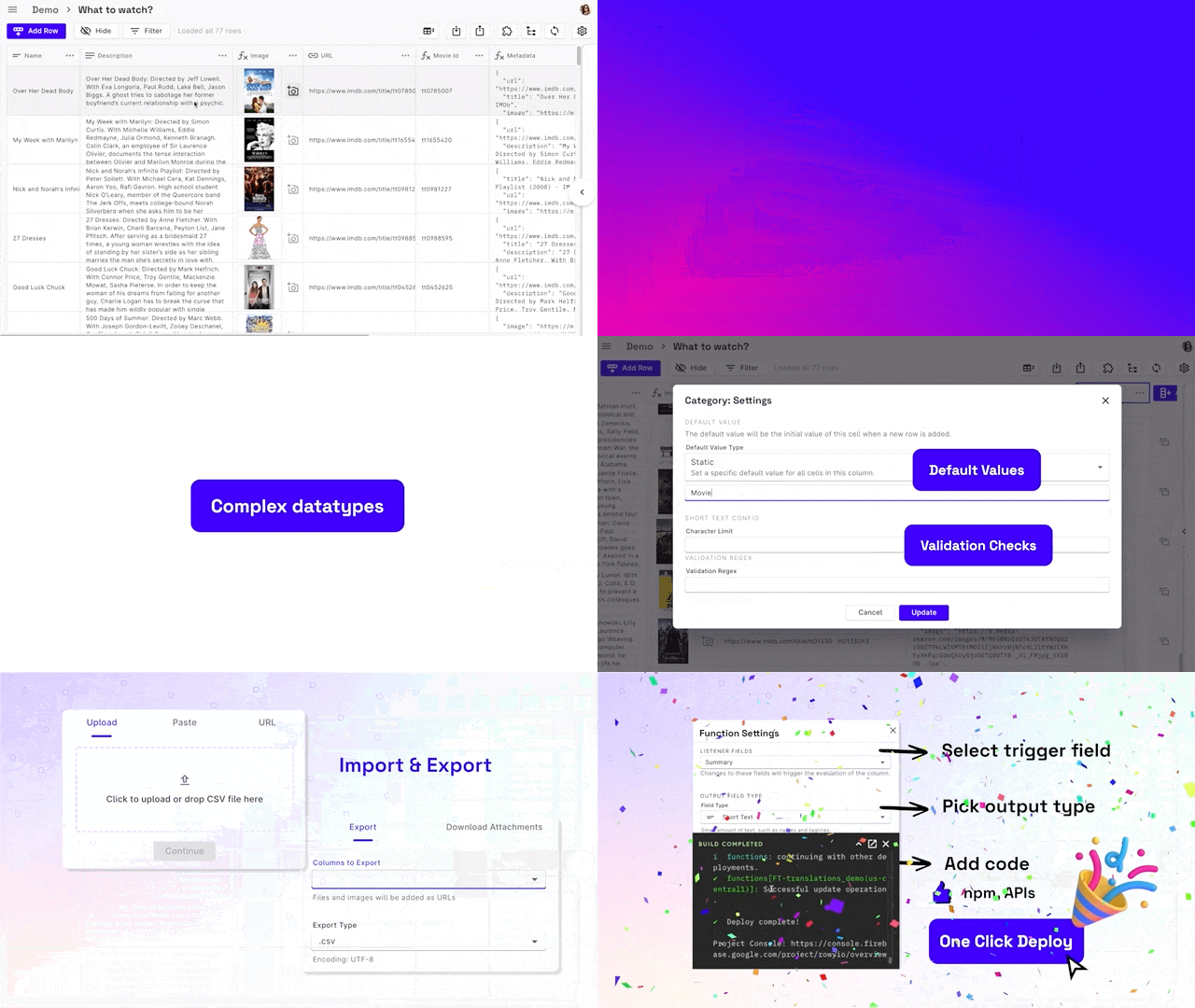
Powerful spreadsheet interface for Firestore
- CRUD operations
- Sort and filter by row values
- Lock, Freeze, Resize, Hide and Rename columns
- Multiple views for the same collection
- Bulk import or export data - csv, json
Rich and flexible data fields
- 30+ fields supported
- Basic types: Short Text, Long Text, Email, Phone, URL…
- Custom UI pickers: Date, Checkbox, Single Select, Multi Select…
- Uploaders: Image, File
- Rich Editors: JSON, Code, Rich Text (HTML)
- Data validation, default values, required fields
- Action field: Clickable trigger for any Cloud Function
- Derivative field: Populate a cell with value derived from your database,
npm modules, api calls - called on field level triggers - Aggregate field: Populate cell with value aggregated from the row’s sub-table
Collaborate with your team
- Granular table-level and field-level permission control
with custom user roles - Built in user management
- Customizable views for different user roles
Supercharge your database with cloud functions
- Effortless build cloud functions right in the browser
- Connect to your favourite tools: SendGrid, Algolia, Twilio, Bigquery and more
- Integrations with external services
- Connect Table uses Algolia to get a snapshot of another table’s row values
- Connect Service uses any HTTP endpoint to get a cell value
Install
Set up Rowy on your Google Cloud Platform project with this one-click deploy button that makes the process of setting up easy with step by step guide and ensuring your project is setup correctly. This runs RowyRun (an open-source, cloud run instance) that operates exclusively on your GCP project and we will never have access to your service account or any of your data.
Alternatively, you can also manually install using the full installation guide is available here.
Join Our Community
We would love to connect and hear what you think!