



 ## Features
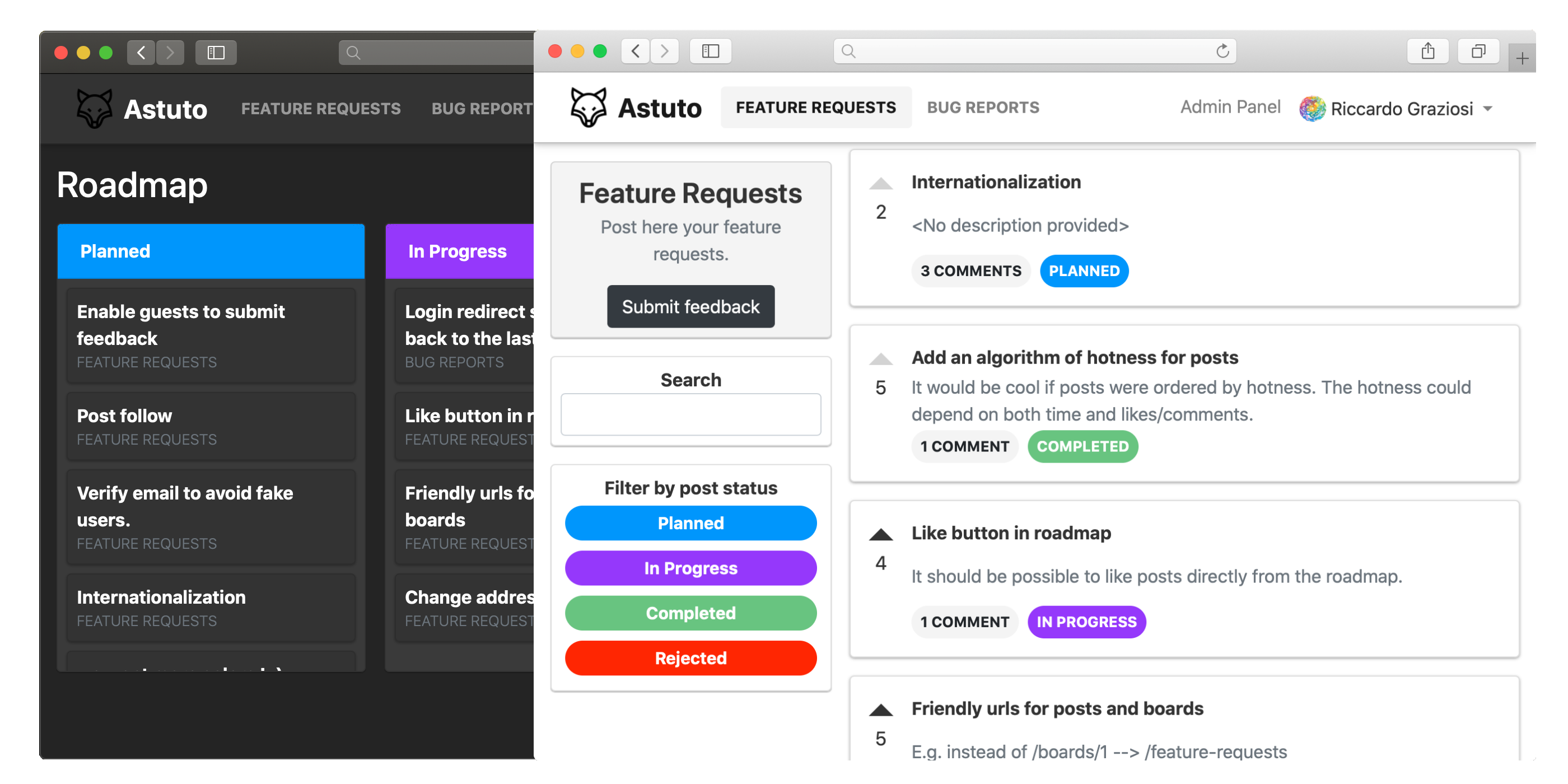
* Collect and manage feedback
* Create custom boards and statuses, to better organize feedback
* Customize your roadmap, to let your users know what you're working on
* Many more...
## Requirements
* Docker ([installation instructions](https://docs.docker.com/install/))
* Docker Compose ([installation instructions](https://docs.docker.com/compose/install/))
## Installation
**Note**: it is strongly suggested to run Astuto on Linux or macOS. As of today, Windows is likely to [cause problems](https://github.com/riggraz/astuto/wiki/Common-problems#standard_init_linuxgo211-exec-user-process-caused-no-such-file-or-directory). If you want to try anyway, follow along with the [Windows users installation guide](https://github.com/riggraz/astuto/wiki/Installation-for-Windows-users).
### Manual (for development)
1. Clone this repository.
2. In Astuto's root directory, create a file named `.env` and fill it with the required environment variables (see `.env-example` for an example and check [this wiki page](https://github.com/riggraz/astuto/wiki/Required-environment-variables) for an explanation of the variables).
3. Run `script/docker-update-and-run.sh`.
4. You should now have a running instance of Astuto at `localhost:3000`. A default user account has been created with credentials email: `admin@example.com`, password: `password`.
### Using DockerHub image (fastest)
Coming soon!
## Post-installation notes
* **If you run into any problems take a look at the [common problems page](https://github.com/riggraz/astuto/wiki/Common-problems)**.
* When you want to launch Astuto you have to run `script/docker-run.sh`. If you installed new gems, packages or updated the database schema, you first need to run `script/docker-update.sh` and then `script/docker-run.sh`. You can run them together with `script/docker-update-and-run.sh`.
* If you changed some environment variables in `.env` you have to restart the instance for these changes to take effect.
## Contributing
You are welcome to contribute:
* Read our [contributing guidelines](https://github.com/riggraz/astuto/blob/main/CONTRIBUTING.md)
* Join the [Discord channel](https://discord.gg/SrtUMRp) to get in touch
A huge thank you to all people who contributed:
## Features
* Collect and manage feedback
* Create custom boards and statuses, to better organize feedback
* Customize your roadmap, to let your users know what you're working on
* Many more...
## Requirements
* Docker ([installation instructions](https://docs.docker.com/install/))
* Docker Compose ([installation instructions](https://docs.docker.com/compose/install/))
## Installation
**Note**: it is strongly suggested to run Astuto on Linux or macOS. As of today, Windows is likely to [cause problems](https://github.com/riggraz/astuto/wiki/Common-problems#standard_init_linuxgo211-exec-user-process-caused-no-such-file-or-directory). If you want to try anyway, follow along with the [Windows users installation guide](https://github.com/riggraz/astuto/wiki/Installation-for-Windows-users).
### Manual (for development)
1. Clone this repository.
2. In Astuto's root directory, create a file named `.env` and fill it with the required environment variables (see `.env-example` for an example and check [this wiki page](https://github.com/riggraz/astuto/wiki/Required-environment-variables) for an explanation of the variables).
3. Run `script/docker-update-and-run.sh`.
4. You should now have a running instance of Astuto at `localhost:3000`. A default user account has been created with credentials email: `admin@example.com`, password: `password`.
### Using DockerHub image (fastest)
Coming soon!
## Post-installation notes
* **If you run into any problems take a look at the [common problems page](https://github.com/riggraz/astuto/wiki/Common-problems)**.
* When you want to launch Astuto you have to run `script/docker-run.sh`. If you installed new gems, packages or updated the database schema, you first need to run `script/docker-update.sh` and then `script/docker-run.sh`. You can run them together with `script/docker-update-and-run.sh`.
* If you changed some environment variables in `.env` you have to restart the instance for these changes to take effect.
## Contributing
You are welcome to contribute:
* Read our [contributing guidelines](https://github.com/riggraz/astuto/blob/main/CONTRIBUTING.md)
* Join the [Discord channel](https://discord.gg/SrtUMRp) to get in touch
A huge thank you to all people who contributed: